
A desktop for an older adult should make everyday tasks feel straightforward, not become another household project. I focus on readable displays, straightforward controls, comfortable video calls, dependable everyday performance, and a setup that fits the room. These six options cover everything from compact touchscreens to a more traditional tower, with enough variation for different budgets, spaces, and levels of technical comfort.
An Overview Of The Picks

Lenovo IdeaCentre Everyday Tasks 24-Inch Full HD All-in-One, 8GB RAM, 256GB SSD
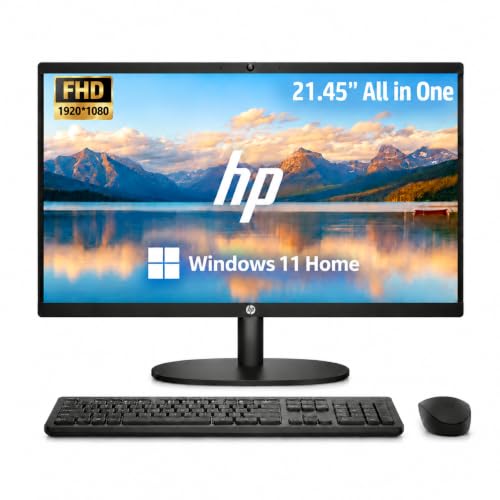
HP 23.8-Inch Touchscreen All-in-One, 8GB/512GB

HP 23.8-Inch Touchscreen All-in-One, 16GB/1TB

HP 23.8-Inch Touchscreen All-in-One, 16GB/512GB
HP 23.8-Inch Touchscreen All-in-One, 32GB/1TB

HP Desktop Tower PC, Intel Core i5-10400F
More On The Choices That Made The List
The Lenovo IdeaCentre puts a 24-inch Full HD display, computer, webcam, and speakers into one tidy unit, reducing the number of separate pieces on a desk. That arrangement suits a home office or spare room where loose cables and a separate tower would add clutter.
Its 5MP webcam and Smart Noise Cancelling add useful support for family calls and online meetings. Compared with the HP touchscreen models, the Lenovo offers a more conventional large-screen setup, while the 8GB of memory and 256GB SSD provide a modest foundation for documents, browsing, and streaming.
Notable Upsides
- The all-in-one body keeps the desk visually simple and uses fewer separate components.
- The 5MP camera gives video calls a clear, practical focal point.
- Harman-enhanced speakers support comfortable music and video viewing.
- Low blue light technology supports longer viewing sessions.
- The included keyboard and mouse help keep the initial setup uncomplicated.
Trade-Offs
- The 256GB SSD leaves less room for large photo, video, or document collections than the 1TB HP configurations.
- Its 8GB memory matches the entry-level HP touchscreen, making the other HP models more comfortable for heavier multitasking.
Feature Snapshot
Made For
This model fits an older adult who values a large display, a tidy desk, and uncomplicated video calling more than expansive storage.
Consider Something Else When
The HP 23.8-Inch Touchscreen All-in-One, 16GB/1TB suits a household that wants touch navigation and more room for files.
A large touchscreen can make photo sorting, web navigation, and casual app use feel more natural than relying entirely on a mouse. This HP combines that interaction with a 23.8-inch Full HD IPS panel, wide viewing angles, and an anti-glare finish.
The 8GB/512GB configuration suits a kitchen, bedroom, or shared family space where browsing, email, video calls, and basic documents are the main activities. Compared with the Lenovo IdeaCentre, it offers direct touch access, though the 8GB memory level is the same.
The Practical Payoff
- Touch input gives a familiar alternative to precise mouse movements.
- The anti-glare IPS display remains readable from more than one position in a room.
- Windows Hello sign-in through the FHD infrared camera avoids repeated password entry.
- Wi-Fi 6 and Bluetooth 5.3 provide current wireless connectivity for compatible devices.
Points To Note
- The 8GB memory configuration offers less breathing room than the 16GB and 32GB HP versions.
- Touch functionality is most useful when the screen sits within comfortable reach.
Quick Facts
The Right Fit
This configuration best fits a senior who enjoys touch interaction and needs a modest computer for household browsing, calls, and light document work.
Another Choice May Suit
The HP 23.8-Inch Touchscreen All-in-One, 16GB/1TB better serves a shared computer that handles more open applications and stores larger collections of media.
Sixteen gigabytes of memory makes this the more comfortable middle ground among the HP touchscreen all-in-ones, particularly for a computer that remains on throughout the day. It can hold numerous open programs without demanding as much attention from the memory as an 8GB setup.
The 1TB SSD adds ample room for family photographs, downloaded videos, work documents, and applications. The touchscreen, anti-glare Full HD display, and infrared camera remain useful features for seniors who alternate between browsing, video calls, and simple touch-based tasks.
What Helps Most
- 16GB of memory supports comfortable everyday multitasking.
- The 1TB SSD provides substantial room for documents, photos, and video files.
- Touch controls add another way to browse and organize content.
- The infrared camera supports both video calls and convenient sign-in.
Small Caveats
- The all-in-one design leaves less flexibility for internal expansion than a traditional tower.
- The Intel Core i3-N300 is intended for routine work rather than demanding professional software.
Built With In Mind
This model suits a senior whose computer serves as a central family hub for calls, documents, photographs, and streaming.
A Better Fit Elsewhere
The HP Desktop Tower PC, Intel Core i5-10400F better serves a home office that prioritizes processor power and a separate, potentially larger monitor setup.
Sixteen gigabytes of memory paired with a 512GB SSD creates a useful compromise for a household computer that opens many applications but does not maintain a large local media library. The memory offers more flexibility than the 8GB model while keeping storage below the 1TB version.
For a senior sharing a study, bedroom, or living-room workspace, the 23.8-inch touchscreen can make casual browsing and photo review easier. Wi-Fi 6, Bluetooth 5.3, an FHD infrared camera, and the included keyboard and mouse create a well-rounded setup without several separate desktop components.
What It Does Well
- The 16GB memory handles several routine applications with room to spare.
- The 512GB SSD balances file capacity with a more modest storage allocation.
- IPS viewing angles make the screen practical for family members sitting nearby.
- Windows 11 Pro adds the management features expected in a home or small-office computer.
- The matching keyboard and mouse simplify the initial setup.
Practical Considerations
- The 512GB capacity may require regular file organization for large photo or video collections.
- The touchscreen depends on a stable, reachable desk position for comfortable use.
Feature Rundown
Best Suited To
This desktop fits a senior using a shared family computer for email, browsing, video calls, and regular document work.
Where Another Pick Shines
The HP 23.8-Inch Touchscreen All-in-One, 16GB/1TB is the better choice for someone who keeps substantial media or project files on the computer.
Thirty-two gigabytes of memory makes this the most generously equipped configuration in the group, giving a busy family computer extra headroom for many open programs. That matters more in a multi-person home where calls, documents, streaming, and browsing may overlap during the day.
The 1TB SSD complements the memory by holding a large collection of local files. The same 23.8-inch Full HD touchscreen, anti-glare IPS panel, infrared camera, and wireless features make it a logical high-memory choice rather than a different style of computer.
Where It Delivers
- 32GB of memory provides ample capacity for demanding everyday multitasking.
- The 1TB SSD leaves considerable room for downloaded media and family archives.
- Wide viewing angles make the display suitable for a shared room.
- The infrared camera supports convenient sign-in and detailed video calls.
- AI Noise Removal helps reduce distracting background sound during meetings.
Where It May Fall Short
- The extra memory offers limited practical value for a senior handling only basic tasks on one account at a time.
- The all-in-one body does not provide the same physical expansion path as a tower.
Who Will Love This
This model suits a busy family household or an older adult who keeps many applications and media collections open together.
Reach For A Different Pick When
The HP 23.8-Inch Touchscreen All-in-One, 16GB/1TB offers the same display and storage capacity with less memory for simpler use.
A traditional tower earns its place for a home office that already has, or wants, a separate monitor and comfortable keyboard and mouse. The Intel Core i5-10400F provides six cores and 12 threads, a more substantial processor foundation than the Core i3 configurations in the touchscreen all-in-ones.
That processing capacity suits spreadsheets, accounting software, web research, and sustained multitasking. The listed protection also adds helpful coverage for accidental damage and breakdowns, while round-the-clock assistance can assist with setup, connectivity, and troubleshooting for less technical household members.
A Strong Showing
- Six cores and 12 threads support demanding office multitasking.
- The processor reaches speeds suitable for spreadsheets, research, and business applications.
- 24/7 assistance covers setup, connection, and troubleshooting questions.
- The protection plan includes accidental-damage and breakdown coverage, with terms varying by plan.
Things To Weigh
- A tower needs a separate display and input setup, which may add clutter and cost to a small room.
- The more complex arrangement may feel less approachable for someone who values a single-piece touchscreen setup.
Technical Reference
Made With In Mind
This tower fits a senior managing demanding office applications in a dedicated home-office space with room for separate accessories.
Look Elsewhere When
The HP 23.8-Inch Touchscreen All-in-One, 16GB/1TB better serves a smaller room where one-piece construction and touch navigation matter more.
What Matters Most Before Making the Decision
A Comfortable Screen Comes First
A large Full HD display gives text and photographs enough room to remain readable, while an anti-glare surface helps control reflections from nearby windows. IPS panels also make the image easier to see from off-center positions, which is useful when family members share a room. Touch input adds value for casual browsing and photo selection, although a keyboard and mouse remain necessary for precise work.
Memory and Storage Serve Different Purposes
Memory, or RAM, supports the applications open at a given moment. A 16GB configuration provides comfortable room for browsing, calls, documents, and several background programs. Storage holds files, and a 1TB SSD gives a household more room for downloaded media and local archives. The 512GB options still work well for lighter collections, while 8GB suits the most straightforward use.
A Simple Setup Reduces Friction
An all-in-one computer combines the display, computer, webcam, and speakers in one enclosure. That reduces cable clutter and makes setup easier in a bedroom, kitchen, or study area. A tower provides a more traditional arrangement and may suit an existing desk setup, but it requires separate display and input-device planning.
Support Matters for Less Technical Users
I pay close attention to the help included with a computer, especially for a household that does not want every setup question turned into a support request. Infrared sign-in, noise reduction for calls, responsive wireless connections, and accessible assistance can make routine ownership less demanding.
Two Details That Shape the Choice
Mistakes Worth Dodging
A large screen does not automatically make a computer easy to use, and extra storage does not guarantee smoother performance. I would check the complete package, including the keyboard, mouse, camera, and included accessories, rather than judging only by display size. Matching the setup to the intended room also prevents a compact computer from creating a crowded workspace.
What The Higher Tier Buys
Higher memory mainly benefits computers that keep many programs open or serve several people during the same day. A 32GB model can provide extra room for heavier multitasking, while a 1TB drive mainly benefits households with substantial local files. The upgrade makes sense for a busy shared computer, though a 16GB configuration remains a more measured choice for ordinary use.
Frequently Asked Questions
Is a touchscreen desktop easier for seniors to use?
A touchscreen can make browsing, photo organization, and simple app navigation more direct. Precise typing and extended work still benefit from a keyboard and mouse.
How much RAM does a senior need for everyday use?
An 8GB configuration handles routine browsing, email, and documents, while 16GB provides more comfortable multitasking. A shared family computer benefits more from 16GB or 32GB than a lightly used one.
Is a 1TB SSD better than 512GB for a home computer?
A 1TB SSD offers more room for downloaded media, photographs, and project files. A 512GB drive remains practical when most files are kept online and local storage stays modest.
Are all-in-one computers better than towers for older adults?
An all-in-one reduces desk clutter and combines the display with the computer in one body. A tower offers more traditional component separation and may suit an established home-office setup with separate accessories.
Does an infrared camera help with daily computer use?
An infrared camera supports facial recognition for convenient sign-in and can record video calls. The login method still depends on the compatible Windows features and individual privacy preferences.
Final Verdict
I would start with the HP 23.8-Inch Touchscreen All-in-One, 16GB/1TB for a balanced household setup, then choose the 8GB version for lighter use or the 32GB model for heavier multitasking. The Lenovo IdeaCentre makes sense for a large-screen, mouse-and-keyboard setup, while the HP tower serves a dedicated office with separate accessories. The right choice is the one that fits the room, the household’s tasks, and the level of convenience that matters most.
