
AIO desktop PCs keep the desk tidy without forcing you into a tiny screen or a clutter of cables. That matters whether you’re setting up a family room station, a home office, or a shared workspace where space runs tight. The picks below focus on screen size, memory, storage, and the kind of everyday fit that makes a machine feel easy to live with.
Quick Look At The Shortlist
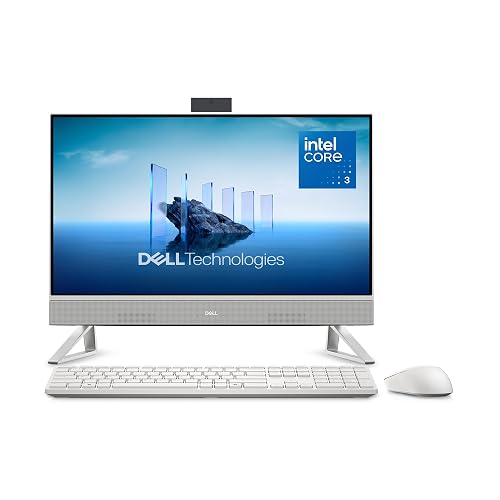
Dell 23.8" All-in-One Desktop EC24250
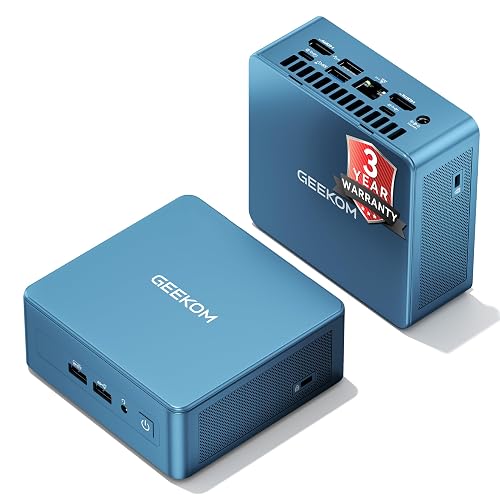
GEEKOM IT12 Mini PC

Lenovo IdeaCentre All-in-One Desktop 24"

Dell 27" All-in-One Desktop EC27250

Lenovo IdeaCentre 24 All-in-One Desktop
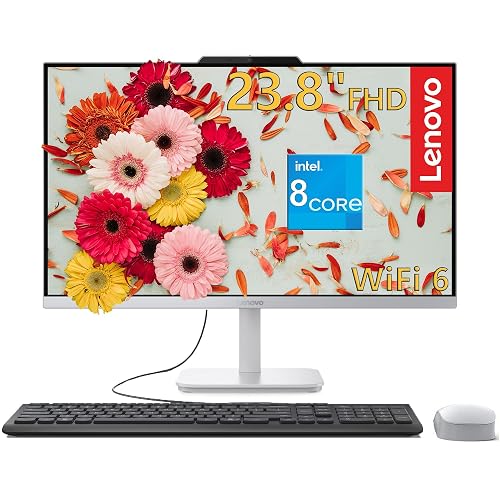
Lenovo IdeaCentre 27" All-in-One Desktop PC
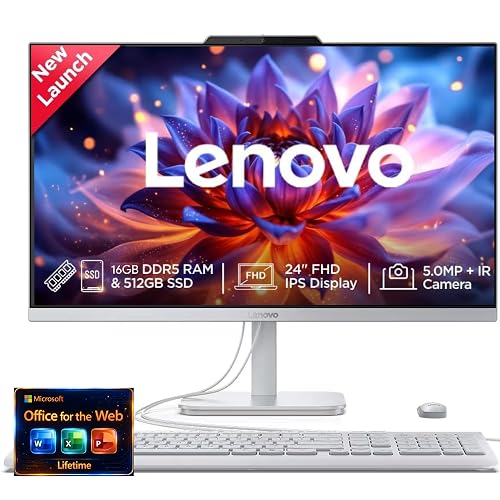
Lenovo 24" FHD All-in-One Desktop
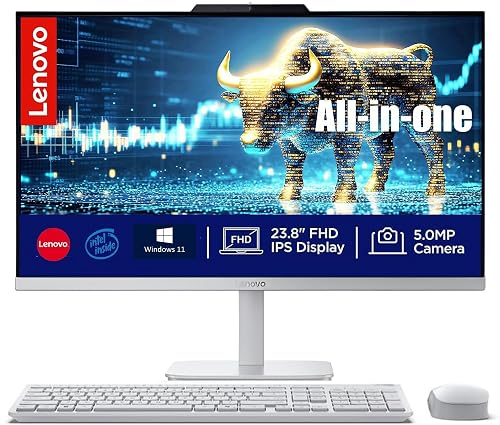
Lenovo 24-inch All-in-One Desktop
More Details On Our Top Picks
Dell keeps this one focused on everyday comfort, starting with a 23.8-inch Full HD screen that fits neatly on a kitchen desk or a compact home office setup. The Core 3 100U, 8GB memory, and 512GB solid-state drive give you a sensible baseline for browsing, documents, and streaming without loading the chassis with extras you may never need.
The included keyboard, mouse, Wi-Fi 6E, Bluetooth, and Dolby Atmos speakers make the setup feel complete out of the box, which helps in a first-time home office or a shared family station. Compared with the larger Dell 27-inch model later in this list, this one is easier to place and a little less ambitious, and that’s exactly the point.
Strong Points
- 23.8-inch Full HD display suits desk spaces that feel cramped.
- 512GB SSD helps everyday apps open quickly and keeps the system feeling responsive.
- Keyboard and mouse are included, so you don’t need to piece together the setup.
- Wi-Fi 6E and Bluetooth cover modern home-network and accessory needs.
- Dolby Atmos speakers add a fuller sound profile for calls and casual video.
Things To Consider
- 8GB memory is fine for routine use, though heavy tab users may want more headroom.
- Its smaller screen is handy for tight desks, but side-by-side work feels less roomy than on 27-inch models.
- The included peripherals are practical, yet some shoppers may eventually prefer a keyboard and mouse with a different feel.
Feature Snapshot
Who It Suits Best
You’ll get the most from this model in a compact home office, a dorm desk, or a family space where the computer needs to stay visually quiet.
A Better Fit Elsewhere
Lenovo IdeaCentre 27" All-in-One Desktop PC suits you better for heavier multitasking, larger spreadsheets, and a roomier screen.
This GEEKOM option takes the smallest footprint in the group, which helps a lot in a studio apartment, a reception desk, or a monitor-heavy workbench. The Intel i3-12300HE processor, 16GB memory, and 512GB SSD point to a stronger everyday multitasking profile than the Dell 23.8-inch AIO, while the mini-PC shape keeps the desk open.
The USB4 and 8K UHD support give it a more future-facing angle, especially for a setup that may grow into multiple displays. The trade-off is obvious, though, because you’ll need your own monitor, input devices, and a little more planning than you would with an all-in-one tower and screen combined.
Upsides
- Very small chassis frees up desk space for paperwork or peripherals.
- 16GB memory gives you more breathing room for multi-app work than 8GB systems.
- USB4 opens the door to fast external connections and dock-style setups.
- 8K UHD support adds flexibility for high-resolution display planning.
- Upgradable storage makes long-term adjustment easier than on fixed-entry machines.
Room For Improvement
- You still need a separate monitor, so the total setup takes more planning.
- The industrial look is practical, but it won’t blend into every living room.
- Cable management matters more here, since the system lives beside your display rather than inside it.
Core Details
Built With In Mind
You’re the best fit for this one if your desk already has a monitor and you want a compact office machine with some upgrade room.
Another Choice May Suit
Dell 23.8" All-in-One Desktop EC24250 suits you better if you want the screen built in and prefer a simpler single-box setup.
Lenovo gives this IdeaCentre a friendlier middle ground than the smaller Dell pick and the more complex mini PC above. The 24-inch anti-glare IPS screen is the key callout, because IPS means better off-angle viewing, and anti-glare helps the panel stay easier on the eyes in bright rooms or near windows.
For family email, school work, streaming, and day-to-day browsing, the 8GB memory and 512GB SSD feel well matched to the display size. It’s not the machine for a huge workload, but it carries an easygoing balance that suits many homes without asking for much desk real estate.
Best Bits
- 24-inch IPS screen gives a comfortable viewing area for shared use.
- Anti-glare finish helps cut reflections in bright home offices.
- 512GB SSD and 8GB memory cover common household tasks cleanly.
- Wi-Fi 6 and Bluetooth 5.2 fit a modern wireless setup.
Minor Gripes
- 8GB memory keeps it in everyday territory rather than heavy multitasking territory.
- The spec mix is sensible, though power users may want more processor headroom.
- As with most AIO units, moving it between rooms takes more effort than shifting a laptop.
Details At A Glance
Who Should Grab It
You’re a strong match for this pick if you want a straightforward family computer that does school, streaming, and browsing without looking oversized.
Where A Sibling Pick Shines
Lenovo IdeaCentre 27" All-in-One Desktop PC suits you better if you spend long stretches in spreadsheets, creative tools, or split-screen work.
The extra screen size is the immediate draw here, and the 27-inch panel feels much better suited to split windows, document work, and long afternoons at the desk. Compared with the 23.8-inch Dell model, this version adds 16GB DDR5 memory, and DDR5 is the newer memory class, which helps explain why it’s the more capable everyday workstation.
The Core 5 120U and 512GB SSD keep the system in familiar ground for general use, but the larger display and higher memory level make the whole setup feel more open. You’ll appreciate that balance most in a home office that doubles as a family command center or a work-from-home desk with multiple tabs up all day.
Positives
- 27-inch screen gives you more room for side-by-side windows.
- 16GB DDR5 memory suits busier multitasking without feeling cramped.
- Keyboard and mouse are included, which simplifies setup.
- Wi-Fi 6E and Bluetooth keep wireless connections current.
- Large all-in-one format reduces cable clutter around the desk.
Areas To Watch
- The larger screen takes more desk depth than the smaller Dell choice.
- It carries more presence visually, so it fits best in a dedicated spot.
- Like most AIO machines, later upgrades are less flexible than on a tower PC.
Feature Card
Whose Shelf It Belongs On
You’ll like this most in a dedicated home office where screen space matters as much as desk cleanliness.
Look Elsewhere When
Dell 23.8" All-in-One Desktop EC24250 makes more sense if you want a smaller footprint and lighter daily tasks.
This Lenovo leans into the part of the category many homes actually need, a tidy screen that can sit in a corner without taking over the room. The ebony black finish and space-saving form suit a work, study, or family-use station, and the 16GB memory gives it more breathing room than the 8GB Lenovo IdeaCentre 24-inch model above.
That extra memory helps when your desk day turns messy, with video calls, a browser full of tabs, and a spreadsheet all open together. It still stays within the everyday-use lane, though, so the draw is balance rather than brute force.
What We Like
- 16GB memory gives the system a more comfortable multitasking margin.
- 24-inch screen keeps the footprint manageable for shared rooms.
- Space-saving design suits desks that also handle schoolwork or hobbies.
- Wi-Fi 6 supports current wireless networking at home.
Softer Spots
- The 24-inch layout is useful, but not as expansive as the 27-inch Dell and Lenovo options.
- It’s still an all-in-one, so servicing and future swapping are less open-ended than a tower build.
- The design focus is convenience first, which leaves less room for flashy extras.
Quick Facts
Right Fit For
You’re the right match for this pick if you want a compact household computer with a little more multitasking comfort.
Swap It Out When
Dell 27" All-in-One Desktop EC27250 suits you better for larger spreadsheets, more window juggling, and a roomier display.
This is the one for heavier desk days, since the Core i7-13620H, 32GB DDR5 memory, and 1TB PCIe SSD put it well beyond the simpler everyday picks in this roundup. PCIe SSD means the storage connects through a faster interface than older-style drives, so the overall feel should better suit larger files, more apps, and busier multitasking.
The 27-inch screen, 5MP webcam, Harman audio, and Windows 11 Pro round out a machine that fits a serious home office or a small business corner. It is still an all-in-one, so the clean desk look stays intact, but the stronger parts count makes it the most work-ready Lenovo here.
Highlights
- 32GB DDR5 memory gives it real breathing room for demanding multitasking.
- 1TB PCIe SSD offers more local storage than the 512GB models in this group.
- Core i7-13620H is a stronger fit for heavier productivity work.
- 5MP webcam and Harman audio help remote meetings feel more polished.
- Windows 11 Pro suits business-like setups and users who want that edition.
Points To Note
- The higher-capacity setup makes more sense for serious use than casual browsing alone.
- It is a larger machine, so desk planning matters more than with 24-inch models.
- Most of the value sits in performance, which means you pay for capability you may not need for basic tasks.
Technical Sheet
Best Suited To
You’ll appreciate this model most if your desktop handles work apps, lots of tabs, and regular video meetings.
Skip It When
Lenovo IdeaCentre 24 All-in-One Desktop Computer suits you better if your needs stay in the everyday lane and you want to keep costs and scale lighter.
This Lenovo takes a tidy middle path, with 16GB memory and 512GB SSD storage giving it a more comfortable shape than the smaller 8GB systems in the roundup. The 24-inch Full HD screen is a sensible fit for task lists, casual calls, and general web work, and the overall pitch feels calm rather than flashy.
Office 365 for the web adds a useful day-to-day angle for home users who spend a lot of time in documents and browser-based work. Compared with the more aggressively specced Lenovo IdeaCentre 27-inch PC, this model stays lighter and easier to place, which matters in a shared room.
Bright Spots
- 16GB memory makes everyday multitasking feel less cramped.
- 512GB SSD gives you practical local storage for documents and media.
- 24-inch Full HD display suits work and streaming without taking over the room.
- Office 365 for the web is handy for browser-based productivity.
Small Caveats
- The processor is described broadly, so the exact workload fit depends on the version sold.
- It stays in the mainstream zone, so heavy creators may want something with more CPU detail.
- As with most all-in-ones, the clean setup is a plus, but the hardware footprint is less modular later on.
Core Details
Built For In Mind
You’re a good match for this Lenovo if you want a calm, uncluttered desktop for documents, web work, and family use.
Reach For A Different Pick When
Lenovo IdeaCentre 27" All-in-One Desktop PC suits you better if you need more processing muscle and a bigger screen for heavier multitasking.
This Lenovo keeps the formula simple, and that simplicity is the point. You get 16GB memory, 512GB SSD storage, a Full HD screen, Wi-Fi 6, Windows 11, and wireless keyboard plus mouse support, so it’s ready for a quiet desk in a home office, a study nook, or a family room corner.
The “quiet design” note also matters more than it sounds, because a low-key desktop is easier to live with in shared spaces. It does not chase premium extras like the 27-inch Lenovo workstation above, but for everyday computing, that restraint can be the appeal.
Standout Traits
- 16GB memory gives the system useful everyday headroom.
- 512GB SSD keeps storage practical for household files and apps.
- Wireless keyboard and mouse simplify first-day setup.
- Quiet design suits rooms where a louder machine would feel distracting.
- Wi-Fi 6 keeps networking current for routine home use.
Honest Caveats
- The broad CPU description leaves less detail than some of the other listings.
- It focuses on basics, so you won’t get the stronger work-class hardware found in the Lenovo 27-inch PC.
- The modest positioning is useful for many homes, but power users may outgrow it faster.
Feature Rundown
The Right Fit
You’ll like this most if you want an uncomplicated all-in-one for homework, browsing, streaming, and general household tasks.
Another Choice May Suit
Lenovo IdeaCentre 27" All-in-One Desktop PC suits you better if you want stronger processing power and a more workstation-like feel.
What To Weigh Before You Choose
Common Shopping Slip Ups
Screen size is easy to underestimate in this category. A 24-inch all-in-one fits many desks, but a 27-inch model starts to feel much better for side-by-side windows, especially in a work-from-home setup.
Memory matters too, because 8GB can feel fine for browsing and documents, then feel tight the moment video calls and lots of tabs show up. You also want to separate true all-in-one convenience from mini PC flexibility, since the mini PC route still asks you to source a monitor and accessories.
Where The Extra Money Goes
Higher-tier machines usually spend the budget on the processor, memory, storage, and display size. That shows up in smoother multitasking, more room for files, and less screen shuffling during a busy day.
The jump from 16GB to 32GB memory, or from 512GB to 1TB SSD storage, tends to matter most for work-heavy setups and shared systems. For light browsing and schoolwork, the extra cost can feel unnecessary, but for daily multitasking it’s easier to justify.
Frequently Asked Questions
What makes an all-in-one desktop different from a tower?
An all-in-one combines the display and computer into a single unit. That keeps the desk cleaner, but it usually leaves less room for future part swaps.
Is 8GB memory enough for everyday use?
Yes, for basic browsing, email, streaming, and document work. It starts to feel tighter when you keep many tabs and apps open at the same time.
Why do some all-in-one desktops use SSD storage?
SSD stands for solid-state drive, a storage type that usually feels quicker in daily use than older mechanical drives. You’ll notice that in faster starts and smoother app loading.
Do 27-inch models suit small desks?
They can fit, but they need more depth and breathing room than 24-inch options. A 27-inch screen makes sense when you value workspace more than a minimal footprint.
Who should choose a mini PC instead of an all-in-one?
A mini PC suits you when you already own a monitor and want a small computer box on the side. That route gives you more flexibility, but it asks for more setup planning.
Final Verdict
For a tidy desk and straightforward everyday computing, the strongest all-in-one choices here are the Lenovo IdeaCentre 24-inch models and the Dell 23.8-inch and 27-inch units, depending on how much screen space you want. The mini PC stands apart for shoppers who already have a display and want a smaller computer footprint. Higher-end models earn their place through memory, storage, and display room, not flashy extras. Choose the one that matches your desk space and workload, and the whole setup should feel easy to live with.



