
All-in-one touch PCs make sense when you want a cleaner desk without giving up a full Windows setup. You get the screen, the computer, and often the keyboard and mouse in a single footprint, which helps in home offices, front desks, school spaces, and family rooms. The right model depends on screen size, memory, storage, ports, and whether you want a light daily-use machine or a more capable work station.
Quick Look at the Shortlist
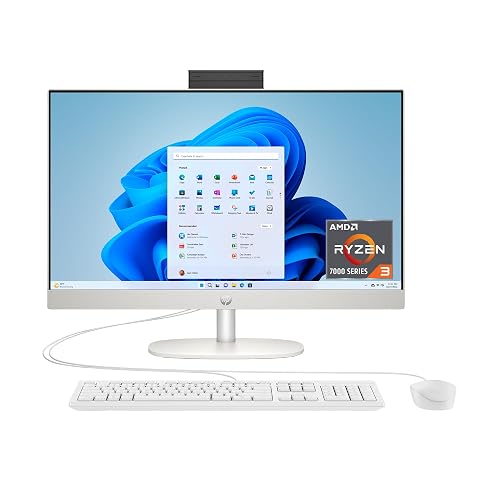
HP 23.8 inch All-in-One Desktop PC 24- cr0420
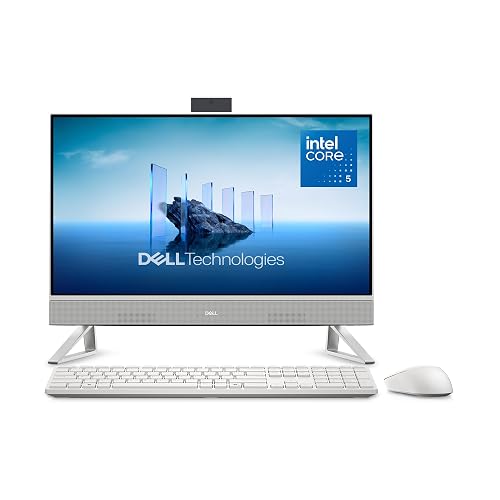
Dell 23.8-inch All-in-One Desktop EC24250
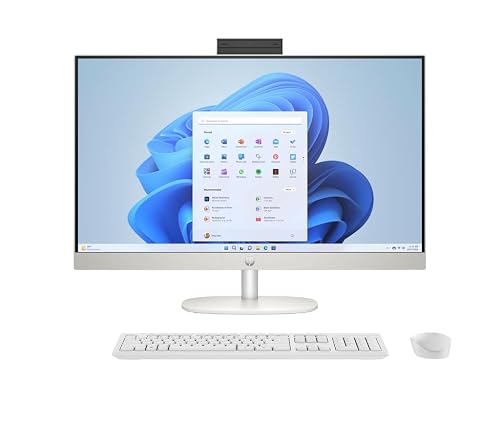
HP 27 inch All-in-One Desktop PC
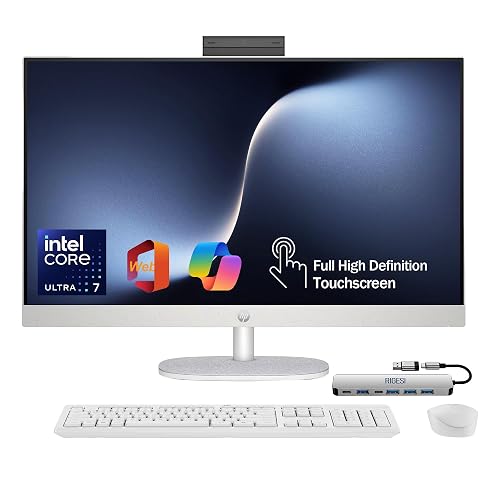
HP 27-inch FHD Touchscreen All-in-One

15.6-inch All-in-One Desktop Computers N5095

HP 24 23.8-inch FHD Touchscreen All-in-One Desktop Computer
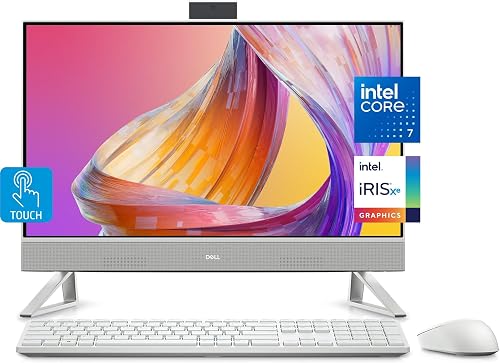
Dell All-in-One 24-inch FHD Touchscreen Desktop
HP 27-inch FHD Touchscreen All-in-One
More Details On Our Top Picks
For a smaller desk, this HP keeps the footprint sensible while still giving you a 23.8-inch FHD touchscreen. The AMD Ryzen 3 7320U, 8 GB of RAM, and 256 GB SSD point to smooth everyday work, light browsing, and school tasks rather than heavy multitasking.
The Shell White finish softens the look, so it fits nicely in a bedroom office or shared living space. The trade-off is simple: you get a tidy daily driver, not a machine built for large creative projects or lots of open apps at once.
Strong Points
- 23.8-inch screen keeps the desk clean without feeling cramped.
- Touch input helps with quick taps, scrolling, and casual navigation.
- 256 GB SSD should feel responsive for routine startup and file access.
- Shell White styling blends in easily with lighter rooms.
Points To Note
- 8 GB of memory is fine for basics, but it leaves less room for many tabs and apps.
- The storage size suits modest file libraries better than large media collections.
- Cleaner surfaces help this style stay presentable, so dust management matters more than on a tower PC.
Feature Snapshot
Who It Suits Best
Students, casual home users, and anyone who wants a tidy touchscreen desktop for everyday tasks will get the most from it.
A Better Fit Elsewhere
HP 24 23.8-inch FHD Touchscreen All-in-One Desktop Computer suits you better when office work takes priority and you want a stronger processor with more desktop polish.
This Dell steps up the everyday formula with 16 GB of DDR5 memory and a 512 GB SSD, which matters once your desktop starts juggling work tabs, school files, and streaming at the same time. The Intel Core 5 120U keeps it in mainstream territory, so it should feel comfortable for most home offices.
The included keyboard and mouse make setup feel straightforward, and the Dolby Atmos speakers add a little more polish for calls or casual video. In a shared household, that mix is useful, though the sound system will still make more sense as a convenience feature than as a replacement for standalone audio gear.
What We Like
- 16 GB DDR5 gives you more breathing room than the 8 GB machine above.
- 512 GB SSD offers extra space for documents, downloads, and programs.
- Keyboard and mouse are included, so your desk is ready faster.
- Dolby Atmos speakers add fuller sound for calls and casual media.
- Wi-Fi 6E gives you a current wireless connection standard for busy homes.
Areas To Watch
- It stays in the mainstream class, so it is not aimed at demanding creative workloads.
- Built-in speakers help with convenience, but external audio still sounds more substantial for music-heavy spaces.
- The all-in-one format keeps things neat, though cable access matters during first setup.
Core Details
Who Should Grab It
Home office users who want a neat desktop with better memory and storage balance should feel right at home here.
Where A Sibling Pick Shines
HP 27 inch All-in-One Desktop PC suits you better if you prefer a larger screen and plan to keep several windows open side by side.
The 27-inch panel changes the feel right away, because you gain more room for split windows, spreadsheets, and side-by-side work. Paired with a Ryzen 5 7520U, 16 GB of RAM, and a 1 TB SSD, this HP sits in a practical middle ground for people who want more screen without jumping into a very high-end setup.
The built-in speaker keeps the desk uncluttered, and the Windows 11 Pro install suits a small office or a home setup that handles more than basic browsing. In most desks, that bigger display is the main reason to look here, though it does ask for more physical space than the 23.8-inch models.
Highlights
- 27-inch screen makes multitasking easier and less cramped.
- 1 TB SSD gives you generous room for files, apps, and media.
- 16 GB memory keeps everyday work more comfortable.
- Windows 11 Pro is a strong fit for work-focused setups.
- Touchscreen input helps with quick navigation and casual use.
Small Caveats
- The larger footprint needs more desk width than the 23.8-inch models.
- Built-in audio is convenient, though some offices will still prefer external speakers.
- The bigger screen can draw more attention to cable placement, so a tidy setup helps.
Details At A Glance
Right Fit For
Home office users, students with heavy multitasking, and anyone who wants a roomy display should find this one easy to live with.
Another Choice May Suit
Dell 23.8-inch All-in-One Desktop EC24250 makes more sense for tighter desks where you still want strong memory and a simpler footprint.
This HP leans into a more complete work setup, with Intel Core Ultra 7 155U performance, 16 GB of DDR5, and a 1 TB SSD. The bundled USB-C docking station matters in a real office because it helps centralize accessories and makes it easier to connect a laptop-style workflow.
HDMI and Ethernet are useful touches too, especially in a desk that stays wired to a monitor input or a stable network connection. The honest read is that this model makes the most sense for people who value connected-work convenience more than a stripped-back desktop.
Reasons To Buy
- USB-C docking station adds practical desk organization.
- HDMI and Ethernet widen connection options for workstations.
- Core Ultra 7 gives you more headroom than the midrange chips above.
- 1 TB SSD keeps larger project folders in reach.
Honest Caveats
- This setup makes more sense when you actually use the extra ports and dock.
- It asks for a little more desk planning because the accessory list is longer.
- Built for work comfort, it may feel more machine-like than minimalist.
Technical Sheet
Whose Shelf It Belongs On
Home office users who want docking convenience, wired networking, and a more capable processor will appreciate this setup.
Swap It Out When
HP 27 inch All-in-One Desktop PC makes more sense for you if you want the same screen size with a simpler, less accessory-heavy setup.
This one looks different from the home-office machines above because it is built more like an industrial touchscreen station. The 15.6-inch FHD panel, 180-degree adjustable stand, and smaller footprint make sense on counters, kiosks, warehouse stations, or automation desks.
N5095 performance, 8 GB of RAM, and 128 GB of built-in storage place it firmly in task-specific territory, so you should think of it as a dedicated work unit rather than a general family computer. The adjustable screen is the standout piece here, especially in shared-use settings where the viewing angle changes throughout the day.
Bright Spots
- The 180-degree adjustment gives you more placement flexibility.
- 15.6-inch size fits tighter counters and service areas.
- HDMI 2.0, WiFi 5, and Bluetooth 5.0 cover common connection needs.
- Windows 11 Pro suits business-style use more than casual entertainment.
Things To Consider
- The smaller screen can feel tight for long office sessions.
- 128 GB storage works better for software and task files than for large libraries.
- Industrial use usually means more attention to mounting, cleaning, and cable routing.
- It is less of a family all-rounder than the larger HP and Dell options.
Feature Rundown
The Right Fit
Counter-service setups, kiosk installs, and automation stations get the most from this compact design.
Look Elsewhere When
HP 23.8 inch All-in-One Desktop PC suits you better for a normal home desk where a larger screen and lighter setup matter more.
Office-minded shoppers get a useful mix here: a 23.8-inch FHD touchscreen, 16 GB of RAM, and a 512 GB PCIe SSD. The 13th Gen Intel octa-core CPU is the part that changes the feel most, because it should handle busier workdays better than entry-level chips.
HDMI, Wi-Fi, and Bluetooth keep the desktop flexible, and the business AIO styling fits a desk that stays serious rather than decorative. In a small office, that balance of size and capability often lands better than a larger 27-inch unit that needs more room.
Upsides
- Octa-core processor gives you more room for work apps and browser tabs.
- 16 GB RAM supports a steadier multitasking rhythm.
- 512 GB PCIe SSD should feel quick for booting and loading files.
- 23.8-inch size stays practical for standard desks.
Softer Spots
- The display size is sensible, though it is less expansive than the 27-inch options.
- Office styling makes sense for work, but it is less relaxed for a family room.
- The chassis will stay cleaner-looking with regular dusting around the display base and vents.
Feature Card
Built With In Mind
Office users who want a clean touchscreen desktop with a practical balance of size and speed should feel at ease here.
Where A Sibling Pick Shines
Dell All-in-One 24-inch FHD Touchscreen Desktop suits you better if bundled accessories and audio extras matter more than a work-first design.
This Dell lands in a familiar sweet spot, but the Intel Core 7 150U with 10 cores gives it a little more muscle than several entry-level all-in-ones here. The 16 GB RAM and 512 GB SSD pair well with that processor, so it suits households that keep multiple tasks moving at once.
The included keyboard and mouse make the setup immediately useful, and Wi-Fi 6 plus Bluetooth 5.3 help it feel current for modern devices. Compared with the HP 23.8-inch starter model, this one feels more ready for a busier day without making the desk feel crowded.
Best Bits
- 10-core processor gives it a stronger everyday work profile.
- Keyboard and mouse are included in the box.
- Wi-Fi 6 and Bluetooth 5.3 support newer accessory habits.
- 24-inch class size stays comfortable without becoming oversized.
Minor Gripes
- The design remains practical rather than flashy, which is fine for many desks.
- Audio and accessory perks are helpful, though power users may still want more expandability.
- Keeping the stand area clear makes cable management easier over time.
Core Details
Made For
Families and home office users who want a tidy desktop with stronger baseline performance should find this one appealing.
Consider Something Else When
HP 27 inch All-in-One Desktop PC suits you better if your work style needs a larger screen for split-window productivity.
This HP looks like the most future-ready option in the group because it pairs the Core Ultra 7 155U with 32 GB of DDR5 memory and a 1 TB SSD. That memory increase matters in real work, especially for people who keep a lot of browser tabs, meetings, documents, and apps open at once.
The 27-inch touchscreen, USB-C docking station, HDMI, and Ethernet give it a very complete desk personality. You do pay for that headroom in size and configuration depth, so it makes the most sense for serious multitaskers rather than casual home use.
Reasons To Buy
- 32 GB DDR5 gives you the most multitasking room in this list.
- Core Ultra 7 is a strong match for busier workloads.
- 1 TB SSD supports large local storage needs.
- USB-C dock, HDMI, and Ethernet make setup flexible.
- 27-inch screen gives you comfortable workspace for side-by-side tasks.
Worth Noting
- The extra capability makes more sense for demanding daily use than for light browsing.
- More features mean more desk planning during installation.
- A larger all-in-one like this usually benefits from a tidy cable path and a stable surface.
Feature Rundown
Who Will Love This
Heavy multitaskers, work-from-home professionals, and anyone wanting a more capable all-in-one should put this near the top of the list.
Not Your Match When
HP 23.8 inch All-in-One Desktop PC makes more sense for a lighter setup where you want to keep the desk simpler and the budget-minded footprint smaller.
How To Choose The Right Alls In One Touchscreen Computer
Screen Size And Desk Fit
Start with the display, because that decides how the machine feels day to day. A 23.8-inch all-in-one fits most desks neatly, while 27-inch models give you more room for side-by-side work and spreadsheets. Smaller 15.6-inch units make sense for counters, kiosks, and task stations where space matters more than comfort.
Touchscreen behavior matters too. A touchscreen works best when you actually tap menus, scroll documents, or use quick on-screen tools, but it can feel less important on a setup that stays keyboard-first. The right size should match both your desk and the way you naturally work.
Memory And Storage Balance
RAM, or system memory, affects how comfortably the desktop handles multiple open apps. Eight gigabytes suits simple browsing and light office use, while 16 GB gives a smoother feel for busier days, and 32 GB stands out for heavier multitasking. You do not need the largest number for every desk, but cramped memory shows up fast once tabs and apps stack up.
Storage deserves the same attention. SSD means solid-state drive, and it usually brings faster startup and file loading than older hard drives. A 256 GB drive fits a modest workload, 512 GB suits many homes and offices, and 1 TB works better for people who save large project folders, photos, or local media.
Ports, Wireless, And Setup Style
Ports and wireless features shape how easy the all-in-one is to live with. HDMI helps with display connections, Ethernet supports wired networking, and Bluetooth covers mice, headsets, and keyboards. A machine with a docking station, like one of the HP 27-inch models, can make a crowded desk feel more organized.
Think about your room before you choose. A compact all-in-one is easier to place, but a larger model may give you a calmer working view and fewer window changes. The best match is the one that fits your space without turning setup day into a puzzle.
Things Worth Knowing First
Common Shopping Slip Ups
Many people focus on the screen and skip the memory count, which is where regret often starts. A touch desktop with 8 GB of RAM can feel fine at first, then get tight once your workday gets busier.
Another common mistake is underestimating size. A 27-inch all-in-one sounds appealing until it lands on a shallow desk, and a small industrial model can feel cramped for general home use.
What The Higher Tier Buys
Higher-priced models usually spend their extra cost on stronger processors, larger memory pools, and more complete connection options. That shows up in real use as fewer slowdowns, a more comfortable multitasking feel, and less compromise around peripherals.
Spending up makes sense when you keep many windows open, work from home every day, or want a desktop that stays useful for longer without feeling cramped. For lighter browsing or schoolwork, a midrange unit often makes more sense than paying for headroom you will rarely use.
Frequently Asked Questions
Are 23.8-inch all-in-one desktops large enough for work?
Yes, a 23.8-inch screen suits most home offices and general productivity setups. It stays manageable on a normal desk while still giving enough room for email, documents, and browsing.
Do you need 16 GB of RAM for an all-in-one?
You do not need it for basic use, but 16 GB feels more comfortable for multitasking. It helps when you keep several tabs, apps, or meetings open at once.
Is a 27-inch all-in-one worth the extra desk space?
It usually is for multitaskers who want more room for split windows and side-by-side work. The larger screen can make daily use feel less cramped.
What does an SSD change in daily use?
An SSD often makes the desktop feel quicker during startup and file loading. It also keeps the system feeling more responsive than older storage styles.
Should you choose a work-focused model or a general home model?
A work-focused model makes sense for office routines, wired setups, and heavier multitasking. A general home model is easier to justify for browsing, schoolwork, and shared family use.
Closing Thoughts
The right all-in-one touchscreen computer depends less on raw specs than on how much space, speed, and flexibility you need every day. The HP and Dell 23.8-inch models suit lighter desks, the 27-inch choices help once multitasking grows, and the industrial 15.6-inch option belongs in purpose-built spaces. For a lot of people, the sweet spot sits in the middle, where the machine feels complete without taking over the room. Choose the one that matches your desk and your habits, and the setup will feel natural from day one.



