
Computer connections can get awkward fast, especially around older monitors, classroom projectors, mixed office gear, and home desks that never quite match up. You need the right direction of signal, the right connector type, and a clear sense of whether audio travels with the video or needs its own path. That’s where these Computer Hdmi Converters earn attention, because the right one can save a lot of fumbling behind a desk.
Below, you’ll find eight focused options for VGA, USB, and DisplayPort use. Some are simple passive adapters, while others handle active conversion and broader compatibility. The trade-off is that each one fits a specific setup, so choosing by your ports matters more than choosing by buzz.
Quick Look At The Shortlist
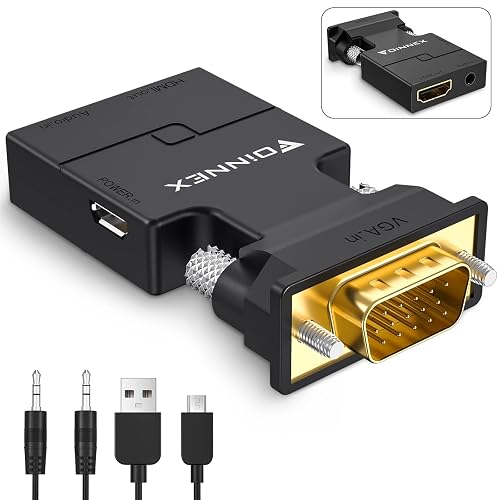
FOINNEX VGA to HDMI Adapter with Audio
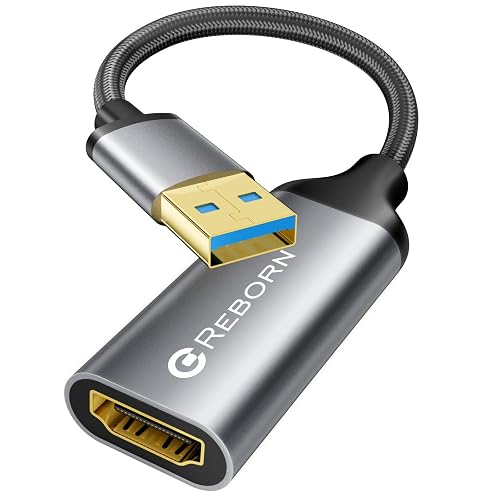
Reborn USB to HDMI Adapter
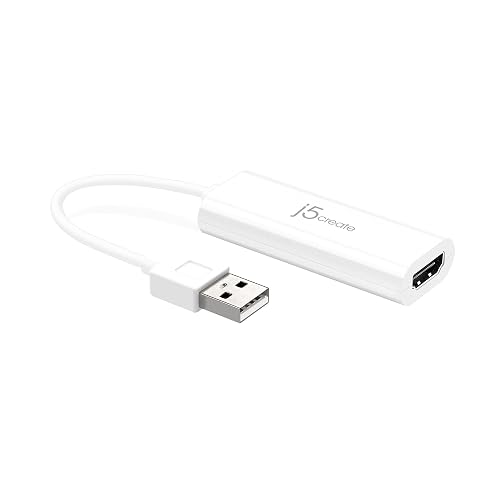
j5create USB to HDMI Display Adapter JUA195
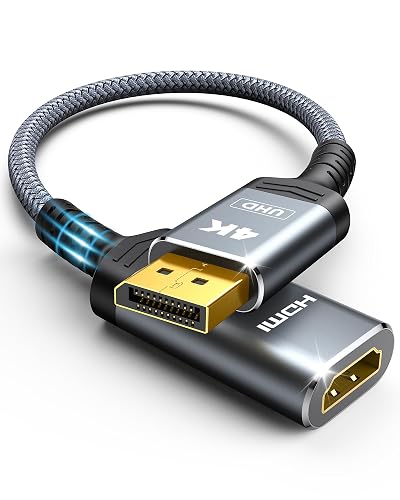
Highwings 4K DisplayPort to HDMI Adapter
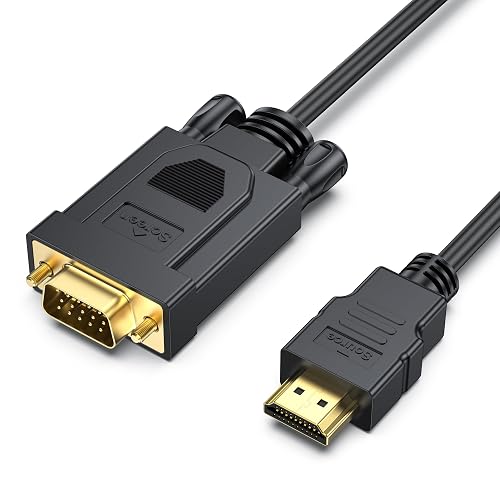
BENFEI HDMI to VGA 6 Feet Cable
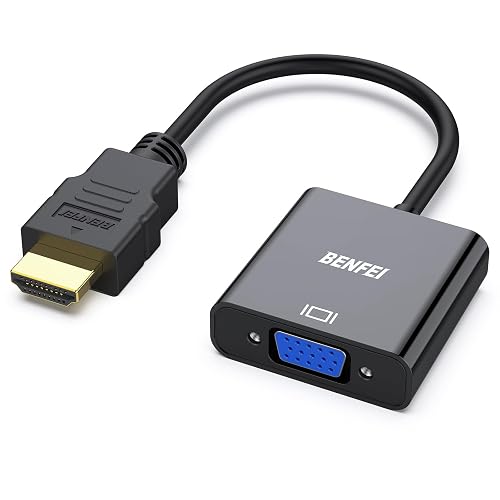
BENFEI HDMI to VGA Gold-Plated Adapter
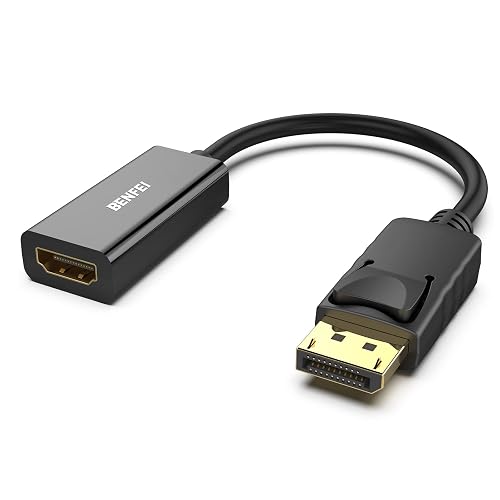
BENFEI 4K DisplayPort to HDMI Adapter
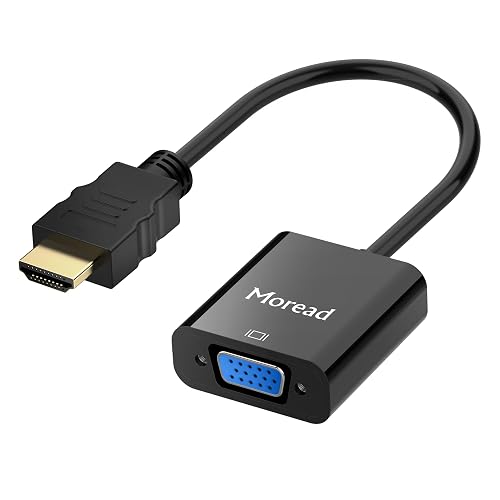
Moread HDMI to VGA Adapter
More Details On Our Top Picks
Older laptops and desktop towers often still rely on VGA, and that’s where this FOINNEX adapter makes sense. It converts a VGA source to HDMI, so you can send a signal to a newer monitor or TV without replacing the whole machine.
The audio support matters in living-room setups or classroom rooms where picture and sound need to travel together. The trade-off is direction: this is for VGA out to HDMI in, not the reverse, so the port match has to be right from the start.
Strong Points
- Active conversion suits legacy VGA hardware.
- Audio handling helps with TV and projector setups.
- Good fit for repurposing older office PCs.
- Simplifies desktop-to-display hookups in mixed rooms.
Things To Consider
- One-way design means the signal direction is fixed.
- VGA cabling can add clutter behind crowded desks.
- Picture quality depends on the source device and display.
Feature Snapshot
Who It Suits Best
You benefit most from this pick when you still use a VGA-only computer and need it to talk to an HDMI monitor, TV, or projector.
A Better Fit Elsewhere
Highwings 4K DisplayPort to HDMI Adapter suits office desktops with DisplayPort output better, especially when your source machine is newer than the FOINNEX unit expects.
This Reborn adapter speaks to anyone trying to add a second display from a laptop or desktop through USB 3.0. The 1080p at 60Hz rating is the useful part here, because smoother motion matters more than raw spec talk during slides, spreadsheets, and casual video.
Driver installation is part of the setup, so it suits a desk where you’re comfortable spending a few extra minutes getting things running. Compared with the FOINNEX VGA unit, this one is aimed at USB-based computers rather than legacy video ports.
What We Like
- USB 3.0 connection fits modern laptops and desktops.
- 1080p at 60Hz supports smoother desktop motion.
- Useful for adding a monitor without changing hardware.
- Good match for office multitasking and presentations.
Minor Gripes
- Driver setup adds one more step to installation.
- Some laptops may need a little troubleshooting time.
- Best results depend on compatible operating systems.
Core Details
Made For
You’re in the right lane with this one when your laptop has USB 3.0 and you want a straightforward way to drive an HDMI monitor for work or school.
Another Choice May Suit
j5create USB to HDMI Display Adapter JUA195 suits a shopper who wants a more established USB-to-HDMI option and a simpler brand-known path for everyday desktop expansion.
Compared with the newer Reborn unit, this j5create adapter feels like a steadier, more familiar route for basic USB-to-HDMI expansion. It’s the kind of part that suits a work desk where you want a second screen and little drama.
That plain approach is its strength, though the lack of flashy extras also means you’re mainly paying for a focused function. For users who value a trusted brand path and don’t need a lot of setup flair, that’s usually enough.
Best Bits
- Simple USB-to-HDMI function keeps the setup focused.
- Solid fit for daily office or home-office use.
- Brand familiarity can make the choice feel easier.
- Good companion for an extra monitor at a desk.
Room For Improvement
- Less explicit feature detail than some newer entries.
- Shoppers needing advanced video handling may want more.
Technical Sheet
Who Will Love This
You fit this pick best when you want a dependable USB-to-HDMI adapter for a single monitor and you prefer a no-fuss desktop add-on.
Swap It Out When
Reborn USB to HDMI Adapter makes more sense for you when 60Hz output matters and you’re comfortable with driver installation as part of setup.
This Highwings adapter stands apart because it starts on DisplayPort, which is common on many desktop graphics cards and business towers. The 4K at 30Hz support matters for sharper desktop output, though that refresh rate is better suited to static work than fast-motion gaming.
It’s passive, so you’re looking at a simpler signal path than the active USB converters above. For a Dell, HP, or AMD desktop that already has DisplayPort, this is the cleaner match and the easier desk-side fix.
Upsides
- 4K output support gives you more screen headroom.
- Passive design keeps the part small and simple.
- Good fit for desktops with DisplayPort output.
- Useful for office monitors and presentation screens.
Softer Spots
- 30Hz suits office work more than fast motion.
- Only works in the DisplayPort to HDMI direction.
- Not the right match for USB-only laptops.
Feature Rundown
Right Fit For
You’ll get the most from this one on a desktop tower with DisplayPort that needs to feed a standard HDMI display in an office or study.
Where A Sibling Pick Shines
BENFEI 4K DisplayPort to HDMI Adapter is the closer match for someone who wants a similar passive path from DisplayPort but prefers BENFEI’s take on the same job.
This BENFEI option is handy when you want the cable length built into the part instead of adding another adapter plus a separate cord. Six feet gives you more breathing room behind a projector cart or classroom desk, and that little extra reach can make setup less cramped.
The one-way direction from HDMI to VGA is important, because this cable is meant for newer source gear feeding older displays. Compared with the compact adapter style of item six, this is easier to route across a room but less tidy at the desk.
Highlights
- Built-in six-foot cable helps with reach.
- Works well for projector and monitor placement.
- Good for desktops, laptops, and media devices.
- No separate video cable needed behind the source.
Points To Note
- Only works from HDMI source to VGA display.
- Cable form factor takes up more storage space.
- Less compact than a small plug-in adapter.
Details At A Glance
Built With In Mind
You’re looking at a sensible fit for classrooms, conference tables, or living rooms where the HDMI source sits a little away from the VGA display.
Look Elsewhere When
Moread HDMI to VGA Adapter suits you better when you want a smaller black adapter instead of a full cable running between devices.
After the longer BENFEI cable, this version is the neater choice for a tight bag, a crowded desk, or a travel kit that has to stay light. The gold-plated finish refers to the connector contact layer, which can help the plug feel more substantial during repeated hookups.
It’s still a one-way HDMI to VGA adapter, so the main question is whether your source and display run in that direction. For Chromebook, Raspberry Pi, Roku, or Xbox use, the broad compatibility list makes this feel especially flexible, though the actual display side still has to be VGA.
Bright Spots
- Small adapter body keeps the setup tidy.
- Gold-plated contacts add a sturdier connector feel.
- Fits easily into carry bags and drawers.
- Works across several home and office source devices.
Areas To Watch
- Requires the correct HDMI-to-VGA signal direction.
- Compact size means you still need a VGA cable.
- Can get misplaced more easily than a cable-style part.
Feature Card
The Right Fit
This suits you best when you want a small, simple HDMI-to-VGA bridge that can live in a laptop bag or accessory drawer.
Reach For A Different Pick When
BENFEI HDMI to VGA 6 Feet Cable is the better call for classroom or meeting-room setups where extra reach matters more than compact storage.
Highwings gave you one DisplayPort option already, and this BENFEI version covers the same job with a very similar passive approach. The gold-plated connector finish and broad desktop compatibility make it feel practical for office machines that already live on a DisplayPort output.
Because it’s passive, the setup stays simple, which is usually the point with this kind of adapter. It works best in a workstation where you want a reliable bridge to an HDMI monitor without adding software or a bulkier conversion box.
Reasons To Buy
- Passive design keeps the hardware footprint small.
- 4K support helps with sharper display output.
- Gold-plated connector adds a sturdy finish.
- Fits many common office desktop brands.
Small Caveats
- Only works from DisplayPort to HDMI.
- Passive format means no extra conversion features.
- Not useful for USB or VGA source ports.
Core Details
Whose Shelf It Belongs On
You’ll appreciate this most if your desktop has DisplayPort and you want a simple way to reach an HDMI display at a study or office desk.
Skip It When
Highwings 4K DisplayPort to HDMI Adapter is the cleaner alternative for someone who wants a similar passive path but prefers the earlier Highwings model’s fit for a specific workstation.
This Moread adapter keeps the job plain, which is often what you want for an older VGA monitor or projector. It takes HDMI from a computer, desktop, or laptop and sends it to a VGA display, so the direction is clear and there’s less room for setup confusion.
Compared with the BENFEI cable, this is the neater choice for a small desk because the conversion happens in a compact body. The honest read is that simple adapters like this are easiest to store, but they still depend on you having the right VGA cable on hand.
Positives
- Clear one-way HDMI to VGA function.
- Compact black adapter keeps the desk uncluttered.
- Useful for monitors, TVs, and projectors with VGA.
- Easy to toss in a laptop bag.
Worth Noting
- Needs a separate VGA cable at the display side.
- Only serves one conversion direction.
- Not a fit for HDMI-only screens.
At A Glance
Whose Shelf It Belongs On
You’re the right match for this one when you need a straightforward HDMI-to-VGA adapter for a legacy monitor or projector and want the simplest possible form.
A Better Fit Elsewhere
BENFEI HDMI to VGA 6 Feet Cable suits a roomier setup better, especially for presentations where the built-in cable length saves you from stretching across the desk.
How To Choose The Right Computer Hdmi Converters
Start With The Direction Of The Signal
The first step is simple, though plenty of setups go sideways here: check which device sends the signal and which one receives it. VGA to HDMI, HDMI to VGA, USB to HDMI, and DisplayPort to HDMI are not interchangeable, so the direction has to match your computer and display.
That matters most in older office spaces and classrooms, where a laptop may need to reach a projector or a desktop may need to wake up an old monitor. Once you know the direction, half the confusion disappears.
Match The Connector To The Machine
USB 3.0 adapters suit laptops and desktops that need a second screen without changing the main video port. DisplayPort models fit many business towers and graphics cards, while VGA-based converters help when you’re dealing with older hardware that still refuses to retire.
The right choice often comes down to the back of the machine, not the front of the box. A small mismatch here can lead to extra cables, extra setup time, or a part that simply can’t do the job.
Think About Audio, Driver Setup, And Cable Length
Audio support matters in living rooms and meeting spaces, because picture without sound can mean another cable or another headache. Driver installation is another real-world detail, especially with USB adapters, since some setups need a little software help before the display wakes up.
Cable length also changes the ownership experience. A cable-style converter like the BENFEI six-footer gives reach, while a compact adapter like Moread stays tidy in a bag or behind a monitor.
Things Worth Knowing Before You Choose
Wrong Turns To Avoid
Many people grab the wrong direction first, especially with VGA and HDMI names that sound close enough to be interchangeable. The result is a connector that looks right but doesn’t solve the actual port problem.
Another common miss is forgetting what the display accepts. An HDMI-only monitor, for example, will not benefit from an HDMI-to-VGA adapter, and that’s a frustrating discovery to make after the part arrives.
The Upgrade Payoff
Higher-tier models in this category usually cost more because they handle tougher conversion paths, add audio support, or include a cleaner cable build. USB adapters with driver support and 4K passive DisplayPort options tend to ask more of the hardware, so the pricing logic usually follows the complexity.
Paying more makes sense when the setup is permanent, the workspace is mixed-age, or the screen is part of daily use. For a spare projector kit or occasional second monitor, a simpler option often does the job without adding friction.
Frequently Asked Questions
What’s the difference between VGA to HDMI and HDMI to VGA?
VGA to HDMI sends an older analog source into a newer HDMI display. HDMI to VGA does the reverse and is meant for HDMI source devices feeding older VGA screens.
Do USB to HDMI adapters need software?
Many do, especially the ones built for laptop or desktop expansion through USB. The product page for the Reborn adapter notes driver installation, so setup time matters.
Can a DisplayPort adapter work on a laptop with USB only?
No, a DisplayPort adapter needs a DisplayPort source. USB and DisplayPort are different ports, so the connector on the computer must match the adapter type.
Why would you choose a cable-style converter over a small adapter?
A cable-style converter gives you built-in reach, which helps in meeting rooms and projector setups. A small adapter keeps storage easier and reduces clutter near the desk.
Is 4K always the better choice?
Not always, because the display and the use case matter too. A 4K DisplayPort adapter can be useful for sharper office output, while a basic 1080p USB adapter may be enough for daily work.
Closing Thoughts
Your best match comes down to port direction, desk layout, and how often you’ll use the connection. A VGA-to-HDMI unit helps older computers keep pace, while USB and DisplayPort options suit newer setups that just need a bridge to an HDMI screen. Cable length, audio support, and driver setup all change the experience more than flashy packaging ever will. Choose the path that fits your machine, and the rest gets a lot simpler.



