
A laptop with one storage bay rarely offers enough room for a growing photo library, project files, and Windows itself. I built this roundup around six ways to add or replace internal storage, including SATA hard drives, SATA SSDs, and a caddy that converts an optical drive bay into a second storage connection.
A Quick View Of The Lineup
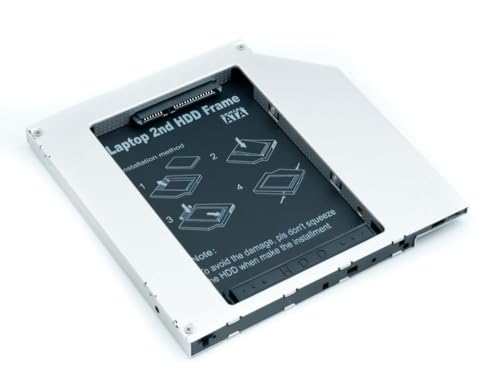
QUMOX 2.5-Inch SATA HDD/SSD Optical Bay Caddy Adapter Hot-Swap
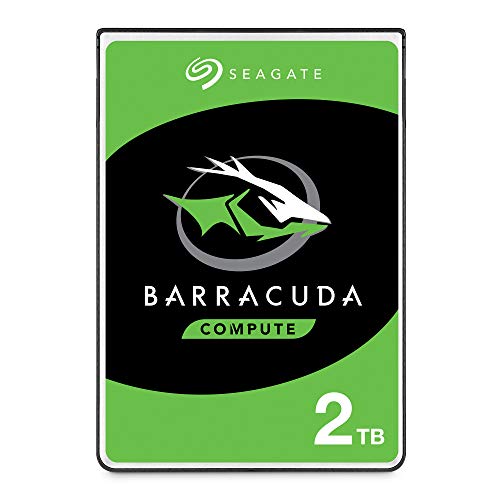
Seagate BarraCuda 2TB 2.5-Inch SATA HDD ST2000LM015 Renewed

Ediloca 128GB 2.5-Inch SATA III SSD ES106 500MB/s 3D TLC
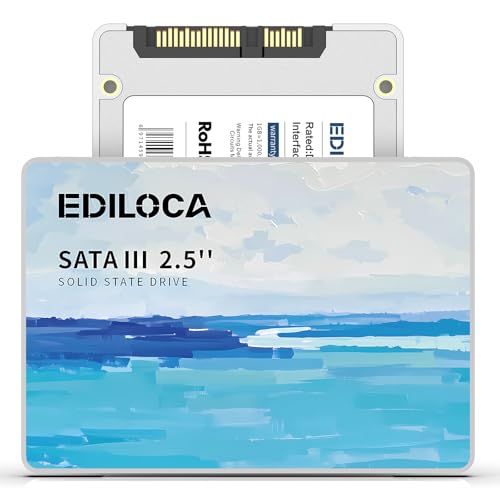
Ediloca 512GB 2.5-Inch SATA III SSD ES580E 450MB/s 3D NAND
Ediloca 256GB 2.5-Inch SATA III SSD ES580E 400MB/s 3D NAND

Seagate Thin 1TB SATA HDD
The Strengths Of Each Pick
The QUMOX 2.5-Inch SATA HDD/SSD Optical Bay Caddy Adapter Hot-Swap solves a narrow but useful laptop problem: turning an unused optical drive bay into another storage connection. It accepts 2.5-inch SATA hard drives and SATA SSDs with a thickness of 9.5mm, while SATA handles both data and power at each end.
Compared with the Ediloca 512GB 2.5-Inch SATA III SSD ES580E 450MB/s 3D NAND, this is an adapter rather than storage itself. It makes the most sense for a laptop that still has a 9.5mm optical bay and needs room for another drive.
A Favorable Mix
- Turns a removable optical drive into a usable SATA connection.
- Accepts both mechanical hard drives and flash-based SSDs.
- Plug-and-play operation avoids extra cables or software drivers.
- Hot swapping supports changing a drive while the system remains powered, subject to the laptop’s support.
Trade Offs
- The laptop must have a compatible 9.5mm optical bay and room for a 2.5-inch drive.
- The caddy contains no storage, so a compatible HDD or SSD must be purchased separately.
Key Specs
Made For
Laptop owners with a compatible 9.5mm optical bay need room for a second SATA drive.
Where Another Pick Suits Better
The Ediloca 512GB 2.5-Inch SATA III SSD ES580E 450MB/s 3D NAND suits computers with a direct 2.5-inch drive bay and no usable optical bay.
Unlike the QUMOX caddy, the Seagate BarraCuda 2TB 2.5-Inch SATA HDD ST2000LM015 Renewed is the storage device itself. Its 2TB capacity suits a laptop used for large project folders, media collections, or a separate drive for files that do not need constant access.
The renewed status deserves attention, although the core specifications remain easy to understand. I see this as a capacity-focused option for someone comfortable reviewing the condition description before installation.
Practical Advantages
- Two terabytes provide substantial room for archives and working files.
- The 2.5-inch form factor fits many laptop drive bays.
- A 128MB cache helps smooth data flow during typical file operations.
Points To Note
- The renewed condition should be checked against the listing’s condition details.
- Its 5400 RPM mechanical design prioritizes capacity rather than the responsiveness of an SSD.
Feature Snapshot
Who It Suits Best
Laptop users who need high capacity for archives and can accommodate a renewed mechanical drive fit this profile.
Consider Something Else When
The Seagate Thin 1TB SATA HDD is a better fit when lower capacity is enough and a compact daily storage drive is the goal.
The Ediloca 128GB 2.5-Inch SATA III SSD ES106 500MB/s 3D TLC takes a different approach from the BarraCuda: it offers flash storage in a compact 2.5-inch format. The listed read speed reaches 500MB/s, making it more appropriate for active applications than the 5400 RPM hard drive reviewed previously.
Its 128GB capacity is modest, yet that limitation can work in my favor for a small system drive, boot drive, or dedicated project disk. TLC flash stores three bits per memory cell, while 3D NAND stacks cells in layers to increase storage density.
Strengths Worth Knowing
- Lists a 500MB/s maximum read speed for responsive file access.
- The 2.5-inch SATA shape matches many laptop and desktop bays.
- Compact flash storage avoids the moving parts found in a mechanical HDD.
Small Caveats
- 128GB may become restrictive for large applications, media libraries, or extensive backups.
- The computer must provide a SATA connection and a 2.5-inch mounting position.
- Existing files require an appropriate system or drive migration process.
The Right Fit
This drive suits a compact laptop or desktop that needs a small, fast SATA storage device for a lightweight operating system or selected applications.
A Better Fit Elsewhere
The Ediloca 512GB 2.5-Inch SATA III SSD ES580E 450MB/s 3D NAND offers more capacity with a slightly lower listed read speed for systems handling larger file collections.
The Ediloca 512GB 2.5-Inch SATA III SSD ES580E 450MB/s 3D NAND balances capacity and access speed more evenly than the 128GB ES106. It fits a laptop, desktop, or network-attached storage system, provided the enclosure exposes a standard SATA connection.
Compatibility extends across Windows 10 and 11, macOS 10.4 and later, Linux 2.6.33 and later, and compatible NAS systems. A new drive begins blank, so Disk Management or the equivalent system utility must partition and format it before normal use.
Benefits That Matter
- 512GB provides a practical balance for applications and personal files.
- The listed read speed reaches 450MB/s.
- 3D NAND supports dense storage in a standard 2.5-inch enclosure.
- Broad operating-system support makes it useful across mixed computing environments.
- NAS compatibility suits a compact home-server storage role.
Factors To Consider
- Initial partitioning and formatting are required before the blank drive appears in the system.
- The enclosure must support 2.5-inch SATA devices rather than a different interface or physical size.
At A Glance
Built With In Mind
General-purpose computer owners and home-server users who want one 2.5-inch SATA drive with moderate capacity gain the most from this configuration.
Another Choice May Suit
The Ediloca 256GB 2.5-Inch SATA III SSD ES580E 400MB/s 3D NAND provides a smaller capacity option for systems focused on the operating system and frequently used applications.
The Ediloca 256GB 2.5-Inch SATA III SSD ES580E 400MB/s 3D NAND sits between a small system drive and a larger general-purpose SSD. Its 256GB capacity gives a laptop or desktop room for an operating system, core applications, and a selection of working files without filling up quickly.
Compared with the 512GB ES580E, this version trades capacity for a slightly different position in the range. The listed 400MB/s read speed remains suitable for everyday computing, while 3D NAND keeps the familiar 2.5-inch SATA format.
Good Reasons To Consider
- The 400MB/s listed read speed supports responsive everyday access.
- A 256GB capacity is easier to manage for a dedicated system or work drive.
- Support and an optional Rescue data-recovery plan add ownership resources.
Practical Considerations
- Large media collections and extensive project archives may exceed 256GB.
- Recovery-plan coverage depends on the purchased plan, and a recovery attempt does not promise complete file recovery.
- Eligible purchases made outside the original transaction require a retained receipt.
Best Suited To
Everyday laptop and desktop users needing a moderately sized SATA system drive benefit from this balance of capacity and speed.
Reach For A Different Pick When
The Ediloca 512GB 2.5-Inch SATA III SSD ES580E 450MB/s 3D NAND is the better option for larger application libraries and heavier file storage.
The Seagate Thin 1TB SATA HDD lands between the 128GB Ediloca SSD and the 2TB BarraCuda. A terabyte is still a useful amount of space for documents, installers, media, and project files, while the 2.5-inch mechanical format may fit naturally into an existing laptop bay.
The 5400 RPM design and SATA interface make it straightforward to compare with conventional laptop hard drives. I would treat it as a storage drive rather than the place for the operating system when an SSD option is available.
What Works In Its Favor
- One terabyte offers a practical middle ground between a small SSD and a 2TB hard drive.
- The compact 2.5-inch form factor suits many laptop storage positions.
Worth Noting
- Mechanical construction does not provide the responsiveness associated with an SSD.
- The host computer must have a compatible 2.5-inch SATA bay and connection.
Quick Facts
Whose Shelf It Belongs On
This drive belongs in a laptop or desktop that primarily needs a roomy secondary SATA drive for ordinary files.
Where A Sibling Pick Shines
The Seagate BarraCuda 2TB 2.5-Inch SATA HDD ST2000LM015 Renewed provides twice the capacity for larger archives and project collections.
Matching Storage To The Computer
Before buying, I start with the connection and physical space rather than capacity. A 2.5-inch SATA drive needs a matching SATA connector and a bay that holds its dimensions, while the QUMOX caddy requires a specific 9.5mm optical bay.
Interface And Bay Fit
SATA is the internal interface used by the hard drives and SSDs in this roundup. Some modern computers use a smaller M.2 slot instead, so a computer with only M.2 storage may require a different type of internal drive or a caddled external enclosure.
Hard Drive Or Solid State
A hard drive stores information on spinning magnetic platters, which makes it useful for large archives. An SSD stores data in flash memory and generally suits operating systems and active applications. I reserve mechanical drives for secondary storage and favor SSDs for daily work.
Capacity And Operating System
Capacity should reflect the files actually stored. The 128GB ES106 serves compact installations, 256GB covers a moderate system, and 512GB handles broader collections. New drives also require partitioning and formatting through the operating system’s storage utility.
Details That Matter Before Installation
Mistakes Worth Dodging
A 2.5-inch label alone does not confirm that a drive will fit. I check bay thickness, SATA availability, mounting tabs, and the system requirement for replacing the optical drive before ordering. The adapter also needs an actual drive, since a caddy provides only the connection.
When Paying More Pays Off
Additional money may buy greater capacity, flash storage, support resources, or a more suitable condition. That spending matters most for a primary system drive or expanding archive, while a secondary file drive can often work well with a more modest configuration.
Frequently Asked Questions
Is A 2.5-Inch Internal Drive Compatible With Every Laptop?
No, a laptop must have a matching 2.5-inch SATA bay and connector. I also check thickness, mounting tabs, and available internal space before making a recommendation.
Is An Internal SSD Better Than A Hard Drive?
An SSD provides a better fit for the operating system and frequently used applications because it stores data in flash memory. A hard drive remains useful for larger secondary archives where capacity matters more than responsiveness.
Does The QUMOX Caddy Provide Extra Storage?
The QUMOX caddy provides a connection for a separate 2.5-inch SATA HDD or SSD. The additional capacity comes from the drive installed inside it, not from the adapter.
Which Ediloca Capacity Fits A General-purpose Computer?
The 256GB ES580E works well for a focused system and essential applications. The 512GB ES580E gives a laptop or desktop more room for additional software, media, and working projects.
Can The Ediloca SSD Work With Mac And Linux?
The ES580E supports listed versions of Windows, macOS, Linux, and compatible NAS systems. A new blank drive still needs partitioning and formatting before the operating system can use it.
Final Verdict
I would start with the Ediloca 512GB 2.5-Inch SATA III SSD ES580E 450MB/s 3D NAND for a balanced general-purpose upgrade. The 2TB BarraCuda fits large secondary collections, while the QUMOX caddy creates useful extra capacity in a compatible optical bay. No single drive solves every storage problem, so matching the connector, bay, capacity, and intended workload matters most.
