
After a weekend shoot, the real editing bottleneck often appears before color corrections begin: files need sorting, raw images need processing, and clients need polished proofs or PDF deliverables. I built this roundup around a useful distinction between editing software and instructional resources. Adobe Acrobat Pro handles document-heavy photo workflows, while the remaining choices teach Elements, Lightroom, raw processing, or broader Adobe techniques. The right fit depends on whether the priority is active image editing, organized post-production, or guided instruction.
A Snapshot Of The Selections

Adobe Acrobat Pro PDF Software PC/Mac

Adobe Photoshop Elements 2021

Zen of Postproduction Workflow
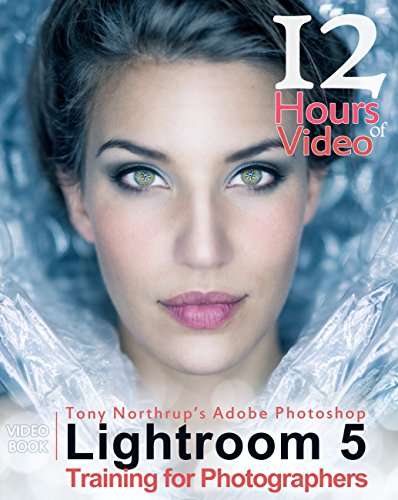
Tony Northrup Lightroom 5 Video Training

The Digital Negative Raw Processing

The Adobe Tools Bible for Beginners: Workflows, Templates & Shortcuts
A Breakdown Of The Leading Choices
Adobe Acrobat Pro sits apart from the later training books because it is an active application rather than an editing course. Photographers can place images and text inside a PDF, request signatures, and collect reviewer comments without sending a folder of loose files. That makes it useful for client approvals, contracts, print-ready collections, and other document-heavy photo work.
The direct edits save time, although the application does not replace a dedicated photo editor for color grading, layered retouching, or raw-file development. An online code and activation step are required, and its optional AI Assistant adds another separate feature. For a studio that regularly prepares PDF deliverables, though, those parts can form a tidy production line.
The Helpful Details
- Text and image edits can happen inside the PDF, reducing the need to reopen separate files.
- Electronic signatures can be requested from any device, and recipients do not need an account.
- PDF files can become editable Word, Excel, or PowerPoint documents for easier downstream work.
- Comments and annotations give clients a clear way to mark up proofs.
- Password protection and editable forms support controlled document handling.
Practical Considerations
- Activation is required, so the code must work on the intended PC or Mac account.
- The optional AI Assistant is an add-on rather than an included core feature.
Feature Snapshot
The Right Fit
This option suits freelance photographers, studios, and creative teams whose image work regularly ends with client-facing PDF documents.
Another Choice May Suit
Adobe Photoshop Elements 2021 is the stronger fit for someone who primarily needs instruction in photo editing rather than PDF management.
Jeff Carlson’s Adobe Photoshop Elements 2021 training book is built around a more specific goal than general creative inspiration: helping a new photographer learn the editing application. Its ten lessons give beginners a defined path through the material, which is easier to follow than improvising a curriculum from scattered tips. That structure especially helps after a first paid shoot, when the number of possible edits can feel unexpectedly broad.
Compared with The Adobe Tools Bible for Beginners, this book concentrates on one application and one version. The trade-off is version age. The lessons remain useful for foundational Elements techniques, but current interface details may differ in a newer release. For a learner working with the 2021 edition, that alignment is a clear advantage.
A Favorable Mix
- Ten lessons create a manageable route through the fundamentals.
- The focus on Photoshop Elements keeps the learning scope clear.
- A printed, self-paced format is convenient for study away from the computer.
Small Caveats
- It teaches an older version, so interface differences may require occasional cross-checking.
- It does not include the Elements application itself.
- New photographers must still choose their own practice images and exercises.
Quick Facts
Made For
This book best supports new photographers who own or plan to use Photoshop Elements 2021 and prefer a guided path through basic editing.
Consider Something Else When
Tony Northrup Lightroom 5 Video Training is the better option for photographers who learn more comfortably through video and want Lightroom-specific instruction.
A camera can produce thousands of images in a single weekend, and Mark Fitzgerald’s Zen of Postproduction addresses the administrative weight that follows. The book treats post-production as a connected workflow covering downloading, sorting, tagging, editing, and distribution rather than treating the final color pass as an isolated task. That broad perspective suits photographers whose backlog has become harder to manage than the individual edits.
Unlike Adobe Photoshop Elements 2021, this is not an application lesson sequence. Its likely value comes from establishing a repeatable routine around the images, and the calm presentation may make that routine easier to adopt. The trade-off is less tool-specific instruction, so beginners may still need another resource for mastering individual editing commands.
The Practical Payoff
- It connects file handling with editing and delivery instead of separating those stages.
- Sorting and tagging guidance can reduce the time spent searching for finished images.
- The workflow framework suits busy photographers handling large image collections.
- A less stressful approach may help someone keep post-production habits consistent.
Minor Gripes
- The broad workflow approach provides less detail on any single editing command.
- Readers seeking software setup steps may prefer an application-focused lesson plan.
Core Details
Who Will Love This
This resource fits photographers and studio workers who spend too much time sorting, naming, and delivering images before reaching the creative edit.
Look Elsewhere When
The Digital Negative Raw Processing is a better fit for experienced photographers who need detailed guidance on developing raw camera files.
Tony Northrup’s Lightroom 5 video book serves photographers who would rather watch a workflow than read through a list of buttons. Lightroom is built around the stages of a photographic production process, so video instruction can make it easier to connect imports, organization, and image adjustments visually. For a self-taught photographer, that visible sequence may offer a more immediate starting point than a reference chapter.
The central limitation is the Lightroom 5 designation. Depending on the edition of Lightroom currently installed, some interface details may look different, even though the core organizing principles remain relevant. Unlike Zen of Postproduction Workflow, this resource concentrates on one application rather than the entire file-management cycle.
Notable Gains
- Video training can make Lightroom steps easier to follow and revisit.
- The photography focus keeps the instruction connected to real image-management needs.
Points To Note
- The material is tied specifically to Lightroom 5, so newer versions may differ in layout.
- Printed reference material would be less convenient than a searchable book for some learners.
Right Fit For
This video training is most suitable for photographers who use Lightroom 5 and prefer visual demonstrations while organizing and editing a catalog.
Not Your Match When
Adobe Photoshop Elements 2021 offers a better fit for beginners who prefer a structured, book-based introduction to a single photo-editing application.
Jeff Schewe’s The Digital Negative focuses on raw image processing, the stage that turns unprocessed camera data into a workable starting file. A raw file contains substantially more image information than a finished JPEG, which makes careful development important for photographers seeking flexible tonal and color adjustments. This book is aimed at that technical part of the process rather than general organization or creative inspiration.
Its strongest distinction is the connection among Lightroom, Camera Raw, and Photoshop. That cross-application approach is useful for photographers who move between global catalog management and more targeted editing. Compared with Zen of Postproduction Workflow, the treatment is narrower and more technical, which may be less inviting to a complete beginner.
What Pays Off
- The focus on raw data targets an important stage of the photographic workflow.
- Coverage across three related applications supports several ways of processing an image.
- Technical depth can help experienced photographers build a more deliberate development process.
Trade Offs
- The specialized subject makes it a steeper starting point for someone new to photo editing.
- It does not cover the broader download, tagging, and delivery routine addressed by other resources.
Technical Reference
Built With In Mind
This book is designed for experienced photographers who work with raw files and want a more technical understanding of image development.
Reach For A Different Pick When
Zen of Postproduction Workflow is the better choice for a photographer who needs help organizing the broader journey from image download through final delivery.
Logan Stride’s The Adobe Tools Bible for Beginners takes a wider view of creative work. Its coverage spans Photoshop, Illustrator, Lightroom, After Effects, and related Adobe applications, with an emphasis on workflows, templates, and time-saving shortcuts. That makes it relevant for a beginner whose projects cross application boundaries, such as preparing a social graphic, organizing a photo catalog, and adding a short video sequence.
The breadth is both its strength and its compromise. Unlike Adobe Photoshop Elements 2021, which concentrates on one application, this guide can help a new user understand how several tools fit together. I would not expect the same depth for every program, so a photographer seeking specialized raw-processing theory may prefer The Digital Negative Raw Processing.
Positive Takeaways
- The multi-application scope helps beginners understand a connected Adobe workflow.
- Workflow examples offer a more practical starting point than isolated feature descriptions.
- Template and shortcut coverage can reduce repetitive setup during regular projects.
- The beginner-oriented approach gives broad software coverage a clear audience.
Possible Compromises
- Covering several applications necessarily leaves less room for depth in each one.
- A new photographer may need a more focused guide after choosing a primary editing application.
- The book does not replace the software itself or account for every interface update.
The Right Fit
This resource suits beginners whose creative routine spans several Adobe applications and who value workflow shortcuts alongside foundational instruction.
Where A Sibling Pick Shines
Jeff Carlson’s Adobe Photoshop Elements 2021 is the more focused option for someone committed to learning one photo-editing application in a defined sequence.
What Matters Before You Choose an Editing Resource
Start With The Output
A photo-editing program is the wrong starting point for someone whose main need is a structured lesson. Begin with the result: client proof PDFs, organized image libraries, beginner photo edits, or polished raw files. The six choices here cover different points in that process, and only Adobe Acrobat Pro is an active application rather than instructional material.
Match The Method To Your Learning Habits
Ten lessons give Adobe Photoshop Elements 2021 a clear progression, while video demonstrations may suit someone who learns by watching each operation. A book such as Zen of Postproduction Workflow centers on the routine surrounding the edit, while The Digital Negative Raw Processing concentrates on technical image development. Reading, watching, and following a repeatable process are valid ways to learn, but mixing several approaches can add unnecessary complexity.
Check Version Compatibility
Older software editions can make an otherwise accurate guide feel slightly out of date, particularly around interface layout and renamed tools. Photoshop Elements 2021 and Lightroom 5 both specify their versions, so compare those details with the software installed on the computer. A newer application may still support the same fundamental ideas, but hands-on guidance will be easier to follow when the editions align.
Making the Right Learning Choice
Mistakes Worth Dodging
The most common mistake is treating every resource as a photo-editing program. A PDF application, a video course, and a print book solve different problems, so I would identify the desired output before choosing one. Another mistake is selecting an older guide without checking its software version, which can send a beginner searching for a menu that no longer appears.
What The Higher Tier Buys
A broader application suite may include more tools, stronger organization, and features designed for demanding documents, but those extras do not help someone who lacks basic editing instruction. A higher-cost learning resource earns its place when it offers deeper coverage, guided projects, or a clearer path through a specialized workflow. The extra value comes from relevance, not from owning more features on paper.
Frequently Asked Questions
Are All Six Options Photo-Editing Programs?
No. Adobe Acrobat Pro is a PDF application, while the other five entries are books centered on photo editing or Adobe workflows. Their formats and purposes differ significantly.
Which Option Is Best for a Complete Beginner?
Adobe Photoshop Elements 2021 is the most focused choice because it provides ten structured lessons for one application. The Adobe Tools Bible for Beginners is broader and may suit someone working across several Adobe tools.
Which Guide Helps Organize Post-Production?
Zen of Postproduction Workflow is centered on the full process of downloading, sorting, tagging, editing, and distributing images. It addresses file management rather than one editing command.
Which Resource Focuses on Raw Files?
The Digital Negative Raw Processing focuses on developing raw camera data in Lightroom, Camera Raw, and Photoshop. Raw files retain more image information than finished JPEGs, allowing broader adjustment latitude.
Should I Choose a Guide or a Software Application?
Choose an application for direct file editing, PDF handling, and form creation. Choose a guide for structured learning, workflow planning, and technical understanding before or alongside hands-on practice.
Final Verdict
Adobe Acrobat Pro is the practical choice for photo professionals who need strong PDF handling, while the five books serve different learning needs. Elements suits focused beginners, Zen organizes the post-production burden, the Lightroom video book supports visual instruction, The Digital Negative handles raw development, and the Adobe Tools Bible covers broader workflows. Matching the format to the result is the most important step.
