
A Mac user rarely faces the same security decision as a Windows owner. Some need malware scanning and scam warnings, while others mainly want a private VPN, structured cloud protection, or a physical backup of important Mac files, and a few need tools for family members, work computers, and phones under one subscription.
The Choices Worth Comparing

Norton 360 Standard 2027 Antivirus, 1 Device

WD 2TB My Passport for Mac Navy Portable Hard Drive with Backup

NexiGo StreamCam N930E 1080P Webcam with Ring Light and Privacy Cover
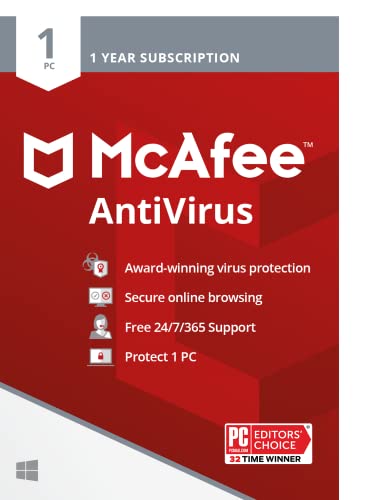
McAfee AntiVirus Protection 1 PC 1 Year

Norton 360 Premium 10 Devices Auto-Renewal VPN Cloud Backup
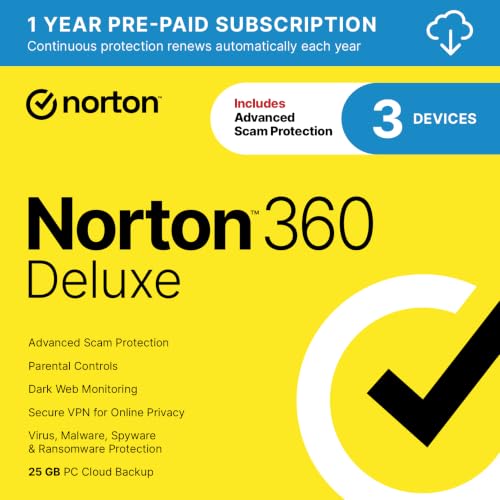
Norton 360 Deluxe 3 Devices Auto-Renewal VPN Cloud Backup
More On The Choices That Made The List
I find Norton 360 Standard most sensible for a Mac user who wants several security functions without managing separate utilities. Real-time malware checks, a VPN, scam assistance, dark web monitoring, and file backup bring different protections into one downloadable package.
The one-device limit keeps the plan focused, and installation reportedly takes only a few minutes. The cloud-backup component applies to Windows PCs, though, so a Mac owner still needs separate file handling for personal documents.
Positive Points
- Scam protection includes a Genie assistant for assessing suspicious messages.
- The VPN adds privacy controls and access to multiple server locations.
- Real-time scanning covers malware, ransomware, and viruses.
- Ten gigabytes of cloud storage can preserve files after local drive trouble.
Points To Note
- Only one device receives protection under this plan.
- Auto-renewal requires a stored payment method, and the listing labels the edition as 2027.
Feature Snapshot
Made For
This plan suits a single-Mac user who values scam warnings and bundled privacy tools over multi-device management.
Where Another Pick Suits Better
Norton 360 Deluxe is the better fit for someone who needs protection across a Mac, iPhone, and iPad.
Rather than scanning for threats, the WD 2TB My Passport for Mac addresses a different security concern: keeping a second copy of important files. A Mac photographer, designer, or student can move project folders, family photos, and documents away from the internal drive without occupying precious local space.
The navy enclosure is designed for portable use, and USB 3.1 and 3.0 connectivity suits current Mac setups. Unlike Norton 360 Standard, this drive creates storage space rather than filtering malware or suspicious online activity.
A Few Strong Suits
- Two terabytes provides room for large photo and video collections.
- Backup software supports a more organized local copy of Mac files.
- Password protection adds an access barrier for the drive.
- USB-A and USB-C connections offer practical Mac compatibility.
Less Ideal Details
- This is backup storage, not active antivirus or scam protection.
- Rescue coverage has purchase-window and receipt conditions, and protection levels depend on the plan.
Right Fit For
Mac users with crowded internal storage or valuable family archives benefit most from this portable backup drive.
Consider Something Else When
Norton 360 Standard makes more sense for malware scanning, VPN access, and suspicious-message guidance.
The NexiGo StreamCam N930E protects privacy in a literal sense, with a cover that blocks the lens when the camera is not in use. That makes it useful for a home office, shared study, or MacBook desk where stray images or accidental activation would be unwelcome.
Its three-level ring light, touch controls, autofocus, and 1080p recording improve video-call conditions in dim rooms. Unlike the WD My Passport, this device supports communication rather than file security.
What Helps Most
- The physical privacy cover prevents the lens from capturing the room.
- Three lighting levels help compensate for dim indoor spaces.
- Autofocus reduces manual adjustment during frequent calls.
- Plug-and-play operation keeps setup uncomplicated.
Where It May Fall Short
- The webcam does not scan files, block scams, or monitor online threats.
- The 1080p format suits standard calls, though it does not replace a dedicated security suite.
Quick Facts
Who Will Love This
Remote workers, online students, and frequent video callers in dim or shared spaces appreciate the built-in light and lens cover.
Not Your Match When
Norton 360 Deluxe is the better fit for malware protection, VPN access, and security across several personal devices.
I would not treat this McAfee listing as a Mac security option because its product name explicitly limits coverage to one Windows PC. It remains relevant for a household that maintains a Windows computer and values straightforward antivirus protection, risky-site warnings, and routine privacy cleanup.
The subscription covers one year and arrives as a physical key card with a download code and activation instructions. Compared with Norton’s immediate download approach, that delivery method adds a step before setup.
Notable Upsides
- Antivirus software is aimed at common online and system threats.
- Risk warnings can appear before a questionable website opens.
- Cookie and temporary-file cleanup supports routine privacy maintenance.
Factors To Consider
- The listed plan is for Windows, not macOS.
- Physical key-card delivery is less immediate than a downloadable license.
- One PC and one year limit the scope of coverage.
The Right Fit
This plan suits a single-Windows-PC household seeking basic antivirus features and a physical activation card.
A Better Fit Elsewhere
Norton 360 Standard is the relevant choice for a Mac that needs VPN access, scam assistance, and malware monitoring.
Norton 360 Premium serves a busy device mix, covering up to ten Macs, PCs, iOS devices, or Android devices under one account. That makes it useful for a home containing several computers and phones or for someone mixing work and personal technology.
Compared with Norton 360 Standard, the extra device capacity does not introduce a different core security system. It simply broadens the same bundle of scam assistance, VPN access, dark web monitoring, and cloud backup across more hardware.
Useful Touches
- Ten-device coverage handles mixed personal and work setups.
- The Genie assistant offers guidance on suspicious online offers.
- VPN encryption supports more private browsing and network connections.
- Dark web monitoring checks for exposed personal information.
- Cloud backup adds recovery capacity for Windows PC files.
Practical Considerations
- Ten-device capacity may be unnecessary for a single-device household.
- Automatic renewal continues after the initial period unless canceled.
- The listed cloud backup does not serve as a Mac file backup.
Key Specs
Built With In Mind
Households with several Macs, phones, tablets, and Windows computers benefit from the broad device allowance.
Another Choice May Suit
Norton 360 Deluxe fits a smaller collection of up to three devices without paying for unused capacity.
Norton 360 Deluxe fits the common Apple-centered household with a Mac, iPhone, and iPad. Three-device coverage feels more proportionate than the ten-device allowance in Norton 360 Premium while retaining the familiar VPN, scam assistance, monitoring, and backup bundle.
The plan accepts emailed or mailed product keys, which can be convenient for account setup or a household without immediate access to the delivery email. I would still confirm the account details and renewal terms before activation.
The Case For It
- Three-device coverage suits a standard Apple device group.
- Scam assistance helps evaluate suspicious offers and messages.
- The VPN encrypts the connection to a remote server.
- Dark web monitoring checks for exposed information.
- Emailed and mailed key options simplify delivery preferences.
Trade-Offs To Consider
- Additional family devices require another plan.
- Auto-renewal continues unless the account is canceled.
- The listed cloud-backup feature is directed at Windows PCs.
The Main Details
Best Suited To
This tier suits a Mac user with two related mobile devices and a preference for focused protection.
Swap It Out When
Norton 360 Premium is the better fit for a household that needs coverage across more than three computers and phones.
Matching Mac Protection to Real Daily Use
Check platform support first
A Mac-specific listing matters because software built for Windows may lack native compatibility or offer a different feature set. I would also separate antivirus, VPN, backup, webcam privacy, and file storage, since each addresses a distinct part of digital safety.
Match coverage to the actual device count
A one-device plan is economical for a solitary Mac, while three devices suit a typical Apple setup. Larger mixed-device households gain more from ten-device coverage, but unused capacity adds little practical value.
Understand backup and renewal terms
Cloud backup can protect compatible computer files, while an external drive provides local storage across platforms. Auto-renewal also requires attention, so I would review the account settings and renewal date before relying on either arrangement.
Avoiding Costly Security Oversights
Common Shopping Slip Ups
The most common error is treating every security-related product as equivalent. A webcam cover prevents physical camera exposure, an external drive creates a backup, and antivirus software scans for malicious programs. I would start with the gap that creates the greatest risk.
What The Higher Tier Buys
Norton 360 Deluxe and Premium share the same central security bundle, while the higher tier mainly increases device capacity. I would pay for Premium only when the household genuinely has more than three devices to protect.
Frequently Asked Questions
Do Macs Need Separate Computer Security Software?
Macs include built-in protections, but a separate security suite can add threat scanning, scam assistance, and a VPN. I find it most useful for people who download files, use shared computers, or want a single view of online privacy.
Does the McAfee AntiVirus Protection Plan Support Mac?
This particular McAfee listing covers one Windows PC, not macOS. I would use Norton 360 Standard or Norton 360 Deluxe for a Mac instead.
Does Norton Cloud Backup Protect Mac Files?
The listed Norton cloud backup is described as a Windows PC feature, not a Mac backup feature. I would use the WD 2TB My Passport for Mac or another local backup solution for Mac documents.
What Is the Difference Between Norton 360 Deluxe and Premium?
Norton 360 Deluxe covers three devices, while Norton 360 Premium covers ten. Premium is the better fit for a large household with several Macs, phones, tablets, and Windows computers.
Does Norton 360 Standard Require a Payment Method?
A payment method must be stored in the Norton account, and the subscription renews after the initial period. I would confirm the renewal date and current terms in the account before activation.
Final Verdict
Norton 360 Standard suits a single-Mac household, Norton 360 Deluxe fits a typical Mac, iPhone, and iPad setup, and Norton 360 Premium covers broader device collections. The WD drive and NexiGo webcam address backup and physical privacy rather than malware, while the McAfee listing is limited to Windows. Matching the tool to the actual security need keeps the decision straightforward.
