
CAD work can expose a weak processor quickly, especially during large assemblies, rendering, simulation, or multitasking across several design tools. You need a CPU that matches your workflow rather than the biggest core count on paper. This roundup covers standalone desktop processors and complete workstation towers, so you can compare upgrade paths with ready-to-use systems. You’ll also see where each option makes sense, along with cooling, storage, operating system, and setup considerations.
The Shortlist At A Glance

AMD Ryzen Threadripper 3960X 24-Core
AMD Ryzen Threadripper 3970X 32-Core

Intel Core i9-13900KS Desktop Processor

Intel Core i9-14900 Desktop Processor

Intel Core i9-13900 Desktop Processor

PCSP Precision 7920 Tower Workstation
PCSP ThinkStation P920 Tower Workstation
More Details On Our Top Picks
Large assemblies, exports, and background rendering place a different demand on a processor than basic part modeling. With 24 cores and 48 threads, this Threadripper gives you substantial parallel capacity for those heavier sessions, while its 4.5 GHz boost ceiling keeps interactive work feeling responsive in many desktop workflows.
The 140MB cache, a fast local memory pool that reduces repeated trips to system memory, suits complex projects with many active assets. You’ll need a compatible enthusiast platform and separate cooling hardware, so this makes more sense for a planned workstation build than a casual motherboard swap.
Strong Points
- 24 cores and 48 threads give rendering and multitasking workloads plenty of room.
- The 3.8 GHz base clock supports a consistent foundation for extended design sessions.
- A 140MB cache can help keep frequently accessed project data close to the processor.
- Unlocked operation gives experienced builders room to tune performance, provided cooling and power planning are handled carefully.
Things To Consider
- The CPU-only package requires separate cooling, adding planning and installation work.
- Its high-power desktop platform may be more system than a student or light CAD user needs.
Key Specs
Who It Suits Best
You’ll get the most from this processor as an experienced workstation builder handling large CAD files, rendering, or several professional applications at once.
Consider Something Else When
Choose the Intel Core i9-14900 Desktop Processor for a new mainstream build that benefits from an included cooler and lower stated processor base power.
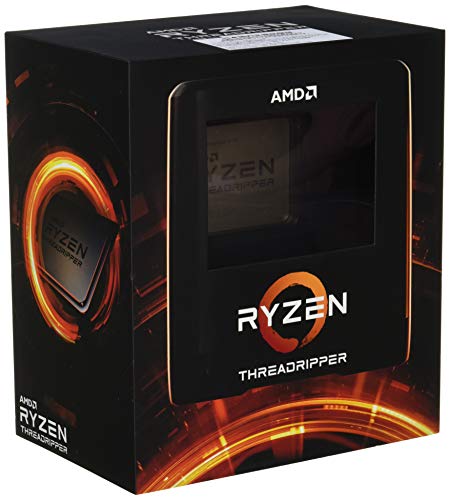
For a design studio that renders while other projects remain open, the 3970X moves beyond the 3960X’s already substantial capacity. Its 32 cores and 64 threads favor heavily parallel tasks, while the 4.5 GHz maximum boost keeps the interface from feeling designed only for batch work.
A 144MB cache adds useful headroom for complex workloads, and quad-channel DDR4 memory support gives the platform a broad data path. You may find this excessive for occasional 2D drafting, but large 3D scenes and repeated rendering jobs can justify the extra processing capacity.
What We Like
- 32 cores and 64 threads are well suited to rendering, simulation, and virtualized workstation tasks.
- The 144MB cache complements large, active project workloads.
- A 4.5 GHz boost ceiling preserves useful responsiveness during interactive work.
Trade Offs
- Cooling is not included, so installation requires a compatible solution and careful case planning.
- The platform’s scale can be difficult to justify for light modeling or short design sessions.
- Owners commonly need to plan memory configuration and airflow before assembling a system around this chip.
At A Glance
Made For
This suits professional designers, visualization artists, and engineers whose daily workload includes rendering or several demanding applications together.
Not Your Match When
AMD Ryzen Threadripper 3960X 24-Core is a more sensible fit for you when your studio needs many threads but does not regularly push the largest parallel workloads.
Fast viewport response matters during long modeling sessions, and the 13900KS emphasizes that side of CAD with a rated peak speed of 6.0 GHz. Its hybrid design combines 8 performance cores, built for demanding foreground work, with 16 efficiency cores for background tasks and lighter threads.
Support for DDR4 or DDR5 memory and PCIe 5.0 or 4.0 gives you flexibility during a new build. In your everyday workflow, that can mean easier platform matching, though the unlocked design deserves a strong cooling plan rather than an improvised installation.
Highlights
- The 6.0 GHz maximum speed targets quick response in interactive CAD operations.
- 24 cores and 32 threads handle design software alongside browsers, documentation, and exports.
- DDR4 and DDR5 compatibility lets you choose a memory generation that suits your motherboard plan.
- PCIe 5.0 and 4.0 support leaves room for modern expansion hardware.
- The unlocked design appeals to experienced users who understand system tuning.
Minor Gripes
- High peak speed can make cooling and motherboard selection more important in a compact workstation.
Technical Sheet
Right Fit For
You’ll appreciate this processor most in an enthusiast desktop used for interactive 3D modeling, creation work, and demanding multitasking.
Look Elsewhere When
Pick the AMD Ryzen Threadripper 3970X 32-Core for a workstation focused more heavily on long, parallel rendering runs than maximum interactive clock speed.
The Core i9-14900 takes a more restrained route than the unlocked 13900KS. You still get 24 cores, split between 8 performance cores and 16 efficiency cores, plus a peak frequency of 5.8 GHz for smooth drafting and modeling work.
Its 65W processor base power and included Intel Laminar RH1 cooler simplify a fresh desktop build, although sustained rendering can place greater demands on the overall cooling setup. Support for DDR4 and DDR5 also helps you reuse suitable memory or choose a newer platform.
Upsides
- The 24-core hybrid layout handles CAD, office applications, and background exports together.
- A 5.8 GHz maximum frequency supports responsive interactive work.
- The included cooler reduces the number of parts required for initial installation.
- 65W processor base power suits builders watching system heat and power planning.
Worth Noting
- Its locked design offers less tuning freedom than the unlocked Intel Core i9-13900KS.
- Long rendering sessions may still call for stronger case airflow than the included cooler alone provides.
Feature Snapshot
Best Suited To
This is a strong fit for you as a new workstation builder who wants high desktop performance without sourcing a separate cooler immediately.
A Better Fit Elsewhere
Intel Core i9-13900KS Desktop Processor suits you more closely when unlocked tuning and a 6.0 GHz peak frequency matter more than simpler installation.
For a mixed home office, the standard Core i9-13900 covers a broad range of CAD tasks without the unlocked focus of the KS model. Its 24-core arrangement and 32 threads leave room for modeling, file conversion, communication tools, and occasional rendering in the same session.
The 5.6 GHz peak speed remains substantial, while the 65W base power gives your build a manageable thermal starting point. You may find the 13900 a better everyday match than Threadripper if your work alternates between design and general desktop use.
Bright Spots
- 24 cores provide ample capacity for multitasking across design and office software.
- Its 5.6 GHz maximum frequency supports quick response during interactive work.
- 36MB of cache helps keep frequently accessed data close to the processor.
Room For Improvement
- The 13900 has a lower peak frequency than the 13900KS.
- Extended heavy workloads still deserve careful cooler and case-airflow planning.
- Platform compatibility should be checked before installation, particularly during an older-system upgrade.
Quick Facts
Who Will Love This
You’ll find the best fit here as a home-based designer or small-office professional combining CAD with everyday productivity.
Swap It Out When
Choose the Intel Core i9-14900 Desktop Processor for a newer platform plan that benefits from its included cooler and 14th-generation design.
A complete tower changes the decision from selecting a CPU to choosing a ready workstation. This Precision 7920 pairs two Xeon Platinum 8160 processors for 48 cores and 96 threads, 384GB of DDR4 memory, a 1TB NVMe drive for quick application loading, and a 4TB hard drive for broad file storage.
The Quadro P2000 5GB graphics card gives the system a dedicated professional graphics foundation for CAD display work. It’s a substantial desk-bound machine, and the renewed condition means you should inspect the listing carefully for included accessories, cosmetic state, and upgrade details before setup.
Reasons To Buy
- Dual Xeon processors provide 48 cores and 96 threads for parallel workstation workloads.
- 384GB of DDR4 memory gives large assemblies, simulation tools, and virtual machines considerable working space.
- The combination of a 1TB NVMe drive and 4TB HDD separates active software from bulk project storage.
- Windows 11 Pro lets you begin with an operating system already specified for the tower.
- The Quadro P2000 5GB supplies dedicated graphics hardware for professional design environments.
Points To Note
- A renewed tower can require more inspection and cleanup than a newly assembled desktop.
- The large chassis and dual-processor layout are better suited to a permanent workstation area than a small desk.
Details At A Glance
Whose Shelf It Belongs On
This tower fits you best as a studio professional, engineer, or technical team needing substantial memory and parallel processing in one complete desktop.
Where A Sibling Pick Shines
PCSP ThinkStation P920 Tower Workstation fits you better when you prefer to add your own storage and operating system from the start.
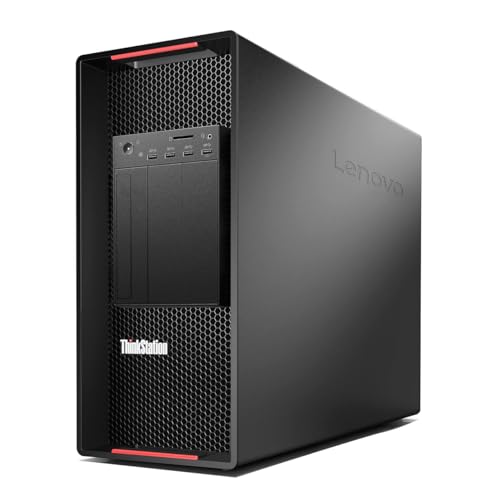
The P920 takes a flexible build-your-own approach. Two Intel Xeon Gold 6148 processors provide 40 cores and 80 threads, while 128GB of DDR4 memory gives you a capable starting point for CAD, virtualization, and other workstation tasks.
No hard drive or operating system is included, which lowers convenience but gives you control over storage and software setup. With two 3.5-inch bays, two onboard M.2 slots, and RAID support, the tower may suit a technically confident owner more than someone seeking a ready-to-run desktop.
Plus Points
- 40 cores and 80 threads give you strong parallel capacity for workstation applications.
- 128GB of DDR4 memory creates a useful base for large design files and virtual machines.
- Two M.2 slots and two 3.5-inch bays support a tailored storage layout.
- RAID support allows storage redundancy or performance planning based on your setup.
Areas To Watch
- No storage drive or operating system means additional installation and configuration work.
- The Quadro K620 2GB is modest beside the Quadro P2000 in the Precision 7920 tower.
- Renewed hardware deserves careful inspection of drive bays, cables, and included components during setup.
Core Details
Who Should Grab It
You’ll suit this tower best as a technically confident professional who already has a storage and operating system plan.
Another Choice May Suit
PCSP Precision 7920 Tower Workstation suits you more closely when you want included storage, Windows 11 Pro, and a stronger specified graphics card.
How To Choose The Right Cpus For Cad Design
Match Core Behavior To Your Software
CAD software often divides work between interactive modeling and background tasks. High clock speed usually matters during sketching, feature editing, and viewport commands, while additional cores help rendering, simulation, file conversion, and multitasking. A 24-core hybrid Intel chip and a 32-core Threadripper serve different priorities, even though both can handle demanding projects.
Treat Core Counts As A Workload Tool
More cores help most during sustained parallel work. You’ll notice the difference in a studio rendering several views, running simulation jobs, or keeping multiple large applications open. For mostly single-user part design, a processor such as the Core i9-13900 or i9-14900 may offer a more balanced desktop experience than a dual-CPU tower.
Plan The Platform Around The Chip
A standalone processor is only part of the workstation. Check motherboard chipset support, memory type, cooling requirements, expansion needs, and the physical space available in your case. Threadripper options require more deliberate platform planning, while the Core i9-14900 includes the Laminar RH1 cooler and states a 65W processor base power.
Decide Between An Upgrade And A Complete Tower
A complete workstation can save assembly time and provide memory, storage, graphics, and an operating system in one package. The Precision 7920 is aimed at that convenience, while the P920 leaves storage and operating system choices to you. Choose the tower route for a defined studio setup, or select a CPU when you already have a compatible platform worth reusing.
What To Weigh Before You Buy
Mistakes Worth Dodging
A common mistake is choosing core count without considering the software workflow. Your daily CAD work may rely more on fast interactive response than on maximum parallel rendering, so match the processor to the tasks that consume the most time.
Cooling and compatibility also deserve attention. A CPU-only package may need a separate cooler, motherboard, memory, and case plan, while a renewed tower may require checking storage, cables, and included accessories before installation.
Where The Extra Money Goes
Higher-tier processors and workstations generally add processing capacity, memory headroom, faster storage, or more expansion flexibility. The Threadripper 3970X makes sense for repeated parallel workloads, while the Precision 7920’s 384GB memory and dual storage arrangement suit large professional environments.
Spending more makes sense for a studio that renders frequently, manages large assemblies, or runs several technical applications together. Light drafting and occasional 3D work can usually stay with a balanced Core i9 desktop instead.
Final Verdict
You can narrow this list by deciding whether you need a processor upgrade or a complete tower. The Ryzen Threadripper 3960X and 3970X favor heavily threaded professional work, while the Intel Core i9 options emphasize responsive desktop use and flexible memory platforms. The Precision 7920 suits a ready workstation setup, and the P920 gives you more control over storage and software installation. Match the choice to your CAD workload, cooling plan, and desk space, and you’ll end up with a system that feels sensible long after the initial setup.
