
Choosing a compatible processor for an older LGA1151 desktop can feel harder than the socket name suggests. You need to match the motherboard chipset, memory support, cooling setup, and workload before you commit to an upgrade. This shortlist covers processors for everyday computing, gaming, workstation tasks, and compact builds, plus three cooler options for keeping compatible chips under control. You’ll also see where the 100/200 Series and 300 Series split matters, because an LGA1151 socket alone doesn’t confirm compatibility.
The Shortlist At A Glance

Intel Core i7-7700 Desktop Processor
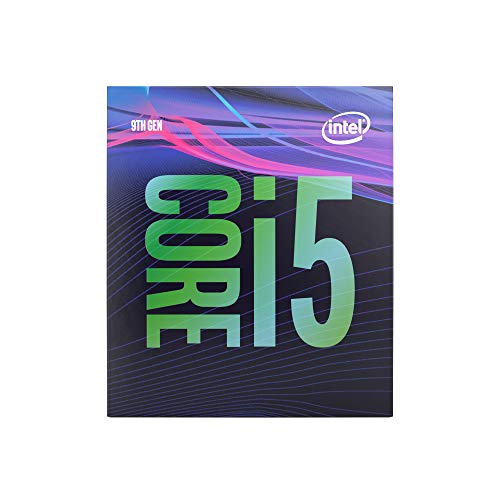
Intel Core i5-9500 Desktop Processor

Thermalright AXP-90 X53 Low Profile CPU Cooler

ID-COOLING SE-903-XT V2 Black CPU Cooler

ZYZMOON LGA115x CPU Heatsink

Intel Core i7-8700K Desktop Processor

Intel Core i9-9900K Desktop Processor
More Details On Our Top Picks
For an older desktop built around an Intel 100 or 200 Series chipset, the Core i7-7700 offers a straightforward four-core, eight-thread upgrade path. Its integrated Intel UHD Graphics 630 can handle display output and everyday desktop work without a separate graphics card, which suits home office systems and compact builds.
You get DDR4-2133/2400 or DDR3L memory support, up to 64 GB, and a 65W thermal design. You may find the platform limit more important than the processor itself, since this chip doesn’t belong in a 300 Series board. Compared with the newer Core i5-9500, it’s the better match for an earlier motherboard.
Strong Points
- Four cores and eight threads keep office work, browsing, and light creative tasks responsive.
- Integrated graphics help you build or refresh a desktop without a separate graphics card.
- 65W operation gives you a manageable cooling requirement for standard cases.
- Renewed availability can suit a careful restoration of an older computer.
Things To Consider
- The 100/200 Series chipset requirement sharply limits motherboard compatibility.
- Renewed condition means you should inspect the listing details and plan for installation checks.
Key Specs
Who It Suits Best
You’ll benefit most as a home-office user or DIY restorer with a compatible 100 or 200 Series desktop.
Where Another Pick Suits Better
Intel Core i5-9500 suits you better when your system uses a 300 Series chipset and you want six physical cores.
Six physical cores make the Core i5-9500 a sensible center for a 300 Series desktop used for spreadsheets, photo work, streaming, and gaming. Turbo Boost, a feature that raises clock speed during suitable workloads, takes the chip up to 4.4 GHz according to the supplied product information.
The included thermal solution simplifies a first-time installation, though your motherboard may need a BIOS update before the processor starts. Compared with the i7-7700, you gain newer 300 Series compatibility and two additional physical cores, while the 65W rating keeps the cooling setup familiar.
What We Like
- Six cores give you useful headroom for work apps running beside games or browser tabs.
- The included cooler reduces the number of separate parts needed for a basic build.
- Turbo Boost supports snappier short tasks without requiring manual tuning.
Worth Noting
- Only 300 Series chipset boards are supported, and firmware readiness deserves attention before installation.
- The included cooler may be less appealing for extended heavy workloads than a larger aftermarket design.
- Six threads fewer than the i7-8700K can matter for demanding production software.
At A Glance
Made For
You’re a home-office user or casual gamer with a 300 Series board and a preference for an uncomplicated installation.
Consider Something Else When
Intel Core i7-8700K suits you more for threaded workloads and enthusiast tuning on a suitable 300 Series motherboard.
A 53mm total height makes the Thermalright AXP-90 X53 a natural fit for short cases where a conventional tower cooler blocks the side panel. Four heat pipes move heat from the processor into the metal fin stack, while the 90mm PWM fan adjusts speed through the motherboard header.
You can use the cooler with Intel LGA1150, 1151, 1155, 1200, and 1851 sockets, plus AMD AM4. The all-metal construction and included backplate fastener suggest a more secure installation than a basic stock-style cooler, although tight small-form-factor interiors can make mounting slower. Compared with the ID-COOLING SE-903-XT V2, this model gives you a clearly stated low-profile height.
Highlights
- 53mm height preserves clearance in compact desktop cases.
- Four heat pipes spread processor heat through the fin assembly.
- PWM control lets your motherboard vary fan speed with workload.
- Broad socket coverage helps you reuse the cooler across several platforms.
- The stated noise level of up to 22.4 dBA suits quieter desk environments.
Trade Offs
- Low-profile cooling gives you less thermal mass than a full tower design.
- Installation in a cramped case may require careful backplate access and cable routing.
Feature Snapshot
Right Fit For
You’ll get the most value as a small-form-factor builder who needs measured clearance around an LGA1151 processor.
Not Your Match When
ID-COOLING SE-903-XT V2 suits you better when you want its larger 100mm fan and tower-style fin arrangement.
For a standard desktop case, the SE-903-XT V2 takes a different approach from the 53mm Thermalright cooler. Its 100mm PWM fan pushes air through an upgraded tower heatsink, while direct-touch heatpipes contact the processor area to move heat into the fins.
Reinforced fan clips and a tighter fin-lock structure should help the assembly stay secure during transport and routine use. You may find the larger fan useful for a quieter everyday system, but the listing doesn’t provide a total height, so measure your case before installation. The honest trade-off is simple: more room may bring more cooling flexibility, while compact cases favor the AXP-90 X53.
Upsides
- The 100mm fan covers more fin area than the Thermalright’s 90mm fan.
- Direct-touch heatpipes create a short path from the CPU area to the cooling assembly.
- Reinforced clips should make fan removal and reattachment less troublesome during maintenance.
- The black finish works neatly in dark-themed desktop interiors.
Room For Improvement
- The missing height detail means case-clearance checking is essential.
- Aluminum fins can bend during rough handling, so store the cooler with care before installation.
- A tower layout may interfere with nearby memory or case components in cramped systems.
Technical Sheet
Who Will Love This
You’re best suited to this cooler as a mainstream desktop builder with room for a compact tower design.
Look Elsewhere When
Thermalright AXP-90 X53 is a better fit for you when a 53mm height limit governs your case choice.
Routine replacement work doesn’t always call for a multi-heatpipe cooler. The ZYZMOON heatsink and fan targets Intel LGA115x processors rated at up to 65W, making it a sensible match for basic Core i3, i5, and i7 office desktops.
A 4-pin connector allows motherboard fan control, and the aluminum heatsink keeps the design familiar for straightforward maintenance. Compared with both Thermalright and ID-COOLING options, this choice is less ambitious, but that can make storage and installation easier in a simple repair kit. You may want a stronger cooler for sustained heavy loads.
Bright Spots
- Supports several Intel LGA sockets, including LGA1151, LGA1150, LGA1156, and LGA1200.
- 65W target suits many mainstream office and home desktops.
- Four-pin fan connection supports speed adjustment through a compatible motherboard.
Small Caveats
- Basic aluminum cooling leaves less headroom than the Thermalright four-heatpipe design.
- Confirm your processor’s thermal rating before fitting it to a higher-demand chip.
- Dust buildup around the fins will gradually restrict airflow, so occasional cleaning belongs in your maintenance routine.
Quick Facts
Built With In Mind
You’re the right match as a DIY restorer replacing a stock-style cooler on a 65W Intel desktop.
Swap It Out When
ID-COOLING SE-903-XT V2 is more suitable for your sustained workloads and larger case space.
The Core i7-8700K gives you six cores and twelve threads for a 300 Series LGA1151 system that still has useful life left. Its unlocked design supports manual multiplier tuning, while the listed turbo ceiling reaches 4.7 GHz for demanding desktop work and gaming.
The 95W rating signals a higher cooling demand than the 65W i5-9500, so pair it with a capable cooler and a case with good airflow. In our view, the cooler choice matters here: the ZYZMOON model is aimed at up to 65W, while the Thermalright AXP-90 X53 is a better compact option only when your workload and case airflow remain reasonable.
Reasons To Buy
- Twelve threads give you stronger multitasking capacity than the i5-9500.
- The unlocked multiplier gives experienced desktop builders room for manual tuning.
- Up to 4.7 GHz turbo speed suits gaming and burst-heavy creative applications.
- Six cores remain useful for streaming, editing, and demanding office workflows.
- Renewed sourcing can help you extend a compatible 300 Series platform.
Points To Note
- The 95W rating calls for more serious cooling than the lower-power processors here.
- Manual tuning requires compatible motherboard settings and careful thermal planning.
- As a renewed item, you should inspect the listing condition and installation requirements.
Feature Rundown
The Right Fit
You’ll appreciate this processor most as an enthusiast maintaining a 300 Series desktop for gaming, streaming, or creation.
Another Choice May Suit
Intel Core i5-9500 is a better fit for you when you want lower power demand and an included thermal solution.
Eight cores and sixteen threads make the Core i9-9900K the most demanding processor in this LGA1151 shortlist. The unlocked design and turbo ceiling of 5.0 GHz target experienced users running intensive games, video workloads, virtual machines, or several heavy applications at once.
You need a 300 Series chipset board and a cooling plan suited to its 95W rating. The listing is renewed, so condition details deserve a close look before installation. Compared with the i7-8700K, you gain two cores and four threads, but everyday office work may not justify the extra platform and cooling demands.
Best Bits
- Eight cores and sixteen threads provide substantial multitasking capacity.
- Up to 5.0 GHz turbo speed fits demanding gaming and creator workflows.
- Unlocked operation gives experienced builders manual tuning flexibility.
- It can extend a capable 300 Series system without changing the platform.
Honest Caveats
- The 95W rating requires more capable cooling than the i5-9500.
- Manual tuning adds setup complexity and may increase heat output.
- Renewed condition makes careful inspection and socket handling especially worthwhile.
- Older LGA1151 platform limits future motherboard choices.
Core Details
Whose Shelf It Belongs On
You’re the strongest match as an enthusiast with a suitable 300 Series board and a workload that can use many threads.
Reach For A Different Pick When
Intel Core i7-7700 suits you better for a lower-power upgrade inside a 100 or 200 Series desktop.
How To Choose The Right Cpus For Lga1151
Start With The Chipset
LGA1151 covers more than one Intel platform generation. The Core i7-7700 belongs with motherboards using 100 or 200 Series chipsets, while the Core i5-9500, i7-8700K, and i9-9900K require 300 Series boards. Match the chipset before considering core count, turbo speed, or cooler fit.
A motherboard firmware update may also affect compatibility, particularly with 9th-generation processors. Check your board model and firmware notes before removing the existing chip.
Match Cores To Your Routine
Four cores and eight threads remain suitable for office work, browsing, media playback, and light creative tasks. Six cores give you more room for gaming beside background applications, while eight cores and sixteen threads make more sense for video production, virtual machines, and sustained parallel workloads.
Core count isn’t the only factor. Clock speed, cooling, memory support, and the software you use all influence the practical result.
Plan Cooling Before Installation
Thermal design power, or TDP, is a reference for the heat a processor and cooler need to manage. The 65W i7-7700 and i5-9500 are easier matches for stock-style cooling than the 95W i7-8700K and i9-9900K.
Small cases benefit from the Thermalright AXP-90 X53 because its 53mm height is clearly stated. A standard compact tower may suit you better with the ID-COOLING option, though you need to measure available clearance first.
Check Memory And Graphics Needs
The i7-7700 supports DDR4-2133/2400 and DDR3L memory, which matters during an older system refresh. A replacement processor won’t solve an incompatible memory type. Integrated graphics on the i7-7700 can also help you run display output without a separate graphics card, while your gaming experience still depends heavily on the rest of the system.
Things Worth Knowing First
Mistakes Worth Dodging
A socket match doesn’t confirm a motherboard match. Check the chipset generation, firmware needs, memory type, and cooler mounting pattern together before you choose a processor.
You should also avoid pairing a 95W unlocked chip with a basic 65W cooler. Give the i7-8700K or i9-9900K enough heatsink capacity and case airflow for the workload you plan to run.
The Upgrade Payoff
Higher-tier processors cost more because you get additional cores, threads, higher turbo ceilings, and unlocked tuning on selected models. Those attributes matter during encoding, streaming, multitasking, and other workloads that keep several processing threads active.
For email, documents, and casual browsing, the i5-9500 may already give you enough capacity. Spending more makes sense when your 300 Series system supports the chip and your software can use the extra threads.
Closing Remarks
You can make a sensible LGA1151 upgrade by treating the motherboard chipset as the first checkpoint, not an afterthought. The i7-7700 fits older 100/200 Series desktops, while the i5-9500 offers a practical 300 Series route. Enthusiasts gain more from the unlocked i7-8700K or i9-9900K, provided cooling matches the 95W rating. For compact builds, the Thermalright AXP-90 X53 gives you a clearly defined 53mm footprint. Choose around your existing hardware and daily workload, and your upgrade should feel purposeful rather than forced.
