
Choosing a processor for machine learning depends on more than core count. You need to match your workload, motherboard, memory standard, cooling plan, and the difference between training models and running inference, which means using an already-trained model to produce results. A developer building vision software on a Raspberry Pi needs a very different solution from a creator fine-tuning models on a desktop workstation. This shortlist covers mainstream desktop CPUs, workstation-class Threadripper options, a compact Edge TPU accelerator, and a dedicated AI desktop. You’ll find practical trade-offs for coding, image workflows, local model work, and embedded projects.
The Shortlist At A Glance

AMD Ryzen 9 5900XT 16-Core Processor
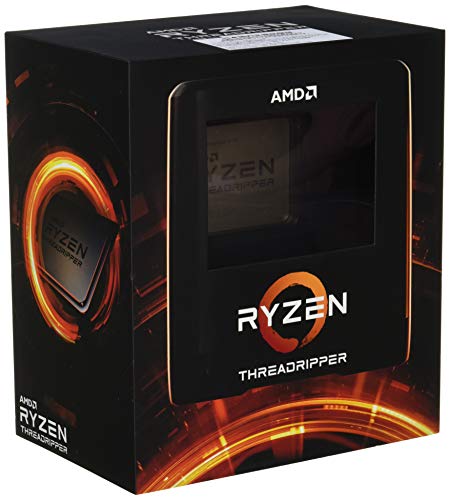
AMD Ryzen Threadripper 3970X 32-Core Processor

Intel Core Ultra 7 270K Plus Processor
Google Coral USB Edge TPU ML Accelerator

NVIDIA DGX Spark GB10 Grace Blackwell Desktop
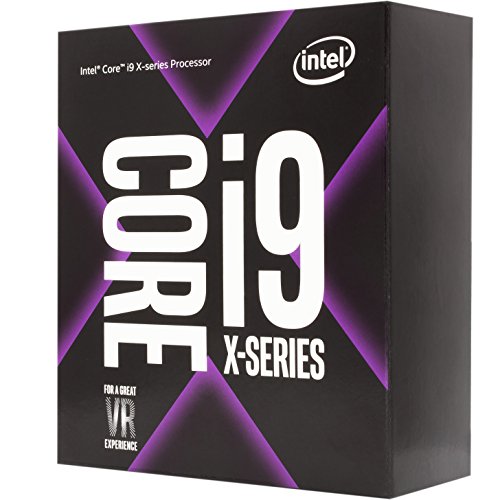
Intel Core i9-9900X X-Series Processor

AMD Ryzen Threadripper 7960X 24-Core Processor
More Details On Our Top Picks
For an AM4 desktop already equipped with suitable memory and cooling, this 16-core, 32-thread chip offers a sensible route into heavier coding, data preparation, and content workloads. A thread is a stream of instructions the processor can handle, so the high thread count helps during parallel tasks such as preprocessing datasets while other applications remain open.
The 4.8 GHz maximum boost and 72 MB cache give interactive desktop work some welcome responsiveness. You may find the platform age matters more than raw capability, though, because DDR4 support and AM4 compatibility limit future upgrade paths compared with Intel Core Ultra 7 270K Plus.
Strong Points
- Sixteen cores suit sustained multitasking and parallel data preparation.
- DDR4-3200 support can simplify upgrades for existing AM4 desktops.
- Unlocked operation gives experienced builders tuning flexibility.
- PCIe 4.0 support accommodates compatible storage and expansion hardware.
- The 72 MB cache can help keep frequently reused data close to the processing cores.
Things To Consider
- A cooler isn’t included, so installation requires a separate cooling solution.
- AM4 and DDR4 keep the build familiar, but the platform has less forward room than newer sockets.
Key Specs
Who It Suits Best
You’ll get the most from this processor as an experienced AM4 desktop owner handling local development, coding, and moderate parallel workloads.
Consider Something Else When
Choose Intel Core Ultra 7 270K Plus for a new system that needs DDR5 and Intel 800 Series motherboard support.
Large datasets, 3D work, and simultaneous development tools give the Threadripper 3970X a clear purpose. Its 32 cores and 64 threads are designed for workstation-style parallel processing, while the 144 MB cache reduces the need to pull some repeatedly used data from slower system memory.
That scale makes it a more specialized choice than the Ryzen 9 5900XT. Depending on your case airflow and workload, the substantial desktop platform may demand more careful cooling and board selection, but serious creators gain room for demanding multitasking.
What We Like
- Thirty-two cores give complex parallel jobs much more processing headroom.
- Sixty-four threads suit rendering, compilation, and dataset preparation running together.
- The 144 MB cache supports large, active workloads.
- Automatic overclocking offers a simpler tuning path than fully manual adjustment.
Trade Offs
- The cooler isn’t included, and the platform needs workstation-grade planning.
- Casual model experimentation may not justify this processor’s large core count.
- Owners commonly need a spacious case and strong airflow around a high-output workstation build.
At A Glance
Made For
This suits professional creators and advanced developers running several CPU-heavy tasks across a dedicated workstation.
Right Fit For
AMD Ryzen Threadripper 7960X is a stronger match for new workstation builds that need DDR5 RDIMM memory and newer expansion support.
A new enthusiast desktop gains a modern foundation here, with 24 total cores split between 8 P-cores and 16 E-cores. P-cores handle demanding foreground work, while E-cores are smaller efficiency-focused cores suited to background tasks, a useful arrangement for coding, browser research, and local tools running together.
The 5.5 GHz maximum boost favors responsive interaction, and DDR5 support gives a fresh build more memory bandwidth than the Ryzen 9 5900XT’s DDR4 platform. You’ll need an Intel 800 Series motherboard with the LGA1851 socket, so this isn’t an uncomplicated drop-in upgrade.
Highlights
- Twenty-four mixed-design cores support both active work and background processes.
- DDR5 memory support suits a current-generation desktop build.
- PCIe 5.0 and 4.0 support leaves room for newer expansion hardware.
- The 125W processor base power gives builders a clear starting point for cooling planning.
- Up to 5.5 GHz boost can make development environments feel quick.
Minor Gripes
- A compatible LGA1851 board is mandatory, adding platform cost and installation work.
- DDR5 replacement or expansion requires memory selected for the new motherboard.
Feature Snapshot
Best Suited To
Choose this for a technically confident builder creating a new desktop for coding, creative software, and mixed local workloads.
Not Your Match When
AMD Ryzen 9 5900XT fits better for an AM4 owner who wants to retain an existing motherboard and DDR4 memory.
Machine learning on a Raspberry Pi or another embedded Linux board calls for a different approach from a Threadripper workstation. This USB accelerator adds an Edge TPU, a dedicated application-specific chip for running trained models, through a USB 3.0 connection, making it useful for compact camera, sensor, and automation projects.
You may find the small format easier to place beside an embedded computer than a full desktop CPU platform. The trade-off is scope: it targets inference rather than broad desktop training, and compatible software, models, and USB connectivity still shape the experience.
Upsides
- USB connectivity makes integration less invasive than replacing a host processor.
- The Edge TPU is designed for efficient model inference on small Linux systems.
- Compact hardware suits projects with limited enclosure space.
Points To Note
- It isn’t a general-purpose desktop CPU and won’t replace a processor for training or everyday computing.
- Setup depends on compatible Linux software, model formats, and a suitable USB 3.0 connection.
Quick Facts
Who Will Love This
This is designed for developers building compact Linux vision or sensor projects around Raspberry Pi and similar single-board computers.
Look Elsewhere When
NVIDIA DGX Spark suits you better for local model development, analytics, and larger desktop AI workloads.
A dedicated AI desktop makes more sense for local model work than trying to force every task through a traditional CPU. The DGX Spark pairs a GB10 Grace Blackwell chip with a compact desktop format aimed at local fine-tuning, inference, and analytics, so you can keep development work close at hand instead of relying entirely on remote computing.
For a developer moving between experiments, model serving, and data analysis, that focused design is appealing. The honest caveat is that this isn’t a conventional processor upgrade, and the dedicated system may feel excessive for general coding or small embedded models.
Bright Spots
- Purpose-built hardware targets local AI development rather than ordinary desktop tasks.
- The Grace Blackwell architecture supports model fine-tuning, inference, and analytics workloads.
- A compact desktop format can reduce the physical footprint of a specialized AI setup.
- The integrated NVIDIA software environment can help keep development tools aligned.
- Energy-conscious design is useful for a workstation that runs AI jobs regularly.
Room For Improvement
- Its specialized role makes less sense for a general-purpose desktop replacement.
- Software compatibility and workflow support deserve careful review before installation.
- Dedicated hardware can limit upgrade flexibility compared with a socketed desktop CPU.
Core Details
Built With In Mind
This suits developers, research teams, and advanced hobbyists who need a dedicated local environment for model development and inference.
Where A Sibling Pick Shines
Google Coral USB Edge TPU is a better fit for compact Raspberry Pi projects and supported embedded vision models.
Existing LGA2066 workstation owners have a clear reason to consider the Core i9-9900X. Its 10 cores and 20 threads can support coding, media work, and moderate parallel processing without requiring a complete platform change, though newer options in this list offer more cores or newer memory standards.
The 4.4 GHz turbo ceiling keeps short tasks responsive, while the 165W thermal design power points toward substantial cooling needs. Depending on your X299 board and case airflow, this makes more sense as a targeted replacement than the foundation for a fresh machine.
Plus Points
- Ten cores and 20 threads remain useful for mixed workstation workloads.
- LGA2066 compatibility can extend the life of an existing X299 desktop.
- Unlocked operation allows experienced system builders to tune performance.
Small Caveats
- The older platform uses DDR4-2666 and offers less upgrade runway than current systems.
- Its 165W thermal design power calls for deliberate cooler and case planning.
- A new-build shopper may gain better long-term flexibility from a newer socket.
Details At A Glance
Whose Shelf It Belongs On
This is intended for an X299 owner who needs more workstation capacity without replacing an otherwise suitable LGA2066 setup.
Another Choice May Suit
AMD Ryzen 9 5900XT is a better match for an AM4 desktop owner seeking a simpler platform-compatible upgrade.
Professional model work benefits from the Threadripper 7960X’s 24 cores, 48 threads, and workstation-oriented memory design. Quad-channel DDR5 RDIMM support means four memory channels can move data in parallel, while the listed capacity of up to 1TB suits unusually large datasets and demanding creative pipelines.
Compared with the older 3970X, this chip brings newer DDR5 RDIMM support, 80 usable PCIe lanes, and a 5.3 GHz maximum boost. The trade-off is a 350W thermal design power and a cooler that isn’t included, so you may find the complete platform more demanding to assemble and maintain.
Best Bits
- Twenty-four cores and 48 threads give professional workloads substantial parallel capacity.
- Quad-channel DDR5 RDIMM support suits large-memory workstation projects.
- Up to 1TB memory capacity supports datasets beyond ordinary desktop configurations.
- Eighty usable PCIe lanes provide broad room for storage and expansion hardware.
- The 152 MB cache is useful for data-heavy processing.
- Automatic overclocking gives experienced builders a convenient tuning option.
Areas To Watch
- The 350W thermal design power requires serious cooling, airflow, and power planning.
- No cooler is supplied, adding a separate installation decision.
Feature Card
The Right Fit
This belongs in a professional workstation for large datasets, advanced development, rendering, and sustained parallel processing.
Swap It Out When
Intel Core Ultra 7 270K Plus is a more practical fit for a smaller new desktop with mainstream DDR5 requirements.
How To Choose The Right Cpus For Machine Learning
Match Core Count to Your Work
Core count matters most during parallel tasks such as compiling, dataset preparation, rendering, and running several development tools together. Sixteen cores can make sense for a serious desktop, while 24 or 32 cores suit workstation workloads that stay busy for long periods. More cores don’t automatically improve every model, especially workloads that depend heavily on a graphics processor or specialized accelerator.
Separate Training From Inference
Training changes model parameters through repeated calculations and often benefits from a capable graphics processor, high memory bandwidth, and generous system memory. Inference runs a trained model to produce an output, making the Google Coral USB Edge TPU attractive for supported embedded models and the NVIDIA DGX Spark appealing for local AI development. A conventional desktop CPU remains useful for orchestration, preprocessing, coding, and smaller CPU-based experiments.
Check the Platform Before the Chip
Socket compatibility comes first. The Ryzen 9 5900XT uses AM4 and DDR4-3200, the Core i9-9900X requires LGA2066 and DDR4-2666, while the Core Ultra 7 270K Plus needs LGA1851, an Intel 800 Series chipset, and DDR5.
Memory channels and expansion lanes also shape ownership. Threadripper models offer workstation-scale bandwidth and PCIe capacity, but you need a compatible board, suitable memory, a spacious case, and a cooling plan.
Plan Cooling and Daily Workflow
Thermal design power gives you a useful planning reference, not a guarantee of actual system temperatures. The 350W Threadripper 7960X demands far more attention than the 125W Core Ultra 7 270K Plus, and the listed 165W Core i9-9900X also needs deliberate airflow. Match the processor to your actual workload, because paying for workstation capacity that sits idle adds complexity without improving everyday coding.
Things Worth Knowing First
Mistakes Worth Dodging
A common mistake is treating every item here as a conventional CPU. Google Coral USB Edge TPU is an embedded inference accelerator, while NVIDIA DGX Spark is a dedicated AI desktop, so neither follows the same upgrade path as a socketed processor.
Platform mismatches create another headache. Confirm the socket, chipset, memory type, and cooler plan before choosing a processor, especially with AM4, LGA2066, LGA1851, and Threadripper workstation hardware.
Where The Extra Money Goes
Higher-tier models typically add cores, memory bandwidth, cache, PCIe lanes, or specialized AI hardware. Those additions matter during large preprocessing jobs, local model development, and professional multitasking, but they offer less value for light coding or occasional experiments.
Spending more makes sense when your workload keeps the processor busy or your project needs workstation-scale memory and expansion. A compact accelerator can be the smarter route for a single embedded vision task.
Closing Remarks
Your right choice depends on the system around the processor as much as the chip itself. The Ryzen 9 5900XT suits an AM4 desktop, Threadripper models belong in serious workstations, and the Core Ultra 7 270K Plus gives a new DDR5 build a modern foundation. Google Coral handles focused embedded inference, while NVIDIA DGX Spark targets dedicated local AI work. Start with your model workflow, then confirm socket, memory, expansion, and cooling requirements before you commit. A well-matched platform will serve you better than an oversized specification sheet.
