
Matching a processor to an RTX 2060 can feel harder than the graphics card choice itself. You need the right socket, chipset support, core count, and enough memory and storage for the way you use your computer, whether that means competitive gaming, streaming, editing, or everyday work. This shortlist includes standalone CPUs, complete desktops, and one RTX 2060 Super graphics card for a broader upgrade path. You’ll find practical trade-offs for older systems as well as ready-to-use towers, so you can avoid pairing a capable GPU with a processor that holds it back.
The Shortlist At A Glance


STGAubron Gaming PC Desktop R5 2600 RTX 2060 6G 16G DDR4 512G SSD
STGAubron Gaming PC Desktop Core I5 RTX 2060 6G 16G RAM 512G SSD


More Details On Our Top Picks
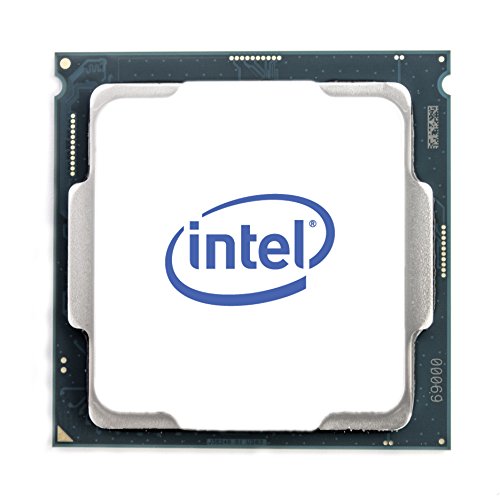
Your upgrade path looks straightforward here, provided your existing board uses the right chipset. The Core i7-4790 fits Z87 and Z97 motherboards, while some Z87 setups may need a BIOS update before installation. That makes it a sensible route for extending an older desktop instead of replacing every component.
For 1080p gaming with an RTX 2060, you get a familiar four-core platform that suits everyday play and general desktop tasks. You may find its older platform less appealing for heavy streaming than the six-core Core i7-8700, but careful compatibility checking keeps the installation manageable.
Strong Points
- Works with Z87 and Z97 motherboard families.
- A targeted CPU swap can preserve your current case, memory, and storage.
- Its established platform keeps the upgrade focused rather than requiring a full rebuild.
Things To Consider
- Z87 owners may need BIOS preparation before fitting the processor.
- Older sockets and boards make careful installation and cleaning around the cooler especially worthwhile.
Key Specs
Who It Suits Best
You’ll get the most value from this processor as a hands-on upgrader with a compatible Z87 or Z97 desktop and an RTX 2060 already in place.
Where Another Pick Suits Better
STGAubron R5 5500 RTX 2060S 8G 16G DDR4 1T SSD suits you better when you want a complete, newer desktop rather than a legacy-platform upgrade.
For a home office that also handles gaming, this prebuilt tower keeps the parts list easy to understand: a Ryzen 5 2600, RTX 2060 with 6GB of graphics memory, 16GB of DDR4 memory, and a 512GB solid-state drive. That combination gives you a ready desktop for schoolwork, streaming, and gaming without a separate assembly project.
The included Wi-Fi, Bluetooth 5.0, DisplayPort, and HDMI reduce cable planning around a busy desk. Compared with the Core i7-4790, you get a complete system rather than a component-only upgrade, although the older Ryzen processor may not suit demanding editing workloads as comfortably as the six-core Core i7-8700.
What We Like
- 16GB DDR4 memory gives everyday multitasking useful headroom.
- The 512GB solid-state drive helps keep startup and file access responsive.
- Wi-Fi and Bluetooth 5.0 simplify a study or living-room setup.
- HDMI and DisplayPort support flexible monitor arrangements.
Trade Offs
- The 512GB drive can fill quickly after several large games and video projects.
- Prebuilt desktops still deserve cable, fan, and dust maintenance over time.
- Its Ryzen 5 2600 is less appealing for heavy multitasking than newer options.
Feature Snapshot
Made For
This tower fits you best as a student, home user, or casual streamer who wants a ready-to-use RTX 2060 desktop.
Consider Something Else When
STGAubron Core I5 RTX 2060 6G 16G RAM 512G SSD is a better match for you when built-in Wi-Fi 6 matters more than the Ryzen configuration.
A Core i5 processor, RTX 2060 6GB graphics, 16GB RAM, and a 512GB SSD create a straightforward starting point for 1080p gaming. You get the convenience of a complete tower, along with an advertised processor speed of up to 3.7GHz for common desktop and gaming tasks.
Wi-Fi 6 and Bluetooth 5.0 give this model a small connectivity advantage over the Ryzen 5 2600 desktop, especially in a newer wireless environment. The honest trade-off is storage capacity: your game library and editing files may push you toward external storage sooner than with the 1TB STGAubron option.
Highlights
- 16GB RAM supports gaming alongside browser tabs, chat, and school applications.
- Wi-Fi 6 suits newer routers and busy home networks.
- The included SSD keeps the system compact and responsive for everyday use.
Minor Gripes
- 512GB of storage leaves less room for a large game collection.
- ARGB fans add visual customization, though you’ll still need routine dust removal.
At A Glance
Right Fit For
You’ll appreciate this tower most for home gaming, schoolwork, and moderate streaming in a newer wireless setup.
Not Your Match When
Intel Core i7-8700 6 Cores 3.2GHz 12MB LGA 1151 Renewed suits you more for a compatible desktop that needs stronger multitasking from six cores and twelve threads.
You get the most modern complete system in this group from the Ryzen 5 5500, RTX 2060 Super with 8GB, 16GB DDR4, and a 1TB SSD. That extra graphics memory and larger drive make a difference for large games, texture-heavy settings, and video files, while the processor reaches up to 4.2GHz.
For a desk that handles gaming, editing, and streaming, the larger storage pool feels more comfortable than the 512GB desktops above. You may find the RTX 2060 Super’s advantage less meaningful for lighter games, so this choice makes more sense when you’ll use the extra capacity and graphics memory regularly.
Upsides
- 8GB of graphics memory gives demanding games more working room.
- The 1TB SSD accommodates more applications and game installs before storage management becomes a chore.
- Ryzen 5 5500 speed up to 4.2GHz suits mixed gaming and creative use.
- Wi-Fi 6 and DisplayPort support a current desktop setup.
- ARGB fans provide lighting control for a more personalized desk.
Room For Improvement
- A larger graphics configuration can be unnecessary for basic esports and office tasks.
- As with any assembled tower, you’ll want clear airflow and periodic dust cleaning.
Technical Sheet
Who Will Love This
This tower suits you best as a gamer or creator who wants a ready desktop with more graphics memory and storage than the 6GB, 512GB choices.
A Better Fit Elsewhere
STGAubron Core I5 RTX 2060 6G 16G RAM 512G SSD fits you better for lighter gaming and a smaller application library.
Existing 100 or 200 series Intel boards give this renewed Core i7-7700 a clear purpose: a focused CPU replacement for an LGA 1151 system. Four cores and eight threads, meaning eight simultaneous processing paths, provide a useful step for gaming and ordinary creation without changing your whole desktop.
The integrated UHD Graphics 630 can help with basic display output, while the 65W design suits modest desktop builds. Compared with the i7-4790, this chip needs a different board family, so you’ll want to verify the chipset before removing your current processor.
Bright Spots
- Four cores and eight threads support gaming plus regular multitasking.
- Up to 4.2GHz gives compatible systems a responsive processing ceiling.
- UHD Graphics 630 provides integrated display capability for basic desktop use.
- The 65W rating fits builds where power draw and cooler size matter.
Points To Note
- Compatibility is limited to Intel 100 and 200 series chipset boards.
- A renewed processor calls for careful inspection and fresh thermal paste during installation.
- Four cores leave less room for heavy streaming than the i7-8700.
Quick Facts
Best Suited To
You’re a strong match for this CPU as an owner of a compatible Intel desktop who wants a contained gaming upgrade.
Look Elsewhere When
Intel Core i7-8700 6 Cores 3.2GHz 12MB LGA 1151 Renewed suits you better for streaming, editing, and other workloads that use more cores.
Six cores and twelve threads give the Core i7-8700 a stronger multitasking profile than the i7-7700. You get a 3.2GHz base speed, up to 4.6GHz, 12MB of cache, and UHD Graphics 630, making this renewed chip a credible choice for an RTX 2060 system used for gaming alongside streaming or editing.
The key detail sits under the heat spreader: this processor requires an Intel 300 series chipset board despite the LGA 1151 socket name. That socket overlap can be confusing, so you’ll need to check the motherboard family rather than relying on the socket alone.
Reasons To Buy
- Six cores and twelve threads give streaming software more processing room.
- Up to 4.6GHz supports snappy gaming and application response.
- 12MB cache helps keep frequently used data close to the processing cores.
- AVX2 and SSE4.1/SSE4.2 instruction extensions support compatible modern software workloads.
- The 65W design suits many established desktop cooling arrangements.
Small Caveats
- Only Intel 300 series chipset motherboards are suitable.
- Renewed hardware deserves careful socket handling and cooler preparation during installation.
Feature Rundown
Who Should Grab It
This CPU fits you as a content creator or streamer with an Intel 300 series desktop and an RTX 2060 already installed.
Reach For A Different Pick When
Intel Core i7-7700 Desktop Processor 4 Cores LGA 1151 Renewed works better for you when your board belongs to the Intel 100 or 200 series family.
Not every RTX 2060 setup needs a new CPU. This RTX 2060 Super graphics card adds 8GB of GDDR6 memory, dual fans, ray tracing support, HDMI, DisplayPort, and DVI, so you can focus your upgrade on the visual side of gaming or creative work.
Ray tracing is a rendering method that calculates more realistic light, reflections, and shadows in supported software. You may find the card’s broad display selection useful for an older multi-monitor desk, although your case clearance, power supply, and motherboard space still deserve a careful check before installation.
Plus Points
- 8GB of GDDR6 memory provides more room for high-resolution game assets.
- Dual fans support active cooling during extended gaming sessions.
- HDMI, DisplayPort, and DVI accommodate newer and older monitors.
- Ray tracing support adds lighting effects in compatible games and applications.
Areas To Watch
- Graphics-card installation requires you to confirm case space and power connections.
- A dual-fan cooler needs clear airflow and regular dust removal around its intake areas.
- Its value depends on your existing CPU, since a processor limitation can reduce the benefit of a graphics upgrade.
Core Details
Whose Shelf It Belongs On
This card suits you as an existing desktop owner who wants more graphics memory or a replacement GPU for gaming and creative work.
Swap It Out When
STGAubron R5 5500 RTX 2060S 8G 16G DDR4 1T SSD fits you better when you need a complete tower with the processor, memory, storage, and graphics card already assembled.
How To Choose The Right Cpus For Rtx 2060
Start With Platform Compatibility
Your motherboard decides which CPU choices remain practical. Socket names help, but chipset support matters just as much: the Core i7-4790 targets Z87 and Z97 boards, the i7-7700 uses Intel 100 or 200 series chipsets, and the i7-8700 requires a 300 series board. A socket can look familiar while the platform still refuses to work, so check the exact motherboard model and BIOS requirements before you order.
Match Core Count To Your Routine
Four cores can suit gaming, office work, and moderate background activity, especially with an RTX 2060 handling the visual workload. Six cores and twelve threads give you more breathing room for streaming, video editing, browser tabs, and voice chat at the same time. You’ll notice that difference most during multitasking, not necessarily in every game.
Check The Complete Desktop Balance
A CPU only forms part of the experience. The STGAubron desktops pair an RTX 2060 with 16GB of memory and an SSD, while the R5 5500 model adds an RTX 2060 Super with 8GB and a 1TB drive. More storage helps your game library and project files, while additional graphics memory matters for texture-heavy settings and creative applications.
Plan The Physical Installation
Standalone processors require attention to cooler fit, thermal paste, socket handling, and board access. A complete tower removes much of that assembly work but still needs clear airflow, sensible cable placement, and room for maintenance. For a long-used desktop, match the CPU upgrade to your existing memory, power supply, and board rather than choosing a faster chip that forces several extra replacements.
Things Worth Knowing First
Mistakes Worth Dodging
You can avoid the most common mismatch by checking the motherboard chipset before focusing on clock speed. The i7-7700 and i7-8700 both use LGA 1151, yet they belong to different Intel chipset generations.
A second mistake involves treating the graphics card as the whole system. An RTX 2060 paired with 16GB RAM and an SSD feels more balanced for daily use than the same GPU surrounded by limited memory or a nearly full drive.
Where The Extra Money Goes
Higher-tier options generally add cores, graphics memory, storage, or a newer platform. The STGAubron R5 5500 desktop adds a 1TB SSD and RTX 2060 Super 8GB, while the i7-8700 provides six cores and twelve threads for heavier multitasking.
You’ll get the most from that step up during streaming, editing, large game installs, or demanding visual settings. Lighter gaming and office use can make a simpler four-core CPU or 512GB desktop feel more sensible.
Final Verdict
You can choose the right match by starting with your motherboard or deciding that a complete desktop makes more sense. The Core i7-4790 suits compatible Z87 and Z97 systems, while the i7-7700 and i7-8700 serve different LGA 1151 chipset generations. For a ready-built setup, the STGAubron R5 5500 model gives you more storage and graphics memory, while the GPVHOSO card suits an existing tower needing a visual upgrade. Check compatibility first, then choose the level of multitasking and storage that fits your desk.
