
A graphic design workstation needs more than a polished display and plenty of memory. I evaluate these six desktops around processor power, graphics capability, color-ready screens, storage, and the practical realities of working at a shared studio desk or in a compact home office. The strongest choice for demanding creative software is the HP OMEN 45L, while the Lenovo A100 and HP OmniStudio models offer simpler all-in-one setups for lighter design workflows.
The Essentials At A Glance

HP OMEN 45L Gaming PC RTX 3060 Ti
Lenovo 24-inch FHD All-in-One Desktop
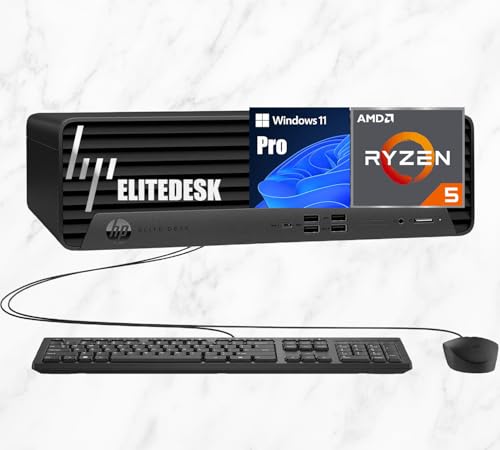
HP Elite 805 G9 SFF Ryzen 5 Desktop 16GB DDR5
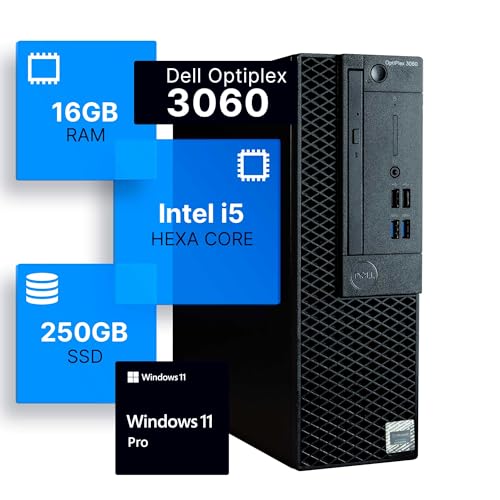
Dell Optiplex 3060 Renewed Desktop i5-8500 16GB

HP OmniStudio 27-inch All-in-One Ryzen AI 7

HP OmniStudio 23.8-inch All-in-One Ryzen 5
What Each Pick Brings To The Table
The OMEN 45L makes the strongest case for graphics-heavy work in this group. Its Ryzen 7 5700X handles eight cores and 16 threads, while the RTX 3060 Ti provides dedicated graphics memory for demanding visual applications. Unlike the Lenovo’s integrated graphics, this setup gives me more room for 3D rendering, motion work, and layered illustration files.
For a designer moving between large Photoshop documents, 3D scenes, and streaming tools, 32GB of RAM and a 1TB PCIe SSD form a practical combination. The microATX chassis also leaves room for a separate color-calibrated monitor, which matters more for serious color work than the OMEN’s gaming-oriented exterior suggests.
Positive Points
- Eight-core Ryzen 7 processing supports intensive design applications and multitasking.
- Dedicated RTX 3060 Ti graphics suit 3D, motion, and GPU-accelerated workflows.
- 32GB RAM helps keep large creative files open alongside communication software.
- The 1TB SSD provides useful room for assets, fonts, and active project files.
- 240mm liquid cooling helps manage heat during extended computational work.
Trade-Offs To Consider
- The 8GB graphics memory is less generous than the 32GB system RAM.
- A tower beneath the desk will need more space than an all-in-one.
Key Specs
Made For
I recommend this model to illustrators, motion designers, and 3D artists who need dedicated graphics and substantial system memory.
A Better Fit Elsewhere
The Lenovo 24-inch FHD All-in-One Desktop suits graphic designers who prioritize a compact footprint and integrated color screen over GPU-intensive work.
A small studio apartment can lose valuable desk space to a separate tower and monitor, which is where this Lenovo earns its place. The computer and 23.8-inch display share one cloud-gray enclosure, creating a tidy setup for layout work, branding projects, photo adjustments, and client presentations.
Its Full HD IPS panel covers 99% of the sRGB color gamut, making it a more considered screen choice than the unspecified gaming display on the OMEN. I would still confirm color accuracy with the project requirements, since a color gamut rating does not replace calibration. The Core i3-N305, 16GB of RAM, and 512GB SSD suit everyday creative productivity without claiming workstation-level rendering power.
Strengths Worth Knowing
- The 99% sRGB IPS display provides a useful starting point for color-sensitive work.
- Combining the display and computer reduces cable clutter on a small desk.
- Wi-Fi 6 and Gigabit Ethernet support flexible home and office networking.
- The included keyboard and mouse make the initial setup straightforward.
Points To Note
- Integrated graphics are less suitable for demanding 3D and motion projects.
- The 512GB SSD may require careful file management as asset libraries grow.
Feature Snapshot
Right Fit For
I see this Lenovo as a practical match for home studios handling branding, layout, and light photo editing on a compact desk.
Another Choice May Suit
The HP OMEN 45L Gaming PC RTX 3060 Ti is the better fit for demanding 3D assets, complex rendering, and GPU-accelerated motion work.
The Elite 805 G9 feels more like an office workstation than a consumer all-in-one, and that distinction suits team environments. Its Ryzen 5 processor provides six cores and 12 threads with a maximum boost of 5.0GHz, giving Adobe applications and asset-management tools a capable foundation.
The small-form-factor enclosure is easier to position beneath a studio desk than a full tower, while DDR5 memory and an NVMe SSD support current business hardware. Compared with the Dell Optiplex 3060, this model provides newer DDR5 memory and a slightly larger SSD, although the Dell may still make sense for a simpler office workflow.
Points In Its Favor
- Six processor cores support multitasking and moderately intensive creative applications.
- DDR5 memory provides a more current platform than the Optiplex’s DDR4 configuration.
- The included keyboard and mouse help standardize an office deployment.
A Few Limitations
- The Radeon 740M uses integrated graphics rather than a dedicated design GPU.
- The 256GB SSD is modest for large photography or video libraries.
- A separate display is required for the most flexible editing arrangement.
Best Suited To
I recommend this HP for graphic designers working in an office or shared studio that prioritizes business hardware and compact dimensions.
Reach For A Different Pick When
The HP OMEN 45L Gaming PC RTX 3060 Ti better serves intensive 3D rendering and other workflows that benefit from dedicated graphics.
The renewed Optiplex 3060 offers a familiar office path into graphic design without the footprint of a large tower. Its six-core Intel i5-8500 runs at 3.2GHz, while 16GB of DDR4 memory remains useful for vector artwork, web design, document layouts, and photo adjustments.
Windows 11 Professional adds a sensible starting point for business and classroom environments, and the updated side panel adds a bit of personality with RGB lighting. Compared with the newer HP Elite 805 G9, this Dell uses older DDR4 memory and a 250GB SSD, so I would confirm storage needs before loading it with large media files.
Notable Upsides
- Six CPU cores provide a reasonable foundation for everyday design multitasking.
- The 16GB memory capacity supports common creative applications comfortably.
- A solid-state drive gives faster file access than a conventional hard drive.
- Windows 11 Pro suits professional and educational workflows.
Practical Considerations
- Refurbished condition requires a close look at the listing details.
- The 250GB SSD leaves limited room for large media collections.
Quick Facts
Who Will Love This
I think this renewed Dell suits students and budget-conscious designers handling logos, print layouts, and everyday web projects.
Where A Sibling Pick Shines
The HP Elite 805 G9 SFF Ryzen 5 Desktop 16GB DDR5 offers newer memory and faster modern processing for office-based teams.
A large all-in-one screen can simplify presentations, timeline reviews, and client conversations. The 27-inch Full HD OmniStudio pairs that workspace with a Ryzen AI 7 processor, 16GB of RAM, and 512GB of SSD storage in a jet-black enclosure designed for a clean studio appearance.
Its Radeon 840M graphics make this model more relevant to visual work than a basic office all-in-one, although dedicated graphics remain preferable for intensive 3D scenes. Compared with the smaller HP OmniStudio 23.8-inch model, this version offers 27 inches of display space and twice the memory, making it the better fit for visual planning and asset review.
Good Reasons To Consider
- The 27-inch display gives artwork and project timelines more room.
- Ryzen AI 7 processing supports modern productivity and creative tools.
- 16GB of RAM handles design applications with moderate multitasking.
- The 512GB SSD provides useful capacity for active project files.
- Radeon 840M graphics improve suitability for visual workloads.
Where It May Fall Short
- Full HD resolution on a 27-inch panel offers less pixel density than some larger high-resolution alternatives.
- Integrated graphics remain limited for advanced 3D production.
Built With In Mind
I see this OmniStudio as a good match for brand designers, editors, and studio teams that regularly review visual work on a large display.
Swap It Out When
The HP OMEN 45L Gaming PC RTX 3060 Ti is the stronger option for GPU-heavy rendering and advanced motion work.
This smaller OmniStudio brings a familiar 23.8-inch Full HD format to compact workspaces, with the computer built into the cotton-white display. Its Ryzen 5 processor, 8GB of RAM, and 512GB SSD cover school projects, basic illustration, social media graphics, and light photo editing without requiring a separate tower.
The integrated Radeon graphics make the setup less suitable for heavy 3D work than the OMEN’s dedicated RTX 3060 Ti. For light creative tasks, though, the all-in-one design and generous SSD capacity are appealing. The main compromise is memory, since 8GB leaves less room for several demanding applications or large working sets than the other all-in-one options here.
The Value In It
- The 512GB SSD offers more storage than the Dell Optiplex 3060.
- The all-in-one enclosure keeps a small desk visually uncluttered.
- The 23.8-inch Full HD display fits standard workspaces comfortably.
Small Caveats
- 8GB of RAM is modest for demanding creative multitasking.
- Integrated graphics limit advanced rendering choices.
- A separate color-calibrated display may still be necessary for specialist work.
Core Details
The Right Fit
I recommend this HP for students, families, and beginners managing basic graphics, coursework, and light image editing.
Look Elsewhere When
The HP OmniStudio 27-inch All-in-One Ryzen AI 7 better serves designers who need a larger screen and more memory.
Matching A Desktop To The Work
Graphics Capability Sets The Ceiling
Integrated graphics can handle interface design, layouts, vector illustration, and lighter photo editing, while dedicated graphics opens more demanding territory. I would choose the RTX 3060 Ti configuration in the HP OMEN for 3D modeling, motion rendering, or GPU-accelerated effects. A color gamut claim does not guarantee perfect color accuracy, so I would still calibrate the chosen display for serious client work.
Memory Shapes Everyday Workload Capacity
RAM determines how much of an active project stays readily accessible. The 32GB HP OMEN offers the most comfortable margin for heavy multitasking and large files, while the 16GB Lenovo and HP OmniStudio 27-inch models handle moderate creative work. The 8GB configuration in the OmniStudio 23.8-inch is adequate for lighter tasks, although multiple applications can make that limitation noticeable.
Storage And Displays Shape Daily Comfort
A 512GB or 1TB SSD gives active project files a comfortable home, while smaller storage calls for frequent archiving. I also account for screen size and color coverage separately from processing power. The Lenovo’s 23.8-inch IPS display includes a stated 99% sRGB gamut, making it a thoughtful option for general creative work. For the OMEN, pairing the system with a calibrated monitor may suit color-critical assignments better than relying on a gaming panel.
Tower Or All-In-One Depends On The Workspace
A tower offers more visible component choice and easier separation between the computer and display. An all-in-one reduces cable clutter and suits compact rooms, but screen size, memory, and graphics become more consequential because the design is less flexible. I prefer the OMEN for performance-focused studios and the Lenovo or OmniStudio models where desk space has greater importance.
Common Desktop Design Traps
Mistakes Worth Dodging
The most common mistake is treating screen size as a substitute for graphics capability. A large panel does not accelerate 3D rendering, and a color-gamut figure does not remove the need for calibration. I also avoid assuming that the latest processor solves a limited-memory or limited-storage problem. Checking the GPU, RAM, display specifications, and active file size together produces a much more realistic purchase decision.
What The Higher Tier Buys
A higher tier often adds dedicated graphics, more memory, larger storage, or faster cooling. The HP OMEN illustrates that difference with RTX 3060 Ti graphics, 32GB of RAM, and a 1TB SSD, making it worthwhile for demanding rendering or large creative workloads. For basic design assignments, those extra capabilities may remain unused, and a compact all-in-one can provide a more practical setup.
Frequently Asked Questions
Is a dedicated GPU necessary for graphic design?
A dedicated GPU is most useful for 3D modeling, motion rendering, complex filters, and other GPU-accelerated effects. Integrated graphics can handle vector artwork, layouts, basic photo editing, and interface design, though large projects may feel less responsive.
How much RAM should a graphic design desktop have?
16GB is a practical minimum for moderate design work and multitasking. For large Photoshop files, 3D scenes, video editing, or several demanding applications at once, 32GB provides a more comfortable working margin.
Is an all-in-one desktop good for graphic design?
An all-in-one works well for compact spaces, presentations, and general creative work. Dedicated hardware or a separate calibrated display remains important for intensive rendering and color-critical projects.
Does a larger screen improve graphic design performance?
A larger screen provides more room for canvases, tool panels, and timeline previews, but it does not increase processing power. Resolution, color coverage, panel quality, and dedicated graphics matter separately from physical size.
Is 512GB of storage enough for design files?
512GB can hold active projects, applications, fonts, and a moderate asset library. Large RAW photography collections or video projects may require external storage or a larger internal SSD.
Final Verdict
The HP OMEN 45L stands apart for demanding creative work because its Ryzen 7 processor, RTX 3060 Ti graphics, and 32GB of RAM offer the strongest platform in this group. The Lenovo 24-inch AIO and HP OmniStudio models make more sense when desk space and a clean setup matter most. I would choose the system whose graphics capability, memory, and display match the actual workload rather than simply the largest screen.
