
DisplayPort looks simple on the outside, yet the cable choices can affect desk clutter, monitor distance, and how cleanly your screen handles high refresh rates. You’ll see models built for short monitor runs, longer desk layouts, and gaming rigs that ask a lot from bandwidth and shielding. That makes the right cable worth a closer look before you tidy up your setup.
The eight options below focus on 1.4-era features such as 8K support, HDR, and 32.4Gbps class throughput where the listing provides it. Some are better for a tidy workstation, others make more sense for multi-monitor desks or graphics-heavy gaming. You’ll find the fit faster by matching length, connector style, and the resolution targets of your display.
Quick Shortlist For Busy Setups
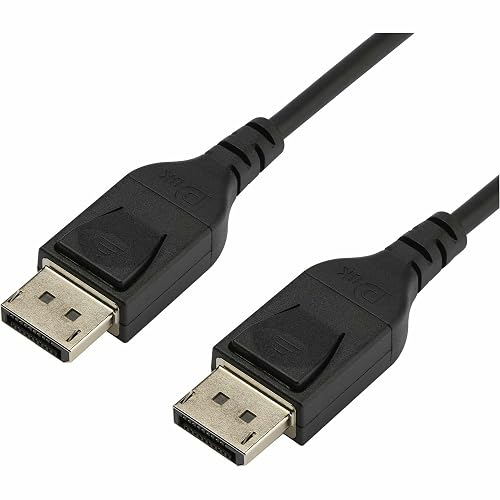
StarTech.com 2m VESA Certified DisplayPort 1.4 Cable DP14MM2M
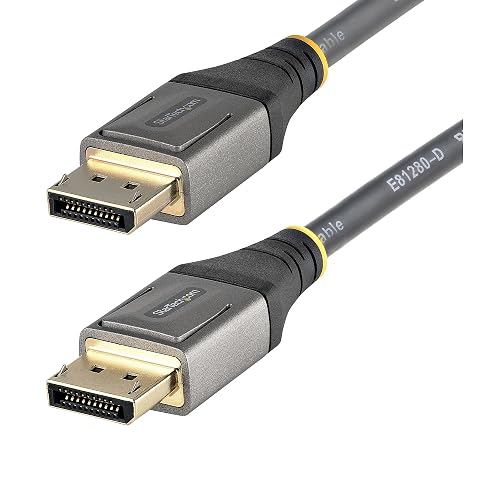
StarTech 10ft VESA Certified DisplayPort 1.4 Cable DP14VMM3M
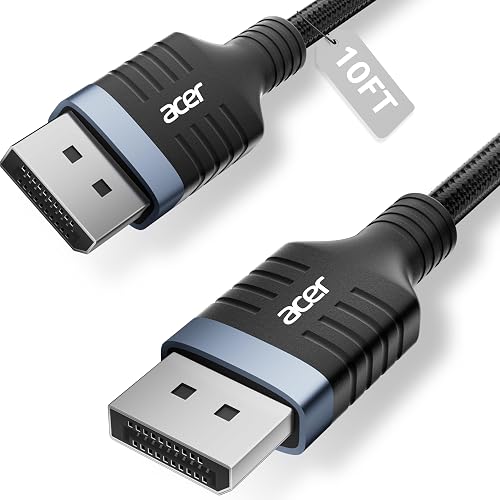
Acer 8K DisplayPort Cable 10FT
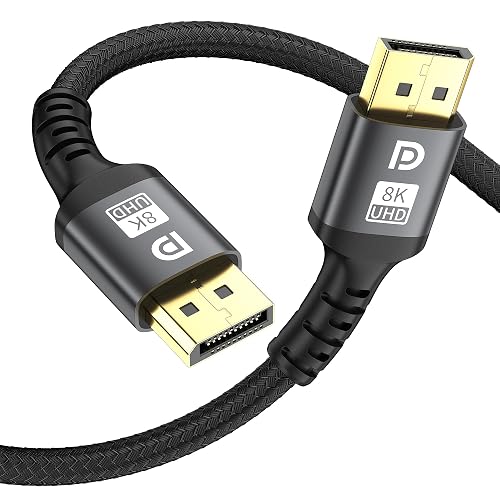
grofyllaa 8K DisplayPort Cable 6ft 1.4
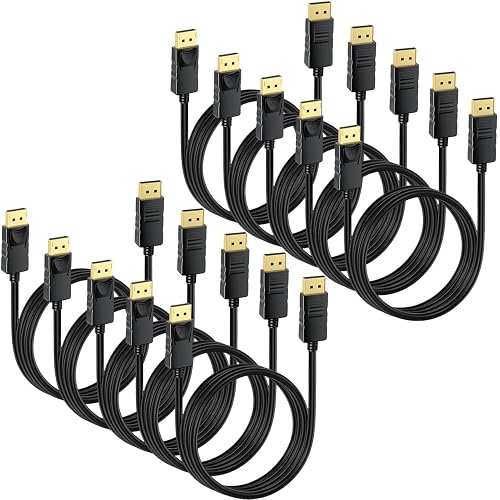
CEFOJQAO DisplayPort Cable 10-Pack 6ft
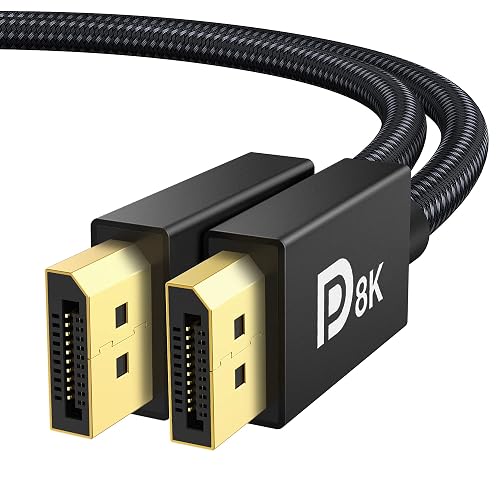
IVANKY VESA Certified 8K DisplayPort Cable 1.4 6.6ft

Amazon Basics DisplayPort 1.4 Cable 6 Foot

Capshi 8K 4K DisplayPort Cable 1.4 6.6ft
More Details On Our Top Picks
Shorter runs keep a desk cleaner, and this 2m StarTech cable fits that job without crowding the back of a monitor. The listing points to DisplayPort 1.4 support, HBR3 bandwidth, HDR, and 8K at 60Hz, so it suits a setup that needs modern signal handling in a fairly tidy span.
Compared with the 10ft StarTech cable below, this one gives you less slack but less excess to coil up too. That makes sense for a single-monitor desk, especially where a tower sits close by or the cable has to pass behind a stand.
Strong Points
- 2m length keeps cable runs neat on compact desks.
- DisplayPort 1.4 and HBR3 support suit higher-bandwidth displays.
- HDR support helps preserve tone detail on compatible screens.
- Male-to-male layout keeps the connection simple for standard monitor hookups.
Things To Consider
- 2m reach can feel short for wall-mounted monitors or under-desk routing.
- The slim style is tidy, though a stiffer cable can sometimes hold bends more easily.
Feature Snapshot
Who It Suits Best
Home office users with a monitor and tower close together will get the cleanest fit from this cable.
Where A Sibling Pick Shines
StarTech 10ft VESA Certified DisplayPort 1.4 Cable DP14VMM3M suits dual-monitor desks or layouts that need extra reach.
The extra reach here is the whole point, and for desks with a PC tucked farther away, that matters more than flashy extras. You still get DisplayPort 1.4, HDR10, and support listed for 8K at 60Hz and 4K at 120Hz, so the cable is built for serious monitor work rather than just basic output.
It feels like the more flexible companion to the 2m StarTech model, especially in a setup with a monitor arm or a tower on the floor. The trade-off is simple, more length means more cable to manage, so neat routing helps keep the back of the desk from looking tangled.
Upsides
- 10ft length gives you room for less constrained layouts.
- HDR10 support helps keep compatible images looking richer.
- DisplayPort 1.4 keeps it aligned with modern monitor needs.
- Male-to-male ends make it straightforward to use with standard ports.
Small Caveats
- Longer cable runs usually need better routing to stay tidy.
- The added length can be more than you need on a compact desk.
Core Details
Made For
Desk setups with some distance between the tower and the screen benefit most from this longer StarTech cable.
Another Choice May Suit
StarTech.com 2m VESA Certified DisplayPort 1.4 Cable DP14MM2M fits tighter desks better, especially where a shorter run keeps things cleaner.
Gaming setups that push refresh rates hard need more than a plain cable, and this Acer model leans into that use case. The listing highlights 8K at 60Hz, 4K at 240Hz or 144Hz, 32.4Gbps throughput, braided construction, HDR, FreeSync, G-Sync, and HDCP 2.2, so it clearly targets high-motion displays.
Compared with the StarTech picks, this one speaks more directly to a gaming desk than a general office corner. The braided jacket should feel reassuring during cable management, though braided cables can be a touch less forgiving in very tight bends.
Bright Spots
- High refresh support suits fast-paced gaming monitors.
- 32.4Gbps bandwidth matches demanding signal loads.
- Braided exterior usually handles desk wear better than plain PVC.
- FreeSync and G-Sync support suit variable-refresh gaming displays.
- 10ft length gives you useful reach for most desktop towers.
Areas To Watch
- The gaming focus may be more than casual office setups need.
- Braided cables can take a little more effort to tuck neatly.
Feature Rundown
Built With In Mind
PC gamers using high-refresh monitors will get the most from this Acer cable.
Skip It When
Amazon Basics DisplayPort 1.4 Cable 6 Foot makes more sense for a plain workstation that only needs a short, tidy run.
Six feet is a very sensible length for a tower that sits right beside the monitor, and this grofyllaa cable keeps the run compact. The listing also points to 8K at 60Hz, 4K at 144Hz, 2K at 240Hz, 32.4Gbps, HDR, FreeSync, G-Sync, and downward compatibility with older DisplayPort versions, which gives it a broad feature set for close-range setups.
It sits a little like the StarTech 2m pick, only with a gaming-leaning spec sheet that speaks more loudly to high-refresh screens. The shorter body helps with organization, though you do give up reach for desks where the computer lives under a table or farther away.
Positives
- 6ft length works well for compact desk layouts.
- 32.4Gbps support suits demanding display signals.
- High refresh targets make sense for gaming monitors.
- Backward compatibility broadens the kinds of setups it can serve.
Points To Note
- The 6ft span can feel tight in larger rooms.
- The gaming-first spec mix may be more than basic office use needs.
Feature Card
Who Will Love This
Gamers with a tower under the desk and a close monitor get the cleanest fit from this short cable.
A Better Fit Elsewhere
Acer 8K DisplayPort Cable 10FT suits rooms where the PC sits farther from the display or the cable has to travel around furniture.
Bulk cable packs make sense in offices, classrooms, and spare-room setups where several screens need the same basic connection style. This CEFOJQAO pack is listed with 6ft length, 4K at 60Hz, and 2K at 165Hz or 144Hz support, so it leans toward practical fleet use rather than the highest-end gaming spec.
That difference matters next to the Acer and Capshi picks, which target more aggressive display demands. Here, the appeal is more straightforward, you get a multi-cable bundle that simplifies outfitting a few desks at once, though the pack format is obviously less useful for someone needing just one cord.
Best Bits
- Ten-cable bundle suits shared spaces and multi-PC rooms.
- 6ft length fits many standard desk-to-monitor runs.
- 2K at 165Hz support covers plenty of everyday gaming monitors.
- 4K at 60Hz support works for common office and media use.
Room For Improvement
- The bundle format only makes sense when you need several cables.
- The feature set is less aggressive than the high-end gaming options above.
Details At A Glance
Whose Shelf It Belongs On
Offices or workshop spaces that need several same-length DisplayPort leads will get the most value from this bundle.
Swap It Out When
IVANKY VESA Certified 8K DisplayPort Cable 1.4 6.6ft fits better for a single premium desktop where you want one cable with a more detailed spec sheet.
This IVANKY cable lands in a sweet spot for many desk setups, because 6.6ft gives you a little more breathing room than a 6ft lead without becoming awkwardly long. The listing names VESA certification, HDR support, 8K at 60Hz, 4K at 240Hz, 2K at 240Hz, HBR3, 32.4Gbps, HDCP 2.2, and FreeSync or G-Sync support, so it is clearly aimed at demanding displays.
Compared with the StarTech options, the feature stack here leans more heavily into gaming compatibility while keeping the length sensible for a normal desk. One thing worth considering is the HDMI and Mini DisplayPort mismatch noted on the listing, so you’ll want a true DisplayPort setup, not a mixed one.
What We Like
- 6.6ft length gives a touch more routing slack than a 6ft lead.
- VESA certification helps signal a standards-focused design.
- 4K at 240Hz and 2K at 240Hz suit fast displays.
- FreeSync and G-Sync support make it easy to match gaming rigs.
- HBR3 and 32.4Gbps suit higher-bandwidth use cases.
Honest Caveats
- It only belongs in setups that use DisplayPort, not HDMI or Mini DisplayPort.
- The extra feature list may be more than basic office screens require.
Quick Facts
Perfect Match For
Gamers and content-heavy desktop users who want a single cable with a strong feature list will appreciate this IVANKY model.
Reach For A Different Pick When
Amazon Basics DisplayPort 1.4 Cable 6 Foot suits a simpler setup that only needs a straightforward everyday connection.
Some setups only need a dependable cable with enough signal headroom to keep a monitor happy, and this Amazon Basics option fits that brief. The listed features cover DisplayPort 1.4, 32.4Gbps, 8K at 60Hz, 4K at 120Hz, dynamic HDR, 3D support, HBR3 compatibility, and gold-plated plugs, which makes it a familiar all-purpose choice.
It feels less specialized than the Acer and IVANKY gaming-leaning entries, and that can be a plus for a home office or secondary screen. The 6ft length keeps things manageable, though a gold-plated plug finish mainly helps with contact durability and not with changing your display quality on its own.
Positives
- 6ft length suits many standard desktop layouts.
- DisplayPort 1.4 and HBR3 keep it aligned with modern displays.
- Gold-plated plugs can help the connector hold up well over time.
- Dynamic HDR and 3D support cover a wide range of compatible content.
Minor Gripes
- The plain style is functional, not especially distinctive.
- It makes the most sense for ordinary desk use rather than specialized gaming rigs.
Feature Overview
Right Fit For
Everyday desktop users who want a simple, widely compatible DisplayPort cable will feel right at home with this one.
Where Another Pick Suits Better
Capshi 8K 4K DisplayPort Cable 1.4 6.6ft suits a more feature-heavy gaming desk, especially where braided cabling and certification matter more.
Capshi brings together a lot of the spec language serious monitor users look for, including VESA certification, 8K at 60Hz, 4K at 144Hz, 2K at 240Hz, 32.4Gbps, HDCP 2.2, FreeSync, G-Sync, and a braided grey jacket. That combination makes it a neat fit for a gaming tower or graphics-focused workstation where the cable will be visible and handled often.
Compared with Amazon Basics, this cable feels more tuned to a premium gaming desk, while still staying at a manageable 6.6ft length. The braided finish usually holds up well in daily routing, though the cable can feel a bit more substantial than a bare-bones office lead.
Highlights
- VESA certification adds confidence for standard DisplayPort use.
- 4K at 144Hz and 2K at 240Hz fit fast displays well.
- Braided grey jacket gives the cable a cleaner, tougher feel.
- FreeSync and G-Sync support make it useful for gaming rigs.
- 6.6ft length leaves enough slack for most nearby tower layouts.
Softer Spots
- The braided build can feel a bit less flexible than simpler jackets.
- Its feature-heavy focus is more than casual office users may need.
Technical Sheet
Built With In Mind
Gaming PCs and graphics-heavy desks benefit most from this Capshi cable.
Look Elsewhere When
StarTech.com 2m VESA Certified DisplayPort 1.4 Cable DP14MM2M suits simpler, tighter layouts where a lighter touch matters more than extra features.
How To Choose The Right Displayport Cables
Match The Cable To Your Screen Goals
DisplayPort 1.4 cables matter most when your monitor asks for more than basic 1080p output. Terms like HBR3 refer to the cable’s high bit-rate mode, which helps carry heavier video loads, while 32.4Gbps is the bandwidth class often tied to 8K and high-refresh 4K use. For gaming monitors, that headroom matters more than a fancy-looking jacket.
Length matters just as much. A 6ft or 2m cable keeps a desk neat, while a 10ft run suits a tower that sits farther away or a monitor arm that needs more slack. Long cables are not bad, but excess length can make routing messier and can add clutter behind the desk.
Watch The Connector And Compatibility Details
Most of these picks use male-to-male DisplayPort connectors, which is the standard layout for a PC-to-monitor run. That sounds ordinary, but it matters because a true DisplayPort cable is not the same thing as HDMI or Mini DisplayPort, and the port shape has to match on both ends.
Certification language also deserves attention. VESA certification signals that the cable follows the DisplayPort standards the listing claims, which can matter for a demanding gaming setup or a monitor that is picky about signal stability. A certified cable is not a magic fix, but it does remove one common unknown.
Think About Jacket Style And Desk Use
Braided jackets usually feel a little tougher and can hold up well to daily movement around a gaming desk. Plain jackets tend to bend more easily and can be simpler to tuck behind a monitor stand or under a desk tray. Neither is automatically better, because the right choice depends on whether your priority is easy routing or a more durable-feeling outer layer.
Gold-plated plugs, like the Amazon Basics option, are best understood as a connector finish that may help with wear over repeated plugging and unplugging. They do not change the image by themselves, but they can be a reasonable touch for a cable you expect to reconnect often.
Buy For The Setup You Actually Have
A single monitor on a tight desk calls for a short, tidy cable. A gaming rig with a higher refresh screen benefits from a stronger feature list, especially HDR, higher refresh support, and broader gaming compatibility such as FreeSync or G-Sync. In plain terms, the cable should match the rest of the system rather than overwhelm it.
That’s the simplest filter here, and it saves time. Start with length, then check display targets, then decide whether extras like braided construction or certification are worth paying attention to for your own setup.
Things Worth Knowing First
Common Shopping Slip Ups
Many people focus on 8K wording and miss the real constraint, which is cable length and port match. A long cable can solve reach problems, but it also needs cleaner routing, and the wrong connector type will not fit at all.
Another common miss is buying more performance than the monitor can use. A 4K office display does not need the same spec focus as a 240Hz gaming panel, so matching the cable to the screen keeps the choice sensible.
The Upgrade Payoff
Higher-tier cables usually cost more because of tighter standards, stronger bandwidth claims, and extra compatibility features like HDR, HDCP 2.2, or gaming sync support. Braided outer jackets and gold-plated plugs can also add to the bill, since they are aimed at durability and repeated handling.
That upgrade makes the most sense for a serious gaming desk, a graphics workstation, or a setup where cable quality matters because the display gets heavy daily use. For a secondary screen or a basic office monitor, a simpler cable often does the same job with less fuss.
Frequently Asked Questions
Do All DisplayPort 1.4 Cables Support 8K?
No, the cable has to be built and listed for that signal level, and the monitor has to support it too. The port version alone does not tell you everything.
Is A Braided Cable Better Than A Plain One?
Not automatically. Braiding usually feels tougher, while a plain jacket can be easier to bend and hide behind a desk.
Do Gold-Plated Plugs Improve Picture Quality?
Not by themselves. They mainly affect connector wear and contact feel, not the image features you see on screen.
How Long Should Your Cable Be?
Use the shortest length that still reaches comfortably. Shorter runs are easier to manage, while longer ones help when the PC and monitor sit far apart.
Can You Use A DisplayPort Cable With HDMI?
No, the plugs are different and the ports do not match directly. A proper DisplayPort cable needs DisplayPort ends on both devices.
Closing Thoughts
Displayport Cables look straightforward until your desk layout, monitor refresh rate, and connector needs start pulling in different directions. The good news is that the right choice is usually clear once you sort by reach, bandwidth, and how demanding your screen really is. StarTech keeps things tidy for standard setups, Acer and Capshi lean harder into gaming, and Amazon Basics stays easy for everyday use. Choose the one that fits your own desk first, and the rest tends to fall into place.



