
Displayport Splitters make more sense once your desk stops being a simple one-screen setup. You need something that matches your GPU, your operating system, and the kind of work you actually do, whether that’s spreadsheets, editing, or a wall of browser tabs.
Some models are built for mirrored output, others for extended desktop use, and the difference matters more than the packaging suggests. The picks below help you sort out Windows-only MST hubs, bi-directional switchers, and dual-monitor adapters without wasting time on the wrong fit.
Quick Look At Our Top Picks
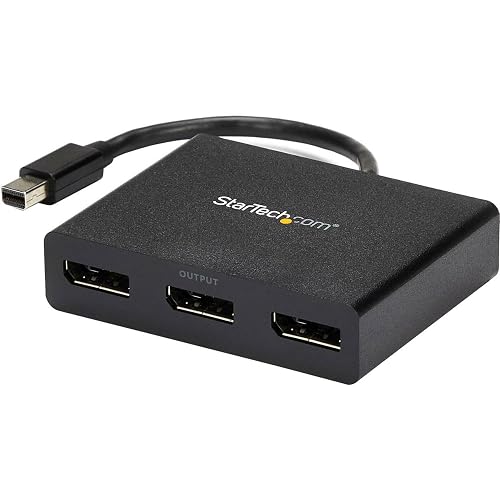
StarTech.com 3-Port Multi Monitor Adapter MST Hub

Cable Matters Triple Monitor Mini DisplayPort/DP Hub

DisplayPort to Dual Displayport Splitter 4K120Hz
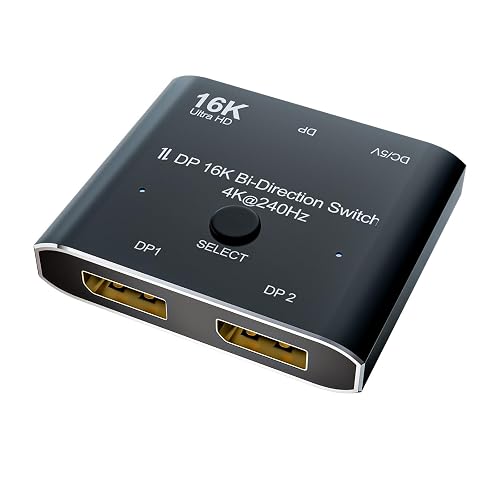
DisplayPort 2.1 DP Video Switch

Displayport to Dual Displayport Splitter Adapter 4K@60Hz
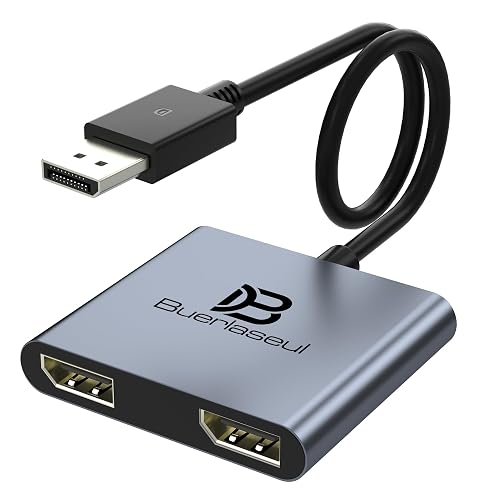
DisplayPort Splitter for Dual Monitors DisplayPort to Dual DisplayPort Splitter Adapter
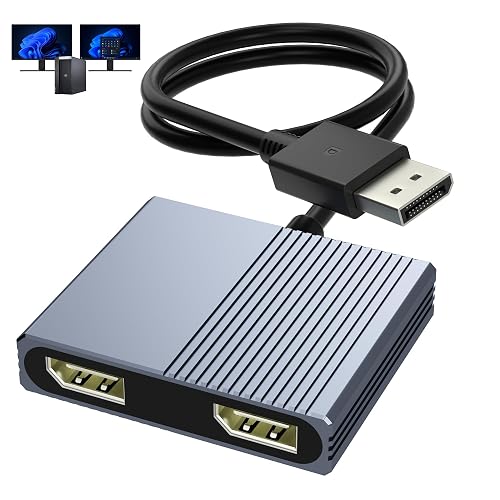
Display Port Splitter for Dual Monitors 4K@120Hz DisplayPort to Dual DisplayPort Adapter
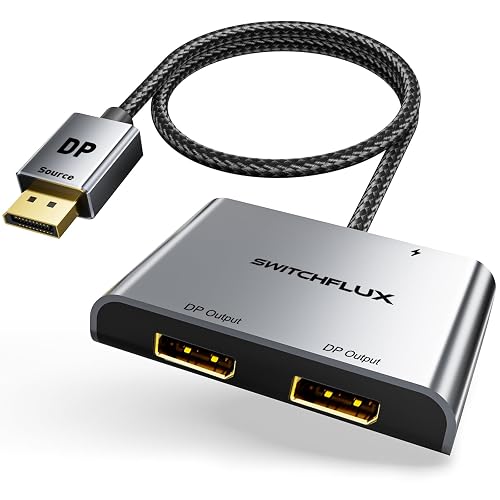
DisplayPort to Dual Display Port Adapter 4K@60Hz DP Splitter 1 in 2 Out
More Details On Our Top Picks
StarTech.com’s three-port layout suits a Windows desk that needs more screens without turning the setup into a tangle. The MST hub design means the host GPU does the heavy lifting, so a capable graphics output matters more than flashy packaging.
You may find this most useful in an office with two 4K displays and a third 1080p panel for chat or mail. The trade-off is clear, though, because it stays tied to Windows and to the right kind of DisplayPort source.
Strong Points
- Three outputs give you room for a true workstation layout.
- Dual 4K at 30Hz plus one 1080p output covers mixed-display desks well.
- MST support helps extended desktop use feel more natural than simple mirroring.
- Mini DisplayPort input keeps it relevant for older laptops and docks.
Things To Consider
- Windows-only support narrows the fit a lot.
- The mixed-res output pattern suits some desks better than others.
- You need a host system that already supports MST.
Core Details
Who It Suits Best
You work on a Windows machine and want a three-monitor desk with mixed panel sizes.
A Better Fit Elsewhere
Cable Matters Triple Monitor Mini DisplayPort/DP Hub suits you better when you want newer DP 1.4 bandwidth and a more modern high-refresh setup.
This Cable Matters hub is the most bandwidth-minded choice in the list, which matters a lot on sharper monitors and more demanding desks. DP 1.4 is the DisplayPort standard that carries more video data than older revisions, so the fit improves for high-refresh work setups.
Windows-only compatibility keeps the focus narrow, but that narrowness helps you know exactly what kind of setup it wants. Compared with StarTech’s mixed 4K and 1080p layout, this one leans harder into higher-end display output for people who plan around the monitors first.
What We Like
- DP 1.4 support gives it more headroom for demanding displays.
- Triple-monitor output is useful for data-heavy workspaces.
- HDR support matters for richer color in media and design work.
- The mini DisplayPort and DisplayPort mix broadens compatibility with older systems.
Minor Gripes
- Windows-only support excludes a lot of mixed household setups.
- The high-spec story only pays off with matching monitors and cables.
- It’s less friendly for casual mirroring than simpler two-screen adapters.
Feature Card
Whose Shelf It Belongs On
You run a Windows setup with newer monitors and want the strongest display pipeline in this group.
Where A Sibling Pick Shines
StarTech.com 3-Port Multi Monitor Adapter MST Hub is the easier match for a mixed 4K plus 1080p office desk.
XPTSFDU keeps this one stripped to the basics, and that works well for a dual-monitor desk that doesn’t need extra routing tricks. The mirrored and extended display support gives you useful flexibility, though the Windows-only limit still shapes the decision.
For a small work area, this kind of two-output adapter is easier to place and easier to live with than the larger three-port hubs above. The honest read is that it’s a simpler tool, and that simplicity helps more than it hurts for everyday office use.
Bright Spots
- Dual-output design keeps the setup clean.
- 4K at 120Hz support gives it a strong spec ceiling.
- Mirrored and extended modes make it useful for work or presentations.
- Smaller footprint suits cramped desks and travel bags.
Room For Improvement
- Windows-only compatibility narrows the audience fast.
- Two-screen focus means it won’t replace a full triple-display hub.
- You still need a compatible DisplayPort source on the host device.
Quick Facts
Best Suited To
You want a two-monitor adapter for a Windows desktop and prefer a modest, uncluttered setup.
Look Elsewhere When
Cable Matters Triple Monitor Mini DisplayPort/DP Hub suits you better for a three-screen workstation with more bandwidth headroom.
CABLEDECONN takes a different path from the pure splitters above, because this unit is built as a bi-directional switch and converter. That makes it a more specialized tool for multi-source, multi-display routing, not just a straightforward desk expander.
The high refresh support and 2.1 branding point toward serious AV setups, especially where you care about routing flexibility as much as output count. For most home offices, that’s more than you need, but in a studio or a gadget-heavy workspace, the extra function earns its place.
Upsides
- Bi-directional operation adds routing flexibility.
- DisplayPort 2.1 points to a newer video chain.
- High refresh support suits premium monitors.
- Useful for source switching as well as display splitting.
Areas To Watch
- It’s more specialized than a plain dual-monitor adapter.
- Higher capability makes sense only in the right setup.
- It may be overkill for basic office mirroring.
Details At A Glance
The Right Fit
You manage a high-end display setup and want routing flexibility more than a simple two-screen extension.
Reach For A Different Pick When
DisplayPort Splitter for Dual Monitors, DisplayPort to Dual DisplayPort Splitter Adapter suits you better for a simpler workstation build.
avedio links keeps this adapter aimed squarely at everyday dual-screen use, which is why it sits comfortably near the middle of the list. The 1-in, 2-out layout is easy to understand, and that matters more than flashy extras for a lot of home desks.
Windows supports both MST and SST here, while Mac support stays in mirror mode only, so the platform note is the main thing to watch. Compared with the higher-spec Cable Matters hub, this one feels more like a straightforward utility piece than a performance showcase.
Best Bits
- Dual-display output works for common productivity setups.
- Mirror and extended modes cover more office use cases.
- 4K at 60Hz for dual output is a sensible target.
- Clear platform notes help you avoid a mismatch.
Small Caveats
- Mac users only get mirror mode, not two independent desktops.
- The source device needs a native DisplayPort output.
- Single-display high refresh use depends on the right cable class.
Feature Rundown
Made For
You want a simple two-monitor adapter for a Windows PC and prefer a no-nonsense layout.
Another Choice May Suit
StarTech.com 3-Port Multi Monitor Adapter MST Hub makes more sense for a mixed three-screen workspace.
Buerlaseul leans into a familiar dual-monitor format, but the included USB-C power cable gives it a more dependable feel than some barebones adapters. That extra power path matters during long work sessions, especially when the source device is doing a lot already.
Windows users get both MST and SST support, while Mac support remains mirror-only, so the operating system split is much the same story as on the previous pick. The difference is in the power arrangement, and for desktop setups that stay plugged in all day, that can be the detail that keeps things steady.
Positives
- USB-C power input helps the chipset stay fed consistently.
- Dual-monitor support keeps the setup simple.
- Windows MST support allows true extended desktop use.
- The native DisplayPort requirement is stated plainly.
Softer Spots
- The adapter needs a separate 5V/2A power brick for best results.
- Mac users still get mirror mode only.
- It depends on a direct DisplayPort source, not just any video port.
Technical Sheet
Who Should Grab It
You want a dual-monitor adapter that feels a bit steadier for a fixed desktop setup.
Swap It Out When
DisplayPort 2.1 DP Video Switch is the stronger match for source switching in a more advanced AV setup.
Aibilangose keeps things broad here, with a dual-monitor adapter that fits the kind of desk many people actually have. It’s not trying to be the most specialized item in the list, and that plain approach helps it stay easy to place in a home office or dorm setup.
The 4K at 120Hz headline is useful, but the real appeal is that it covers a common two-display workflow without extra clutter. Compared with the Buerlaseul pick, this one gives you a more minimalist take, which some setups will prefer right away.
Standout Traits
- Dual-display layout stays easy to manage.
- 4K at 120Hz support leaves useful headroom.
- Works well for everyday desktop expansion.
- Simple shape makes cable routing less awkward.
Points To Note
- It still depends on system compatibility for the final result.
- The feature set is narrower than the triple-monitor hubs.
- Space-saving design is helpful, but it also means fewer routing options.
Core Details
Built With In Mind
You want a simple dual-monitor adapter for everyday work and don’t need a large hub.
Where A Sibling Pick Shines
Cable Matters Triple Monitor Mini DisplayPort/DP Hub suits you better when your desk needs a third screen.
SWITCHFLUX closes the list with a no-frills 1-in, 2-out adapter that keeps the focus on basic dual-display expansion. That kind of design appeals to people who just want a second screen working without a lot of setup drama.
Because it’s framed around 4K at 60Hz, the target is very familiar desktop use rather than ultra-high-refresh bragging rights. Compared with the more layered B0CMQD7T7T switcher, this one is the simpler route for a normal PC or graphics-card output.
Highlights
- Straightforward 1-in, 2-out layout is easy to understand.
- 4K at 60Hz suits common office monitors.
- Extended display support helps with productivity.
- Female DP outputs can suit existing cable setups well.
Worth Noting
- It stays focused on two displays, not larger layouts.
- It works best on systems with a proper DisplayPort source.
- The value story is practical, not flashy.
Feature Snapshot
Perfect Match For
You want a plain two-screen adapter for a PC or graphics card and like the simplest setup path.
Not Your Match When
DisplayPort 2.1 DP Video Switch is the better choice for multi-source routing or a more advanced AV rack.
How To Choose The Right Displayport Splitters
Match The Splitter To Your Operating System
Windows supports MST, which stands for Multi-Stream Transport, the feature that lets one DisplayPort source feed separate desktops to multiple screens. Mac systems are much more limited with these adapters, so many of the picks above only make sense for mirror use on that platform.
That split matters more than raw resolution numbers. A dual-monitor adapter with strong specs still misses the mark when your computer cannot use the mode it offers.
Sort Out The Display Goal First
Extended desktop and mirrored output solve different problems. Extended mode helps with workflow, while mirror mode helps when you want the same image on both screens for a presentation or shared view.
Three-screen hubs suit people who juggle a lot of windows, while dual-output picks keep smaller desks from feeling crowded. The right call depends on how many panels you actually plan to use every day.
Check Bandwidth, Refresh, And Resolution Together
Bandwidth is the amount of video data the adapter can move, and it shapes which refresh rates and resolutions stay practical together. A 4K at 120Hz claim on one screen means something very different from a mixed 4K and 1080p layout on three screens.
You’ll also want the right cable class, because older leads can hold back a good adapter. Higher refresh support matters most on fast monitors, while office work usually cares more about stability and screen count.
Think About Power And Desk Layout
Some splitters are passive-looking but still rely on the host system and the built-in chipset to keep everything stable. USB-C power input can help in longer sessions, especially on a desk that stays on from morning to evening.
Size also matters more than it sounds. A compact two-port adapter slips into a laptop bag more easily, while a larger hub makes sense only when you’re building a fixed workstation.
A Quick Reality Check Before You Set One Up
Hidden Buying Traps
Many mismatches start with the wrong port type, not the wrong brand. Mini DisplayPort, full-size DisplayPort, and USB-C video are not interchangeable in a clean way.
Another common miss is assuming every splitter extends desktops on every operating system. The fine print around MST versus mirror mode is the part worth reading twice.
The Upgrade Payoff
Higher-tier models cost more because they usually handle more bandwidth, more outputs, or more flexible routing. That extra headroom matters most for sharper monitors, mixed refresh rates, and desks built around more than one source device.
For a basic office monitor pair, a simpler adapter often makes more sense. Spend up only when your screens and work habits can actually use the extra room.
Frequently Asked Questions
What does MST mean on a DisplayPort splitter?
MST means Multi-Stream Transport, a feature that can send separate video streams to multiple displays from one source. It’s the key reason some adapters can extend a desktop rather than just mirror it.
Can a DisplayPort splitter work with Mac?
Some can, but many only support mirror mode on Mac systems. You should check the product’s operating system notes closely before you assume extended desktop support.
Do you need a special cable for 4K at 120Hz?
Yes, the cable quality and version matter as much as the adapter itself. A weak cable can hold the system back even when the splitter is rated for higher refresh output.
Why do some splitters need extra power?
Extra power helps support the built-in chipset during longer use or heavier output loads. That can make the adapter behave more consistently on a busy desk.
Is a three-port hub better than a dual-output adapter?
Not automatically, because a three-port unit only makes sense when you truly need three screens. A dual-output adapter is often the smarter fit for smaller desks and simpler workflows.
Closing Thoughts
The right Displayport Splitters are the ones that match your operating system, your monitor count, and your real desk habits. A Windows workstation with three displays needs a very different tool from a simple two-screen home office, and that difference is the whole story here. Keep the signal path, the power needs, and the output mode in view, and the right pick becomes easy to spot. Once those pieces line up, your setup feels much less fussy.



