
DisplayPort to HDMI cables solve a common desk problem: your laptop, tower, or GPU has one video output, and your monitor, TV, or projector speaks another. The right cable keeps setups tidy, whether you’re extending a home office, feeding a living room display, or connecting a second screen for work.
The shortlist below focuses on directional cables, resolution support, connector finish, and length. That mix matters because the wrong match can leave you with a blank screen, while the right one feels almost invisible in daily use.
The Shortlist At A Glance
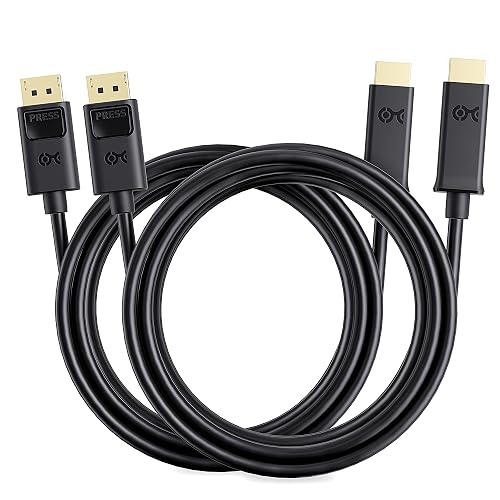
Cable Matters 2-Pack DisplayPort to HDMI Cable 6ft
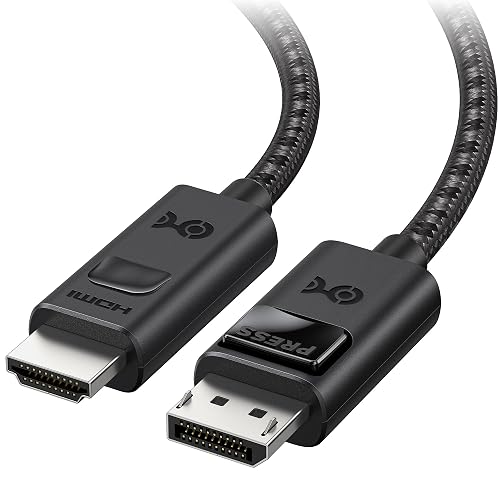
Cable Matters 8K Unidirectional DisplayPort to HDMI 2.1 Cable 6ft 1.8m
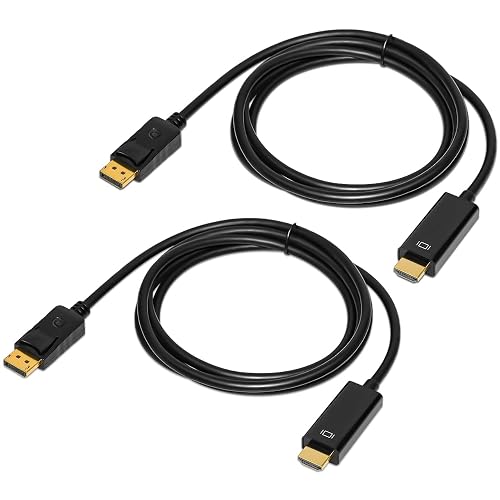
4K Displayport to HDMI Cable 6 Feet 2-Pack
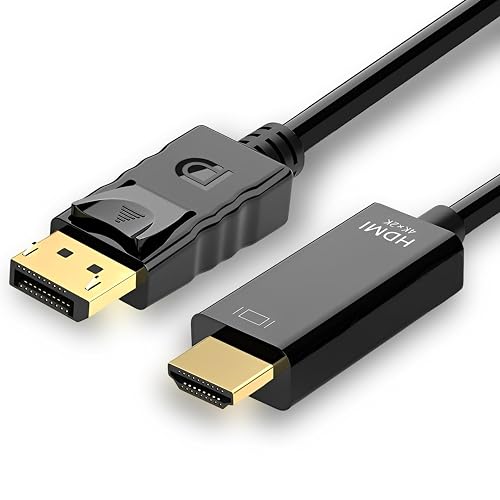
4K 60Hz Displayport to HDMI Cable 6ft
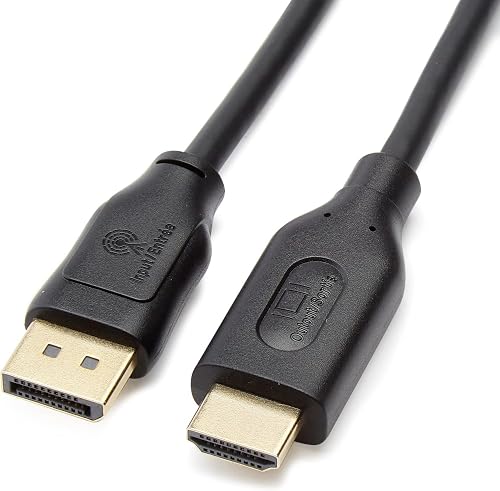
Amazon Basics DisplayPort to HDMI Display Cable 6 Foot Black 10-Pack
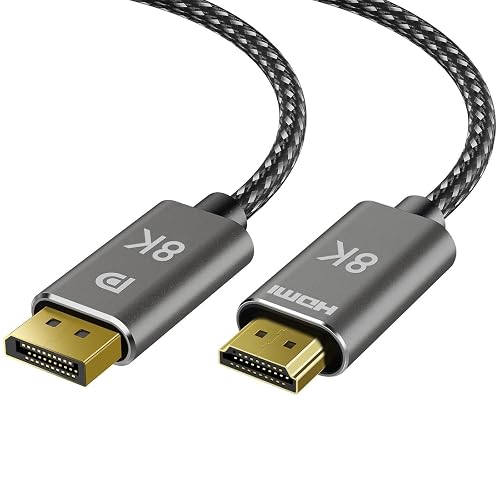
8K DisplayPort to HDMI Cable 6 ft Uni Directional
Amazon Basics DisplayPort to HDMI Cable 6 ft Black
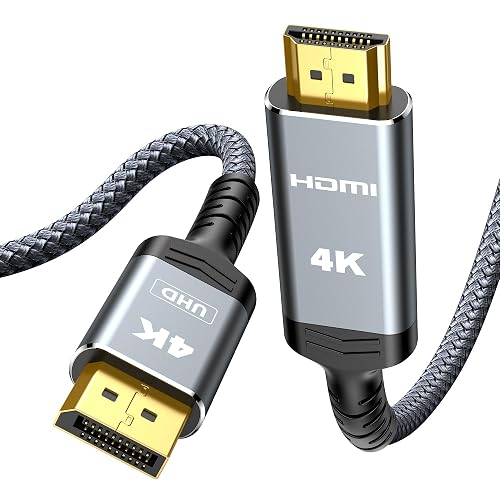
Highwings 4K DisplayPort to HDMI 6.6FT Grey
More Details On Our Top Picks
This 2-pack makes sense for a home desk that needs two linked displays or a spare cable in a drawer. The 6-foot length keeps the run tidy, and the gold-plated connectors help the cable sit nicely in more permanent setups.
Compared with the more spec-heavy picks below, this one stays focused on the basics. That works well for office monitors, classroom carts, or a living room projector where you want a clean, straightforward connection rather than extra video-headroom jargon.
Strong Points
- Two cables in the pack make multi-screen setup easier to cover without hunting for a second lead later.
- The 6-foot length suits desks, media stands, and projector carts that sit close to the source device.
- Gold-plated connectors help the ends resist everyday wear from frequent plugging and unplugging.
- Unidirectional design keeps the signal path clear, which matters more than many shoppers expect.
Things To Consider
- It is aimed at source-to-display use only, so the direction matters during installation.
- There is no high-refresh 8K-style headroom here, so gaming rigs with newer displays will want more bandwidth.
Feature Snapshot
Who It Suits Best
Office users, students, and home setups with two nearby screens will get the most from this straightforward pair.
A Better Fit Elsewhere
Cable Matters 8K Unidirectional DisplayPort to HDMI 2.1 Cable 6ft 1.8m suits you better when a modern GPU and a high-refresh monitor need far more headroom.
Among the shorter cables here, this one is built for people who care about newer video standards first and everything else second. The 8K at 60Hz and 4K at 240Hz claims point toward high-end graphics cards and displays, so the fit is strongest in a serious desktop setup.
The trade-off shows up in compatibility: it is not meant for game consoles, and it does not support VRR, which is variable refresh rate. For a PC rig with the right ports, though, it brings a lot more room to grow than the basic 4K options from Cable Matters and Amazon Basics.
Highlights
- 8K at 60Hz support gives high-end workstations and gaming rigs a much larger performance ceiling.
- 4K at 240Hz support suits fast refresh displays that need extra bandwidth.
- The 6-foot length stays practical for a desk where the tower sits nearby.
- Directional output keeps the setup simple, provided you connect source to screen in the right order.
Areas To Watch
- It does not suit PS5 or Xbox connections, so console owners should look elsewhere.
- VRR is not supported, which matters for some gaming setups with adaptive sync goals.
- The feature set is specialized enough that casual office use would not need this much headroom.
Core Details
Who Will Love This
PC gamers and graphics-focused users with compatible DisplayPort sources and HDMI displays stand to benefit the most.
Swap It Out When
Cable Matters 2-Pack DisplayPort to HDMI Cable 6ft makes more sense for a simple two-screen office where high-refresh support would sit unused.
This QINGLER two-pack keeps the proposition simple, a pair of 6-foot DisplayPort to HDMI leads for a PC, monitor, TV, or projector. That format is useful in a home office where one cable stays on the desk and the second rides in a bag or gear drawer.
It sits below the Cable Matters 8K model on sheer bandwidth, but that is exactly why it makes sense for standard 4K or 1080p hookups. You are paying for coverage across common setups rather than extra performance headroom you may never use.
Best Bits
- Two 6-foot cables give you immediate coverage for a pair of nearby displays.
- The PC, TV, monitor, and projector wording shows broad everyday compatibility for mixed rooms.
- It is a straightforward choice for workstations that only need standard video conversion.
Small Caveats
- The listing stays light on technical detail, so feature-focused shoppers have less to compare at a glance.
- For a desktop with a newer high-refresh screen, the more specialized 8K Cable Matters option carries more headroom.
- Packaged pairs can be handy, though they also mean you are committing to two of the same length.
Quick Facts
Made For
Home users and office setups that need a simple two-cable bundle without chasing advanced refresh specs will find this pair easy to place.
Where A Sibling Pick Shines
Mindorlen 4K 60Hz Displayport to HDMI Cable 6ft suits you better when you want a single cable with clearer resolution support details for a laptop-to-monitor run.
Mindorlen takes the middle ground well here, with a 6-foot cable that is explicit about being DisplayPort to HDMI, not the reverse. That matters more than many people expect, because a lot of connection problems come from using the right-looking cable in the wrong direction.
The support for 4K at 60Hz, along with backward compatibility for 2K at 60Hz and 1080p at 120Hz, gives it a wide comfort zone. For a laptop, desktop, or GPU feeding a monitor or TV, that makes it flexible without drifting into the more specialized territory of the Cable Matters 8K model.
Positives
- Directional labeling reduces confusion during setup, especially in mixed hardware households.
- 4K at 60Hz is a strong fit for everyday media, spreadsheets, and general desktop work.
- Backward support for 2K and 1080p broadens its use with older displays.
- Mirroring and extended-display use cases make it handy for dual-screen work.
Worth Noting
- It is still a one-way cable, so it will not help with HDMI source to DisplayPort monitor needs.
- People chasing very high-refresh gaming will outgrow it faster than the 8K Cable Matters option.
Details At A Glance
Right Fit For
People who want one dependable cable for a laptop, desktop, or dock-to-monitor link will find this an easy match.
Skip It When
Cable Matters 8K Unidirectional DisplayPort to HDMI 2.1 Cable 6ft 1.8m is the better route for serious graphics hardware and newer high-refresh screens.
The 10-pack changes the conversation from single-room setup to repeated deployment. That makes it a smart fit for schools, offices, rental units, or any place where you want a shelf of identical cables ready for multiple stations.
The spec list is older-school rather than flashy, with 4K at 30Hz and support for 1920×1200 and 1080p. That is enough for many presentation displays and work monitors, but it is not the cable you reach for in a newer gaming room.
Upsides
- Ten cables in one pack make it easy to standardize a lot of workstations.
- Gold-plated plugs help the ends hold up across repeated setup changes.
- The black finish blends into office furniture and media racks without drawing attention.
- 4K at 30Hz covers common presentation and office-display use fairly well.
Points To Note
- It is not aimed at high-refresh play, so gaming setups will want a faster spec sheet.
- The 10-pack is more cable than many homes need, which can mean extra storage space.
- For a single desk, the larger Cable Matters or Mindorlen options may feel more proportionate.
Feature Rundown
Whose Shelf It Belongs On
Facility managers and office coordinators who want identical spare cables ready to hand will get the clearest value from this pack.
Another Choice May Suit
Highwings 4K DisplayPort to HDMI 6.6FT Grey fits you better for a single travel kit or lighter home setup where a ten-pack would be unnecessary.
TagBreet aims squarely at the spec-conscious desk, and the braided cord gives it a sturdier feel than the softer plain-jacket options in this list. The support for 8K at 60Hz and 4K at 240Hz makes it a natural fit for a newer PC, especially one driving a demanding monitor.
It also carries a clear one-way design note, which saves some frustration during installation. The trade-off is the same as with the Cable Matters 8K pick, only more visible here: this is a cable for the right source and display pair, not a universal bridge for every device.
Bright Spots
- Braided construction usually feels better in a desk full of frequent cable movement.
- 8K at 60Hz and 4K at 240Hz give it serious headroom for modern displays.
- The 6-foot length keeps cable clutter manageable near a PC tower or dock.
- The source-to-display wording is clear enough to reduce setup guesswork.
Softer Spots
- It is still directional, so the cable has to be routed correctly from the start.
- The advanced feature set is more than most office monitors need.
- Firmware updates are mentioned, which means some users may need to pay attention to setup details.
Spec Overview
The Right Fit
PC enthusiasts who want a braided cable and a higher ceiling for modern video output are the natural match here.
Look Elsewhere When
Amazon Basics DisplayPort to HDMI Cable 6 ft Black suits a simpler office desk better, especially where a leaner feature set is enough.
This Amazon Basics cable keeps things plain, which is often exactly what a work desk needs. The 6-foot reach, directional design, and gold-plated connectors make it a sensible link from a DisplayPort source to an HDMI display without extra fluff.
It sits close to the Mindorlen option in everyday intent, but this one is even more stripped back on the page. For many people, that simplicity is part of the appeal, especially in office setups where the cable will just live behind a monitor and do its job quietly.
Positives
- 6 feet is a comfortable desktop length for many monitor and dock arrangements.
- Gold-plated connectors help with regular plugging and unplugging over time.
- The unidirectional layout avoids confusion once you know the source and display ends.
Minor Gripes
- The 4K at 30Hz ceiling is fine for static work but not built for fast-motion use.
- Its feature set is modest, so tech-heavy gaming setups will likely want more spec headroom.
- The black, no-frills look is practical, though it will not stand out in a gear-heavy build.
At A Glance
Built With In Mind
Office workers and home users who want a simple, dependable cable for a standard display hookup will be comfortable here.
Where Shoppers Go Wrong
Cable Matters 4K 60Hz Displayport to HDMI Cable 6ft fits better for anyone who expects smoother 4K output and a bit more video headroom.
Highwings gives you a slightly longer 6.6-foot cable, which can be handy in travel bags or temporary workstations where the source and screen do not sit neatly side by side. The braided build and grey finish give it a more polished look than the plain black office cords above.
Its 4K at 30Hz and 2K at 60Hz support places it in the practical middle ground, not the high-refresh tier. That makes it a decent match for frequent travelers, shared workspaces, or a spare cable kept with a laptop dock, especially since the pack options suggest it can be bought in pairs.
Reasons To Buy
- 6.6 feet gives a little more reach than the standard 6-foot options here.
- Braided construction is well suited to a cable that gets stowed and unpacked often.
- The grey finish looks neat next to modern laptops and docking gear.
- Support for 2K at 60Hz adds a useful middle step beyond basic 1080p use.
Room For Improvement
- The 4K at 30Hz limit keeps it in the office-and-streaming lane rather than fast gaming.
- Pack-size wording on the listing can create confusion, so double-check the selected option before ordering.
Core Details
Perfect Match For
Travel-heavy professionals and portable desk setups benefit from the extra reach and braided jacket here.
Reach For A Different Pick When
Cable Matters 8K Unidirectional DisplayPort to HDMI 2.1 Cable 6ft 1.8m fits you better for a high-performance desktop with newer display hardware.
How To Choose The Right Displayports To Hdmi Cable
Match The Direction To The Gear
DisplayPort to HDMI cables are one-way adapters, which means the source must be the DisplayPort device and the screen must accept HDMI. That sounds basic, but it saves a lot of setup frustration in mixed hardware homes and office stacks.
The practical payoff is simple, your desktop or laptop can feed a TV, monitor, or projector without an extra converter box. The trade-off is equally simple, you cannot flip the signal direction and expect it to work the other way around.
Pick The Right Resolution And Refresh Rate
Resolution tells you how many pixels the cable can carry, while refresh rate tells you how often the image updates each second. A 4K at 30Hz cable is fine for office work and streaming, while 4K at 60Hz feels smoother for daily use and 8K or 4K at 240Hz suits newer graphics hardware.
That difference matters most on fast displays, where a stronger cable can help the setup keep pace with the panel. For a living room TV or a basic second monitor, lower bandwidth often does the job without making the purchase more complicated than it needs to be.
Choose Length For The Room You Actually Have
Six feet is the common sweet spot for a desk, a media console, or a small projector cart. Longer reaches can help in shared rooms, though extra slack can create clutter and put more strain on tidy cable routing.
A braided jacket or gold-plated connector finish can also matter in daily life, especially in setups that get moved around. Those details do not change the picture on their own, but they often affect how the cable feels after months of plugging and stowing.
Think About Your Display Mix
PC gamers, remote workers, and presentation users usually want different things from the same cable category. A gaming desk benefits from higher bandwidth and, in some cases, firmware notes, while a conference room is better served by simple reliability and enough length to reach the screen.
That is why the product page details matter so much here. The right match turns into a quiet, forgettable part of your setup, which is exactly what a cable should do.
Things Worth Knowing First
Wrong Turns To Avoid
Many shoppers grab a DisplayPort to HDMI cable and only notice the direction after the box is open. That mistake usually shows up as a blank screen, so the source-to-display path deserves a quick check before anything else.
Another common slip is buying more bandwidth than the display can use. A basic office monitor rarely needs the same spec level as a high-refresh gaming panel, and the extra capability can be wasted.
The Upgrade Payoff
Higher-tier cables tend to cost more because they support newer video standards, stronger shielding, braided jackets, or better connector finishing. In plain terms, you are paying for more signal room, more polish, or both.
That upgrade makes sense for a premium graphics card, a fast refresh monitor, or a setup you move around often. For a secondary office display, the extra spend may not change your day much.
Frequently Asked Questions
Can You Use These Cables In Both Directions?
No, these are directional cables, so the DisplayPort end must stay on the source device. The HDMI end belongs on the monitor, TV, or projector.
Do You Need 8K Support For A 4K Monitor?
No, a 4K monitor does not need an 8K cable to work well. An 8K-rated cable mainly helps when you want more headroom for newer hardware or faster refresh rates.
Will A Longer Cable Hurt Picture Quality?
Longer runs can be more demanding, especially in cluttered desks or wall-mounted setups. A short, clean route usually makes cable management easier and keeps the installation calmer.
Why Do Some Cables Mention Gold-Plated Connectors?
Gold-plated connectors help the plug ends resist wear from repeated use. They also feel like a more durable fit for setups that stay connected for long stretches.
Which Cable Works Best For A Basic Office Desk?
The Amazon Basics DisplayPort to HDMI Cable 6 ft Black and the Mindorlen 4K 60Hz Displayport to HDMI Cable 6ft both fit simple desk use well. The better choice depends on whether you want a leaner 4K at 30Hz option or a smoother 4K at 60Hz step up.
Final Thoughts
Your best DisplayPort to HDMI cable depends on the screen you own and the job it needs to do. A plain office desk can stay simple with a basic 4K cable, while a gaming setup or newer graphics card deserves more bandwidth and a clearer feature list. For most households, the smartest choice is the one that matches the actual monitor or TV, not the flashiest spec on the page. Pick the cable that fits your room, your ports, and the way you work, and it should fade into the background in the best way.



