
Gaming setups live or die on the small things, and the cable between your GPU and monitor is one of them. A weak link can mean flicker, handshake issues, or a setup that feels messier than it should. The eight picks below cover everything from short, tidy runs for desk rigs to higher-bandwidth options for serious high-refresh displays.
You’ll also see a clear spread of cable generations, so you can match the cable to your monitor instead of guessing. That matters most in a home office, a dual-monitor battlestation, or a living-room PC where cable routing and screen stability both matter.
Quick Look At The Shortlist

StarTech 6ft DisplayPort 2.1 Cable DP21-6F
MaxRenard 8K DisplayPort Cable 1.4 3.3FT

QCEs DisplayPort 1.4 Cable 6.6ft
IVANKY VESA Certified 8K DisplayPort Cable 1.4 6.6ft
Silkland 80Gbps DisplayPort Cable 2.1 6.6FT/2M

Highwings 80Gbps Displayport Cable 2.1 6.6FT
Silkland 54Gbps 16K DisplayPort Cable 2.1 6.6FT
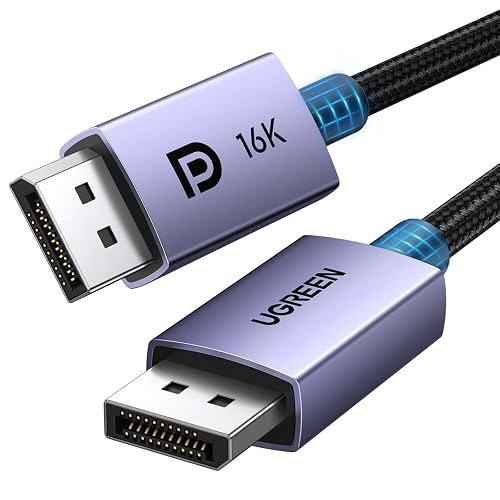
UGREEN 16K 6.6FT DisplayPort Cable 2.1 54Gbps
More Details On Our Top Picks
StarTech puts the focus on compatibility first, and that makes sense for a mixed-gear setup. You get DisplayPort 2.1 support, a 40Gbps DP40 class rating, and a 6-foot length that stays manageable behind a desk or media cabinet.
The latching connectors help the plug stay put, which matters a lot in a tower tucked under a desk or a monitor arm with a tight bend. The TPE jacket, a flexible thermoplastic sheath, should be easier to route than a stiff cable, though the trade-off is that it’s not the beefiest-feeling option in this lineup.
Strong Points
- DP 2.1 support gives you a cleaner path for newer displays and GPUs that need more bandwidth headroom.
- DP40 rating and 40Gbps capacity suit high-resolution gaming without forcing you to overspend on extra length.
- Latching ends help in setups where cables get nudged during cleaning or desk adjustments.
- Backward compatibility with older DisplayPort versions makes this an easy swap in mixed households or office rigs.
Worth Noting
- The 6-foot reach is practical, but long-room TV placement calls for something longer.
- The finish is more functional than fancy, so style-focused builds may prefer a braided option.
- Newer feature support is useful, though your monitor and graphics card still need to match the cable’s capabilities.
Feature Snapshot
Who It Suits Best
Setups with newer DisplayPort gear, especially desk-based gaming rigs that need a secure, medium-length cable.
A Better Fit Elsewhere
IVANKY VESA Certified 8K DisplayPort Cable 1.4 suits you better when you want a more mature 1.4 cable for a standard high-refresh monitor without moving into 2.1 territory.
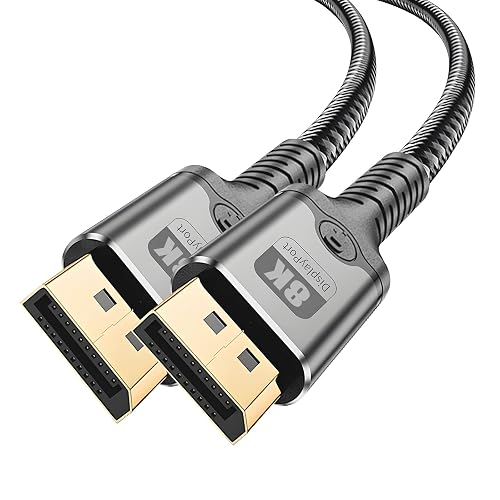
MaxRenard is the short-run cable in this group, and that’s exactly the point. The 3.3-foot length keeps slack under control for close monitor placements, mounted displays, or a PC sitting right beside the screen.
Its nylon braided cord should hold up well to everyday desk movement, while the 32.4Gbps bandwidth and DisplayPort 1.4 support line it up with high-refresh gaming displays. The honest trade-off is simple: short length is great for neat cable management, but it leaves little room for a more spread-out setup.
Highlights
- Short length keeps desk clutter down and helps the cable disappear behind a compact monitor stand.
- 32.4Gbps bandwidth suits fast-paced gaming and high-resolution output on compatible gear.
- Nylon braid adds a tougher everyday feel than a plain rubberized jacket.
- VESA certification and backward support make it easier to slot into mixed DisplayPort setups.
Areas To Watch
- The 3.3-foot reach is only comfortable for very close component spacing.
- That short profile may feel restrictive in a tower-under-desk layout.
- Shorter braided cables can still be a bit stiffer during first-time routing.
Core Details
Who Should Grab It
Desk setups where your PC sits close to the monitor and you want the cleanest possible cable run.
Swap It Out When
QCEs DisplayPort 1.4 Cable 6.6ft is the smarter choice for a wider desk or a tower that sits farther from the screen.
QCEs lands in the sweet spot for many desk rigs because it gives you enough length to route cleanly without turning into a cable coil behind the monitor. The 6.6-foot span is a little more forgiving than the shorter MaxRenard, which helps in setups where the PC sits on the floor.
Support for 8K at 60Hz, 4K at 144Hz, and 2K at 240Hz gives you broad room to match common gaming monitors, and the gold-plated connectors should resist wear better than bare metal ends. The trade-off is that the feature set is straightforward rather than flashy, so you’re paying for reliable fit rather than extra frills.
What We Like
- 6.6 feet gives you a practical middle ground for most desk layouts.
- 32.4Gbps bandwidth is enough for many high-refresh gaming setups.
- Gold-plated ends help maintain a cleaner contact surface over time.
- FreeSync and G-Sync support make it a sensible match for adaptive-sync monitors.
Points To Note
- The cable is made to do the job cleanly, not to stand out visually.
- Gold plating helps with durability, though it does not change cable routing needs.
- Longer rooms or wall-mounted TVs will need more reach than this provides.
Details At A Glance
Who Will Love This
Gaming desks that need a sensible mid-length cable with current DisplayPort 1.4 performance.
Another Choice May Suit
StarTech 6ft DisplayPort 2.1 Cable DP21-6F fits you better when your setup leans toward newer 2.1 hardware and a locked-in connection.
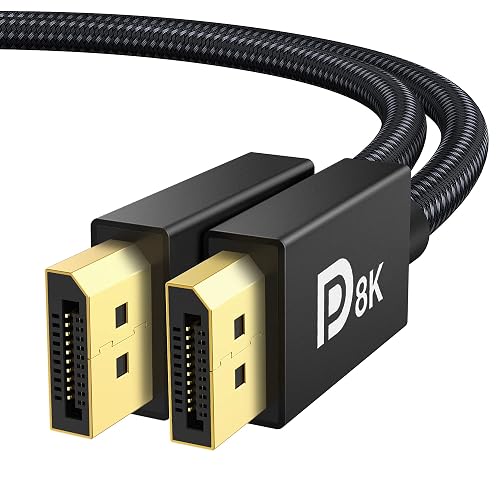
IVANKY is the most straightforward all-rounder in this group, especially for setups that still live in the DisplayPort 1.4 lane. You get VESA certification, a 6.6-foot length, and support for HDR, which is a display mode that expands contrast and color range in compatible gear.
That mix suits a gaming monitor on a desk just as well as a graphics card feeding a productivity screen, and the broad backward compatibility helps in older systems. The catch is that it’s not meant for HDMI gear or Mini DisplayPort ports, so the plug type needs to match your hardware exactly.
Best Bits
- VESA certification gives this cable a reassuring, standards-based profile.
- 6.6 feet is a comfortable length for most single-monitor desks.
- 4K at 240Hz support makes it useful for high-refresh display owners.
- FreeSync and G-Sync compatibility fit nicely into modern gaming stacks.
Small Caveats
- The cable is DisplayPort to DisplayPort only, so port matching matters.
- It does not serve as a universal solution for mixed connector types.
- Conditional support is a nice extra, though the cable itself is still the main reason to choose it.
Feature Rundown
Made For
Gamers and desk users who want a standards-based DisplayPort 1.4 cable with broad display support.
Reach For A Different Pick When
MaxRenard 8K DisplayPort Cable 1.4 3.3FT is the cleaner fit for compact desks where cable slack becomes the main annoyance.
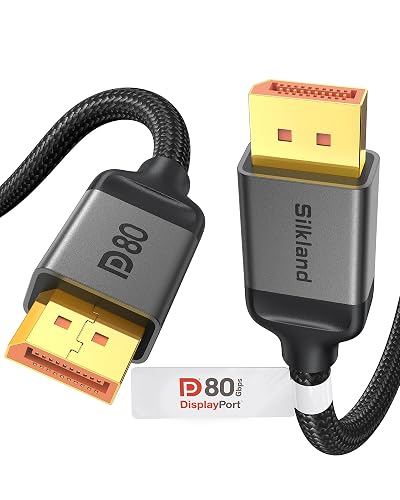
Silkland’s 80Gbps rating puts it in the upper tier of this roundup, and that matters most for very demanding displays or future-facing setups. The 6.6-foot length keeps it practical, while the DP80 class and DisplayPort 2.1 support give it plenty of room for advanced monitors.
For gaming desks that already sit in a high-end hardware lane, this cable feels like a sensible match rather than an indulgence. The trade-off is that you’re paying for bandwidth headroom many setups won’t use fully, so it makes the most sense when your monitor or GPU can actually take advantage of it.
Reasons To Buy
- 80Gbps bandwidth gives you a lot of room for demanding video chains.
- DP80 and DisplayPort 2.1 support make it well suited to newer hardware.
- 6.6 feet keeps the cable usable for a normal desk without excess length.
- Its resolution support range is broad enough for very high-refresh display owners.
- VESA certification adds a helpful layer of confidence for compatibility-minded setups.
Trade Offs
- Many midrange monitors will not need this much bandwidth.
- The feature set is aimed at advanced gear, so simpler rigs may see little advantage.
Quick Facts
The Right Fit
High-end gaming systems and advanced monitors that can actually use the extra bandwidth.
Where A Sibling Pick Shines
IVANKY VESA Certified 8K DisplayPort Cable 1.4 is the safer, simpler choice for standard 4K and high-refresh desk builds.
Highwings pairs the same 80Gbps ceiling as Silkland’s upper-tier cable with a braided jacket, so it leans a little more toward durability-minded setups. That braided exterior often feels better in hand and can make cable management less slippery, especially behind a standing desk or gaming tower.
It supports 16K at 60Hz, 8K at 120Hz, and 4K at 240Hz, which places it firmly in advanced-display territory. The practical upside is obvious for newer hardware, but the trade-off is just as clear: this is more cable than many everyday monitor rigs need.
Standout Traits
- Braided construction gives it a more durable everyday feel than plain-jacket cables.
- 80Gbps bandwidth keeps it aligned with very demanding display chains.
- DisplayPort 2.1 support suits newer gaming PCs and advanced monitors.
- Its high-resolution support makes it a serious match for premium setups.
Room For Improvement
- The higher bandwidth tier is more than many desks will ever need.
- Braided cords can feel slightly stiffer during first routing through a tight desk frame.
- The advanced spec set only pays off with compatible hardware.
Technical Sheet
Built With In Mind
High-end gaming PCs and monitor owners who want a braided cable with serious bandwidth headroom.
Look Elsewhere When
QCEs DisplayPort 1.4 Cable 6.6ft is the more sensible call for a typical 144Hz monitor and a calmer budget.
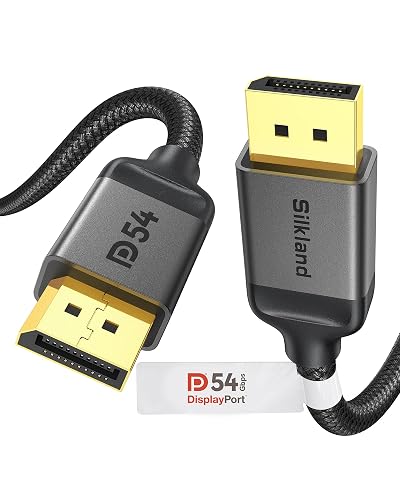
Silkland’s 54Gbps cable is the middle-ground option that makes sense for a lot of gaming desks. It still gives you DisplayPort 2.1 support and VESA certification, but it stops short of the higher-bandwidth ceiling on the more expensive picks above.
That makes it easier to justify for 4K high-refresh monitors, especially when you want a cable that feels current without paying for extra headroom you may never tap. The trade-off shows up with very aggressive display specs, where the 80Gbps options have more breathing room.
Positives
- 54Gbps gives you a strong balance between capability and practical cost control.
- Support for 8K at 120Hz and 4K at 240Hz keeps it relevant for serious gaming monitors.
- VESA certification adds confidence for system builders who care about standards.
- Six-point-six-foot length fits most normal desk layouts cleanly.
Minor Gripes
- It does not reach the bandwidth ceiling of the more advanced 80Gbps options.
- Very high-end monitors may leave some of its headroom untouched.
- The cable is sensible rather than luxurious, so the finish is purpose-first.
Core Details
Perfect Match For
Gamers who want a current DisplayPort 2.1 cable without stepping into the highest tier.
Skip It When
Silkland 80Gbps DisplayPort Cable 2.1 6.6FT/2M makes more sense for cutting-edge monitors that can actually use the added bandwidth.
UGREEN rounds out the list with a practical 54Gbps cable that covers a lot of ground without feeling overbuilt. The 6.6-foot length, braided jacket, and VESA certification make it easy to picture in a normal gaming desk or a home office that also handles entertainment duty.
Support for 8K at 240Hz and 1080P at 540Hz gives it a broad profile for modern displays, especially where you care about fluid motion and a tidy physical setup. It sits below the 80Gbps options on raw headroom, but that’s not a problem for many setups, and the braided cord gives it a polished everyday feel.
Upsides
- 54Gbps bandwidth is a practical fit for many gaming and desktop monitors.
- Braided construction adds a bit more substance to handling and routing.
- 6.6 feet works well for typical desks without leaving a mess of extra slack.
- VESA certification supports a standards-based buying decision.
- Its support range makes it useful for both gaming and general monitor upgrades.
Softer Spots
- Advanced display owners may want the extra headroom of the 80Gbps picks.
- The braided jacket can feel slightly firmer than a softer plain cable during setup.
Feature Card
Whose Shelf It Belongs On
Gaming desks and mixed-use monitor setups that want a clean-looking cable with sensible bandwidth.
Consider Something Else When
Highwings 80Gbps Displayport Cable 2.1 6.6FT is the stronger match for a premium display chain that needs more ceiling room.
How To Choose The Right Dp Cables For Gaming
Match Bandwidth To Your Monitor
Bandwidth is the amount of data the cable can carry, and it matters because gaming monitors push different loads depending on resolution and refresh rate. A 32.4Gbps DisplayPort 1.4 cable suits many 144Hz and 240Hz setups, while 54Gbps and 80Gbps DisplayPort 2.1 cables make more sense for advanced panels with more demanding signal paths.
You do not need the highest number just because it exists. A 1080p or 1440p desk setup often benefits more from a stable, correctly sized cable than from extra headroom that never gets used.
Pick The Right Length For The Layout
Short cables work well when the PC sits close to the monitor, especially on compact desks where slack becomes clutter. A 3.3-foot run is neat for a very tight setup, while 6 to 6.6 feet gives you room for floor-standing towers, monitor arms, or a little repositioning later.
Longer is not automatically better. Excess cable can hang behind the desk like loose thread, so the cleaner choice is the one that reaches comfortably without forcing a coil.
Check Connector Style And Jacket Feel
Some cables use latching DisplayPort connectors, which help the plug stay seated during movement or cable adjustments. That matters in a busy desk where the tower gets moved for cleaning or the monitor arm changes position now and then.
Braided jackets usually feel tougher in hand and can look tidier in open builds, while TPE jackets tend to be easier to snake through tight spaces. The trade-off is simple, braid leans toward structure, while softer jackets lean toward easier routing.
Use Case Beats Spec Chasing
A living-room PC, a competitive desk setup, and a mixed work-and-play machine do not need the same cable. Your best match comes from the monitor’s limits, the GPU’s output, and how far the cable has to travel across the space.
That’s why a midrange 54Gbps pick often feels like the sweet spot for many homes. It offers enough room for current gear without paying for bandwidth that sits unused.
What To Weigh Before You Decide
Mistakes Worth Dodging
One common slip is buying a cable by resolution alone and ignoring the port version on the GPU and monitor. Another is grabbing a cable that is too short, then stretching it across the desk and making the setup look awkward.
Port type matters just as much as length. DisplayPort to DisplayPort cables will not solve HDMI or Mini DisplayPort needs, so the plug ends must match the gear already on your desk.
The Upgrade Payoff
Higher-tier cables cost more because they usually carry more bandwidth, tighter build requirements, and broader support for advanced displays. That extra capacity helps most when your monitor runs at very high refresh, or your setup is built around newer hardware that can actually use the cable’s ceiling.
For many everyday gaming rigs, the more modest tier is enough. Paying up makes sense when you want room for the next monitor upgrade instead of buying twice.
Frequently Asked Questions
Do gaming cables need the newest DisplayPort version?
No, not every setup needs the newest version. Your monitor and graphics card should guide the choice more than the number on the jacket.
Does braided cable construction change performance?
Braided construction mainly changes handling, feel, and routing. The signal performance still depends on the cable’s rated standard and your connected gear.
Is a longer cable always a safer choice?
No, extra length can create more clutter behind the desk. Choose enough reach for a clean path, not a coil of excess cable.
Why do some cables mention HDR and HDCP?
HDR refers to a display mode that can expand contrast and color in compatible systems. HDCP is a content-protection standard that appears on many modern video chains.
Can one cable fit every monitor and GPU?
No, the plug type, version support, and bandwidth all have to align with your gear. A well-matched cable is the safer choice than a vague all-purpose one.
Closing Thoughts
The right DisplayPort cable makes a gaming desk feel calmer, cleaner, and less prone to annoying signal quirks. For most setups, the sweet spot sits in the middle of the list, where length, bandwidth, and build feel balanced instead of oversized. Use the higher-tier 2.1 options for advanced displays, and keep the shorter 1.4 picks in mind for compact desks. Match the cable to your actual hardware, and the rest gets much easier.



