
You’re probably here because a monitor, projector, or older desktop still depends on DVI, and the wrong cable can turn a simple hookup into a nuisance. The right pick depends on length, connector type, and whether you need a straight cable, an extension, or a DisplayPort adapter for a newer tower.
This roundup keeps the focus on practical fit. You’ll see short desktop runs, longer room-spanning options, and one 2-pack adapter set for mixed systems, so you can match the cable to the gear you already own.
Quick Shortlist For DVI Setups

StarTech 6ft Dual Link DVI Cable, Male to Male
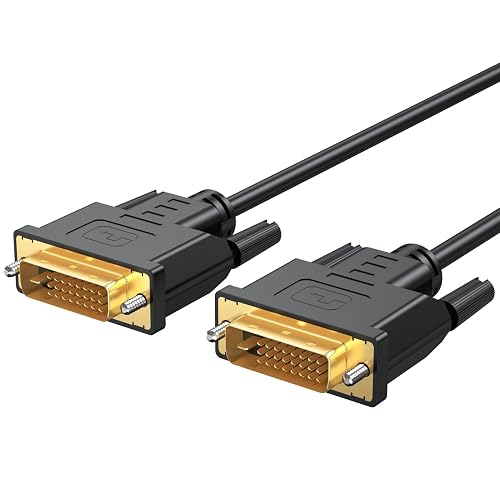
DVI Cable 6 Feet, DVI-D 24+1 Cord Male to Male
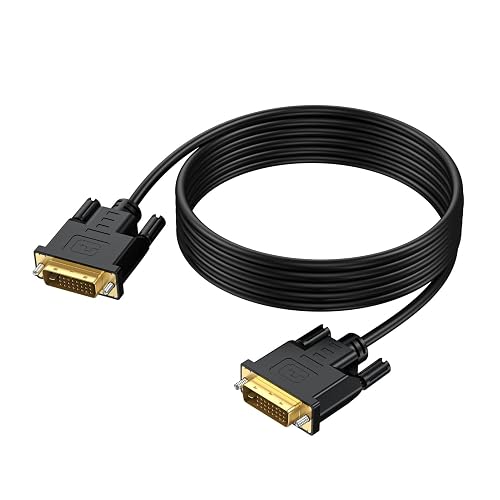
DVI Cable 10 Feet, DVI-D 24+1 Cord-1080P HD
Cable Matters 2-Pack DisplayPort to DVI Cable, DP to DVI, 6ft
Cable Matters DVI to DVI Extension Cable, Dual Link, 6ft
DVI to DVI Cable 6 FT 5-Pack, DVI-D 24+1 Dual Link
Gold Plated 25FT DVI-D Dual Link Cable, Aluminum Shell
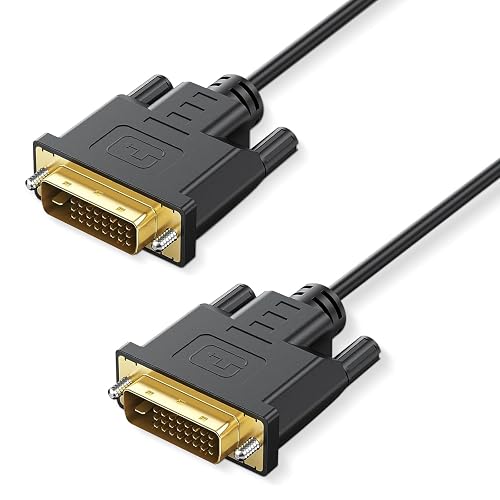
6.6FT DVI to DVI Cable, DVI to DVI-D 24+1 Cord
More Details On Our Top Picks
StarTech’s 6-foot run feels like the safest kind of plain: short enough for a desk, long enough to avoid awkward tension behind a tower. Dual-link means the cable is built for more demanding DVI connections, so it suits a sharper monitor setup better than a bare-bones spare.
That extra headroom matters in a home office or a small workstation where you want one clean line instead of a stretched, bent connection. The trade-off is simple, you’re paying for a focused cable rather than extras like adapters or a bundle.
Strong Points
- Dual-link support makes it a stronger fit for higher-demand monitor links.
- 6 feet keeps the run tidy on a desk or against a wall.
- Male-to-male layout is straightforward for direct device connections.
- Good match for a work setup that stays put day after day.
Things To Consider
- The 6-foot length can feel tight in rooms with odd furniture placement.
- It stays focused on the cable role, so you won’t get adapter flexibility here.
Key Specs
Who It Suits Best
You’ll like this most for a permanent desk setup with a monitor close to the tower.
A Better Fit Elsewhere
Cabinet-mounted or wall-spaced setups are better served by the Conable 25FT DVI-D Dual Link Cable, since the longer reach leaves more room to route around furniture.
This URELEGAN cable stays in the practical lane with a 6-foot length and a DVI-D 24+1 layout, which means the connector has 24 digital pins plus one blade slot. That pin pattern matters because it’s the common shape for digital DVI gear, especially in mixed home setups with a monitor, HDTV, or projector.
The honest read is that it’s a simple, useful cable rather than a feature-heavy one. For most living rooms or desks, that’s enough, though a longer room layout may call for something like the UVOOI 5-pack or the Conable 25-footer.
What We Like
- 6-foot length fits a lot of standard desk-to-screen runs.
- DVI-D 24+1 connector shape suits common digital display hookups.
- Works across several everyday setups, from computers to projectors.
- Easy to store in a drawer or gear bag without much bulk.
Softer Spots
- You won’t get adapter features or bundled extras here.
- The shorter length can feel limiting beside a wall-mounted display.
- Basic cable care still matters, so avoid tight bends behind furniture.
Feature Snapshot
Best Suited To
This suits you best for a straightforward home setup where simplicity matters more than extra hardware.
Where A Sibling Pick Shines
The Cable Matters 2-Pack DisplayPort to DVI Cable makes more sense for a newer PC with DisplayPort output and an older DVI monitor.
Moving up to 10 feet changes the feel of a setup right away, especially in a bedroom, dorm, or media corner where the display can’t sit close to the tower. This URELEGAN cable also calls out 24+1 DVI-D support and 1080p-class use, which makes it a good fit for everyday digital video runs.
It adds gold-plated connectors, bare copper conductors, foil and braid shielding, plus dual ferrite cores, so the build leans toward cleaner signal handling and less interference. The trade-off is that the cable is more specialized than the 6-foot options, and the product page clearly notes there’s no audio through DVI.
Highlights
- 10 feet gives you easier placement in less compact rooms.
- Gold-plated connectors help the plug side resist everyday wear.
- Shielding and ferrite cores suit setups near other electronics.
- Supports common high-definition output levels for standard displays.
- Good option for a projector stand placed away from the source.
Points To Note
- No audio support, so sound still needs its own path.
- Longer cable runs take a little more care during storage.
- The extra length can create slack in tight desk spaces.
Core Details
Built With In Mind
You’ll get the most from this in a setup that needs distance without moving the equipment around.
Skip It When
The StarTech 6ft Dual Link DVI Cable makes more sense for a short desk run where you want less slack behind the monitor.
This Cable Matters pair solves a very specific headache, namely a newer computer with DisplayPort output and an older monitor that still uses DVI. The DP and DP++ compatibility matters because those standards decide whether a source can send the right signal without extra fuss.
You also get two 6-foot cables, which is handy in a shared office, a teaching lab, or a desk where you keep a spare ready. Compared with the straight DVI options above, this one is less about simple replacement and more about making mismatched hardware talk to each other.
Positives
- Two cables in the pack help with a second station or a backup setup.
- DisplayPort to DVI direction suits mixed hardware desks.
- 6-foot length works for nearby towers and monitors.
- Gold-plated connectors support a cleaner contact point.
- Mirror or extended display use gives you practical desktop flexibility.
Worth Noting
- It only makes sense in DisplayPort-to-DVI setups.
- You may not need a two-pack for a single workstation.
- Adapter-style cables add one more item to label and store.
Details At A Glance
Who Should Grab It
This is the right kind of choice for someone balancing a modern PC with a legacy monitor in the same workspace.
Another Choice May Suit
The URELEGAN DVI Cable 10 Feet, DVI-D 24+1 Cord-1080P HD is the easier fit for a plain DVI-to-DVI run in a room that needs extra reach.
Extension cables are easy to overlook until the original cord comes up short, and this Cable Matters option fills that gap cleanly. Dual link means it’s built to carry the same higher-demand DVI style as a standard cable, but its real purpose is simple, adding another 6 feet to what you already own.
That makes it useful behind a desk, in a media cabinet, or anywhere the display moved after the first install. Compared with the StarTech and URELEGAN straight cables, this one is the fix for a placement problem rather than a fresh connection from scratch.
Reasons To Buy
- Turns a too-short cable into a workable run.
- Dual-link support keeps it suited to demanding DVI connections.
- 6-foot extension is enough to solve many furniture-layout problems.
- Handy for a monitor that moved farther from the source.
Areas To Watch
- It extends an existing cable, so you need the base cord already.
- Two connected runs can take more care to secure neatly.
- Extra connection points can make cable management a little busier.
Quick Facts
The Right Fit
You’ll benefit most here when the cable is already in place and you simply need more reach.
Swap It Out When
The DVI Cable 6 Feet, DVI-D 24+1 Cord Male to Male is a cleaner answer for a fresh direct hookup between two devices.
Five cables in one bundle changes the math for a home lab, a small office, or anyone keeping spare display leads on hand. The UVOOI set keeps each cable at 6 feet and uses the DVI-D 24+1 dual-link format, so the focus is quantity without drifting away from normal digital display use.
That’s especially handy when several rooms use the same monitor style, or you’re outfitting a stack of stations and want the same cable type throughout. The trade-off is obvious too, a bulk pack is useful only when you actually need multiple leads, not just one.
Bright Spots
- Five-pack format helps stock a whole workspace at once.
- 6-foot length stays practical for standard desk setups.
- DVI-D 24+1 dual-link design fits many common digital displays.
- Black finish keeps the look simple and easy to blend in.
- Handy for labels, backups, and shared equipment rooms.
Small Caveats
- It makes less sense for a single monitor setup.
- Bulk packs need a bit more drawer space and labeling.
- You still need to check connector fit before setting up a full stack.
Feature Rundown
Whose Shelf It Belongs On
This belongs with you if you manage more than one screen, station, or spare cable stash.
Where Shoppers Go Wrong
The Cable Matters DVI to DVI Extension Cable is the smarter move for a setup that only needs a little more reach on an existing line.
A 25-foot DVI cable is for spaces where the display sits far from the source, like a projector ceiling mount, a conference room, or a lounge with wall-run routing. This Conable model adds gold plating and an aluminum shell, so the hardware side is clearly built to feel sturdier than the lighter desktop cords earlier in the list.
The catch is obvious, more length means more planning. You’ll want tidy routing and a route that avoids sharp bends, but for a big room that extra reach is exactly the point.
Upsides
- 25-foot reach suits large rooms and projector installs.
- Gold-plated connectors add a more durable contact finish.
- Aluminum shell gives the plug area a tougher feel.
- Good fit for setups where the source cannot move closer.
- Works across PCs, displays, gaming gear, and DVD players.
Minor Gripes
- The long run needs more careful coiling and storage.
- It can be too much cable for a simple desk setup.
- Long routing often calls for better cable management hardware.
Technical Sheet
Perfect Match For
This is the one for longer installations where you need distance more than anything else.
Look Elsewhere When
The StarTech 6ft Dual Link DVI Cable is easier to manage for a regular desk monitor right beside the tower.
Critin keeps this cable close to the sweet spot for a desk setup, with 6.6 feet giving you just a touch more slack than the strict 6-foot class. It also names support for 2560 x 1600 along with 1080p, so the cable is aimed at sharper monitor use rather than the most basic display link.
That slightly longer reach can make a real difference behind a tower that sits under the desk or off to the side. Compared with the URELEGAN 6-foot option, this feels better suited to a setup that needs a little room to breathe without turning into a long-run project.
Best Bits
- 6.6-foot length offers a bit more slack than a standard 6-foot cord.
- Gold-plated connectors suit regular plug and unplug use.
- Supports higher-resolution use cases like 2560 x 1600.
- Still compact enough for a desk or shelf-based setup.
Room For Improvement
- The cable stays in a simple format, so no extra accessories are included.
- The slightly unusual 6.6-foot length may not matter in every room.
- As with any DVI run, port match matters before you settle in.
Spec Overview
The Right Fit
This suits you best for a desktop or monitor setup that needs a little extra length without a bulky run.
Reach For A Different Pick When
The Cable Matters DVI to DVI Extension Cable is the smarter move for stretching an existing line instead of replacing it.
How To Choose The Right Dvi Cables
Start With The Ports You Actually Have
DVI looks similar across a lot of gear, but the connector shape still matters. A DVI-D 24+1 cable suits many digital displays, while a DisplayPort to DVI adapter cable only makes sense for a newer source feeding an older monitor.
That’s why the first step is checking both ends, not just the display side. A matching cable saves you from the annoying loop of plugging, checking, and rechecking behind a desk.
Length Changes The Whole Setup
A 6-foot cable suits a monitor close to the tower, and 10 feet gives you more freedom around furniture. Go much longer, like 25 feet, and routing becomes part of the decision because slack needs to stay managed.
The honest read is that cable length is about placement, not just reach. You want enough slack for a clean path, but not so much that it turns into a coil behind the stand.
Look Past The Jacket And Into The Use Case
Gold-plated connectors, shielding, ferrite cores, and aluminum shells all point to different priorities. Gold plating focuses on the contact surface, shielding helps with interference in busier spaces, and ferrite cores are meant to support cleaner signal handling around electronics.
For a quiet home desk, a simple cable may be enough. For a projector near other gear, the more built-out option usually makes more sense.
Pick For The Job, Not Just The Label
A straight DVI-to-DVI cable serves a different job from an extension cable or a 2-pack adapter set. The extension is there to fix an existing run, while the adapter set helps a modern PC talk to an older screen.
That small distinction saves money and frustration. Match the cable to the exact job, and the rest of the setup tends to fall into place.
Things Worth Knowing Before You Decide
Mistakes Worth Dodging
One common miss is buying by length alone and ignoring the connector type. Another is assuming every DVI cable will fit every DVI port the same way, which is not how mixed digital and adapter setups work.
Storage matters too, especially with longer runs. A loose loop in a drawer is fine, but a hard bend near the plug can be a headache later.
The Upgrade Payoff
Higher-tier DVI cables often spend money on better connector hardware, more shielding, or longer reaches that suit fixed rooms. In practical terms, that means a cleaner install, a more durable plug end, or a cable long enough to reach a projector without awkward repositioning.
That upgrade is worth it when the space is tricky or the gear stays in place for years. For a simple desk monitor, a plain 6-foot cable usually does the job without extra fuss.
Frequently Asked Questions
What Is The Difference Between DVI-D And Dual Link?
DVI-D refers to a digital-only DVI connection. Dual link adds more bandwidth for more demanding display runs.
Can You Use A DVI Cable With A New Computer?
You can, as long as the computer has the right output or you use a compatible DisplayPort to DVI cable. The port on the source still has to match the cable type.
Do Longer DVI Cables Work As Well As Short Ones?
Longer cables help with placement, especially across rooms. The trade-off is more routing to manage behind the setup.
Does DVI Carry Sound?
These cables are for video, not audio. Sound needs a separate connection.
What Length Works Best For A Desk Monitor?
Six feet is the easiest starting point for a typical desk. A slightly longer cable, like 6.6 feet or 10 feet, helps when the tower sits farther away.
Closing Thoughts
The best Dvi Cables for your setup are the ones that match the port type, the cable length, and the way your room is arranged. A short StarTech or URELEGAN cable fits a desk, the Cable Matters adapter set handles mixed hardware, and the Conable 25-footer solves bigger-room spacing. Once you know which job you’re solving, the choice gets much easier. The right cable doesn’t need to be fancy, it just needs to disappear into the setup and do its work.



