
Choosing a CPU for Fortnite depends on more than a high core count. You need a balanced system that keeps frame delivery steady, pairs sensibly with the graphics card, and fits your setup experience, whether you’re upgrading an existing desktop or starting from scratch. A CPU, or central processing unit, handles game instructions, background apps, and system tasks. This roundup covers standalone processors and complete gaming desktops, including accessible 1080p options and higher-end builds for streaming or creative work. You’ll also see practical trade-offs involving platform age, cooling, storage, memory, and upgrade flexibility.
The Shortlist At A Glance

Intel Core i9-14900KF Gaming Desktop Processor 24 Cores
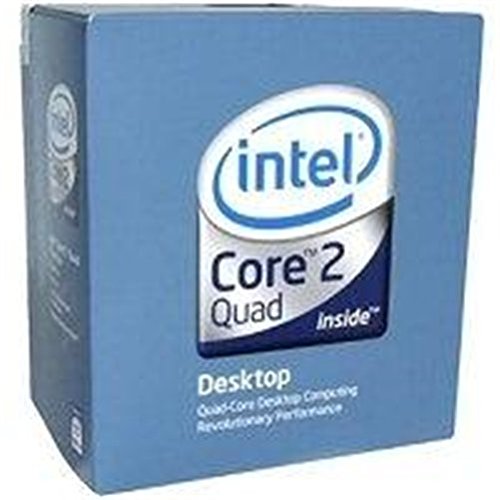
Intel BX80569Q9650 Core 2 Quad Q9650 Desktop Processor

Thermaltake LCGS Avalanche i477T Gaming Desktop i7-13700KF

VRA Gaming PC Desktop Bundle Intel Core i7-4790 RX 580 8GB

Skytech Gaming Archangel 5 Gaming PC Intel i5-14400F RTX 5060

King White Prebuilt Gaming PC Ryzen 5 5500 RX 6500 XT 4GB

Blizzard Gaming PC Intel Core i9-11900KF RTX 5060 Ti
More Details On Our Top Picks
Enthusiast gaming rigs and demanding multitasking make sense for this unlocked Intel processor. Its hybrid layout combines 8 performance cores with 16 efficiency cores, so you have substantial headroom for Fortnite alongside streaming tools, voice chat, browsers, or editing software.
The 6.0 GHz boost ceiling and 32-thread design favor high-refresh play, though the “KF” suffix means integrated graphics are absent. You’ll need a separate graphics card and a suitable LGA1700 motherboard, while the 125W base power makes serious cooling sensible for long sessions.
Strong Points
- 24 cores and 32 threads give demanding multitaskers room to keep background apps open.
- Unlocked tuning supports enthusiasts who understand motherboard and cooling requirements.
- Support for DDR4 or DDR5 can make an existing platform transition more flexible.
- PCIe 5.0 and PCIe 4.0 support suit modern graphics and storage expansion.
- High boost headroom fits high-refresh gaming paired with a capable graphics card.
Things To Consider
- No integrated graphics means a discrete graphics card is required for display output.
- Large cooling demands and tuning complexity may feel excessive for a basic Fortnite setup.
Key Specs
Who It Suits Best
You’ll get the most from this processor as an enthusiast building a powerful gaming, streaming, and creation desktop.
Consider Something Else When
Thermaltake LCGS Avalanche i477T suits you better as a complete desktop package with CPU, graphics, memory, storage, and cooling already assembled.
For a very specific repair job, the Core 2 Quad Q9650 remains relevant because it is a boxed desktop processor built around a 1333 MHz front-side bus. That older platform focus makes it a restoration component, not a sensible starting point for a current Fortnite computer.
You may find it useful for reviving a compatible office tower or family PC that already has its motherboard, memory, storage, and graphics hardware. The catch is substantial age, so platform compatibility and condition matter more than the processor label alone.
What We Like
- Boxed presentation can simplify identification during a legacy-system repair.
- The 1333 MHz bus specification helps you match it to an older compatible board.
Worth Noting
- Its dated platform is poorly suited to a new Fortnite-focused build.
- Older systems may need careful dust removal, thermal compound replacement, and component checks before regular play.
- Modern memory, storage, and graphics upgrades remain limited by the surrounding platform.
Technical Sheet
Made For
You’ll find the right use here as a repair-minded hobbyist restoring an older compatible desktop.
Not Your Match When
King White Prebuilt Gaming PC suits you more as a ready-to-use option for current 1080p Fortnite play.
Complete-system convenience defines this Thermaltake desktop. The Core i7-13700KF works alongside 32GB of DDR5 memory, a GeForce RTX 4070 Ti graphics card, and a 2TB NVMe M.2 drive, giving you a well-stocked foundation for Fortnite, streaming, and large game libraries.
Its closed-loop liquid cooler, meaning a sealed pump, radiator, and coolant circuit, is suited to sustained gaming sessions. You avoid the assembly decisions required by Intel Core i9-14900KF, although liquid cooling adds pump hardware and deserves clear airflow around the case.
Highlights
- 32GB of DDR5 memory helps with gaming, streaming, and creative multitasking.
- The 2TB NVMe drive gives you useful room for a sizable game library.
- RTX 4070 Ti graphics provide a strong match for high-resolution or high-refresh play.
- Prebuilt assembly saves time compared with sourcing and installing each component.
Trade Offs
- Liquid cooling brings more moving parts than a conventional tower cooler.
- The larger configuration may be excessive for casual 1080p sessions.
- Radiator and fan areas need periodic dust cleaning to maintain airflow.
Feature Snapshot
Right Fit For
Choose this desktop as a serious gamer or creator who wants a ready-built system with strong graphics and storage.
Reach For A Different Pick When
Skytech Gaming Archangel 5 suits you better as a newer, more moderate desktop for straightforward 1080p gaming.
A full accessory bundle makes the VRA desktop approachable for a first gaming station. You receive an Intel Core i7-4790 system with RX 580 8GB graphics, 16GB of memory, a 512GB SSD, plus an RGB keyboard, mouse, and soundbar.
That package can shorten setup time for a family room or spare-bedroom desk, but the no-monitor detail matters. Compared with the modern Skytech Archangel 5, this platform is older and has less storage, so its appeal rests on convenience and included accessories rather than long upgrade runway.
Upsides
- Keyboard, mouse, and soundbar reduce the number of separate accessories you need.
- 16GB memory is a practical starting point for Fortnite and everyday desktop use.
- RX 580 graphics with 8GB memory suit accessible 1080p gaming settings.
Minor Gripes
- No monitor is included, so your display remains a separate setup decision.
- The older processor and 512GB SSD leave less room for future-heavy game libraries.
- RGB components add visual appeal but also create more surfaces to dust.
- Expect more limited upgrade flexibility than a current DDR5 desktop.
Quick Facts
Who Will Love This
You’ll appreciate this bundle as a new player who needs a basic tower and several desk accessories in one package.
Where Another Pick Suits Better
King White Prebuilt Gaming PC fits you more closely for a newer entry-level desktop with 1TB storage and Wi-Fi connectivity.
For a current gaming desktop that doesn’t lean into enthusiast excess, Skytech’s Archangel 5 has a sensible parts balance. The Core i5-14400F pairs with an RTX 5060, 16GB of DDR5-6000 memory, and a 1TB NVMe SSD, giving you a modern base for Fortnite and everyday applications.
The 750W Gold-rated power supply leaves a comfortable foundation for the listed hardware, while Wi-Fi and Windows 11 reduce setup friction. You may find 16GB sufficient today, though heavier streaming, browser tabs, and creation apps can make the 32GB Thermaltake system more attractive.
Bright Spots
- DDR5-6000 memory gives the platform a current-generation feel.
- 1TB NVMe storage balances fast loading with useful game capacity.
- Wi-Fi and Windows 11 help you get from unboxing to play with fewer setup steps.
- The RTX 5060 is a sensible graphics partner for mainstream 1080p gaming.
- A 750W Gold-rated power supply provides a clearly specified power foundation.
Room For Improvement
- Graphics-card branding may vary, so inspect the listing details before committing.
- 16GB memory may feel restrictive for simultaneous streaming and heavy multitasking.
At A Glance
Best Suited To
This desktop fits you as a current-generation gamer who wants a ready-made 1080p system without an oversized enthusiast configuration.
Swap It Out When
Thermaltake LCGS Avalanche i477T is better suited to you when 32GB memory, RTX 4070 Ti graphics, and 2TB storage matter more than a moderate configuration.
Entry-level 1080p play is the clear target for this white HELLOLAND desktop. The Ryzen 5 5500 supplies six cores, while an RX 6500 XT with 4GB graphics memory, 16GB DDR4-3200 RAM, and a 1TB PCIe SSD cover the essentials for Fortnite, schoolwork, and casual entertainment.
Five RGB fans and software control give the case a more personalized look than the understated processor-only options. The honest trade-off is the modest 4GB graphics buffer, so demanding visual settings may require restraint compared with Skytech Archangel 5.
Plus Points
- Six CPU cores provide a practical base for gaming and routine multitasking.
- 1TB PCIe SSD storage leaves useful room for several games and personal files.
- Wi-Fi and Bluetooth reduce cable clutter around a bedroom or compact desk.
- Five controllable RGB fans offer straightforward lighting customization.
Points To Note
- 4GB graphics memory can limit texture and visual-setting flexibility in newer games.
- DDR4-3200 is an older memory platform than the DDR5 used by Skytech.
- RGB fans add cleaning points, and the software layer may need occasional configuration.
Core Details
Whose Shelf It Belongs On
You’ll find the strongest fit here as a casual gamer who wants a colorful, connected desktop for 1080p play.
Look Elsewhere When
VRA Gaming PC Desktop Bundle suits you more when included keyboard, mouse, and soundbar matter more than newer platform hardware.
Blizzard combines an older Core i9-11900KF platform with a newer RTX 5060 Ti graphics card, 32GB DDR4 memory, and a 1TB NVMe M.2 SSD. That mix gives you plenty of memory for streaming and background applications, while the graphics card carries much of the visual workload.
A 360mm liquid cooler uses a large radiator paired with a pump and fans, which suits extended sessions but requires more installation and maintenance awareness than the air-cooled Skytech. The white TD500 Mesh case and ARGB fans also make this a visual centerpiece, though the older CPU platform may matter to you during future upgrades.
Best Bits
- 32GB DDR4 memory is helpful for streaming, multitasking, and large browser sessions.
- RTX 5060 Ti graphics provide a modern focal point for game rendering.
- 1TB NVMe storage keeps common game loads and desktop access brisk.
- The 360mm liquid cooler is suited to sustained processor workloads.
- The mesh white case and ARGB fans give your setup a distinctive appearance.
Honest Caveats
- The Core i9-11900KF belongs to an older platform than the processors in Skytech and Thermaltake systems.
- A 360mm cooler occupies more case space and adds pump hardware to maintain.
- Large radiator and fan surfaces benefit from regular dust cleaning.
Details At A Glance
Built With In Mind
This desktop suits you as a streamer or multitasker who values 32GB memory, liquid cooling, and a showpiece case.
A Better Fit Elsewhere
Intel Core i9-14900KF suits you better as a component-focused enthusiast who wants a newer processor platform and custom parts selection.
How To Choose The Right Fortnite Cpus
Start With The Whole System
A CPU rarely works alone in a gaming desktop. The graphics card draws the game image, memory holds active game and system data, and storage affects loading times. A strong processor paired with a weak graphics card can leave you paying for capability you won’t see during play, while an entry-level CPU paired with powerful graphics can limit high-refresh performance in busy scenes.
For a complete desktop, judge the processor alongside the listed graphics card. The Skytech pairing is more balanced for current 1080p play, while the Thermaltake combination gives you more room for high-resolution gaming and creation work.
Match Cores To Your Routine
Core count describes how many processing units can work on separate tasks, while threads represent the simultaneous instruction paths the CPU can manage. Fortnite alone doesn’t require an enthusiast-level core count, but streaming, recording, voice chat, browser tabs, and editing software change the workload quickly.
Six cores can suit casual play and routine applications. Higher counts make more sense for streamers and creators, especially when the desktop will remain useful beyond gaming. The i9-14900KF offers the most headroom here, although its lack of integrated graphics means you must add a separate graphics card.
Check Platform And Cooling
Socket type determines which motherboard can accept a processor. LGA1700 matters for the i9-14900KF, while the Core 2 Quad Q9650 belongs to a much older platform that only makes sense as a compatible replacement. A desktop purchase removes much of this matching work, but a standalone CPU leaves you responsible for the board, cooler, memory, power supply, and graphics card.
Cooling also affects comfort and ownership. Air cooling tends to keep a build straightforward, while a closed-loop or 360mm liquid cooler can suit sustained loads but introduces a pump, radiator, and more dust-access points.
Consider Memory And Storage
For Fortnite plus ordinary background apps, 16GB can be a sensible starting point. You’ll appreciate 32GB more during streaming, large browser sessions, editing, or long multitasking days. DDR5 is a newer memory standard than DDR4, but the motherboard must support the chosen type.
NVMe SSD storage uses a compact PCIe-connected drive, generally offering faster access than older hard drives. A 512GB drive can fill quickly after several large games, while 1TB or 2TB gives you a less cramped library.
Things Worth Knowing First
Mistakes Worth Dodging
A common mistake is treating the CPU name as the entire gaming experience. Check the graphics card, memory capacity, storage size, cooling design, and display outputs together. The VRA bundle also excludes a monitor, so account for that separate part of your desk setup.
Platform age deserves equal attention. The Core 2 Quad Q9650 belongs in a restoration project, not a new gaming build, while the Blizzard desktop pairs an older processor platform with newer graphics.
Where The Extra Money Goes
Higher-tier desktops usually give you stronger graphics, more memory, larger storage, and cooling suited to sustained workloads. Those additions matter most for high-refresh play, streaming, creative applications, and several years of demanding software.
Paying more makes sense when you’ll use those resources regularly. Casual 1080p Fortnite sessions may call for the Skytech or King White systems, while the Thermaltake configuration better fits heavier gaming and creation workloads.
Conclusion
You’ll find the right Fortnite CPU by matching the processor to the graphics card, memory, cooling, and your actual routine. The Skytech Archangel 5 offers a balanced current desktop, the King White system keeps entry-level play approachable, and Thermaltake’s Avalanche i477T gives you more room for demanding work. Intel’s i9-14900KF remains a strong component choice for custom enthusiasts, while the Core 2 Quad belongs to careful legacy repairs. Start with your display, games, and multitasking habits, then choose the system that leaves you comfortable rather than over-equipped.
