
A gaming laptop that dies halfway through a commute rarely gets a second chance. I’ve focused this comparison on stated battery life, portable design, usable specifications, and the compromises that appear when performance and endurance compete. The Apple MacBook Air M1 configurations stand out for long mobile sessions, while the MALLRACE model offers expandable hardware and a more conventional gaming-laptop layout. The remaining picks fit particular budgets, storage needs, and power-focused workflows.
A Quick View Of The Lineup

MALLRACE 15.6-inch Ryzen 7 5700U Gaming Laptop 16GB RAM 512GB NVMe
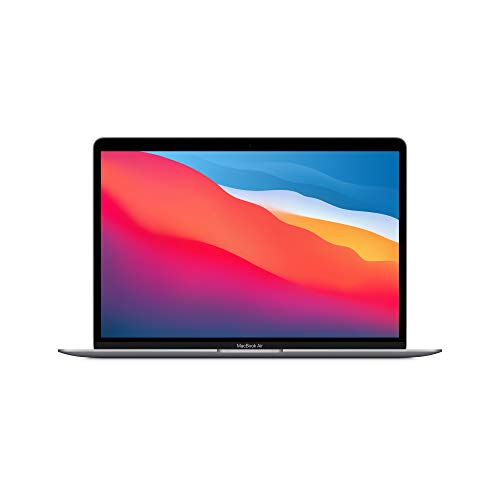
2020 Apple MacBook Air M1 13.3-inch Retina 8GB RAM 256GB SSD Space Gray
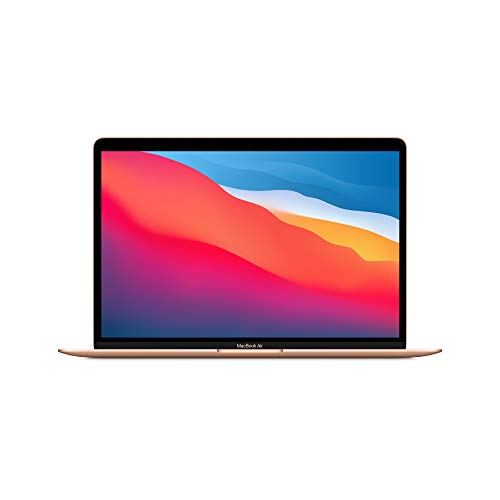
2020 Apple MacBook Air M1 13.3-inch Retina 8GB RAM 256GB SSD Gold
2020 Apple MacBook Air M1 13.3-inch Retina 8GB RAM 512GB SSD Space Gray
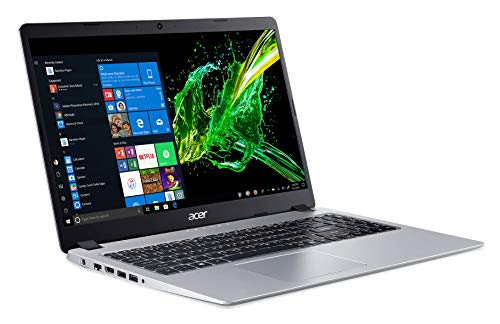
acer Aspire 5 A515-43-R5RE 15.6-inch IPS Ryzen 5 3500U 8GB 256GB SSD
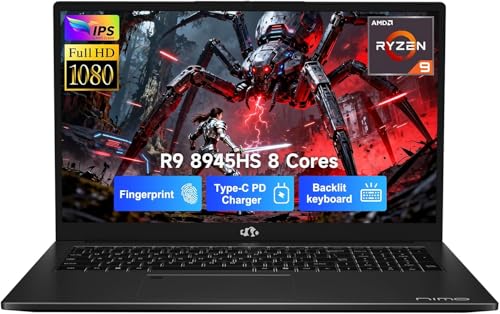
NIMO 17.3-inch Gaming Laptop Ryzen 9 8945HS 32GB RAM 1TB SSD Radeon 780M
Inside Each Recommended Option
A gaming laptop needs to survive a full workday of documents, calls, and browser tabs before an evening session begins. The MALLRACE model pairs a 54.72Wh battery with a stated maximum of eight hours, giving commuters a more practical target than a high-power machine that needs frequent charging.
Unlike the 13.3-inch MacBook Air models later in this list, this machine has a larger 15.6-inch Full HD display and a gaming-oriented port selection. The honest read is that its eight-hour figure promises less freedom than the Air’s 18 hours, but expandable memory and storage make it a sensible long-term desktop replacement.
Reasons It Performs
- The Ryzen 7 5700U provides eight cores and 16 threads for mixed productivity and gaming workloads.
- Dual-channel 16GB DDR4 memory supports heavier multitasking and can be expanded to 64GB.
- USB 3.2, HDMI, full-function USB-C, and a card slot simplify accessory connections.
- The backlit keyboard and 180-degree hinge suit evening use and shared workspaces.
Trade Offs
- The stated eight-hour runtime falls well short of the 18-hour figure listed for the MacBook Air configurations.
- Radeon integrated graphics and a 15.6-inch screen may place greater power demands on the battery during extended games.
Quick Facts
Who It Suits Best
Hybrid workers and gamers who want a large screen, useful ports, and memory that can grow over time.
Where Another Pick Suits Better
The 2020 Apple MacBook Air M1 in Space Gray suits travelers who prioritize the longest stated runtime and a more compact design.
Airport waiting rooms and long train rides expose weak battery life quickly. This Space Gray MacBook Air pairs the stated 18-hour maximum with a compact 13.3-inch Retina display, making it the more natural traveling companion in this group.
Compared with the MALLRACE’s eight-hour claim and conventional 15.6-inch gaming layout, the Air puts more emphasis on efficiency and portability. It remains a general-purpose laptop rather than a dedicated gaming machine, so serious titles represent a different kind of use case.
Benefits That Matter
- The 18-hour battery maximum provides the strongest stated mobile runtime here.
- The M1 chip combines an eight-core CPU with an efficient unified-memory design.
- Touch ID, a backlit keyboard, and the Retina display suit everyday mobile use.
Points To Note
- Eight gigabytes of unified memory and 256GB of storage offer limited room for large game libraries.
- Older 2020 hardware requires a condition check, particularly for battery wear and storage health.
Made For
Travelers, students, and Apple users who need long battery life more than dedicated gaming hardware.
Consider Something Else When
The NIMO 17.3-inch Gaming Laptop fits creators who need 32GB of memory, 1TB of storage, and a more powerful Ryzen processor.
The Gold MacBook Air brings the same substantial battery allowance to a more expressive finish. For a shared desk or a client meeting, I find the color gives an otherwise restrained aluminum design a little more personality without changing the core formula.
Its hardware remains identical to the Space Gray model apart from color, including the M1 chip, 8GB of memory, 256GB of storage, and 18-hour maximum. The practical difference therefore comes down to personal preference rather than performance.
Positive Takeaways
- The stated 18-hour battery life supports full-day school or work sessions away from an outlet.
- The 13.3-inch Retina display keeps text sharp and makes the laptop easier to carry.
- Backlighting, Touch ID, and integration with iPhone and iPad add practical value for Apple-centered routines.
Small Caveats
- The 256GB SSD may become restrictive for large game installs and creative project files.
- Unified memory cannot be replaced, and 8GB is modest for sustained heavy multitasking.
- Unlike the NIMO model, this configuration provides no gaming-specific graphics emphasis.
The Details
Right Fit For
Style-conscious students and professionals who prefer Apple integration and prioritize battery life over gaming performance.
Not Your Match When
The MALLRACE Ryzen 7 5700U Gaming Laptop better serves users needing a larger display, expandable DDR4 memory, and more conventional gaming connections.
Large project files create a different kind of mobile problem: a full battery still leaves little room on the drive. This Space Gray configuration keeps the MacBook Air’s 18-hour maximum and doubles storage from 256GB to 512GB, a meaningful distinction from the other Air models here.
The trade-off is that the 8GB memory allowance remains unchanged. Compared with the 16GB MALLRACE or 32GB NIMO, this model handles lighter multitasking more comfortably than intensive creative work or numerous demanding applications.
Real Benefits
- 512GB of SSD storage gives games, photographs, and project files more room.
- The M1 chip and unified memory support efficient everyday workloads.
- The stated 18-hour maximum preserves the strongest battery figure in this lineup.
Areas To Watch
- The fixed 8GB memory capacity is the main limitation for memory-heavy applications.
Feature Snapshot
Who Will Love This
Apple users who need more local file space for creative work without giving up the Air’s stated all-day runtime.
Look Elsewhere When
The NIMO 17.3-inch Gaming Laptop better fits heavy multitaskers who need 32GB of RAM and a newer high-performance Ryzen platform.
Classrooms and shared study spaces often call for a large, readable screen rather than a dedicated gaming design. The Aspire 5 A515-43-R5RE uses a 15.6-inch Full HD IPS panel, an acronym referring to the viewing technology used to improve angle visibility.
Its Ryzen 5 3500U, 8GB of DDR4 memory, and 256GB SSD form a practical everyday-computer combination. For gaming, the Vega 8 integrated graphics and older processor generation make the MacBook Air’s efficient M1 platform a more persuasive mobility choice, while the Aspire benefits from its larger display.
Why It Works Well
- The 15.6-inch IPS display provides a large surface for coursework and everyday viewing.
- Solid-state storage supports faster everyday file access than a traditional hard drive.
- The slim model includes a backlit keyboard for comfortable low-light work.
Practical Considerations
- The Ryzen 5 3500U and Vega 8 graphics favor general computing over demanding modern games.
- 8GB of memory is limited for heavy browser use, creative applications, and simultaneous gaming streams.
- A 2020-era model deserves a careful battery-condition check before extended mobile use.
Built With In Mind
Budget-focused students and office users who value a large display over intensive gaming performance.
A Better Fit Elsewhere
The 2020 Apple MacBook Air M1 in Space Gray suits mobile users who need a stronger CPU, longer stated runtime, and a more compact chassis.
Large-screen gaming laptops often carry substantial power demands, so the NIMO configuration needs a realistic place in this battery-focused comparison. Its appeal lies in performance: a Ryzen 9 8945HS with eight cores and speeds up to 5.2GHz, paired with 32GB of RAM and Radeon 780M graphics.
The 17.3-inch form factor feels more at home near a desk than on a train, and the 100W USB-C power-delivery connection adds convenient charging flexibility at compatible outlets. For creators, 1TB of storage and ample memory are especially useful; for battery-centered shopping, I would prioritize a verified runtime rather than assuming desktop-class power stays untethered.
The Upside
- The Ryzen 9 8945HS provides eight cores for demanding applications and multitasking.
- 32GB of RAM comfortably supports heavier workflows than the 8GB alternatives.
- Radeon 780M graphics suit modern integrated gaming and creative workloads.
- The 1TB SSD provides substantial local storage for games and media.
- USB-C power delivery accepts up to 100W through a single connection.
Less-Strong Areas
- The 17.3-inch chassis is less convenient for backpacks and compact workspaces.
- High-performance hardware can consume more power during extended gaming sessions.
Core Details
The Right Fit
Power users, developers, and creators who prioritize processing capability, memory, and storage over maximum portability.
Another Choice May Suit
The 2020 Apple MacBook Air M1 with 512GB SSD better fits commuters who prioritize the stated 18-hour runtime and a much smaller chassis.
What Matters Most for Mobile Gaming
Separate runtime claims from real workloads. A battery maximum usually reflects a specific test setting, not hours of continuous gaming. Commuters should compare the stated 18-hour and eight-hour figures with the reality of screen brightness, wireless activity, video, and game intensity.
Look at the complete hardware package. A high-capacity battery cannot compensate for insufficient memory or storage in demanding workflows. The MALLRACE and NIMO models offer 16GB and 32GB of memory respectively, while the Air’s 8GB suits lighter multitasking.
Match size to the mobile routine. The 13.3-inch MacBook Air slips more easily into a work bag than the 17.3-inch NIMO. A larger 15.6-inch display may be more comfortable for coursework, but it generally means a bulkier daily companion.
Separate gaming performance from battery endurance. The Air’s efficient M1 chip supports everyday tasks and lighter games with the strongest stated runtime here. The Ryzen-based models provide more raw processing power, making them better choices for heavier software or gaming sessions conducted near an outlet.
Two Details That Shape the Decision
Mistakes Worth Dodging
A stated runtime is not a promise for every workload. Bright displays, plugged-in accessories, video calls, and demanding games can change actual endurance, so battery claims deserve a fair comparison with the intended routine.
The Upgrade Payoff
Extra memory and storage improve flexibility, but higher-performance processors can consume more power. The premium hardware earns its place for demanding work, while a compact efficient laptop can make more sense for travel.
Frequently Asked Questions
Which models list 18 hours of battery life?
All three MacBook Air M1 configurations list a maximum of 18 hours. That figure makes the 13.3-inch Air the clearest mobility choice in this group.
How much battery life does the MALLRACE laptop offer?
The MALLRACE laptop has a 54.72Wh battery and a stated maximum of eight hours. That is a useful mobile baseline, though it falls below the MacBook Air’s listed runtime.
Does a gaming laptop need dedicated gaming hardware for long battery life?
No. An efficient general-purpose laptop can offer longer stated runtime, although demanding games may require more processing power and consume additional power.
What should I check on an older gaming laptop?
Battery condition deserves particular attention on older models. Checking the battery-health information and confirming the expected runtime is more informative than relying on the original specification alone.
Do more RAM and storage improve battery life?
Neither memory nor storage capacity directly determines runtime. Processor efficiency, display settings, connected accessories, and workload intensity have a more direct effect on battery use.
Final Verdict
The 2020 MacBook Air M1 configurations offer the strongest stated endurance, with 18 hours across compact, capable designs. The MALLRACE adds expandable memory and a larger gaming-oriented screen, while the NIMO prioritizes processing power, 32GB of RAM, and 1TB of storage. The Aspire 5 remains a practical large-screen study option. Start with the mobile workload, then match hardware capacity to it.
