
Choosing an I7 For Gaming setup gets complicated once you compare laptops, complete desktops, and a standalone processor. You need enough CPU and graphics power for your favorite games, plus practical storage, memory, display quality, and upgrade potential for everyday use. This roundup covers portable options for campus or commuting, ready-to-use towers for home gaming, and a processor for custom desktop builders. Each choice suits a different kind of setup, so you can spend your attention on the details that matter rather than sorting through similar-looking listings.
The Shortlist At A Glance

ASUS ROG Strix G16 (2025) Gaming Laptop RTX 5060
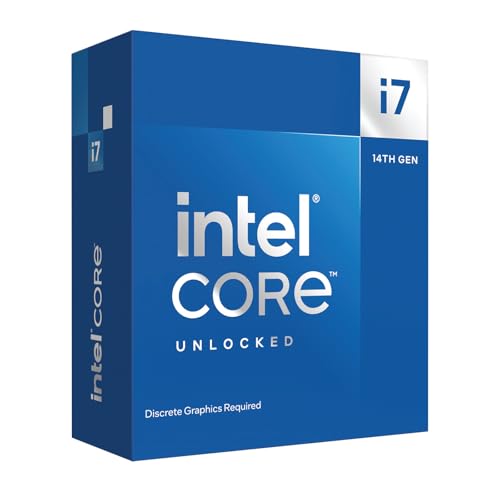
Intel Core i7-14700KF Desktop Processor
STGAubron Gaming PC Desktop RX 580 8G

STGAubron Gaming PC Desktop Core i7 8th Gen GTX 1660S

Acer Nitro V Gaming Laptop RTX 4050 15.6-inch 165Hz

STGAubron Gaming PC Desktop RX 560 4G 32G RAM
GIGABYTE Gaming A16 Laptop RTX 5060
More Details On Our Top Picks
For demanding portable gaming, the ASUS ROG Strix G16 brings an Intel Core i7-14650HX processor and RTX 5060 graphics into a 16-inch chassis. Its FHD+ panel uses a 165Hz refresh rate, meaning the image updates 165 times per second, while the 3ms response figure supports quick on-screen transitions for competitive play.
The 16GB DDR5 memory and 1TB PCIe 4.0 solid-state drive give you useful room for games and everyday software. Compared with the Acer Nitro V, this model has a faster graphics tier and Wi-Fi 7, though the larger chassis may feel less convenient in a crowded backpack.
Strong Points
- RTX 5060 graphics suit demanding modern games better than the RX 580 and RX 560 desktops.
- The 165Hz, 3ms display makes fast camera movement easier to follow.
- One-terabyte PCIe 4.0 storage gives you practical space for a sizeable game library.
- Tool-free access may simplify memory or storage service, based on the supplied product context.
- RGB lighting and an esports-focused keyboard add useful control and visual customization.
Things To Consider
- A gaming laptop needs clear desk ventilation, and dust around the cooling openings can increase routine cleaning needs.
- The 16-inch size offers more screen area but takes up more travel space than the 15.6-inch Acer Nitro V.
Key Specs
Who It Suits Best
You get the strongest fit as a competitive gamer who needs a portable machine with a fast screen and current dedicated graphics.
Consider Something Else When
Custom desktop builders get more flexibility from the Intel Core i7-14700KF processor and a separately chosen graphics card.
A custom desktop gives you control that a sealed laptop cannot, and the Intel Core i7-14700KF is aimed at that kind of project. It has 20 cores, divided into eight performance cores and 12 efficiency cores, so game play, streaming, and heavier desktop work can share the system more comfortably.
The unlocked design allows tuning for experienced builders, while PCIe 5.0 and PCIe 4.0 support keeps newer expansion hardware in the conversation. The catch is significant: the KF version has no processor graphics, so you need a separate graphics card and a compatible motherboard.
What We Like
- Twenty cores provide strong headroom for gaming alongside streaming or creation work.
- Support for DDR4 and DDR5 lets you plan around different memory platforms.
- Compatibility with Intel 600 and 700 Series boards expands motherboard choices, with a BIOS update potentially required.
Worth Noting
- No integrated graphics means the complete system requires a separate graphics card.
- The 125W base power figure calls for careful cooler and case planning.
- Unlocked tuning can add setup work and heat management for beginners.
Feature Snapshot
Made For
You benefit most as an experienced desktop builder planning a gaming, streaming, and productivity system around a separate graphics card.
Not Your Match When
You get a quicker start with the ASUS ROG Strix G16, especially when you want a complete portable system rather than individual components.
A ready-built tower can remove the assembly hurdle, and this STGAubron pairs an unspecified Core i7 with RX 580 8G graphics, 16GB RAM, and a 512GB SSD. That combination gives you a straightforward home setup for lighter gaming, school tasks, and general desktop use without choosing each internal part.
Compared with the GTX 1660S model later in this list, the RX 580 version offers more listed graphics memory but comes from an older graphics tier. You may find the 512GB drive fills quickly after several large installs, so external storage or future expansion deserves a place in your desk plan.
Highlights
- Dedicated RX 580 8G graphics provide a clear step above processor-only gaming.
- Sixteen gigabytes of RAM handle everyday work and mainstream game sessions comfortably.
- A desktop tower is easier to position, clean, and service than a gaming notebook.
Trade Offs
- The unspecified Core i7 generation makes direct performance comparison harder.
- 512GB of storage leaves less room for a growing game library.
Quick Facts
Right Fit For
You get the clearest match as a first-time desktop gamer who wants a ready-made tower for home, school, and lighter game sessions.
A Better Fit Elsewhere
The Acer Nitro V suits students who need portable gaming and a specified 165Hz display for commuting between locations.
Streaming, home study, and gaming all point toward a desktop with flexible connections, and this STGAubron model lists a GTX 1660S 6G, 16GB DDR4, and a 512GB SSD. Its stated 4.1GHz Core i7 speed and Windows 11 Home make the tower approachable for a mixed-use desk.
Wi-Fi 6 and Bluetooth 5.2 help reduce cable clutter, while DisplayPort and HDMI support can suit a multi-screen workstation. Compared with the RX 580 tower, the GTX 1660S has less listed graphics memory, and the eighth-generation processor is an older platform, so demanding new releases may require more modest settings.
Upsides
- GTX 1660S graphics offer dedicated rendering for gaming and basic editing.
- Wi-Fi 6 and Bluetooth 5.2 make a tidy home setup easier.
- DisplayPort, HDMI, and listed 4K output support multiple display arrangements.
- ARGB fans add adjustable visual character without changing the tower footprint.
Room For Improvement
- The eighth-generation Core i7 platform has less long-term headroom than newer processor options.
- As with any desktop tower, periodic dust removal around fans supports steadier airflow.
- 512GB can feel tight for game installs plus video projects.
At A Glance
Best Suited To
You get a sensible match as a home user who wants gaming, streaming, schoolwork, and light editing in one desktop tower.
Another Choice May Suit
The STGAubron RX 560 desktop suits multitaskers who place more value on 32GB RAM than on stronger graphics hardware.
The Acer Nitro V keeps the portable gaming brief straightforward with a 15.6-inch FHD IPS panel, 165Hz refresh rate, and RTX 4050 laptop graphics. Its Intel Core i7-13620H processor, 16GB DDR5 memory, and 1TB Gen 4 SSD give you a balanced base for gaming, study, and daily productivity.
Compared with the ASUS ROG Strix G16, the RTX 4050 sits at a lower graphics tier, but the Acer’s smaller screen size can fit more easily into a commuter bag. You may find the backlit keyboard useful in dim rooms, while Wi-Fi 6 keeps wireless networking current without matching the ASUS’s newer Wi-Fi 7 support.
Bright Spots
- The 165Hz IPS screen gives fast games smoother visual motion.
- One-terabyte Gen 4 storage leaves useful room for games and coursework.
- DDR5 memory supports responsive multitasking in a portable format.
- The backlit keyboard helps you see controls in low-light rooms.
- The 15.6-inch chassis offers a more manageable travel size than the 16-inch ASUS.
Points To Note
- RTX 4050 graphics provide less headroom than the RTX 5060 laptops.
- Gaming laptops commonly need clear airflow around their underside, which can complicate soft-surface use.
Technical Sheet
Who Will Love This
You get the strongest fit as a student, commuter, or beginner who needs one portable system for gaming and everyday work.
Look Elsewhere When
The GIGABYTE Gaming A16 suits you better when a 1920×1200 screen and RTX 5060 graphics matter more than a slightly smaller travel profile.
Thirty-two gigabytes of RAM makes this STGAubron tower stand apart from the other ready-made desktops here. RAM is short-term working memory, so that capacity helps you keep more browser tabs, editing tools, and background apps open while gaming, although the RX 560 4G graphics point toward lighter game settings.
The 512GB SSD, Wi-Fi 6, Bluetooth 5.0, HDMI, and DisplayPort create a useful everyday workstation. Compared with the GTX 1660S tower, this model gives you twice the listed memory but less graphics capability, so the honest fit favors multitasking over demanding visual performance.
Plus Points
- 32GB RAM is useful for streaming, editing, study, and heavy browser multitasking.
- RX 560 4G graphics support dedicated game rendering for lighter titles.
- Wi-Fi 6 and Bluetooth 5.0 simplify wireless desk setup.
- HDMI and DisplayPort support flexible monitor placement.
Small Caveats
- RX 560 graphics are a limiting factor for demanding modern games.
- The 512GB SSD may require storage management once projects and games accumulate.
- Desktop airflow and dust cleaning remain part of routine ownership.
Feature Rundown
Whose Shelf It Belongs On
You get the right match as a multitasker who values high memory capacity for home, school, streaming, and lighter gaming.
Reach For A Different Pick
The STGAubron RX 580 desktop fits you better when stronger listed graphics hardware matters more than 32GB of RAM.
The GIGABYTE Gaming A16 combines RTX 5060 graphics with an Intel i7-13620H processor, 16GB DDR5 memory, and a 1TB SSD. Its 1920×1200 WUXGA display adds vertical pixels beyond standard Full HD, which can make school documents and creative software feel less cramped while still serving game play.
Compared with the ASUS ROG Strix G16, this laptop uses the same listed graphics class but a different processor and screen format. You may find the 165Hz panel appealing for fast games, while the 16-inch size remains better suited to desk use than frequent small-bag travel.
Best Bits
- RTX 5060 graphics give demanding games a strong portable foundation.
- The 1920×1200 WUXGA panel adds useful workspace above standard 1080p.
- A 165Hz refresh rate supports fluid movement during quick matches.
- 16GB DDR5 and a 1TB SSD balance responsive use with storage capacity.
Areas To Watch
- The 16-inch format can be less convenient for daily public transit.
- As with the ASUS, keeping the underside clear helps maintain sensible cooling airflow during long sessions.
Details At A Glance
Built With In Mind
You get the best fit as a student or professional who wants high-end portable graphics alongside extra screen workspace.
Swap It Out When
The Acer Nitro V suits you better as a commuter who prefers a smaller 15.6-inch display and a more modest graphics tier.
How To Choose The Right I7 For Gaming
Start With The Form Factor
A laptop makes sense for dorm rooms, shared homes, and commuting because the screen, keyboard, battery, and computer travel together. The ASUS ROG Strix G16, Acer Nitro V, and GIGABYTE Gaming A16 all save you from choosing a separate monitor, but their 15.6-inch or 16-inch bodies need clear desk ventilation during long sessions.
A desktop tower suits a permanent gaming station better. You can clean the interior more directly and replace selected components later, though you also need a monitor, keyboard, mouse, and suitable cooling plan.
Match The Graphics Card To Your Games
The processor matters, but the graphics card usually carries the largest share of visual rendering. RTX 5060 options such as the ASUS and GIGABYTE offer a newer dedicated graphics tier than the RTX 4050 Acer, while the RX 580, GTX 1660S, and RX 560 towers fit more modest expectations.
Graphics memory, measured in gigabytes, stores assets used during rendering. More capacity can help with larger textures, but the GPU generation and overall architecture still matter, so you shouldn’t compare memory numbers alone.
Check The Screen Before The CPU
A 165Hz display refreshes the image 165 times each second, making fast movement appear smoother than a lower-refresh panel. The 3ms figure on the ASUS describes pixel response timing, while the GIGABYTE’s 1920×1200 resolution gives you extra vertical room for documents and editing timelines.
For a tower, screen quality depends on the monitor you add. That flexibility helps you choose a larger panel or a higher resolution later, but the final desk experience depends on another purchase.
Leave Room For Your Workflow
Sixteen gigabytes of RAM remains a sensible starting point for gaming and everyday apps. The STGAubron RX 560 model lists 32GB, which suits extensive multitasking, while the Intel Core i7-14700KF gives custom builders a processor with 20 cores and support for DDR4 or DDR5 platforms.
Storage matters just as much. A 1TB SSD gives you more breathing room than a 512GB drive, especially once game files, recordings, creative projects, and system software share the same space.
Before You Settle On A Setup
Mistakes Worth Dodging
Don’t treat every Core i7 label as equal. Generation, core layout, graphics pairing, display refresh, and memory type change the experience, so compare the complete configuration rather than the processor name alone.
A standalone processor also isn’t a complete computer. The i7-14700KF has no processor graphics, meaning you need a discrete graphics card, compatible motherboard, memory, storage, cooling, and a case before you can play.
Where The Extra Money Goes
Higher-tier gaming laptops usually combine newer graphics hardware with faster displays, larger solid-state drives, and more current wireless standards. That extra capability makes sense for demanding games, competitive play, or several years of use without immediately replacing the system.
A custom processor upgrade pays off most when you already own compatible parts or need strong multitasking for streaming and editing. A ready-made tower remains more sensible for a straightforward home setup, especially when assembly and component matching would add unnecessary work.
The Takeaway
You get the strongest portable gaming balance from the ASUS ROG Strix G16 or GIGABYTE Gaming A16, while the Acer Nitro V keeps the same basic idea in a more modest configuration. Desktop users can choose between ready-made STGAubron towers for different priorities, or build around the Intel Core i7-14700KF for greater control. Match the graphics card, display, memory, and storage to your actual routine, then choose the format that fits your space. That approach keeps your gaming setup useful long after the first installation.
