
Choosing among I7 Processors gets complicated once socket type, graphics support, memory, and core layout enter the picture. You need a clear match for your motherboard and workload, whether you’re refreshing an older office PC, building a gaming system, or editing video at home. Newer options offer more cores and modern memory support, while older chips can make sense for a carefully matched platform. The shortlist below separates those trade-offs so you can spend your attention on compatibility and real-world use rather than confusing model names.
The Shortlist At A Glance
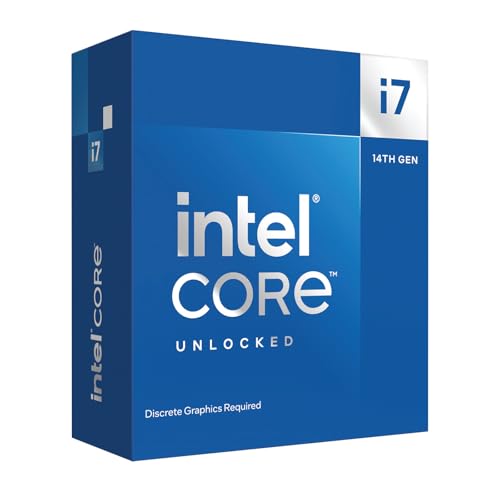
Intel Core i7-14700KF Gaming Desktop Processor 20 Cores

Intel Core Ultra 7 Desktop Processor 265KF 20 Cores

Intel Core i7-11700KF Desktop Processor 8 Cores

Intel Core i7-7700 Desktop Processor 4 Cores (Renewed)

Intel Core i7-11700F Desktop Processor 8 Cores

Intel Core Ultra 7 Processor 270K Plus 24 Cores

Intel Core i7-12700 Dodeca-core Processor Retail Pack
More Details On Your Top Picks
Gaming, streaming, and heavy multitasking all benefit from the 20-core layout here. The eight P-cores handle demanding foreground work, while 12 E-cores, meaning efficiency-focused cores for background tasks, help keep recording, browsers, and utilities moving. You’ll need a separate graphics card because the KF designation means integrated processor graphics aren’t included.
Compared with the eight-core i7-11700KF, this chip gives a newer build considerably more multitasking headroom. PCIe 5.0 and 4.0 support covers current expansion needs, while DDR4 and DDR5 compatibility gives you more flexibility during a platform refresh. For most gaming desktops, the honest trade-off is the need for suitable cooling and a compatible 600 or 700 series board.
Strong Points
- Twenty cores suit gaming alongside streaming, rendering, or large background workloads.
- Unlocked operation gives experienced builders room to tune performance.
- DDR4 support can reduce the disruption of upgrading an existing compatible system.
- PCIe 5.0 support leaves room for newer expansion hardware.
- Intel Turbo Boost Max Technology 3.0 can favor demanding tasks with higher burst speeds.
Things To Consider
- A discrete graphics card is required, so the complete system budget extends beyond the processor.
- Owners should plan careful cooler installation and airflow for a 125W desktop chip.
Key Specs
Who It Suits Best
Choose it for a gaming or creator desktop where high multitasking capacity matters more than integrated graphics.
Consider Something Else When
Intel Core Ultra 7 Desktop Processor 265KF suits a new DDR5 system better when you prefer the newer 800-series platform.
A fresh desktop build gets a straightforward foundation from this 20-core Core Ultra 7. Its 5.5 GHz maximum frequency is a stated ceiling for burst workloads, while PCIe 5.0 and DDR5 support point toward a current-generation platform. Like the first pick, the 265KF has no processor graphics, so a separate graphics card belongs in your parts plan.
The key difference appears at the motherboard level: this model requires an Intel 800 Series chipset board, rather than the 600 or 700 series options associated with the i7-14700KF. You may find that limitation helpful rather than restrictive during a new build, since it keeps the platform choice focused. Existing-system upgrades need more care, because an older board won’t provide the required socket and chipset match.
What We Like
- Twenty cores give demanding desktop software room to run beside everyday apps.
- DDR5-only support aligns with a current memory platform.
- PCIe 5.0 and 4.0 support suits fast storage and expansion planning.
Worth Noting
- Its 800 Series motherboard requirement makes it a poor drop-in refresh for older systems.
- A dedicated graphics card remains necessary, and installation needs a suitable cooler.
- DDR5-only compatibility removes the option to reuse DDR4 modules.
At A Glance
Made For
It suits you best as the centerpiece of a new DDR5 gaming, streaming, or content-creation desktop.
Not Your Match When
Intel Core i7-12700 Dodeca-core Processor Retail Pack is a better fit for a more established 12th-generation system with integrated graphics.
An LGA1200 desktop already equipped with a suitable 500-series or select 400-series board can gain a useful step up from this unlocked eight-core chip. The unlocked design targets enthusiasts who understand BIOS tuning, while Turbo Boost Max Technology 3.0 helps prioritize demanding bursts. Since the KF model lacks processor graphics, your build must include a discrete graphics card.
Compared with the 65W i7-11700F, this version has a higher 125W processor base power and arrives without a thermal solution. Depending on your case airflow and cooler, you may find the extra tuning flexibility more valuable than the simpler installation offered by the F model. The practical catch is platform age, so a new system may make more sense with one of the newer 20-core choices.
Highlights
- Eight cores remain suitable for gaming, creation, and everyday multitasking.
- Unlocked operation gives capable PC builders manual performance-tuning options.
- PCIe 4.0 support works with compatible current-generation storage and graphics hardware.
- Turbo Boost Max Technology 3.0 favors demanding burst workloads.
Trade Offs
- No included thermal solution means cooler selection and installation are your responsibility.
- Its 500-series and select 400-series compatibility narrows motherboard choices.
Technical Sheet
Right Fit For
It fits experienced builders refreshing an LGA1200 gaming desktop who already plan to install a separate cooler and graphics card.
Look Elsewhere When
Intel Core i7-11700F Desktop Processor 8 Cores suits you more when an included thermal solution and lower base power matter.
Older office desktops and home PCs can still benefit from a carefully matched replacement, and this renewed i7-7700 keeps that task straightforward. Four cores and eight threads handle browsing, documents, media playback, and modest creative work, while Intel UHD Graphics 630 can provide display output without a separate graphics card. Its 65W rating also suits compact cases that aren’t designed around a large cooler.
The limitation is platform age: compatibility is restricted to Intel 100 or 200 Series chipset motherboards using the LGA1151 socket. Compared with the i7-11700F, you get fewer cores and older memory support, but you also avoid the discrete graphics requirement. For an existing compatible desktop, that focused fit may be more useful than rebuilding around a modern board.
Upsides
- Integrated UHD Graphics 630 can run displays without a separate graphics card.
- Four cores and eight threads cover routine home and office workloads.
- 65W operation aligns with modest cooling requirements.
Room For Improvement
- Renewed condition makes careful listing review and installation inspection sensible.
- 100 and 200 Series chipset compatibility limits this chip to older platforms.
- DDR4-2133/2400 or DDR3L support is less flexible than newer memory platforms.
Quick Facts
Who Will Love This
You’ll benefit most as an owner of a compatible older desktop seeking a practical replacement for office, media, or light home use.
A Better Fit Elsewhere
Intel Core i7-12700 Dodeca-core Processor Retail Pack suits a new 12th-generation build with heavier multitasking needs.
For an LGA1200 desktop that needs a sensible eight-core replacement, the i7-11700F keeps the setup less complicated than the unlocked KF version. Its included thermal solution reduces the number of separate parts to plan, and the 65W base power suits a broad range of standard desktop cases. You still need a discrete graphics card because this processor has no integrated graphics.
Its 4.9 GHz maximum frequency and PCIe 4.0 support cover gaming, productivity, and moderate creation tasks. The trade-off becomes clear beside the i7-14700KF: you get fewer cores and an older platform, but you may find the simpler cooler arrangement preferable for a straightforward home build. Intel Optane Memory support adds another platform-specific feature for compatible setups.
Bright Spots
- Eight cores support gaming, productivity, and everyday creative software.
- Included thermal hardware simplifies parts planning and installation.
- 65W base power is a practical match for many standard desktop cases.
- PCIe 4.0 support works with compatible graphics and storage components.
Points To Note
- A separate graphics card is required for display output.
- 500-series and select 400-series chipset support limits motherboard compatibility.
- The included thermal solution may leave less headroom for aggressive tuning than a larger aftermarket cooler.
Feature Snapshot
Best Suited To
This processor suits you as a home desktop builder who wants eight cores, an included thermal solution, and an existing compatible motherboard.
Swap It Out When
Intel Core i7-7700 Desktop Processor 4 Cores (Renewed) fits better for an older compatible system that needs integrated graphics.
Twenty-four cores give this Core Ultra 7 a clear role in enthusiast desktops where gaming shares space with rendering, encoding, or large project files. The layout uses eight P-cores and 16 E-cores, expanding background-work capacity beyond the 20-core models above. PCIe 5.0 and DDR5 support also make it a forward-looking choice for a new build.
You’ll need an Intel 800 Series motherboard with the LGA1851 socket, so this isn’t a casual processor swap. The stated 5.5 GHz ceiling and support for DDR5 memory speeds up to 7200 MT/s appeal to performance-focused builders, though memory selection and cooling deserve careful planning. For most home users, the extra cores may sit idle, but creators with sustained parallel workloads can put them to work.
Reasons To Buy
- Twenty-four cores provide substantial capacity for enthusiast gaming and creator workloads.
- Sixteen E-cores help separate background activity from demanding foreground tasks.
- DDR5 support up to 7200 MT/s suits carefully configured high-speed memory builds.
- PCIe 5.0 and 4.0 support accommodates newer expansion hardware.
- LGA1851 and 800 Series support establish a current desktop platform.
Small Caveats
- The 125W base power calls for thoughtful cooler and airflow planning.
- Its newer socket and chipset require a fresh platform rather than an older-board refresh.
Core Details
Built With In Mind
Choose it for a new enthusiast workstation or gaming desktop where sustained creation work justifies the larger core layout.
Reach For A Different Pick When
Intel Core i7-14700KF Gaming Desktop Processor 20 Cores is a better fit for a compatible DDR4 or DDR5 build with a less demanding platform change.
A 12-core desktop processor can make a comfortable middle ground for home work, gaming, and creative applications. The i7-12700 belongs to Intel’s 12th-generation family and uses a hybrid design that combines performance and efficiency cores, giving you more multitasking flexibility than the four-core i7-7700. The retail-pack format also makes it a natural starting point for a complete compatible build.
Compared with the 11th-generation i7-11700F, this chip brings a newer platform and a larger total core count. You may find it especially appealing for a family desktop that handles office work by day and editing or gaming after hours. Check the exact motherboard and graphics arrangement before installation, since the processor’s broader platform requirements still matter more than the familiar i7 name.
Plus Points
- Twelve cores provide useful room for gaming, office work, and creation.
- The hybrid core arrangement separates high-demand tasks from background activity.
- Its 12th-generation platform gives a stronger starting point than older i7 systems.
Areas To Watch
- Motherboard compatibility should be confirmed before you plan the rest of the build.
- Heavy workloads still call for careful cooler and case-airflow selection.
Feature Rundown
Whose Shelf It Belongs On
It suits you as a home user building a versatile 12th-generation desktop for work, gaming, and moderate creative tasks.
Where A Sibling Pick Shines
Intel Core Ultra 7 Processor 270K Plus 24 Cores suits a professional creator more when large parallel workloads justify a newer high-core-count platform.
How To Choose The Right I7 Processors
Start With Socket And Chipset
Your motherboard determines whether a processor can physically and electrically work in your system. LGA1200 options such as the i7-11700F and i7-11700KF belong with Intel 500 Series and select 400 Series boards, while the i7-7700 requires LGA1151 hardware based on Intel 100 or 200 Series chipsets.
Newer platforms need a full parts check. The Core Ultra 7 265KF and 270K Plus require Intel 800 Series boards, with the latter using LGA1851. A familiar “i7” label doesn’t override socket compatibility, so check the exact motherboard model before planning an upgrade.
Match Graphics Support To Your PC
A processor with an F or KF suffix lacks integrated processor graphics in this selection. That means you need a separate graphics card for display output, which matters in a gaming tower but adds another component to an office build.
The i7-7700 includes Intel UHD Graphics 630, giving you a simpler route for documents, streaming, and basic desktop display use. For a compact home PC, integrated graphics can matter more than a higher core count that your daily software won’t use.
Count Cores For Your Workload
P-cores are performance-focused cores designed for demanding foreground work. E-cores handle lighter or background activity efficiently, so a hybrid chip with more total cores can keep encoding, browsers, game launchers, and communication apps moving together.
Eight cores remain a sensible target for gaming and general creation, while 12, 20, or 24 cores make more sense for video exports, 3D work, compiling, and heavy multitasking. A family desktop used mainly for web browsing won’t gain much from paying for capacity that remains unused.
Plan Memory And Cooling Together
DDR4 support on the i7-14700KF can help you reuse compatible memory, while the Core Ultra choices require DDR5. DDR5 can support newer platforms and higher transfer rates, but it also means replacing older modules during a rebuild.
Power and cooling deserve equal attention. The 125W models need sensible airflow and cooler planning, while the 65W i7-11700F and i7-7700 are easier matches for modest cases. Unlocked chips also appeal to experienced tuners, though extra adjustment adds setup work and heat-management responsibility.
Things Worth Knowing First
Mistakes Worth Dodging
Socket names can look similar while describing incompatible platforms, so verify the motherboard socket and chipset as a pair. You also need to check graphics support: an F or KF processor requires a separate graphics card, whereas the i7-7700 includes integrated graphics.
Memory reuse can create another mismatch. DDR4 and DDR5 modules aren’t interchangeable, and the Core Ultra models in this list require DDR5. Finally, confirm cooler inclusion before opening your case, since the i7-11700KF does not include a thermal solution while the i7-11700F does.
Where The Extra Money Goes
Higher-tier processors generally charge you for more cores, newer sockets, faster platform support, or more room for demanding workloads. That extra capacity matters for creators exporting large projects, streamers running several applications, and enthusiasts planning a long-lived desktop.
You won’t necessarily benefit during light office work or casual browsing. A lower-core option with integrated graphics or an included thermal solution can leave your setup easier to complete, especially for a basic home PC.
Final Verdict
You can narrow this list quickly by starting with your motherboard, graphics plan, and workload rather than the i7 label alone. The i7-14700KF suits a powerful DDR4 or DDR5 desktop, while the Core Ultra models belong in newer DDR5 builds. Older systems may benefit more from the i7-7700 or i7-11700F, and the i7-12700 gives you a balanced middle path. Choose the processor that matches your parts, then build around its cooling and memory requirements.
