
Older desktops can still handle office work, light media tasks, and classic games when you pair the right processor with a compatible motherboard. You need to match the LGA 775 socket, front-side bus, chipset support, cooling setup, and firmware before placing an order. This roundup covers dual-core and quad-core options for repairs, budget refurbishments, and small home-server projects, while also flagging one modern Intel option that does not fit an LGA 775 system. You’ll find the clearest match for your existing hardware, whether you need a simple replacement or more multi-tasking headroom.
The Shortlist At A Glance

Intel Core 2 Duo E8400 3GHz Dual-Core Processor

Intel Core 2 Quad Q6600 Quad-Core Processor LGA 775

Intel Core 2 Duo E8600 3.33GHz Desktop Processor

Intel Core Ultra 7 Processor 270K Plus
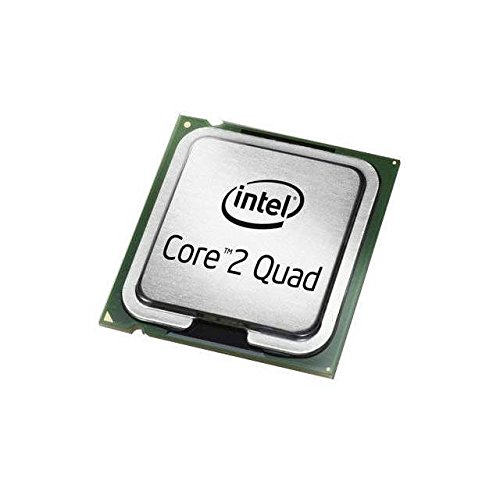
Intel Core 2 Quad Q9550 Processor 2.83GHz LGA 775

Intel Core 2 Duo E7500 Processor 2.93 GHz LGA775

Intel Core 2 Duo E8400 3GHz Desktop Processor LGA-775
More Details On Our Top Picks
A 3.0 GHz dual-core layout gives you a sensible route back to a working office PC, especially for web browsing, documents, and older software. The 1333 MHz bus, meaning the data pathway between processor and chipset, suits many late-generation LGA 775 boards.
You also get 6 MB of L2 cache, a small high-speed memory pool that helps repeated instructions move efficiently. You may find the two-core design limiting during heavy video work, but its modest 65-watt thermal design power can simplify cooling in a cramped refurbished case.
Strong Points
- 3.0 GHz speed keeps basic desktop tasks responsive.
- 1333 MHz bus aligns with compatible performance-oriented LGA 775 boards.
- 6 MB cache supports commonly repeated workloads.
- 65-watt thermal design power can ease cooler selection and case airflow planning.
Things To Consider
- Two cores leave less headroom than the Q6600 or Q9550 during sustained multi-tasking.
- Processor-only listings may require you to reuse or source a compatible cooler.
Key Specs
Who It Suits Best
You’ll get the best fit as a home-office user restoring a compatible LGA 775 desktop for browsing, documents, and light legacy software.
Where Another Pick Suits Better
Choose Intel Core 2 Quad Q9550 for heavier multi-tasking, video work, or a workstation that benefits from four cores.
Four physical cores make the Q6600 a more comfortable choice for an older workstation that stays busy with several applications. Intel’s wide dynamic execution approach is intended to let the processor handle more instruction work efficiently, while Smart Memory Access focuses on keeping data available to the cores.
Compared with the dual-core E8400, you gain multi-tasking capacity rather than a higher clock speed. The honest trade-off is a greater need to verify your motherboard support and cooling arrangement, particularly in a system that has spent years collecting dust.
What We Like
- Four cores are useful for office software, background tasks, and older creation workloads.
- Smart Memory Access supports steadier data movement across compatible systems.
- G0 stepping is identified in the supplied listing, helping you match the intended revision.
Worth Noting
- Its 2.40 GHz clock is lower than the E8400 and E8600, so lightly threaded tasks may not feel as quick.
- You should clean the cooler and renew thermal compound during installation on an older tower.
- Quad-core operation can place more demand on aging power delivery and case airflow.
Feature Snapshot
Made For
You’ll appreciate this option in a compatible older workstation used for multi-window office work and moderate legacy applications.
Consider Something Else When
Pick Intel Core 2 Duo E8600 for a simpler, higher-frequency setup focused on lightly threaded desktop programs.
At 3.33 GHz, the E8600 gives you the highest listed clock speed among the LGA 775 dual-core options here. Its 1333 MHz front-side bus, the link between the CPU and chipset, pairs naturally with a suitable Socket T board for quick-feeling everyday interaction.
You also receive 6 MB of L2 cache, which can help repeated desktop instructions stay close at hand. You may find the two-core ceiling noticeable in modern multi-threaded software, yet the chip makes sense for a focused legacy gaming or office build where single-task responsiveness matters more than parallel workload capacity.
Highlights
- 3.33 GHz clock speed suits lightly threaded applications.
- 1333 MHz bus supports compatible higher-speed LGA 775 configurations.
- 6 MB L2 cache gives frequently used instructions a nearby fast-memory area.
- OEM format can suit a repair project that already has a cooler.
- Useful choice for a quiet, focused legacy desktop workload.
Trade Offs
- Two cores provide less multi-tasking headroom than the Q9550.
- OEM packaging means you should confirm cooler and installation needs before checkout.
At A Glance
Right Fit For
You’re a refurbisher or retro-computing hobbyist seeking a fast dual-core replacement for a compatible LGA 775 board.
Not Your Match When
Choose Intel Core 2 Quad Q6600 for four-core capacity during heavier multi-application sessions.
The Core Ultra 7 270K Plus belongs in a completely different system class, with 24 cores divided into 8 performance cores and 16 efficiency cores. That design gives you substantial parallel capacity for current games, creative applications, and demanding desktop work, but it does not fit an LGA 775 motherboard.
You need an Intel 800-series chipset board with the LGA1851 socket, plus DDR5 memory and a compatible cooling plan. The listing also identifies PCIe 5.0 and PCIe 4.0 support, useful for modern expansion hardware, so this is a platform replacement rather than a repair part for an older tower.
Upsides
- 24-core arrangement suits substantial multi-threaded workloads.
- 8 performance cores and 16 efficiency cores separate high-demand and background processing roles.
- DDR5 support gives you access to a current memory platform.
- PCIe 5.0 and 4.0 support accommodates newer expansion devices.
- 5.5 GHz maximum speed is listed for fast burst performance.
Room For Improvement
- It cannot replace any LGA 775 processor without changing the motherboard and memory.
- The 125-watt base power calls for deliberate cooler and airflow planning.
- A platform rebuild costs more effort than installing a socket-matched legacy CPU.
Technical Sheet
Who Will Love This
You’re building a new enthusiast gaming or creator PC and no longer need to preserve an LGA 775 motherboard.
Look Elsewhere When
Choose Intel Core 2 Quad Q9550 when your goal is a direct LGA 775 replacement without rebuilding the platform.
The Q9550 gives you four cores, a 2.83 GHz clock, and a generous 12 MB L2 cache in one LGA 775-compatible package. Compared with the Q6600, the larger cache and 45 nm process suit a more refined late-generation upgrade for a workstation that still has useful life.
Its 1333 MHz front-side bus works best with a matching board and memory setup. You may find the 95-watt thermal design target less forgiving than the E8400, so cleaning the heatsink and applying fresh thermal compound deserves a place in your installation plan.
Reasons To Buy
- Four cores improve multi-tasking across office, media, and legacy workstation software.
- 12 MB cache gives repeated data and instructions more fast-access space.
- 2.83 GHz offers a useful balance between parallel work and everyday response.
- 45 nm construction identifies a later process generation than the Q6600.
Points To Note
- 95-watt thermal design power calls for a clean, properly mounted cooler.
- OEM format may leave you responsible for sourcing cooling hardware.
- Older motherboard firmware and power delivery still need a compatibility check.
Quick Facts
Best Suited To
You’re refurbishing an upper-tier LGA 775 workstation for multi-tasking, older media tools, or demanding legacy software.
A Better Fit Elsewhere
Choose Intel Core 2 Duo E8400 3GHz Dual-Core Processor for a lower-heat basic desktop repair.
For a basic socket repair, the E7500 keeps the specification straightforward: two cores at 2.93 GHz, a 1066 MHz front-side bus, and 3 MB of L2 cache. That combination can make sense for a family PC handling documents, web use, and older media playback.
Its 45 nm design and listed power-management features may help reduce unnecessary activity during lighter work. Compared with the E8400, the lower bus speed and smaller cache narrow the performance margin, but you may prefer this option for a modest replacement that avoids stretching an aging system.
Plus Points
- 2.93 GHz gives everyday applications a usable starting point.
- 45 nm architecture suits a later-generation LGA 775 repair.
- Intelligent Power Capability can switch off inactive processor sections.
Small Caveats
- 3 MB cache is smaller than the 6 MB found on both E8400 entries.
- 1066 MHz bus support may limit compatibility with boards configured for faster processors.
- Older sockets require careful pin-area handling and cooler cleaning during installation.
Details At A Glance
Whose Shelf It Belongs On
You’re restoring a low-demand home computer and need a dual-core LGA775 processor for routine software.
Reach For A Different Pick When
Choose Intel Core 2 Duo E8600 for a higher-frequency dual-core setup with a 1333 MHz bus.
This E8400 listing targets the same familiar 3.0 GHz dual-core class as the first item, with a 1333 MHz front-side bus and 6 MB L2 cache. For a repair bench, that makes you less likely to compromise everyday response simply to preserve an older LGA 775 system.
The listing identifies an OEM desktop processor, so your existing cooler and mounting hardware matter. Compared with the E7500, you gain bus speed and cache, while the Q9550 remains the stronger route for multi-threaded work; for a straightforward two-core replacement, this version stays sensible.
Best Bits
- 3.0 GHz frequency supports general desktop use.
- 1333 MHz bus suits compatible later LGA 775 boards.
- 6 MB cache gives you more fast-access space than the E7500.
- Two-core design keeps the intended repair relatively straightforward.
Areas To Watch
- It does not provide the four-core capacity of the Q6600 or Q9550.
- OEM presentation means you should confirm cooling hardware and thermal compound needs.
Core Details
Built With In Mind
You’re a refurbisher replacing a failed dual-core chip in a compatible LGA 775 desktop used for ordinary home or office work.
Swap It Out When
Choose Intel Core 2 Quad Q9550 for heavier multi-tasking and a larger cache on a compatible workstation.
How To Choose The Right Lga 775 Processors
Start With Socket And Board Support
LGA 775 identifies the physical CPU socket, but socket matching alone doesn’t settle compatibility. Check the motherboard manual or manufacturer support page for supported processor families, front-side bus speeds, and firmware requirements. A board built around a 1066 MHz bus may suit the E7500 more naturally, while a 1333 MHz model such as the E8400 or E8600 needs a board that can run that rate.
You also need to inspect the cooler mount, power connector, and case airflow. A used processor can arrive without the cooling hardware required for installation, especially in OEM listings.
Choose Cores For Your Workload
Two cores remain adequate for documents, browsing, older games, and focused media playback. The E8400 and E8600 put more emphasis on clock speed, which can feel useful in software that doesn’t divide tasks across many cores.
Four cores help more during simultaneous applications, background processes, and older workstation software. The Q6600 offers that broader capacity, while the Q9550 combines four cores with a 12 MB cache and a 2.83 GHz clock.
Match Heat And Maintenance Needs
Thermal design power describes the heat level a cooling solution needs to manage under the processor’s design target. The E8400 listing identifies 65 watts, which can make a compact repair easier to plan than the Q9550’s listed 95 watts.
You should clean accumulated dust from the heatsink, replace dried thermal compound, and confirm that the fan spins freely. Those steps matter more in a long-running refurbished desktop than small differences in headline frequency.
Know When To Leave LGA 775
The Core Ultra 7 270K Plus belongs to an LGA1851, DDR5, Intel 800-series platform. You cannot install it in an LGA 775 board, so its presence here serves as a clear dividing line between a processor replacement and a complete system rebuild.
A socket-matched chip makes sense for preserving an existing case, memory kit, and operating setup. A modern platform makes more sense for current gaming, creator workloads, newer expansion hardware, and longer-term software compatibility.
Things Worth Knowing First
Mistakes Worth Dodging
You can avoid the most common mismatch by checking the exact motherboard model before choosing a processor. Don’t rely on the shared LGA 775 label alone, because chipset support, firmware, bus speed, and power delivery still affect fit.
Also confirm whether the listing includes a cooler. OEM or processor-only formats may leave you with installation hardware to source, and an old cooler may need cleaning and fresh thermal compound before reuse.
The Upgrade Payoff
Higher-tier LGA 775 choices cost more because four cores, larger caches, and later process designs provide more useful capacity for demanding legacy workloads. The Q9550’s 12 MB cache and four-core layout give you a stronger workstation profile than a basic dual-core replacement.
Paying more makes sense for multi-tasking, older editing software, or a system that serves several roles. For documents, browsing, and light home use, the E7500 or E8400 can keep the upgrade focused without requiring a broader platform change.
Final Verdict
You’ll get the clearest LGA 775 match from the Intel Core 2 Duo E8400 for ordinary desktop repairs, while the E8600 suits a higher-frequency dual-core build and the Q9550 fits heavier multi-tasking. The Q6600 remains useful for four-core capacity, though your board and cooling setup need careful checking. Choose the Core Ultra 7 270K Plus only for a complete modern rebuild, since its LGA1851 platform cannot fit an older LGA 775 system. A careful socket, bus, and cooler check will make your upgrade far less frustrating.
