
A 1440p gaming PC needs enough CPU headroom to keep frame rates steady while your graphics card handles the larger resolution. You’ll also want a sensible match for your motherboard, memory type, cooling setup, and plans for streaming or content creation. This shortlist covers current Intel platforms, established AM4 options, and newer AMD chips with 3D V-Cache, a large cache design that can help game data stay close to the processor cores. Whether you’re upgrading an existing system or building from scratch, the right choice depends less on headline core counts and more on platform fit.
The Shortlist At A Glance
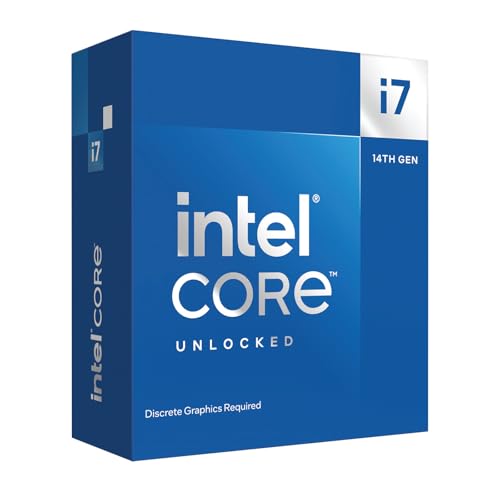
Intel® Core™ i7-14700KF Gaming Desktop Processor

AMD Ryzen™ 9 5900XT 16-Core Processor
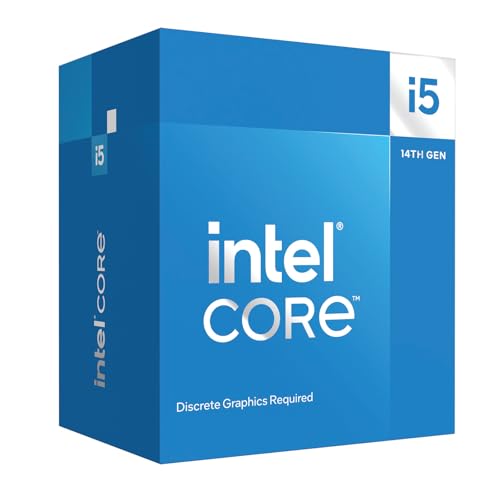
Intel Core i5-14400F LGA 1700 Processor

AMD Ryzen 7 5800X3D Desktop Processor

Intel® Core™ Ultra 7 Processor 270K Plus

AMD RYZEN 7 9800X3D Desktop Processor

AMD Ryzen 7 7800X3D Desktop Processor
More Details On Our Top Picks
For a desktop that handles gaming, streaming, and demanding applications, the i7-14700KF offers a substantial hybrid layout: 8 performance cores for demanding work and 12 efficiency cores for background tasks. That arrangement suits a busy setup where a game runs alongside voice chat, recording software, or a browser full of guides.
Support for DDR4 or DDR5 gives you more motherboard and memory-planning flexibility than the newer Ultra 7 option. You may find the platform choice easier to fit into an existing build, though the processor’s unlocked design makes a capable cooler and careful setup sensible.
Strong Points
- 20 total cores provide useful room for gaming alongside creative workloads.
- DDR4 and DDR5 compatibility can simplify a platform refresh.
- PCIe 5.0 and 4.0 support leaves room for newer expansion hardware.
- The unlocked design suits enthusiasts who want tuning options.
Things To Consider
- The KF designation means processor graphics aren’t included, so a separate graphics card is required for display output.
- High-core desktop workloads can make cooling and case airflow important ownership considerations.
Key Specs
Who It Suits Best
You’ll get the most from this chip in a gaming and creation desktop where multitasking matters as much as 1440p frame consistency.
Consider Something Else When
Choose the AMD Ryzen 7 9800X3D for a primarily gaming-focused new build centered on modern 3D V-Cache.
AM4 owners looking for more multithreaded capacity have a clear reason to consider the Ryzen 9 5900XT. Its 16 cores and 32 threads suit game streaming, video work, and large background workloads, while the Zen 3 architecture keeps it relevant for an established desktop platform.
Compared with the 5800X3D, this model leans toward broad productivity rather than a large gaming cache. You may find the upgrade path appealing for an existing DDR4 system, but a new build should account for AM4’s older platform position.
What We Like
- 16 cores and 32 threads provide strong multitasking capacity.
- DDR4-3200 support works with widely available AM4 memory kits.
- Unlocked operation gives experienced desktop builders tuning flexibility.
Trade Offs
- A cooler isn’t included, so installation requires a separate cooling solution.
- PCIe 4.0 and AM4 limit forward platform expansion compared with newer AM5 choices.
- Its productivity focus may be less appealing for a gaming-only system.
Feature Snapshot
Made For
You’re a strong match for this processor when you already own an AM4 desktop and divide your time between 1440p gaming and demanding multitasking.
Not Your Match When
The Intel Core i5-14400F suits a simpler first build better, especially for straightforward gaming without heavy creation workloads.
A new gaming desktop doesn’t always need a high-end core count, and the Core i5-14400F keeps the decision focused on the LGA 1700 platform. That makes it a sensible starting point for 1440p gaming paired with a capable graphics card, especially for a first-time builder who wants fewer moving parts.
Compared with the i7-14700KF, this is the more restrained option for everyday gaming. The listing provides limited detail beyond the model and socket, so you’ll need to verify motherboard compatibility and cooling requirements carefully before installation.
Highlights
- LGA 1700 identifies the motherboard socket you need before assembly.
- The Core i5 tier keeps a gaming build easier to scope.
Room For Improvement
- The supplied listing offers little detailed information for planning a complete system.
- The F-series designation makes graphics-card planning especially important.
- Heavy streaming and production workloads favor the higher-core options here.
Technical Sheet
Right Fit For
You’ll appreciate this option in a focused 1440p gaming desktop where practical platform planning matters more than heavy workstation performance.
Look Elsewhere When
The Intel Core i7-14700KF is a better fit for you when streaming, editing, and gaming frequently happen at the same time.
The Ryzen 7 5800X3D targets a very specific but useful situation: you already have an AM4 gaming desktop and want more game-focused capacity without changing the entire platform. Its 3D V-Cache uses stacked cache memory, giving the processor a large 96 MB L3 cache that can help game data access.
That focus separates it from the 5900XT’s 16-core productivity approach. You may find the eight-core, 16-thread layout ample for gaming and normal desktop work, although a new build deserves a look at the newer 7800X3D or 9800X3D first.
Upsides
- Large 96 MB L3 cache is designed around gaming workloads.
- Eight cores and 16 threads cover gaming, chat, and routine creation.
- AM4 and DDR4-3200 support make it relevant to established systems.
- PCIe 4.0 support fits compatible X570 and B550 motherboards.
- The upgrade path can avoid replacing an existing motherboard and memory kit.
Minor Gripes
- A cooler isn’t included, so you’ll need to plan installation hardware separately.
- Its AM4 foundation offers less future platform room than AMD’s AM5 choices.
At A Glance
Best Suited To
You’re the right match when your current AM4 gaming system needs a focused processor upgrade and you want to keep DDR4 memory.
Where A Sibling Pick Shines
The AMD Ryzen 7 7800X3D suits you better for a fresh AM5 build with newer platform support.
Intel’s Core Ultra 7 270K Plus is built for you when a new desktop needs a current enthusiast platform rather than an older socket. Its 24-core design combines 8 performance cores with 16 efficiency cores, giving gaming, streaming, and creator software plenty of parallel capacity.
The key commitment is the LGA1851 socket and Intel 800 Series motherboard requirement. That newer foundation brings DDR5-only memory support and PCIe 5.0 and 4.0 connectivity, though the platform cost and component selection may matter more here than with the flexible i7-14700KF.
Bright Spots
- 24 total cores suit demanding gaming and creation workloads.
- Up to 5.5 GHz supports quick response during lightly threaded tasks.
- DDR5 support aligns with a current-generation desktop build.
- PCIe 5.0 and 4.0 support gives expansion hardware more room.
Points To Note
- LGA1851 means you need an Intel 800 Series motherboard.
- DDR5-only support removes the older-memory flexibility offered by the i7-14700KF.
- At 125W base power, careful cooling and case planning remain sensible.
Core Details
Who Will Love This
You’ll suit this processor best as an enthusiast building a new DDR5 desktop for gaming, streaming, and creation work.
Swap It Out When
The AMD Ryzen 7 9800X3D is a stronger fit for you when gaming is the main task and cache-focused performance matters more than 24 cores.
High-refresh-rate 1440p gaming gives the Ryzen 7 9800X3D a clear role. The Zen 5 architecture and 96 MB L3 cache focus the design on quick game-data access, while eight cores and 16 threads leave practical room for voice chat, recording, and everyday desktop use.
Compared with the 7800X3D, this is the newer AM5 option in the pair, with a stated boost speed up to 5.2 GHz and improved thermal behavior described in the source material. You may find its focused layout less useful than Intel’s 24-core option for heavy rendering, but it makes strong sense for a gaming-first system.
Reasons To Buy
- Zen 5 processing gives this model a newer architectural foundation.
- 96 MB L3 cache is well matched to demanding game workloads.
- Eight cores and 16 threads support gaming with background applications open.
- AM5 platform compatibility gives new builds a modern starting point.
- The stated thermal improvements may help high-load ownership feel more manageable.
- Up to 5.2 GHz supports responsive desktop interaction.
Honest Caveats
- Its eight-core layout is less suited to heavily threaded creation than the Ultra 7 270K Plus.
- AM5 installation requires compatible motherboard and DDR5 planning.
Feature Rundown
Built With In Mind
You’ll benefit most as a serious 1440p gamer building a new AM5 desktop around high frame rates and modern platform components.
Another Choice May Suit
The AMD Ryzen 9 5900XT fits you better when an existing AM4 machine also needs strong rendering and multitasking capacity.
The Ryzen 7 7800X3D remains an appealing AM5 starting point for gaming because its eight cores and 16 threads keep the design focused rather than workstation-heavy. Its 3D V-Cache approach gives games a large nearby cache, while the 5 nm process and stated 2200 MHz graphics frequency round out the platform details.
Compared with the 9800X3D, you’re choosing the earlier Ryzen 7000 generation and its stated 89°C maximum operating temperature. That may be enough for a new 1440p gaming desktop, though the 9800X3D deserves attention for a more current build with a longer upgrade horizon.
Plus Points
- Eight cores and 16 threads suit gaming, chat, and normal desktop tasks.
- 3D V-Cache adds substantial built-in memory for game workloads.
- AM5 platform support gives new builds a current motherboard foundation.
- The 5 nm process is associated with a compact modern chip design.
Small Caveats
- The newer 9800X3D may appeal more for a fresh high-end system.
- The stated maximum operating temperature makes sensible cooling and airflow planning worthwhile.
Quick Facts
Whose Shelf It Belongs On
You’re well matched with this processor as a new AM5 gaming builder seeking a focused 1440p setup without moving into a larger core-count design.
Reach For A Different Pick When
The AMD Ryzen 7 9800X3D is a better fit for you when you want the newer Zen 5 generation and plan to keep the system for demanding future games.
How To Choose The Right Processors For 1440p Gaming
Match The CPU To Your Graphics Card
At 1440p, the graphics card usually carries more of the rendering workload than it does at lower resolutions. That doesn’t make the processor unimportant: a weaker chip can still limit high-refresh gaming, create uneven frame pacing, or struggle while streaming.
A balanced system pairs the CPU tier with your target refresh rate. Competitive players using a fast monitor may value the 7800X3D or 9800X3D, while mixed-use desktops can benefit from the i7-14700KF or Ultra 7 270K Plus.
Count Cores, Threads, And Cache Together
A core is an individual processing unit, while a thread is a stream of work the processor can manage. More cores and threads help with streaming, editing, and multitasking, but game performance also depends heavily on architecture, clock behavior, and cache.
Cache is fast memory built close to the processor cores. AMD’s X3D models place particular emphasis on cache capacity, which makes them attractive for game-focused systems, while the 5900XT’s 16-core design favors broader multithreaded work.
Check The Socket Before You Shop
Socket compatibility comes first. Intel’s i5-14400F and i7-14700KF use LGA 1700, the Ultra 7 270K Plus requires LGA1851 and an Intel 800 Series chipset, AM4 options use older AMD motherboards, and the 7800X3D and 9800X3D target AM5 builds.
Memory support matters just as much. DDR4 can lower the disruption of an AM4 upgrade or i7 platform refresh, while DDR5 belongs in your planning for newer Intel Ultra and AMD AM5 systems.
Plan Cooling And Daily Use
Unlocked processors give you tuning flexibility, but that flexibility makes cooling, airflow, and motherboard power delivery more important. You’ll want a case with sensible ventilation and a cooler selected for the processor’s stated power profile.
For a quiet office and gaming PC, avoid paying for core capacity you won’t use. For a workstation that also plays games, the extra threads in the 5900XT, i7-14700KF, or Ultra 7 270K Plus can make the broader system feel more capable.
Before You Commit To A Processor
Mistakes Worth Dodging
A common mistake is choosing the processor before checking the motherboard socket and memory type. LGA 1700, LGA1851, AM4, and AM5 are not interchangeable, so your platform decision needs to come first.
Another slip is overlooking graphics planning with an F-series Intel chip. You’ll also need to account for cooling hardware, since the AMD processors listed here specify that a cooler isn’t included on the relevant models.
Where The Extra Money Goes
Higher-tier models generally give you more cores, newer architectures, larger cache pools, or a newer memory and expansion platform. That extra capacity matters during streaming, rendering, and high-refresh gaming, but it won’t improve every workload equally.
Spend more when you’ll use the added threads, need a longer-lived platform, or want a gaming-focused X3D design. A simpler 1440p desktop can stay more sensible with the Core i5-14400F, provided the rest of the system matches your display and graphics card.
Final Verdict
You’ll find the right processor by matching platform, graphics card, refresh target, and workload rather than chasing the largest number on the box. The Ryzen 7 9800X3D and 7800X3D suit gaming-first AM5 builds, while the i7-14700KF and Ultra 7 270K Plus bring broader multitasking strength. AM4 owners have focused upgrade paths in the 5800X3D and 5900XT, and the Core i5-14400F keeps a new build straightforward. Choose the option that fits your whole PC, not just your game library.
