
You need a processor that keeps AutoCAD responsive during drafting, 3D modeling, rendering, and multitasking. The right choice depends on your motherboard, memory platform, workload size, and tolerance for upgrading older hardware. A daily CAD professional may value high clock speed and plentiful cores, while a student or home user may prefer a lower-power desktop chip that leaves room in the budget for more memory and a stronger graphics card. This shortlist includes current Intel desktop options, one older LGA1155 processor for legacy systems, and one car-audio processor that does not suit AutoCAD despite its category label.
The Shortlist At A Glance

Intel Core Ultra 9 Processor 285K
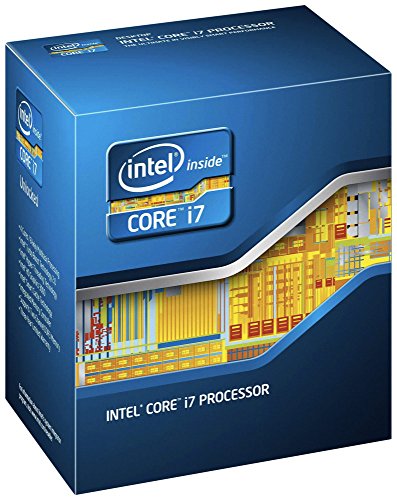
Intel Core i7-3770K Quad-Core Processor

Intel Core Ultra 7 Processor 270K Plus

Intel Core Ultra 5 Desktop Processor 225

Expert X6AIR 6 Channel Car Audio Processor

Intel Core i9-14900 Desktop Processor

Intel Core Ultra 7 Desktop Processor 265
More Details On Our Top Picks
Large assemblies, background exports, and several open applications place a different demand on your desktop than basic 2D drafting. With 24 cores split between performance-focused P-cores and efficiency-focused E-cores, you get substantial multitasking capacity for a workstation that handles CAD alongside rendering or documentation.
The 5.7 GHz maximum clock is relevant to quick interface actions, while PCIe 5.0 and DDR5 support point toward a current platform. You need an Intel 800 Series chipset motherboard, so this suits a new build more than a small processor swap. For most professional workstations, that platform commitment is the main trade-off.
Strong Points
- Twenty-four cores give you room for CAD, browser tabs, spreadsheets, and background tasks together.
- The high listed clock ceiling should suit fast viewport interaction and short drafting commands.
- PCIe 5.0 and DDR5 support leave your system ready for newer components.
- The unlocked design gives experienced desktop builders more tuning flexibility.
- Its creator-oriented positioning makes sense for demanding work beyond AutoCAD.
Things To Consider
- You need an 800 Series chipset motherboard, DDR5 memory, and a suitable cooling setup for a fresh platform.
- High-end parts can raise the total system cost, even before you add professional graphics hardware.
Key Specs
Who It Suits Best
You get the strongest fit as a professional CAD user building a new workstation for large projects, rendering, and heavy multitasking.
Consider Something Else When
Choose Intel Core Ultra 5 Desktop Processor 225 for a lower-power student or home-office build with lighter drawings.
Older office towers sometimes need a targeted replacement rather than a complete rebuild. The i7-3770K gives you four physical cores, eight threads, a 3.5 GHz base speed, and an LGA1155 socket, making it relevant to an existing compatible desktop running modest AutoCAD projects.
Its 8 MB shared L3 cache, a fast memory area used by the processor, helps keep recurring data close to the cores. Compared with the modern Core Ultra 9 285K, this chip has far less headroom and a much older platform. You may still find it sensible for a legacy workstation, though installation requires careful socket and motherboard matching.
What We Like
- Four cores and eight threads remain suitable for basic drafting and office multitasking.
- The LGA1155 socket helps you preserve an older compatible desktop.
- Its modest specification makes the upgrade path straightforward for legacy-system owners.
Worth Noting
- The older platform limits modern memory and expansion choices.
- Four cores provide less room for large assemblies, rendering, or simultaneous applications.
- Used older hardware calls for careful inspection of pins, packaging, and compatibility before installation.
At A Glance
Made For
You get the right fit as a home user maintaining an older LGA1155 desktop for 2D plans, learning, or occasional drafting.
Not Your Match When
Intel Core Ultra 7 Desktop Processor 265 suits you better for a new, efficient workstation with current DDR5 and PCIe support.
For a new workstation that must handle substantial CAD files plus creator software, you get a strong middle ground here. The 24-core arrangement combines 8 P-cores with 16 E-cores, while the listed maximum speed reaches 5.5 GHz. That combination targets both snappy application work and broader multitasking.
Like the Core Ultra 9 285K, this model uses the LGA1851-era 800 Series platform with DDR5 and PCIe 5.0 support. Its lower position in the range may make more sense for a workstation that needs considerable capacity without moving all the way to the flagship tier. The catch is the same platform expense, including a compatible board and cooling solution.
Highlights
- Twenty-four cores support demanding multitasking across CAD and creative applications.
- Hybrid core design assigns demanding and background work to different core types.
- DDR5 and PCIe 5.0 support suit a current desktop build.
- The unlocked processor format appeals to experienced system builders who want tuning control.
Trade Offs
- The LGA1851 motherboard requirement makes this a platform purchase, not a drop-in refresh.
- Depending on your project size, the extra cores may sit unused during routine 2D drafting.
Technical Sheet
Right Fit For
You benefit most as a professional or advanced student building a new CAD desktop for modeling, rendering, and simultaneous applications.
Look Elsewhere When
Intel Core i9-14900 Desktop Processor gives you a better fit for an existing 600 or 700 Series-compatible build.
A compact home-office workstation doesn’t need flagship core counts for floor plans, 2D drafting, and normal document work. The Core Ultra 5 225 gives you 10 cores, comprising 6 P-cores and 4 E-cores, with a listed peak of 4.9 GHz. Its 65W base power points toward an easier-to-manage desktop than the 125W models in this roundup.
Integrated Intel Graphics can handle a basic display setup, while the included Laminar RM2 cooler simplifies a new build. You may find the 14-thread design less comfortable during heavy rendering than the 24-core choices, but that limitation matters less for students and casual home use. The 800 Series motherboard requirement remains part of the ownership calculation.
Upsides
- Ten cores cover everyday CAD, office, and browser workloads.
- Lower 65W base power can make cooling and case airflow easier to plan.
- Integrated graphics lets you start without a separate graphics card for basic displays.
- The included Laminar RM2 cooler reduces the number of parts needed for assembly.
- Its current platform supports PCIe 5.0, PCIe 4.0, and DDR5.
Minor Gripes
- Ten cores offer less rendering headroom than the Core Ultra 7 and Core Ultra 9 options.
- You still need an Intel 800 Series motherboard for installation.
- The included cooler may be less appealing for sustained heavy workloads than a larger aftermarket design.
Feature Snapshot
Best Suited To
You get the best fit as a student, home user, or small-office drafter working mainly with 2D drawings and moderate models.
A Better Fit Elsewhere
Intel Core Ultra 9 Processor 285K suits you more as a professional managing large assemblies, rendering, and many open applications.
The word processor creates a category mismatch here. The Expert X6AIR is a six-channel car-audio processor, not a computer CPU, so it won’t run AutoCAD or install into a desktop motherboard. Its Bluetooth app, channel routing, equalizer controls, gain delay, phase, limiter, and mute functions instead target vehicle sound adjustment.
Its 150 x 110 x 43 mm enclosure and 0.30 kg weight suit a compact car-audio installation. You may appreciate the 28 input EQ bands and saved presets during system tuning, but those features have no role in CAD performance. Keep this option only for a separate automotive audio project.
Standout Traits
- Six channels provide flexible routing for a vehicle sound system.
- Bluetooth app control lets you adjust settings from a compatible iOS or Android device.
- Twenty-eight input EQ bands give installers detailed sound-shaping control.
- Presets help you store and recall audio configurations.
Points To Note
- This item is not a computer processor and cannot run AutoCAD.
- Installation belongs in a car-audio system, not a desktop case.
- App-based control adds a software and mobile-device dependency during setup.
Feature Rundown
Whose Shelf It Belongs On
You should choose this only as a car-audio installer or enthusiast seeking app-controlled sound processing, not as an AutoCAD workstation component.
Swap It Out When
Intel Core Ultra 5 Desktop Processor 225 is the appropriate choice for you when your goal is a genuine desktop CPU for basic AutoCAD work.
High-core-count desktops make sense for CAD users who also render, encode, or keep several demanding applications open. The i9-14900 supplies 24 cores, with 8 P-cores and 16 E-cores, plus a listed maximum speed of 5.8 GHz. You get a useful blend of fast active work and broad parallel capacity.
Its support for both DDR4 and DDR5 gives you more flexibility than the newer DDR5-only choices, and compatibility with Intel 600 and 700 Series chipsets can simplify an upgrade. The platform is older than the Core Ultra options, but that can be an advantage for an existing desktop. A sustained heavy workload still calls for careful case airflow and cooler selection.
Bright Spots
- Twenty-four cores give you strong capacity for rendering and multitasking.
- The 5.8 GHz ceiling favors quick interactive work.
- DDR4 and DDR5 support can reduce the need for a full memory-platform change.
- PCIe 5.0 and PCIe 4.0 support suit current expansion hardware.
Room For Improvement
- Heavy workloads place greater demands on cooling and sustained airflow.
- You need to verify the exact motherboard chipset and firmware support before installation.
Core Details
Who Will Love This
You get the strongest match as a CAD professional upgrading a compatible 600 or 700 Series desktop for mixed modeling, rendering, and office work.
Reach For A Different Pick When
Intel Core Ultra 7 Processor 270K Plus suits you more for a new DDR5 workstation with the newer LGA1851 platform.
For a current AutoCAD desktop that balances responsiveness and power use, the Core Ultra 7 265 deserves attention. You get 20 cores, including 8 P-cores and 12 E-cores, 20 threads, and a listed peak of 5.3 GHz. The 65W base power is notably gentler than the 125W Core Ultra 9 and 270K Plus models.
Integrated Intel Graphics can cover basic display needs, while DDR5 support and the LGA1851 socket place this chip firmly in a modern build. Compared with the Core Ultra 5 225, you gain more cores and cache for larger files and heavier multitasking. You may find the extra capacity unnecessary for simple 2D plans, but professional users gain more breathing room without moving to the highest tier.
Plus Points
- Twenty cores give you useful headroom for CAD and background applications.
- Twenty threads support parallel work without the older platform limits of the i7-3770K.
- 65W base power helps keep system planning more manageable.
- Integrated graphics can support a basic monitor setup.
Small Caveats
- LGA1851 and DDR5 require a current motherboard and memory platform.
- Integrated graphics may not replace a dedicated graphics card for demanding 3D viewport work.
- You may not notice the added core capacity during light drafting.
Quick Facts
Built With In Mind
You get the best match as a professional drafter or advanced home user building a modern desktop for daily AutoCAD and moderate multitasking.
Where A Sibling Pick Shines
Intel Core Ultra 5 Desktop Processor 225 fits you better for lighter drawings, integrated graphics, and a lower-power entry into the same platform family.
How To Choose The Right Processors For Autocad
Start With Your Drawing Workload
AutoCAD often rewards fast single-core response during commands, selection, and viewport interaction. A core is an individual processing unit, while threads represent the work paths a processor can manage. For 2D plans and smaller models, a modern Core Ultra 5 or Core Ultra 7 can feel more appropriate than paying for many unused cores.
Large assemblies, rendering, simulation, and simultaneous applications shift the balance. A 20-core or 24-core option gives you more capacity for background work, especially across long project sessions.
Match The Socket Before Anything Else
The socket is the physical and electrical interface between the CPU and motherboard. LGA1851 models in this roundup require an Intel 800 Series chipset board, while the i9-14900 fits Intel 600 and 700 Series chipset families. The i7-3770K uses the much older LGA1155 socket.
That detail determines whether you can upgrade one component or need a new platform. Check the motherboard model, firmware support, memory type, and cooler mounting before you choose a processor.
Balance Cores, Clocks, And Cooling
Clock speed describes how quickly the processor cycles, while core count affects how much work can happen in parallel. You need both attributes, but the ideal balance follows your software mix. Fast clocks matter during active drafting, while more cores help with rendering and multitasking.
Power figures also affect ownership. The 65W Core Ultra 5 225 and Core Ultra 7 265 are easier starting points for a restrained workstation, while 125W choices call for more deliberate cooling, airflow, and case planning.
Leave Room For The Graphics Card
A capable CPU cannot replace every part of a CAD workstation. Integrated graphics can support basic display output, but demanding 3D viewports may benefit from a dedicated graphics card. Set aside enough system capacity for memory, storage, and graphics rather than placing the entire budget into the processor.
What To Weigh Before You Buy
Mistakes Worth Dodging
You can lose time by choosing a fast CPU that your motherboard cannot accept. Socket type, chipset family, memory generation, and cooler fit deserve a compatibility check before you commit.
Another common mistake is paying for core count that your actual drawings never use. A student opening 2D plans has different needs from a designer rendering assemblies while running spreadsheets and reference material.
The Upgrade Payoff
Higher-tier processors cost more because you receive more cores, higher clock ceilings, newer platform support, or greater multitasking capacity. Those gains matter most during rendering, large-model work, and sustained creator workloads.
You get better value from the upgrade when your work regularly stalls during parallel tasks or you keep several demanding applications active. For light drafting, stronger memory and a suitable graphics card may make a more noticeable difference.
Final Verdict
You can choose the Core Ultra 5 225 for a restrained modern desktop, the Core Ultra 7 265 for balanced daily CAD, or the Core Ultra 9 285K and 270K Plus for demanding workstation work. The i9-14900 remains appealing for compatible older platforms, while the i7-3770K belongs only in legacy LGA1155 systems. Skip the Expert X6AIR for AutoCAD because it serves vehicle audio rather than computer processing. Match the processor to your motherboard and workload, then build the rest of your system around that choice.
