
You can still build a useful office PC, home media system, or light gaming machine around an FM2 or FM2+ motherboard, but socket compatibility matters more than headline clock speed. These processors suit you when a platform upgrade makes more sense than replacing an entire desktop. The list includes quad-core chips, integrated Radeon graphics options, a refurbished FM2 model, and a cooler-retention bracket for compatible Thermalright coolers. You’ll also find practical notes about cooling, discrete graphics, installation, and the limits of an older DDR3-era platform.
The FM2 Shortlist At A Glance

AMD Athlon X4 860K with 95W Thermal Solution
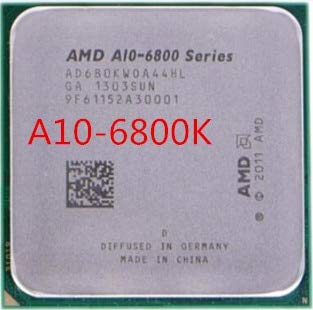
A10-Series A10-6800K Quad-Core CPU Processor Socket FM2
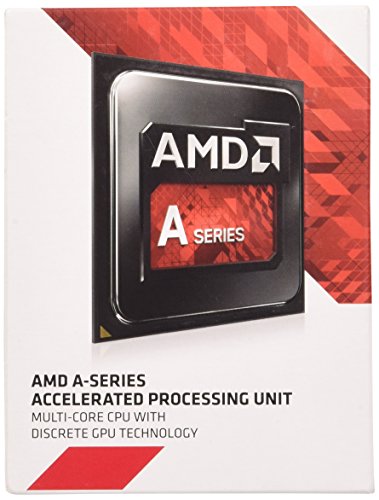
AMD A10 7800 FM2+ Box R7 Series Graphics

AMD Athlon X4 870K Black Edition with Thermal Solution

Refurbished AMD AD5700OKA44HJ A10-5700 Socket FM2 CPU
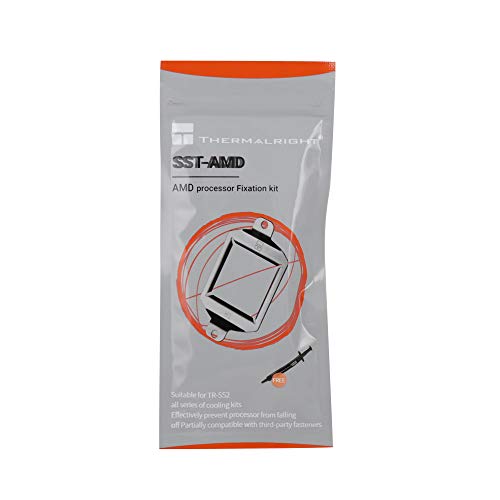
Thermalright AMD CPU Stop Bracket AM2/AM3/AM4/FM1/FM2
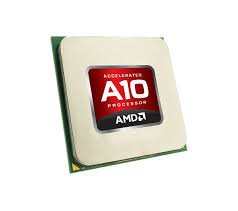
AMD A10-5800B 3.80GHz Socket FM2 OEM CPU
More Details On Our Top Picks
For an older FM2+ desktop handling office work, browsing, and several background tasks, four cores give you a sensible starting point. The 3.7 GHz base frequency keeps everyday work responsive, while the listed 4 GHz boost frequency gives short bursts more headroom.
You’ll need a separate graphics card, so this chip makes more sense in a gaming tower or workstation that already has a discrete GPU. The included 95W thermal solution may simplify a replacement project, although you should clear dust from the cooler regularly in a warm case.
Strong Points
- Four CPU cores suit multitasking better than a basic dual-core replacement.
- The included thermal solution can reduce the number of parts needed for a rebuild.
- Its FM2+ fit makes it a practical match for compatible legacy motherboards.
- The separate-GPU design suits a desktop that already has dedicated graphics.
Things To Consider
- You must budget space and power for a discrete graphics card.
- Older platforms may require a motherboard firmware check before installation.
Key Specs
Who It Suits Best
You’ll get the clearest fit from this processor in a DIY FM2+ tower that already uses dedicated graphics.
Consider Something Else When
Choose AMD A10 7800 instead for a compact desktop where integrated R7 Series graphics matter more than a separate GPU.
A listed 4.1 GHz clock puts the A10-6800K in the conversation for an FM2 desktop that feels sluggish during routine work. Four cores give you useful multitasking capacity for browser tabs, documents, and light content tasks, provided the motherboard supports this exact chip.
Compared with the Athlon X4 860K, this choice is aimed more directly at an existing FM2 system rather than a discrete-GPU-focused build. You may find the unknown details around cooling and graphics support require extra care, so verify the listing and board documentation before fitting it.
What We Like
- The 4.1 GHz specification gives everyday applications a strong single-clock starting point.
- Four cores help you keep office apps and browser work moving together.
- The FM2 designation targets older desktops that need a compatible replacement.
Worth Noting
- Cooling hardware details aren’t established in the supplied information, so plan the installation carefully.
- Socket labels alone don’t confirm motherboard firmware support.
- Legacy parts may need a careful inspection for bent pins or storage wear before fitting.
Feature Snapshot
Made For
This processor suits you best when you’re restoring an FM2 office or home desktop and already understand platform compatibility.
Not Your Match When
AMD Athlon X4 860K is the better fit for you when a discrete-GPU gaming build and clearer thermal-package information are priorities.
Integrated graphics means the A10 7800 can serve a compact FM2+ desktop without the added size of a graphics card. Its listed 3.9 GHz figure and R7 Series graphics make it a sensible direction for media playback, office work, and older games where modest hardware fits the room.
That integrated design separates it from the Athlon X4 860K, which requires dedicated graphics. You may find the older graphics architecture limiting for newer games, but it keeps installation cleaner and leaves more space inside a small case.
Highlights
- R7 Series graphics are built into the processor for simpler compact-PC assembly.
- The boxed format can make a replacement project more straightforward.
- FM2+ compatibility suits a range of legacy AMD desktop boards.
- You avoid adding a separate graphics card for basic display and media duties.
- The 3.9 GHz listing supports a capable everyday desktop profile.
Trade Offs
- Integrated graphics have less room for demanding modern games than a dedicated card.
- Older boxed stock deserves careful inspection of packaging and cooler condition.
At A Glance
Right Fit For
You’ll appreciate this option most in a compact home theater, office, or light gaming desktop that needs integrated graphics.
Look Elsewhere When
AMD Athlon X4 870K suits you more when your FM2+ system already has dedicated graphics and you want the higher listed CPU clock.
At 3.90 GHz, the Athlon X4 870K gives you a small clock-step advantage over the X4 860K while keeping the same four-core, FM2+ direction. The Black Edition naming signals an enthusiast-oriented model, and the supplied thermal solution helps keep a routine replacement from turning into a separate cooler search.
The 4.10 GHz overclocking figure is a listed capability, not a result you should assume on every board. You’ll need a compatible motherboard, sensible cooling, and patience during setup; the 95W rating also makes case airflow worth checking.
Upsides
- The 3.90 GHz base specification gives this chip a little more headroom than the X4 860K.
- Four cores fit multitasking and older CPU-focused games.
- A thermal solution is included for a more complete desktop upgrade.
- The 64-bit design suits modern operating systems that still support the platform.
Minor Gripes
- No integrated graphics means you need a separate GPU.
- Overclocking depends heavily on motherboard support, cooling, and careful configuration.
- Dust buildup around a 95W cooler can make long-term maintenance more demanding.
Technical Sheet
Best Suited To
This processor is aimed at experienced FM2+ hobbyists building a dedicated-GPU desktop with room for careful tuning.
A Better Fit Elsewhere
AMD A10 7800 suits you more for a compact build that needs graphics output without a separate card.
A refurbished A10-5700 gives you a straightforward path for reviving an FM2 desktop that has lost its original processor. The 3.4 GHz specification is modest beside the A10-6800K, yet it can still suit documents, browsing, streaming, and light home-server duties on an intact platform.
You should approach refurbished hardware with a little more attention to packaging, socket pins, and the seller’s condition notes. That extra inspection is the trade-off for a lower-cost restoration path, especially in a spare-room PC where peak speed isn’t the main concern.
Plus Points
- The FM2 socket makes it relevant to older desktop restoration projects.
- A 3.4 GHz clock suits basic office and home-computing workloads.
- The refurbished format can help extend the useful life of an existing motherboard.
Room For Improvement
- Refurbished condition calls for careful inspection before installation.
- The supplied information doesn’t establish a cooler, so you need compatible cooling hardware.
- Its lower clock makes it less appealing for demanding multitasking than the A10-6800K.
Quick Facts
Who Will Love This
You’re the right match for this item when you need an economical FM2 replacement for a basic home or office desktop.
Another Choice May Suit
AMD A10-5800B suits you more when you want an OEM FM2 quad-core replacement and prefer that specific model.
This item isn’t a processor, but it can matter during cooler work on an FM2 system. The metal-alloy steel stop bracket is designed for Thermalright CPU coolers, giving you a retention accessory rather than extra processing power.
That narrow purpose makes it very different from AMD Athlon X4 870K. You may find it useful during repeated cooler removal in a repair bench, but compatibility is the deciding factor, and the supplied information limits it to Thermalright cooler setups.
Best Bits
- Metal-alloy steel construction is suited to repeated hardware handling.
- FM2 compatibility makes it relevant to older AMD cooler installations.
Points To Note
- It cannot replace a processor or improve system speed.
- Compatibility is limited to Thermalright CPU coolers.
- You should confirm the cooler model and mounting arrangement before installation.
Details At A Glance
Built With In Mind
This bracket suits you when you service an FM2 desktop fitted with a compatible Thermalright cooler.
Swap It Out When
AMD Athlon X4 860K is the correct direction for you when the missing part is an actual FM2+ processor rather than a mounting accessory.
The A10-5800B gives you a 3.80 GHz FM2 quad-core option for restoring an office tower or family desktop. As an OEM CPU, it’s best treated as a processor-only component, so your existing cooler and motherboard support become part of the installation plan.
Compared with the refurbished A10-5700, this chip offers a higher listed clock, while the A10-6800K moves further up the FM2 range. For a straightforward repair, the 5800B may be enough, though you should inspect the part carefully and apply suitable thermal compound during cooler installation.
Bright Spots
- The 3.80 GHz clock fits general office and home desktop work.
- Four cores support ordinary multitasking on a compatible FM2 board.
- The OEM format can suit a parts-focused restoration project.
- The exact AD580BWOA44HJ identifier helps you match the replacement to your system records.
Small Caveats
- OEM packaging may not include a cooler, so check your existing hardware.
- Legacy processors need careful pin inspection and clean cooler installation.
Core Details
Whose Shelf It Belongs On
This CPU fits you best when you’re repairing an FM2 office desktop and already have compatible cooling hardware.
Reach For A Different Pick When
Refurbished AMD AD5700OKA44HJ A10-5700 suits you more when a lower-clock refurbished replacement matches your restoration plan.
How To Choose The Right Processors For Fm2 Socket
Start With Socket Details
FM2 and FM2+ identify the physical processor interface, but a matching shape doesn’t always confirm full motherboard support. Check your board model, chipset, and firmware notes before removing the existing chip. The A10 7800 and Athlon X4 870K target FM2+, while the A10-6800K, A10-5700, and A10-5800B are listed for FM2.
A repair shop or home-office upgrade usually benefits from matching the exact processor family already supported by the board. That approach reduces setup surprises and preserves existing memory, storage, and case hardware.
Decide Whether You Need Graphics
An APU combines CPU cores with integrated graphics, allowing display output without a separate graphics card. The AMD A10 7800 is the clearest choice here for a compact desktop, while the Athlon X4 860K and 870K require discrete graphics.
A dedicated GPU makes more sense for older games or graphics-heavy applications, but it adds heat, power needs, and physical space requirements. Small cases and media PCs generally benefit from the simpler integrated approach.
Match Core Count And Clock To Your Work
Four cores help with multitasking, but clock speed still influences many everyday applications. The 3.9 GHz A10 7800 and 3.90 GHz Athlon X4 870K offer different feature balances, because the former includes R7 Series graphics and the latter expects a separate GPU.
For documents, web work, and light media use, an A10-5700 or A10-5800B can be adequate on a healthy platform. You’ll notice the limits sooner during newer games, video production, or heavy background workloads.
Plan Cooling And Maintenance
A 95W processor needs a cooler and case airflow suited to that thermal load. The Athlon X4 860K and 870K list thermal solutions, while the OEM and refurbished choices require closer attention to what arrives with the part.
Clean the heatsink fins, replace dried thermal compound, and confirm the cooler mount before powering up. The Thermalright stop bracket belongs in a separate accessory category, and it only makes sense with a compatible Thermalright cooler.
Things Worth Knowing First
Traps First Timers Fall Into
A common mistake is treating FM2 and FM2+ as interchangeable without checking the motherboard manual. You can also overlook graphics requirements, especially with the Athlon models that need a separate card. Confirm the socket, firmware, cooler, and display plan before committing to a replacement.
Refurbished and OEM parts deserve a closer condition review than boxed retail hardware. Keep the socket protected during handling, and avoid forcing the processor into place.
Where The Extra Money Goes
Higher-tier FM2 chips generally offer a faster listed clock, broader feature balance, or integrated graphics. The A10 6800K focuses on a 4.1 GHz specification, while the A10 7800 adds R7 Series graphics for systems without a dedicated card.
Paying more makes sense for you when the added feature prevents another hardware purchase or better suits your workload. A basic office restoration rarely needs the same headroom as a tuned FM2+ desktop with dedicated graphics.
Final Verdict
You can still make an older FM2 platform useful with the right match between socket, graphics, cooling, and workload. Choose AMD Athlon X4 860K for a straightforward four-core FM2+ tower with a discrete GPU, AMD A10 7800 for compact integrated graphics, or AMD A10-5800B for a focused FM2 restoration. The refurbished A10-5700 keeps the project practical, while the Thermalright bracket serves a separate cooler-mounting need. Check your motherboard documentation first, then choose the part that fits your existing hardware rather than chasing clock speed alone.
