
Choosing a processor gets harder once gaming, streaming, photo work, coding, and everyday multitasking all share one desktop. You need the right mix of cores, threads, cache, platform support, and upgrade room rather than a model that looks impressive on paper alone. This roundup covers current Intel and AMD options for new builds, AM4 upgrades, and high-end gaming systems. Whether you play at high refresh rates, edit video after work, or keep dozens of apps open during a long session, you can match the processor to your actual workload.
The Shortlist At A Glance
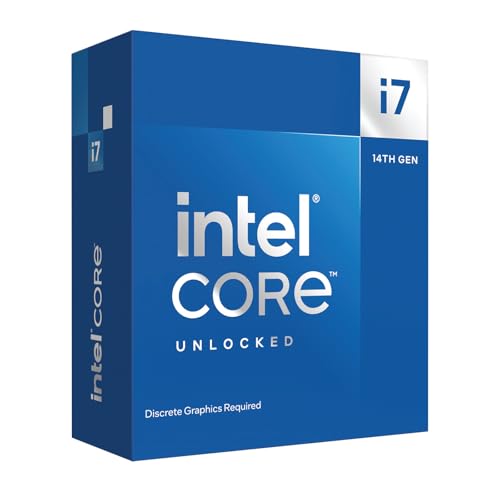
Intel Core i7-14700KF Gaming Desktop Processor

AMD Ryzen 9 5900XT 16-Core Processor

AMD Ryzen 7 5800X3D Desktop Processor

Intel Core Ultra 7 270K Plus Processor

AMD Ryzen 7 9800X3D Desktop Processor

AMD Ryzen 7 7800X3D Desktop Processor

AMD Ryzen 9 9900X Desktop Processor
More Details On These Top Picks
Gaming, streaming, and heavy desktop multitasking all suit the i7-14700KF’s hybrid layout. Its 8 Performance cores handle demanding foreground work, while 12 Efficiency cores, smaller cores designed for background tasks, help keep browsers, chat apps, and recording tools moving.
Support for DDR4 or DDR5 gives you more flexibility during a new build, and Intel 600 or 700 Series boards provide a broad upgrade path, though some boards may need a BIOS update. You may find the lack of processor graphics inconvenient during troubleshooting, so a dedicated graphics card belongs in the plan.
Strong Points
- 20 cores and 28 threads give demanding multitasking plenty of room.
- Unlocked operation suits enthusiasts who want manual tuning.
- DDR4 compatibility can reduce the cost of reusing existing memory.
- PCIe 5.0 and PCIe 4.0 support leave room for newer storage and graphics hardware.
- The 125W base power rating signals the need for a capable cooling setup.
Things To Consider
- The KF designation means no integrated processor graphics.
- High sustained workloads call for careful cooler and case airflow selection.
Key Specs
Who It Suits Best
You get the strongest fit as a gamer, streamer, or productivity user building around a dedicated graphics card and substantial cooling.
Where Another Pick Suits Better
AMD Ryzen 9 9900X suits you more when content creation and a newer AM5 platform matter more than Intel DDR4 flexibility.
For an AM4 desktop that still has useful life left, the Ryzen 9 5900XT offers 16 cores and 32 threads without forcing a motherboard and memory change. That makes it appealing for video exports, virtual machines, large spreadsheets, and gaming in the same evening.
Its Zen 3 architecture, 4.8 GHz maximum boost, 72 MB cache, and DDR4-3200 support suit a practical upgrade path. The honest trade-off is age: compared with the newer AM5 choices here, you give up DDR5 and PCIe 5.0 support, and the separate cooler requirement adds installation planning.
What We Like
- 16 cores and 32 threads handle parallel creative workloads well.
- AM4 compatibility lets you preserve an existing platform.
- Unlocked operation gives experienced desktop builders tuning options.
Worth Noting
- DDR4-3200 limits the memory platform compared with newer models.
- A cooler isn’t included, so you need to confirm mounting and thermal capacity before installation.
- PCIe 4.0 is capable, but it offers less future expansion room than the Intel i7-14700KF.
Feature Snapshot
Made For
You get the best fit as an AM4 owner who wants stronger multi-tasking without rebuilding the whole desktop.
Consider Something Else When
Intel Core i7-14700KF suits you more when DDR5, PCIe 5.0, and a mix of gaming plus current-generation platform features matter.
Large 3D V-Cache, a layer of extra L3 memory placed close to the cores, gives the Ryzen 7 5800X3D a clear gaming identity. Its 8 cores and 16 threads are enough for gaming, voice chat, and ordinary desktop work, while the cache can help game workloads that benefit from keeping more data nearby.
That focus makes sense for an AM4 system where the graphics card still has plenty of life. Compared with the 5900XT, this model has fewer cores for rendering and export jobs, and you need a separate high-performance cooler, so it isn’t the natural choice for a workstation-first desktop.
Highlights
- 3D V-Cache gives gaming workloads a large 96 MB L3 cache pool.
- Eight cores keep game play, chat, and daily apps comfortable together.
- AM4 and DDR4-3200 support simplify upgrades for compatible desktops.
- PCIe 4.0 support fits many established gaming graphics and storage setups.
Trade Offs
- The 8-core design is less suitable for heavily threaded creation work than the Ryzen 9 5900XT.
- A cooler isn’t included, and installation requires a suitable high-performance cooling solution.
At A Glance
Right Fit For
You benefit most as an AM4 gamer who wants a targeted gaming upgrade and doesn’t need a many-core workstation.
Not Your Match When
AMD Ryzen 7 7800X3D is a better fit for your new AM5 gaming build with DDR5 memory and a newer platform.
A new Intel build based on the 270K Plus starts with a current LGA1851 socket and an 800 Series chipset motherboard. Its 8 Performance cores and 16 Efficiency cores create a 24-core design aimed at people who game, create, and keep demanding applications open together.
DDR5 support up to 7200 MT/s and PCIe 5.0 connectivity make the platform feel forward-looking, though the motherboard and memory purchase becomes part of the decision. Depending on your existing parts, that broader platform change may be worthwhile or unnecessary.
Upsides
- 24 total cores give creators substantial parallel-work capacity.
- DDR5 support up to 7200 MT/s suits a fresh, high-speed memory build.
- PCIe 5.0 and PCIe 4.0 support provide flexible expansion planning.
Room For Improvement
- LGA1851 and 800 Series compatibility require a newer motherboard platform.
- The 125W base power rating makes cooling and case airflow important ownership decisions.
- Existing DDR4 memory can’t carry over to this DDR5-focused setup.
Technical Sheet
Best Suited To
You get the strongest match as an enthusiast creating a new Intel desktop for gaming, editing, and long-term component expansion.
A Better Fit Elsewhere
AMD Ryzen 9 9900X suits you more when you want 12 Zen 5 cores on an AM5 system for mixed gaming and creation work.
High-refresh-rate gaming is the natural home for the Ryzen 7 9800X3D. Zen 5 processing, 8 cores, 16 threads, and 96 MB of L3 cache give you a focused combination for demanding games, while the newer AM5 platform brings DDR5 support and better upgrade room than the older 5800X3D.
The 5.2 GHz maximum clock and revised 3D V-Cache design support a strong gaming-first build, though eight cores won’t match a 12- or 16-core model in some production workloads. You may find the platform cost easier to justify when gaming is your priority and the desktop will remain in service for several upgrade cycles.
Reasons To Buy
- Zen 5 architecture and 3D V-Cache target demanding game workloads.
- 96 MB of L3 cache can help keep frequently used game data close to the cores.
- AM5 and DDR5 support give a new gaming build more upgrade flexibility.
- Eight cores and 16 threads still cover streaming and everyday creation work.
- The 5.2 GHz maximum clock supports snappy lightly threaded activity.
Minor Gripes
- A separate cooler is part of the installation plan.
- Its eight-core layout favors gaming over heavily threaded rendering.
Quick Facts
Who Will Love This
You get the right match as a serious PC gamer building an AM5 system around a fast graphics card and high-refresh display.
Reach For A Different Pick When
Intel Core Ultra 7 270K Plus is a better fit for your new desktop when many-core productivity work matters as much as gaming.
The Ryzen 7 7800X3D keeps its design focused: 8 cores, 16 threads, Zen 4 architecture, and extra gaming cache on the AM5 platform. That combination makes sense for a new gaming desktop where smooth play matters more than maximum export speed.
Its 2200 MHz graphics frequency and 89°C maximum operating temperature are useful planning details, though a dedicated graphics card remains central to a gaming build. Compared with the newer 9800X3D, this model may appeal to you as a straightforward AM5 gaming choice, but the newer chip offers more recent architecture.
Bright Spots
- 3D V-Cache gives the eight-core design a clear gaming focus.
- Zen 4 and AM5 support create a capable foundation for a new desktop.
- 16 threads cover streaming, schoolwork, and ordinary content creation.
- The 89°C maximum operating temperature helps guide cooling expectations.
Points To Note
- Eight cores provide less production headroom than the Ryzen 9 models.
- AM5 means new motherboard and DDR5 planning for anyone upgrading from AM4.
- A separate cooler needs to be included in the build list.
Feature Rundown
Built With In Mind
You benefit most as a gamer assembling an AM5 desktop for high-frame-rate play, streaming, and everyday computing.
Swap It Out When
AMD Ryzen 7 9800X3D suits you more when newer Zen 5 technology and the latest gaming-focused platform option matter.
Gaming and content creation pull in different directions, and the Ryzen 9 9900X addresses both with 12 Zen 5 cores and 24 threads. Video editing, code compilation, 3D work, and large multitasking sessions get more parallel capacity than the 8-core X3D models, while gaming remains part of the design brief.
The unlocked processor reaches up to 5.6 GHz and supports DDR5-5600 on the AM5 platform. In your desktop, that means strong headroom for creation work, but the extra cores don’t automatically make it the right gaming choice over an X3D model, especially when game performance is the main concern.
Plus Points
- 12 cores and 24 threads suit editing, rendering, and software development.
- Zen 5 architecture brings a newer AM5 foundation.
- Up to 5.6 GHz supports responsive foreground applications.
- Unlocked operation gives experienced users tuning flexibility.
Small Caveats
- The AM5 platform requires DDR5 memory and a compatible motherboard.
- Its general-purpose design may not suit a gaming-only system as closely as the Ryzen 7 9800X3D.
Core Details
Whose Shelf It Belongs On
You get the strongest fit as a creator, developer, or multitasker who also wants a capable gaming desktop.
Another Choice May Suit
AMD Ryzen 7 9800X3D suits you more when high-refresh-rate gaming takes priority over rendering and other heavily threaded work.
How To Choose The Right Processors For Gaming And Productivity
Start With Your Actual Workload
Gaming performance often responds strongly to per-core speed, cache behavior, and the graphics card beside the processor. Productivity work varies more widely: video exports, 3D rendering, code compilation, and virtual machines usually gain more from additional cores and threads.
A gamer who edits short clips may prefer an 8-core X3D model, while a creator exporting projects every day may value the 12-core Ryzen 9 9900X or a hybrid Intel design with many total cores.
Count Cores, Threads, And Cache
A core is an individual processing unit, while a thread is a stream of work that the processor can manage. More threads help parallel workloads, but they don’t replace strong per-core performance for every game.
Cache is fast memory built into or near the processor. The Ryzen 7 5800X3D, 7800X3D, and 9800X3D use large 3D V-Cache designs aimed at keeping game data close, whereas the Ryzen 9 models emphasize broader multi-tasking capacity.
Match The Socket And Memory
Socket compatibility is non-negotiable. AM4 models such as the 5900XT and 5800X3D suit existing AM4 motherboards, while the Ryzen 7000 and 9000 choices use AM5 and DDR5.
Intel’s i7-14700KF works with 600 and 700 Series chipsets, with a possible BIOS update, and supports DDR4 or DDR5. The Core Ultra 7 270K Plus moves to LGA1851, 800 Series chipsets, and DDR5, so it belongs in a new-platform plan.
Budget For Cooling And Expansion
Several choices here do not include a cooler, so you need to confirm cooler compatibility before opening the case. Intel’s 125W base power figure also deserves attention during case, power, and airflow planning.
PCIe 4.0 remains suitable for many current systems, while PCIe 5.0 provides more expansion headroom. Choose the newer interface when you expect to keep the motherboard through multiple storage or graphics upgrades.
Things Worth Knowing First
Mistakes Worth Dodging
Don’t choose by core count alone. A 16-core AM4 processor can be a smart upgrade for an existing desktop, yet a new AM5 gaming build may gain more practical value from a newer 8-core X3D model.
Check the socket, chipset, memory type, BIOS needs, and cooler before selecting a processor. The absence of integrated graphics on the i7-14700KF also matters during setup and troubleshooting.
The Upgrade Payoff
Higher-tier models generally cost more because they combine newer architectures, extra cache, more cores, faster boost behavior, or a newer memory platform. Those advantages matter most during daily rendering, high-refresh gaming, and long multitasking sessions.
For light office work and occasional gaming, an older compatible platform may be enough. Paying for a newer model makes more sense when you plan to keep the desktop for years or your workload regularly uses every available core.
Final Verdict
You can narrow this list by starting with your motherboard plan and then matching the processor to your heaviest task. Choose the Ryzen 7 9800X3D or 7800X3D for an AM5 gaming build, the Ryzen 9 9900X for broader creation work, and the Ryzen 9 5900XT or 5800X3D for focused AM4 upgrades. Intel’s Core i7-14700KF offers flexible DDR4 or DDR5 support, while the Core Ultra 7 270K Plus suits a newer Intel platform. The right choice is the one that fits your parts, workload, and upgrade horizon.
