
Reviving an older desktop or assembling a budget workstation means choosing silicon that still pulls its weight. You want enough clock speed for everyday tasks, a socket that matches your board, and integrated graphics so you can skip a dedicated card. The picks below cover legacy LGA 775 chips through newer LGA 1150 options, each suited to a different upgrade tier.
The Shortlist At A Glance
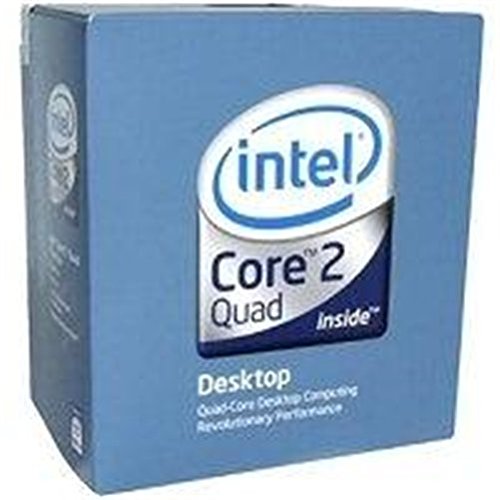
Intel Core 2 Quad Q9650 Desktop Processor

Intel Core i3-4170 Dual-Core Processor

Intel Core i3-3220 LGA 1155 Processor

Intel Core 2 Duo E8400 Processor

Intel Core i3-3250 LGA 1155 Processor

Intel Core i5-2400 LGA1155 CPU
More Details On Our Top Picks
Bringing four physical cores to the aging LGA 775 socket, the Q9650 remains a notable option for keeping a vintage motherboard alive. Its 1333 MHz bus speed helps with memory throughput, giving older systems a noticeable jolt for basic multitasking. Unlike the dual-core E8400 also on this list, this quad-core handles light parallel workloads without buckling. For anyone nursing a retro gaming rig or a legacy office machine, that extra core count matters.
The 1333 MHz front-side bus speed dictates how fast the chip talks to the chipset, and a higher number here means snappier data flow. You may find it runs warm under sustained load, so a clean heatsink with fresh thermal paste becomes essential during installation.
Strong Points
- Four cores handle light multitasking better than dual-core alternatives
- 1333 MHz bus speed improves data throughput for older architectures
- Breathes new life into LGA 775 motherboards without a full platform swap
- Solid baseline performance for retro gaming and legacy software
Worth Noting
- Requires a robust heatsink since thermal management on older boards can be tricky
- Limited BIOS support on some entry-level 775 boards means you should verify compatibility first
Spec Overview
Who It Suits Best
Enthusiasts restoring vintage gaming rigs or maintaining legacy office hardware on LGA 775 boards benefit most from this quad-core chip.
Look Elsewhere When
Your motherboard uses a newer LGA 1155 socket, making the Intel Core i5-2400 LGA1155 CPU a far more capable multi-tasking alternative.
Stepping up to the LGA 1150 socket brings newer architecture and better efficiency. The i3-4170 runs at 3.70 GHz across two cores, providing snappy single-threaded response for web browsing and office applications. Its 54W thermal design power (the maximum heat the cooling system must dissipate under full load) keeps power draw minimal. That low heat output means the stock cooler stays quiet even during long work sessions.
Built-in Intel HD Graphics 4400 handles up to three monitors, which is handy for productivity setups without a discrete graphics card. The 22nm manufacturing process shrinks transistor size, improving electrical efficiency over older generations like the i3-3220.
Highlights
- Low 54W thermal envelope keeps the system cool and quiet
- Integrated HD 4400 graphics support triple displays without a dedicated GPU
- 3.70 GHz clock speed delivers quick responsiveness for everyday software
- 22nm lithography improves power efficiency over previous Intel generations
Trade Offs
- Dual-core design limits heavy multi-tasking headroom
- Owners commonly report the stock cooler fan can become audible under sustained load
Made For
Office workers and students assembling a basic LGA 1150 desktop for documents, browsing, and multi-monitor productivity will find this chip sufficient.
A Better Fit Elsewhere
Anyone needing quad-core parallelism on a budget should grab the Intel Core i5-2400 LGA1155 CPU instead.
Sitting on the LGA 1155 socket, the i3-3220 offers a straightforward baseline for home computing at 3.30 GHz. This Ivy Bridge generation chip uses a 22nm process, balancing power consumption and heat output for compact cases. Compared to the newer i3-4170, it trades a slightly lower clock speed for broader compatibility with older 1155 motherboards. It serves as a practical drop-in replacement for failed or outdated silicon in family machines.
Integrated graphics handle video playback and basic display output without needing a separate card. The 3 MB cache provides a small but noticeable buffer for frequently accessed data, keeping routine operations smooth.
Plus Points
- 22nm Ivy Bridge architecture balances heat and efficiency well
- 3 MB cache size helps maintain smooth operation during everyday tasks
- Drop-in compatibility with many existing LGA 1155 motherboards
Small Caveats
- 3.30 GHz clock speed trails newer budget options in single-thread responsiveness
- BIOS updates are frequently required on older boards before the chip posts
Right Fit For
Home users upgrading an aging LGA 1155 desktop for browsing and media playback get a reliable, cost-effective solution here.
Consider Something Else When
Your 1155 board supports higher clocks, making the Intel Core i3-3250 LGA 1155 Processor a better-performing sibling for light productivity.
For pure single-threaded punch on the LGA 775 socket, the E8400 hits 3.0 GHz across two cores. That high clock speed benefits older software optimized for frequency over core count. Unlike the Q9650 reviewed earlier, this dual-core chip sacrifices parallel throughput for raw speed on single tasks. The 6 MB L2 cache (on-die memory storing frequently used instructions) gives it a responsiveness edge for legacy applications.
A 65W thermal design power keeps cooling demands modest, making installation straightforward in compact legacy cases. You may find it ideal for reviving an old PC dedicated to lightweight retro gaming or a print server.
Bright Spots
- 3.0 GHz clock speed delivers strong single-thread performance for legacy applications
- 6 MB L2 cache provides a responsiveness edge for frequently accessed instructions
- Low 65W thermal design simplifies cooling requirements in compact cases
Points To Note
- Dual-core architecture bottlenecks modern multi-tasking workloads
- Sourcing a compatible LGA 775 cooler can require extra effort since parts are scarce
Quick Facts
Who Will Love This
Tinkerers restoring vintage systems for retro gaming or lightweight dedicated tasks appreciate the high clock speed and low heat output.
Not Your Match When
Your workload involves heavy multi-tasking, making the Intel Core 2 Quad Q9650 Desktop Processor a better legacy option with its four cores.
Sharing the same LGA 1155 socket as the i3-3220, the i3-3250 pushes the clock speed to 3.50 GHz. That extra frequency translates to snappier application launches and better performance in single-threaded software. It uses the same 22nm Ivy Bridge architecture, maintaining similar power draw and thermal characteristics. For shoppers who already own an 1155 board, this chip represents the top-end dual-core option before jumping to quad-core territory.
The integrated graphics handle everyday display output without fuss. You get a straightforward upgrade path that maximizes an existing platform without requiring a motherboard swap.
Reasons To Buy
- 3.50 GHz clock speed offers a noticeable bump over the i3-3220 for daily tasks
- Retains the efficient 22nm Ivy Bridge architecture for balanced power consumption
- Maximizes the dual-core potential of existing LGA 1155 motherboards
- Integrated graphics eliminate the need for a separate display card
Softer Spots
- Still a dual-core design, which limits heavy parallel processing
- Older platform means future upgrade paths are effectively closed
- Verifying BIOS compatibility with the specific board revision is essential before purchase
Perfect Match For
Shoppers squeezing the last bit of performance from an LGA 1155 system for light productivity and media consumption find this chip a sensible endpoint.
Swap It Out When
Your 1155 motherboard accepts quad-core processors, making the Intel Core i5-2400 LGA1155 CPU a smarter choice for multi-tasking workloads.
This quad-core chip brings genuine multi-threading capability to the LGA 1155 socket. Running at 3.10 GHz, it features Intel Turbo Boost technology, which dynamically raises the clock speed to 3.40 GHz when thermal headroom allows. That automatic adjustment gives you extra speed for short bursts without manual overclocking. Compared to the dual-core i3-3250, the i5-2400 doubles the core count for significantly better parallel performance.
The 6 MB Intel Smart Cache is shared across all four cores, improving data access efficiency in multi-threaded scenarios. Its 95W thermal design power requires a decent cooler, but the performance payoff justifies the heat.
Best Bits
- Four physical cores handle multi-tasking and parallel workloads efficiently
- Turbo Boost automatically scales clock speed up to 3.40 GHz for burst tasks
- Shared 6 MB Smart Cache improves data access across all cores
- Integrated graphics handle basic display output without a dedicated card
Room For Improvement
- 95W thermal design power demands a capable cooling solution for stable operation
- 32nm Sandy Bridge architecture is older and less power-efficient than newer Ivy Bridge chips
Feature Rundown
Who Should Grab It
Budget-conscious builders needing quad-core performance for multi-tasking, light content creation, and everyday computing on an LGA 1155 board get the most value here.
Reach For A Different Pick When
Your system uses the newer LGA 1150 socket, making the Intel Core i3-4170 Dual-Core Processor a more efficient choice for low-power office tasks.
What Matters Most Before Choosing Processors For Value
Socket Compatibility Comes First
Your motherboard socket dictates which processors fit. LGA 775 supports the older Core 2 Quad and Core 2 Duo chips, while LGA 1155 and LGA 1150 cover the Ivy Bridge and Haswell generations. Installing the wrong chip is physically impossible, so check your board documentation before purchasing. Matching the socket saves you from a frustrating return.
Core Count Versus Clock Speed
Two cores running at high speeds handle single-threaded tasks like web browsing quickly. Four cores manage parallel workloads like video rendering or heavy multi-tasking far better. Decide based on your daily software. A dual-core chip with a high clock suits office work, while a quad-core processor handles diverse applications more smoothly.
Thermal Design Power And Cooling
Thermal design power, measured in watts, indicates how much heat a processor generates under load. A 54W chip runs cool with a basic fan, while a 95W processor needs a robust heatsink. Matching your cooler to the thermal output prevents thermal throttling. Compact cases benefit from lower-wattage options that reduce internal temperatures.
Integrated Graphics Availability
Processors with built-in graphics save you from buying a separate video card. This feature matters for office machines and home desktops where display output is the only graphical demand. Check the maximum number of monitors supported. Three-display support on the i3-4170, for instance, handles multi-monitor productivity setups without extra hardware.
Before You Click Buy
Traps First Timers Fall Into
Assuming any processor fits any motherboard is the most common error. You must verify the exact socket type and check for BIOS updates that add compatibility. Another frequent mistake involves ignoring the thermal design power, leading to overheating with an inadequate stock cooler. Always confirm your case has enough clearance for the heatsink required by higher-wattage chips.
The Case For Spending Up
Higher-tier processors cost more because they pack additional cores, larger caches, and advanced features like Turbo Boost. Spending up makes sense when your workflow involves multi-tasking, light content creation, or running virtual machines. A quad-core chip with dynamic frequency scaling handles diverse workloads without manual tuning. The extra investment pays off in responsiveness and longevity.
Frequently Asked Questions
Can I upgrade my LGA 775 motherboard with an LGA 1155 processor?
No, the physical socket design is completely different between these platforms. Each socket requires a matching processor generation and a compatible motherboard.
Do these processors include a cooling fan?
Most retail-boxed processors include a stock cooler, but tray or processor-only options exclude one. You should verify the packaging type on the product page before purchasing.
What does thermal design power mean for daily use?
Thermal design power measures the maximum heat a processor generates under typical full load. It dictates the cooling capacity your system needs to prevent performance throttling.
Are these processors suitable for modern gaming?
Legacy quad-core options like the i5-2400 handle older or lightweight games adequately. Demanding modern titles require newer architectures with higher single-thread performance and advanced instruction sets.
How do I know if my motherboard BIOS supports a specific processor?
Check the motherboard manufacturer website for a CPU support list. That document specifies which BIOS revision is required for each compatible processor model.
Bottom Line
Choosing a value processor means matching the socket, core count, and thermal design power to your existing hardware. Legacy chips like the Q9650 and E8400 keep older boards running, while the i5-2400 offers the most multi-threading flexibility on LGA 1155. Verify your BIOS compatibility, secure a proper cooler, and your budget build will serve its purpose well.
