
Finding a quad-core processor or prebuilt system that handles modern games without draining your wallet is a real challenge. Most affordable options force you to choose between frame rates and everyday multitasking. You need a chip or system that balances clock speed, cache, and platform longevity. This roundup covers six options spanning standalone CPUs to ready-to-play desktops, giving you a clear path regardless of your build approach.
The Shortlist At A Glance

Dell Optiplex 3050 SFF Desktop (Renewed)

BOSGAME P4 Ultra Mini PC Ryzen 7 7730U
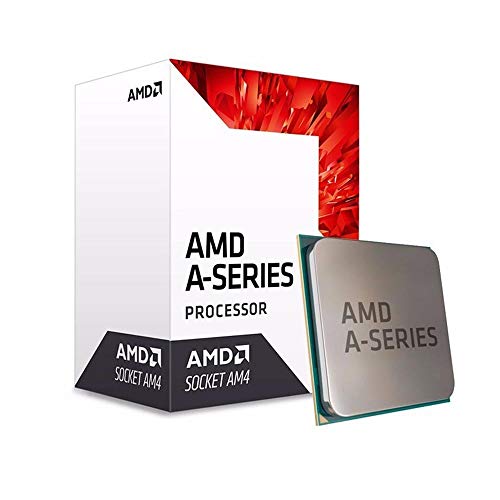
AMD A8-9600 Quad-Core Processor with Radeon R7

Intel Core i7-3770 Quad-Core Processor (Renewed)

HP RGB Gaming Desktop with GTX 750 Ti (Renewed)
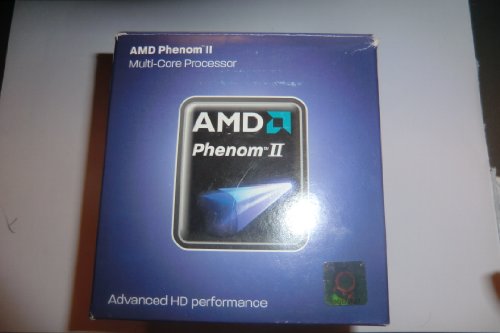
AMD Phenom II X4 945 Deneb Quad-Core Processor
More Details On Our Top Picks
Small form factor (SFF) desktops trade expandability for a footprint that fits behind a monitor, and the Optiplex 3050 embodies that trade-off. Its Intel i5-6500 runs four cores at up to 3.6 GHz, which is enough for browser-based games and older titles on lower settings. The 16 GB of DDR4 memory keeps multitasking smooth when you have a dozen tabs open alongside a game. You get DisplayPort and HDMI outputs, meaning dual-monitor setups work without extra adapters.
Unlike the HP gaming desktop later in this list, the Optiplex lacks a dedicated graphics card. That limits you to integrated Intel HD Graphics 530, so modern AAA titles will struggle. For casual gaming, office work, and media consumption, though, the combination of a 256 GB SSD and Windows 11 Pro feels responsive in daily use.
Strong Points
- 16 GB DDR4 RAM handles heavy multitasking without stuttering
- Dual display outputs (DP and HDMI) support a two-monitor workflow out of the box
- 256 GB SSD delivers quick boot times and snappy application launches
- Built-in WiFi means no adapter dongle needed for wireless connectivity
- Compact SFF chassis saves significant desk space compared to a full tower
Things To Consider
- Integrated graphics only, so demanding games require lowering resolution and detail settings significantly
- SFF cases use proprietary power supplies and motherboards, limiting future GPU upgrades
- 256 GB of storage fills up fast once you install several games alongside your OS
Key Specs
Who It Suits Best
Students and home-office workers who want a compact machine for productivity with enough power for browser-based or retro gaming on the side.
Where Another Pick Suits Better
The HP RGB Gaming Desktop with GTX 750 Ti is the stronger choice for anyone whose primary goal is running Steam games at playable framerates without a separate GPU purchase.
Shifting from the Optiplex’s older Intel silicon, the BOSGAME P4 Ultra brings AMD’s Ryzen 7 7730U to the table. This chip uses Zen 3 architecture, meaning you get eight cores and sixteen threads rather than four cores. That architectural leap translates to roughly 30 percent stronger multi-core output compared to Ryzen 5825U models, which matters when you are running background apps alongside a game.
The integrated Radeon graphics handle 1080p gaming on lighter titles like League of Legends or CS:GO without a dedicated card. With 16 GB of RAM and a 1 TB PCIe 3.0 SSD, you have enough memory and fast storage to avoid constant uninstall cycles. You may find the tiny chassis limits sustained performance during long sessions, as thermal throttling typically kicks in on mini PCs under heavy continuous load.
Highlights
- Ryzen 7 7730U provides eight cores and sixteen threads for serious multitasking headroom
- 1 TB PCIe 3.0 SSD stores a large game library without frequent uninstalling
- Ultra-compact form factor fits on a desk corner or behind a monitor on a VESA mount
- Zen 3 architecture delivers meaningfully faster multi-core performance than previous-generation Ryzen mobile chips
Worth Noting
- Integrated graphics only, so AAA titles at high settings remain out of reach
- Mini PC chassis designs commonly throttle under sustained gaming loads as heat builds up in a confined space
- Not user-upgradable beyond RAM and SSD, locking you into the current CPU for the system’s lifespan
Right Fit For
Apartment dwellers and students who want a space-efficient system capable of esports titles and heavy multitasking without a full tower.
Consider Something Else When
The Dell Optiplex 3050 SFF Desktop suits shoppers who prioritize a traditional desktop form factor with broader port selection over raw multi-core performance.
Dropping into standalone CPU territory, the AMD A8-9600 is an APU, which combines a processor and graphics on a single chip. Running at 3.1 GHz across four cores with Radeon R7 graphics built in, it targets budget builders assembling a system without a separate GPU. The Bristol Ridge architecture supports DirectX 12, giving you compatibility with older game libraries.
Compared to the BOSGAME P4 Ultra’s modern Zen 3 chip, this A8-9600 sits several generations behind. Its strength lies in keeping costs down for a basic gaming or media PC. The integrated R7 graphics handle lightweight titles at 720p, and the AM4-adjacent platform means you are building on an affordable motherboard ecosystem.
Plus Points
- Integrated Radeon R7 graphics eliminate the need for a separate GPU purchase on a tight budget
- DirectX 12 support ensures compatibility with a wide range of older game titles
- Boxed retail packaging includes a stock cooler, saving you an additional component purchase
Softer Spots
- 3.1 GHz base clock with no turbo boost leaves performance on the table compared to turbo-capable chips like the i7-3770
- Bristol Ridge architecture is several generations old, so modern game compatibility at playable framerates is limited
- Stock cooler can run loud under load, which is a commonly reported behavior for included AMD coolers from this era
Who Will Love This
Builders constructing an ultra-budget retro or emulation machine where spending extra on a dedicated GPU defeats the purpose.
Look Elsewhere When
The Intel Core i7-3770 Quad-Core Processor offers stronger per-core performance and a turbo boost feature for shoppers who already have an LGA 1155 motherboard.
Where the A8-9600 targets AMD builders, the Intel Core i7-3770 serves the LGA 1155 crowd. This renewed chip runs a 3.4 GHz base clock with a 3.9 GHz turbo boost, which automatically raises clock speed under load when thermal headroom allows. The 8 MB of Intel Smart Cache gives the four cores a shared memory pool, reducing latency when accessing game assets.
The i7-3770 fits motherboards using the LGA 1155 socket, a platform that has been discontinued but still has a healthy used-parts market. Its integrated graphics base frequency runs at 650 MHz, adequate for display output but not gaming. You will need a dedicated GPU for any real gaming workload, making this a component for upgrading an existing aging system rather than a standalone solution.
Upsides
- 3.9 GHz turbo boost provides automatic clock speed increases when the chip detects thermal headroom
- 8 MB Intel Smart Cache reduces memory latency for all four cores accessing shared game data
- 25.6 GB/s maximum memory bandwidth supports smooth data throughput for the platform’s era
Trade Offs
- LGA 1155 socket is a discontinued platform, meaning motherboard options are limited to used or refurbished stock
- Renewed processors carry variable cosmetic wear, and thermal paste application on used chips requires your attention during installation
- Integrated graphics at 650 MHz base frequency are insufficient for gaming, requiring a separate GPU purchase
Feature Snapshot
Built With In Mind
Shoppers reviving an older LGA 1155 desktop who want a drop-in quad-core upgrade with turbo boost for light gaming paired with a dedicated card.
Swap It Out When
The AMD Phenom II X4 945 Deneb is the better match for builders working with an older AM3 socket motherboard who need a reliable quad-core without switching platforms.
This HP desktop takes the same i5-6500 processor found in the Dell Optiplex 3050 but pairs it with a dedicated NVIDIA GeForce GTX 750 Ti. That 4 GB GDDR5 graphics card is the key difference, transforming the system from a productivity machine into something capable of running games at 1080p on medium settings. You also get a larger 512 GB SSD, doubling the Optiplex’s storage capacity.
The inclusion of RGB case lighting and matching RGB peripherals signals the gaming focus clearly. Connectivity includes 600M WiFi and Bluetooth 5.0, plus both HDMI and DVI outputs on the GPU. The GTX 750 Ti is an aging card, so you may find newer titles require significant setting reductions, but for older Steam libraries and esports, the combination hits a practical sweet spot.
Standout Traits
- Dedicated GTX 750 Ti with 4 GB GDDR5 handles 1080p medium-setting gaming without relying on integrated graphics
- 512 GB SSD provides double the game storage of the Dell Optiplex 3050
- 600M WiFi and Bluetooth 5.0 offer modern wireless connectivity for peripherals and networking
- RGB keyboard and mouse included, giving you a complete input setup out of the box
- Windows 11 Pro comes preinstalled, skipping a separate OS purchase
Points To Note
- GTX 750 Ti is a legacy GPU, so driver support for the newest game releases is gradually winding down
- RGB lighting and included peripherals are entry-level, and the keyboard build quality reflects the bundled nature
Who Should Grab It
First-time PC gamers or parents buying a starter gaming desktop who want a plug-and-play system with a dedicated GPU and no separate component shopping.
A Better Fit Elsewhere
The BOSGAME P4 Ultra Mini PC suits anyone who values modern eight-core processing and a tiny footprint over a legacy dedicated graphics card.
Going back to the AM3 socket era, the Phenom II X4 945 runs four cores at 3.0 GHz with 512 KB of L2 cache per core. This is a Deneb architecture chip, meaning it predates the integrated graphics approach of the A8-9600. You are getting a pure CPU, so a separate graphics card is mandatory for any gaming.
At 95 watts, the thermal envelope is manageable for stock cooling. The AM3 platform has a dedicated following for retro builds, and this chip represents one of the stronger quad-core options for that socket. For anyone rebuilding an older system with parts on hand, the X4 945 provides a straightforward four-core foundation.
Bright Spots
- 3.0 GHz quad-core clock provides stable baseline performance for retro and indie gaming
- 512 KB L2 cache per core gives each thread dedicated fast memory access
- 95W TDP keeps thermal output manageable with stock or modest aftermarket cooling
Small Caveats
- No integrated graphics, so a dedicated GPU is required for any display output
- AM3 socket is a legacy platform with no upgrade path to modern processors
- 3.0 GHz fixed clock with no turbo boost limits performance scaling compared to newer chips like the i7-3770
Spec Overview
Whose Shelf It Belongs On
Tinkerers rebuilding a vintage AM3 system who need a dependable quad-core processor to pair with an older dedicated graphics card.
Reach For A Different Pick When
The HP RGB Gaming Desktop with GTX 750 Ti is the smarter choice for anyone who wants a complete, ready-to-run gaming system without sourcing individual legacy components.
What Matters Most Before Choosing Quad-Cores For Gaming
Socket Compatibility Dictates Everything
Your motherboard socket determines which processors fit, full stop. The Intel i7-3770 requires LGA 1155, the AMD A8-9600 uses an AMD A8 socket, and the Phenom II X4 945 needs AM3. Mismatching these means the chip will not physically seat. Before browsing processors, check your motherboard model number and confirm the socket type. Buying a renewed CPU for a discontinued platform locks you into that ecosystem, so factor in the cost and availability of compatible motherboards.
Integrated Versus Dedicated Graphics
APUs like the A8-9600 combine a CPU and GPU on one chip, letting you skip a separate graphics card purchase. Pure CPUs like the i7-3770 and Phenom II X4 945 require a dedicated GPU for any gaming. Prebuilt systems like the HP RGB Gaming Desktop bundle a dedicated card, simplifying the decision. For lighter esports titles, integrated graphics suffice. For 1080p medium-setting gaming, a dedicated GPU is non-negotiable.
Clock Speed And Turbo Behavior
Base clock tells you the guaranteed speed, but turbo boost reveals the real ceiling. The i7-3770 jumps from 3.4 GHz to 3.9 GHz under load, while the A8-9600 and Phenom II X4 945 hold fixed speeds. That turbo headroom translates to smoother frame pacing in games that spike CPU demand. Processors without turbo simply run at their base frequency regardless of workload.
Form Factor And Expandability
Mini PCs like the BOSGAME P4 Ultra prioritize footprint over upgradeability. SFF desktops like the Optiplex 3050 offer limited GPU space. Full towers in prebuits like the HP Gaming Desktop provide more breathing room. Match the form factor to your physical space and future upgrade plans.
Before You Click Buy
Traps First Timers Fall Into
The most common mistake is buying a processor without verifying motherboard socket compatibility. A quad-core chip that does not fit your board is an immediate return. Another frequent slip-up involves renewed components: confirm that thermal paste and a cooler are included or budget for them separately. Shoppers also overlook power supply wattage when adding a dedicated GPU to an older system, which can cause instability under load.
The Case For Spending Up
Higher-tier options like the BOSGAME P4 Ultra cost more because the Ryzen 7 7730U delivers eight cores on modern Zen 3 architecture. That investment buys tangible multitasking headroom and better integrated graphics performance. Spending up makes sense for anyone running multiple applications alongside games. For purely retro builds or basic office use, a budget quad-core serves the purpose without the premium.
Frequently Asked Questions
Can a quad-core processor handle modern gaming?
Quad-core processors run older titles and esports games comfortably at reduced settings. Modern AAA releases increasingly favor six or more cores, so expect lower frame rates and longer load times on demanding titles.
What is the difference between an APU and a CPU?
An APU combines a processor and integrated graphics on a single chip, eliminating the need for a separate graphics card. A CPU handles computation only and requires a dedicated GPU for gaming and display output.
Is a renewed processor safe to use for gaming?
Renewed processors are inspected and restored to working condition, making them functional for gaming builds. Confirm that the chip includes a cooler or budget for one, and verify socket compatibility before purchasing.
How much RAM do quad-core gaming systems need?
Sixteen gigabytes of RAM provides comfortable headroom for gaming and multitasking on quad-core systems. Eight gigabytes works for basic use but will bottleneck performance when running modern games alongside background applications.
Can I upgrade a quad-core system later?
Upgradeability depends on your motherboard socket and chipset. Some platforms like AM3 and LGA 1155 are discontinued, meaning no newer processors fit. Check your board documentation for supported CPU upgrade paths.
Bottom Line
Choosing the right quad-core for gaming comes down to matching the chip or system to your socket, budget, and performance expectations. Prebuilt options like the HP Gaming Desktop offer immediate plug-and-play value, while standalone CPUs give builders flexibility on legacy platforms. Modern alternatives like the BOSGAME P4 Ultra bring current-generation architecture into a compact form. Whatever your build approach, confirm compatibility before purchasing.
